Setting up the capitalyst payment method
 The CAPITALIST payment method is one of the options for integrating a payment system with a shop bot in Telegram. CAPITALIST is an electronic payment system that allows instant transfers and payment for goods and services.
To use CAPITALIST in your shop bot, you need to follow these steps:
1. Create an account in CAPITALIST: Go to the official website of the CAPITALIST payment system and register by creating an account. During registration, you will need to provide your details and verify them.
2. You must have a website in order to connect the checkout from Capitalist
Creating a capitalist register
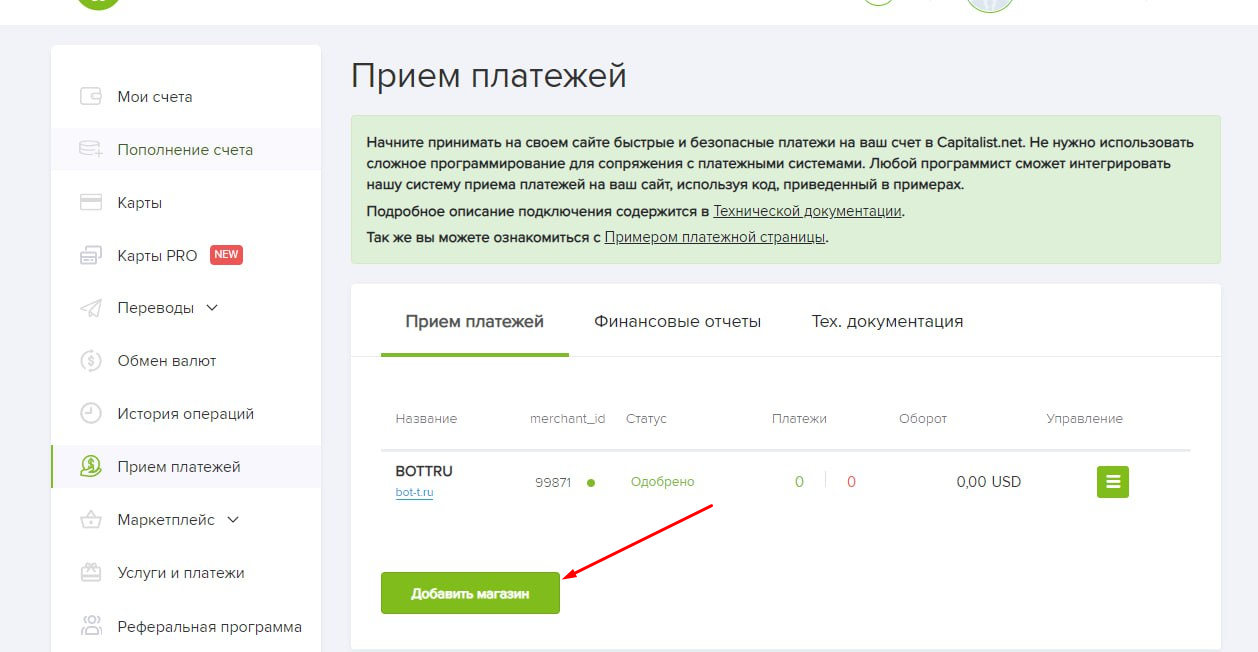 After moderation, we create our store (see screenshot)
Setting up the website for Kapitalist checkout
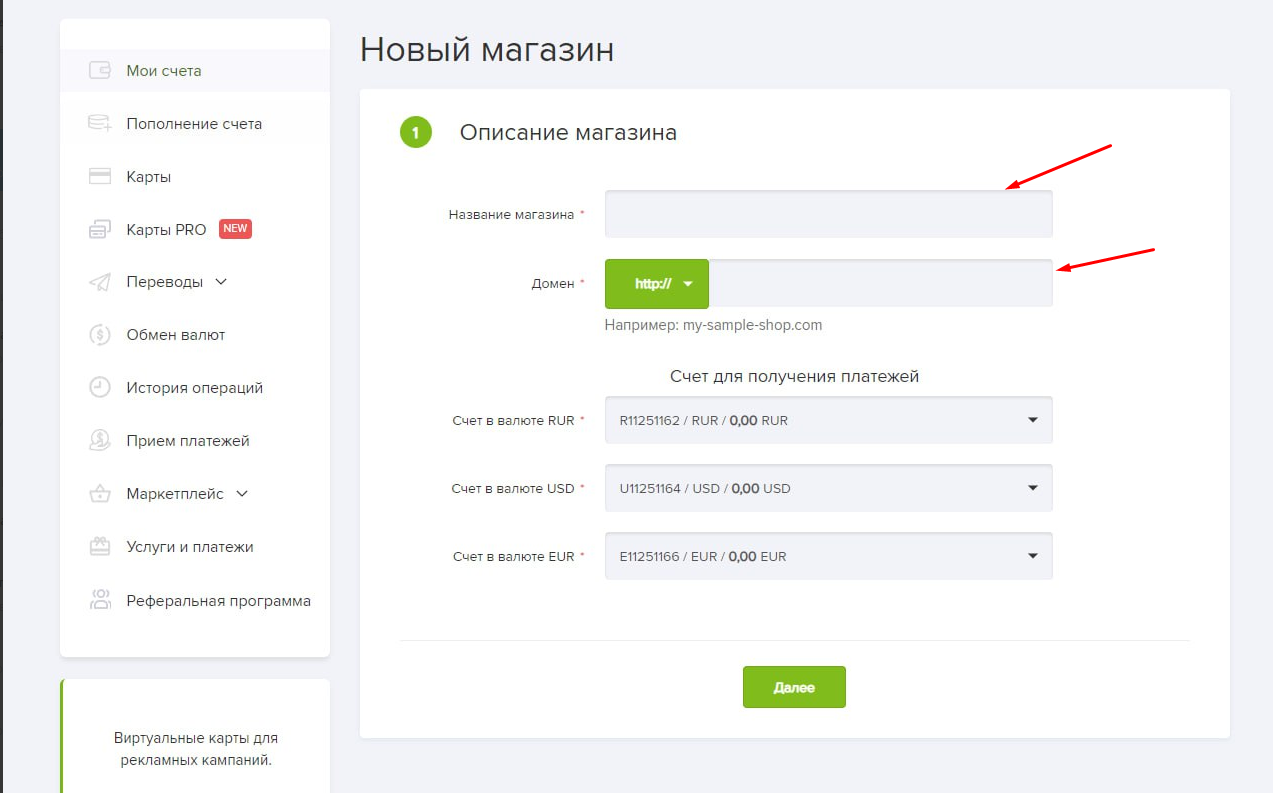 After clicking the "Create Store" button, come up with a name for our store and enter the domain (link) of YOUR website, then move on to the next step
Cash register confirmation on your website
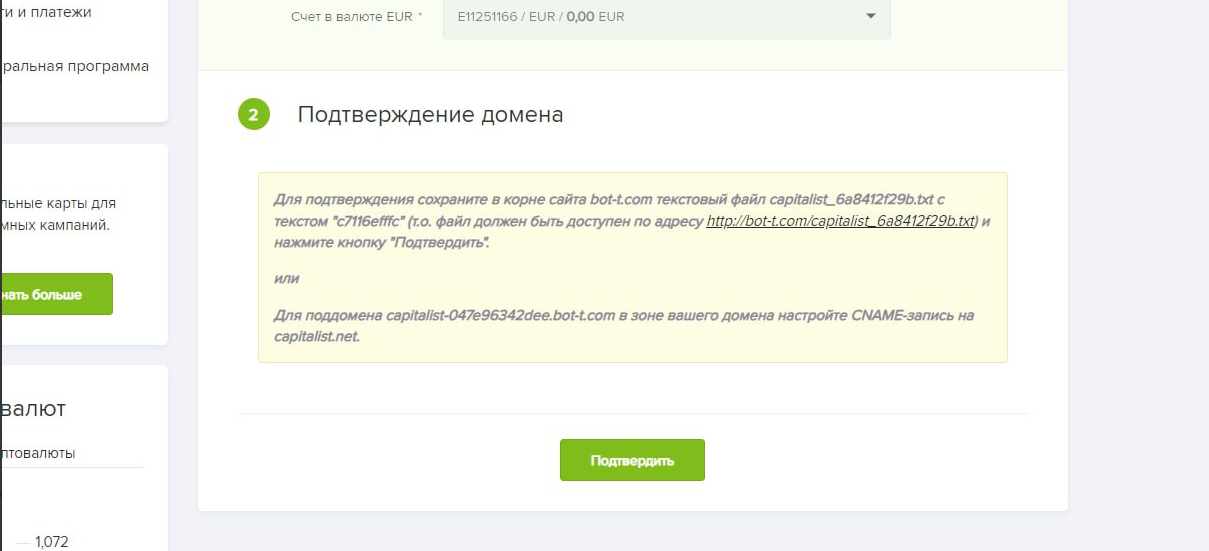 We are verifying your website to create a checkout
Completion of capitalist setup
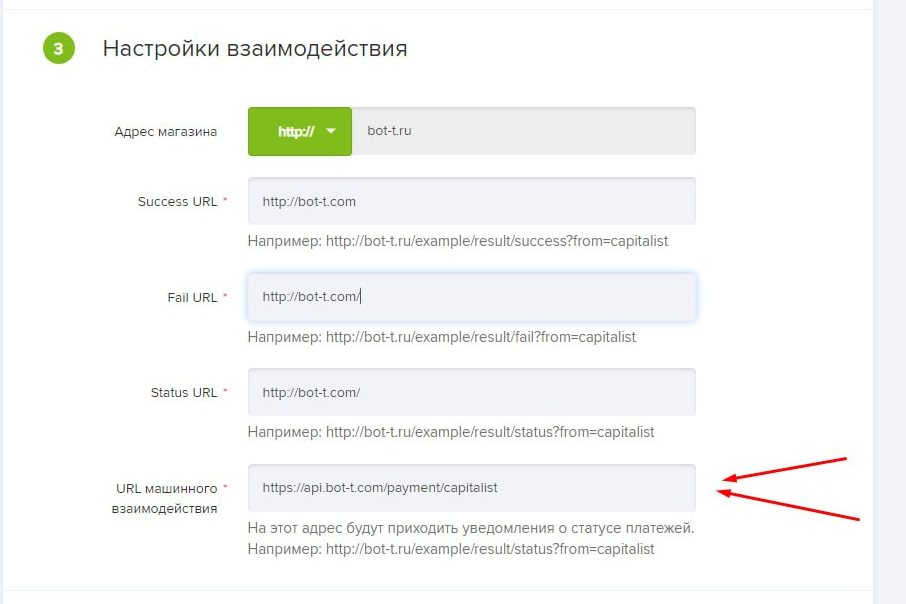 Enter the domain of your website and paste the following handler into the URL (see screenshot)
 https://api.bot-t.com/payment/capitalist
free of charge and without programming knowledge BOT-T.COM