Registration in prime payments
 Registration in the system PrimePayments
On the main page of the PrimePayments website, click the "Registration" button. You will see the new partner registration wizard. To complete registration, you need to:
Provide your last name, first name, mobile phone number, email address, and password, as well as confirm your legal capacity and agree to the terms of the public offer for the use of the PrimePayments Service and the personal data processing policy — if you are registering in the system without a legal entity or sole proprietorship. After registration, you need to confirm your email address. To do this, follow the link in the special email we sent to the address specified during registration.
Completing prime-payment setup
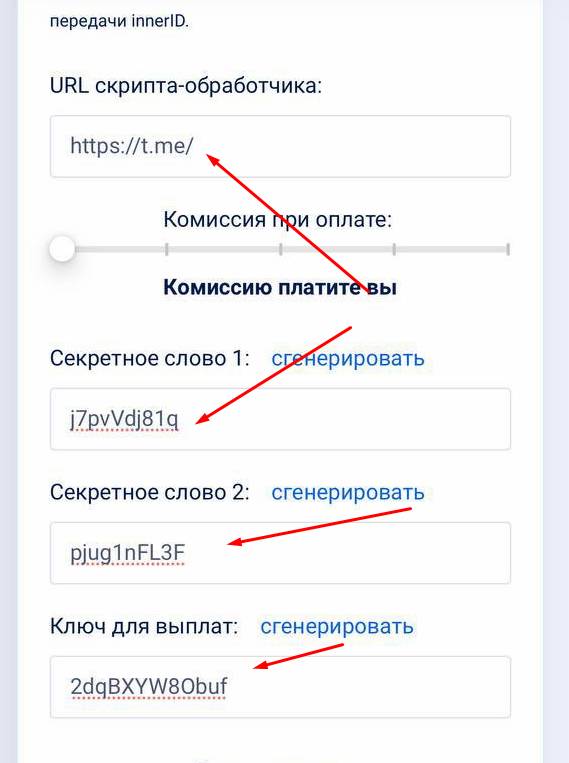 After creating a cash register in https://primepayments.ru/, in the handler script URL field you will need to paste the following URL:
https://api.bot-t.com/payment/prime-payments
Next come 3 secret words — we remember them and then enter them on the bot-t website to complete the setup, as well as the project number (the cash register you created)
free of charge and without programming knowledge BOT-T.COM