Tor Pay API token release
 To add payment via {Tor pay}, you need to go to Telegram and find the bot @torwalletbot and select the following options!
1. Tor Pay
2. Create application
3. API key
4. Copy the token received when creating the checkout and paste it into the website
Setting up Tor Pay payment on the website
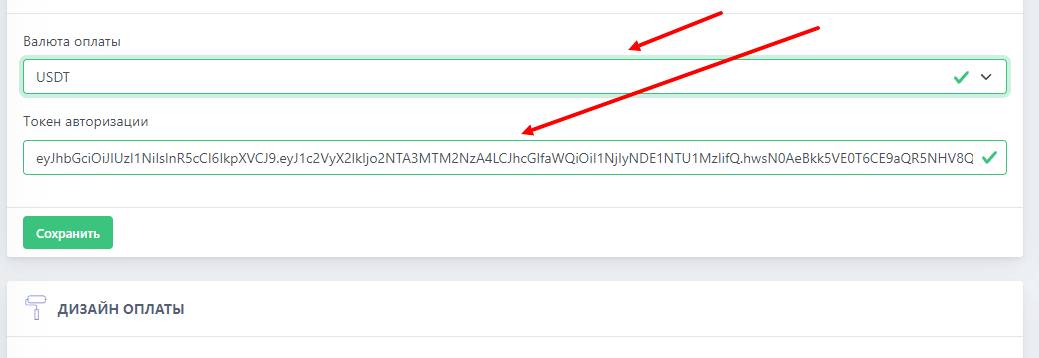 To set up payments on the website, you need the token that you issued when creating the checkout in tor pay (see the screenshot above)
Next, you need to enter the token on the website and choose a convenient cryptocurrency for receiving funds, then choose the operating mode. (main — for using the checkout, test — for testing your checkout - to see how payments are accepted, your money is not spent)
Website setup is complete
Final setup step
To complete the cash register setup, you need to go to @torwalletbot and select your cash register.
Next, select the Webhooks button, click enable webhooks, and paste the following link into the bot:
https://api.bot-t.com/payment/torwallet
Done. Setup complete!
free of charge and without programming knowledge BOT-T.COM