

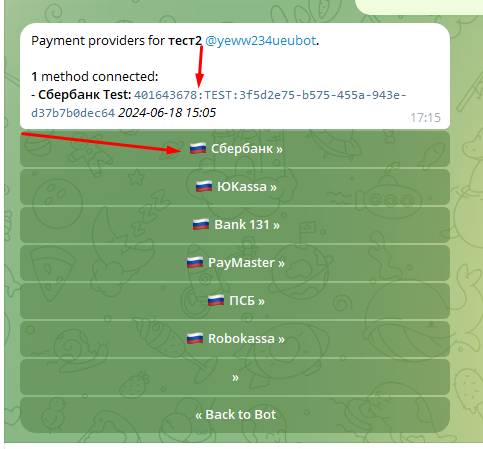
 To add other payment methods, you need to go to BotFather and open the payments section, then choose the merchant you like and connect to it (register; whether it is quick or difficult depends on the merchant (bank)).
Next, you will be given a unique token (see the screenshot for what it looks like), which then needs to be connected to our website
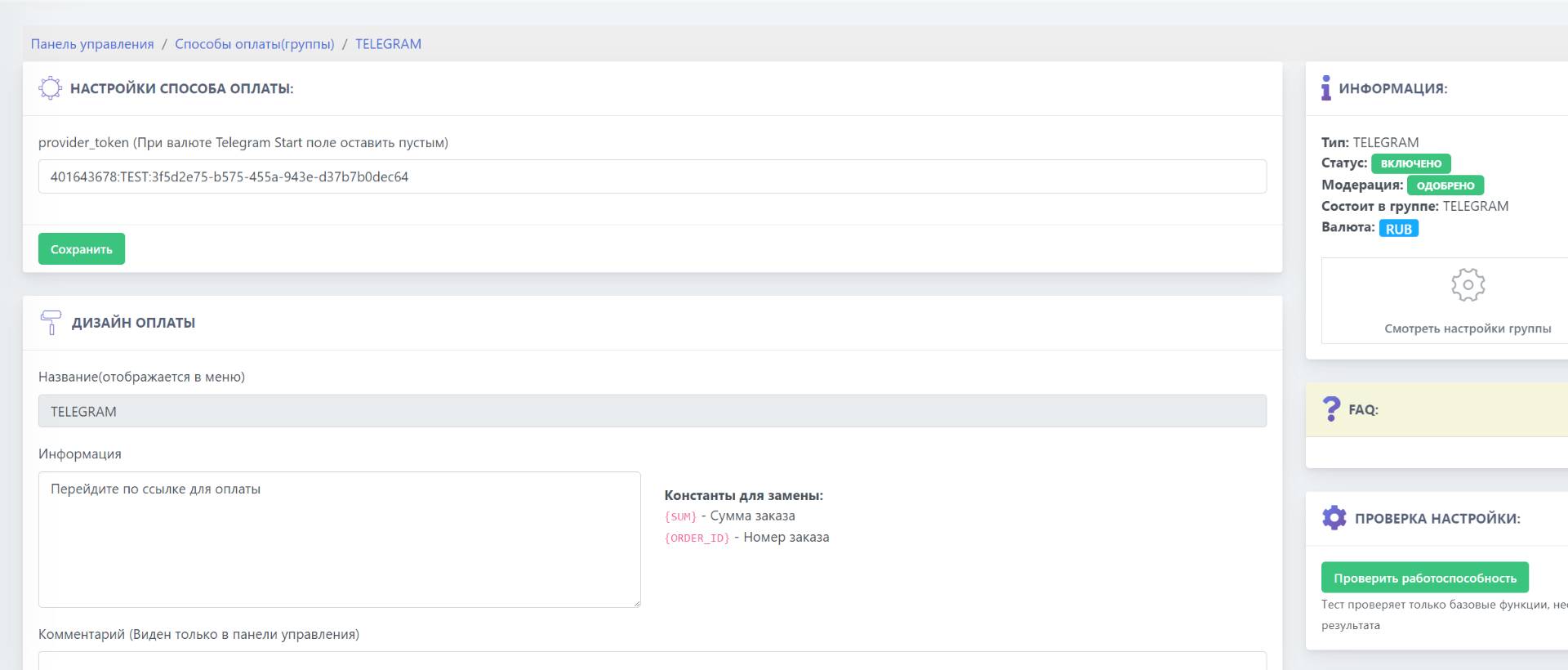 We insert the payment token (which is shown in the screenshot above in BotFather) into the Bot T payment system (set the currency correctly for your merchant!)
 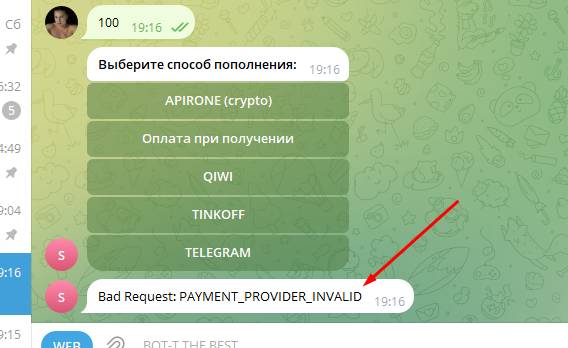 If you encounter an error like the one in the screenshot, then most likely you issued a payment token in one bot and inserted it into another on the website, be careful!