

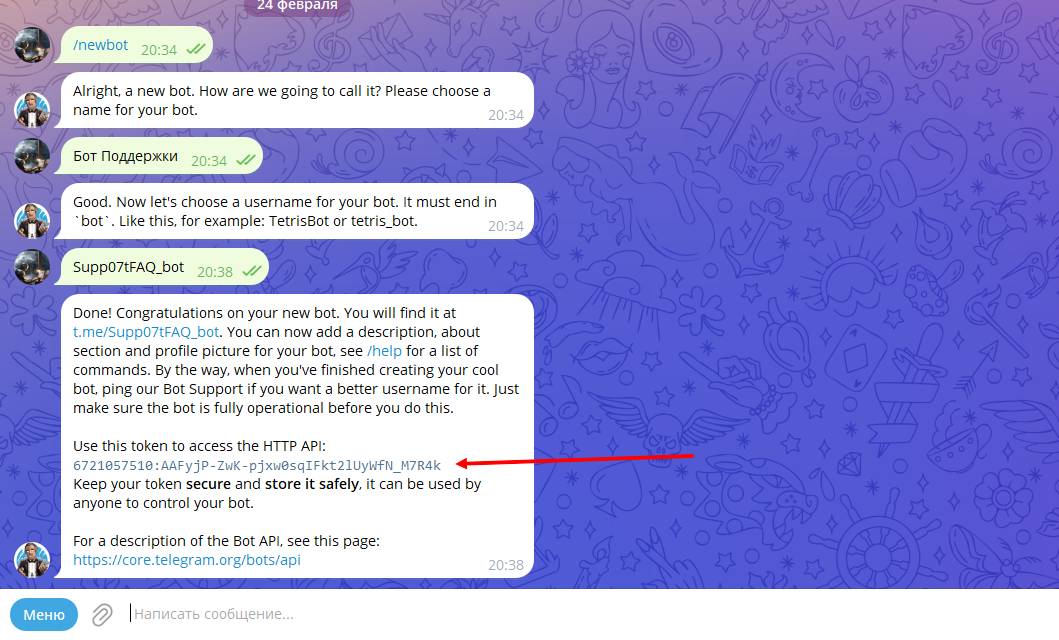
 Creating a support bot for communicating with clients in Telegram starts with issuing an API token; one might ask why it starts with that? It’s simple and very clear: the API token from the bot is its "heart," and everything else is the "skeleton" and the filling of that skeleton; setup takes place after adding the key from your bot into the system.
To issue it, you need to follow the instructions:
1) Open @BotFather in Telegram and press start/begin
2) Select the /newbot command
3) Enter any name for the bot. Then enter the bot’s nickname in English as one word, which must end with the word _bot
4) You will receive a message where our token will be located after the API.
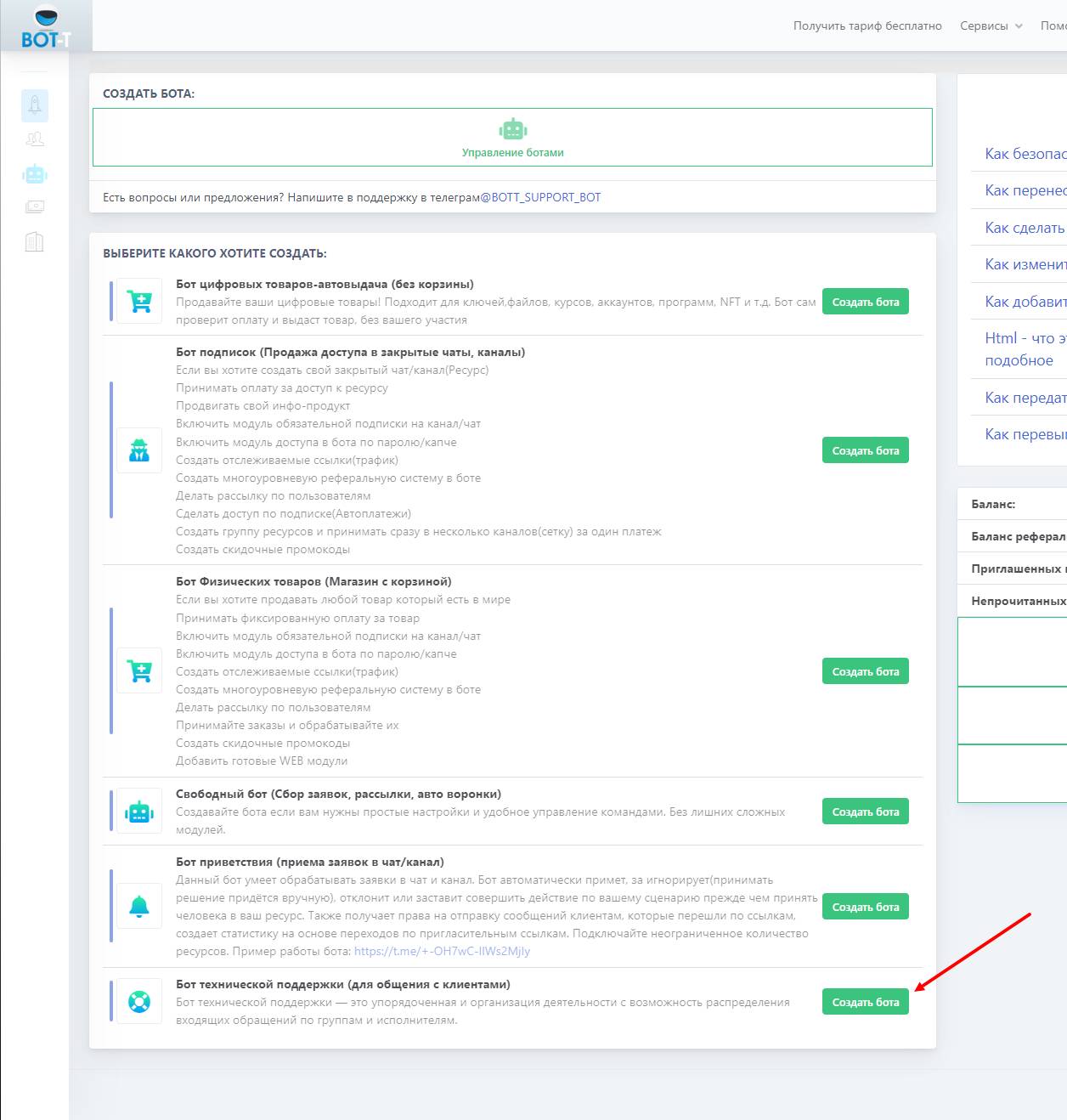 In our case, we need to choose the bot with the type "Technical support bot (for communicating with customers)", as this is the type of bot that will suit us for answering users' questions in Telegram.
 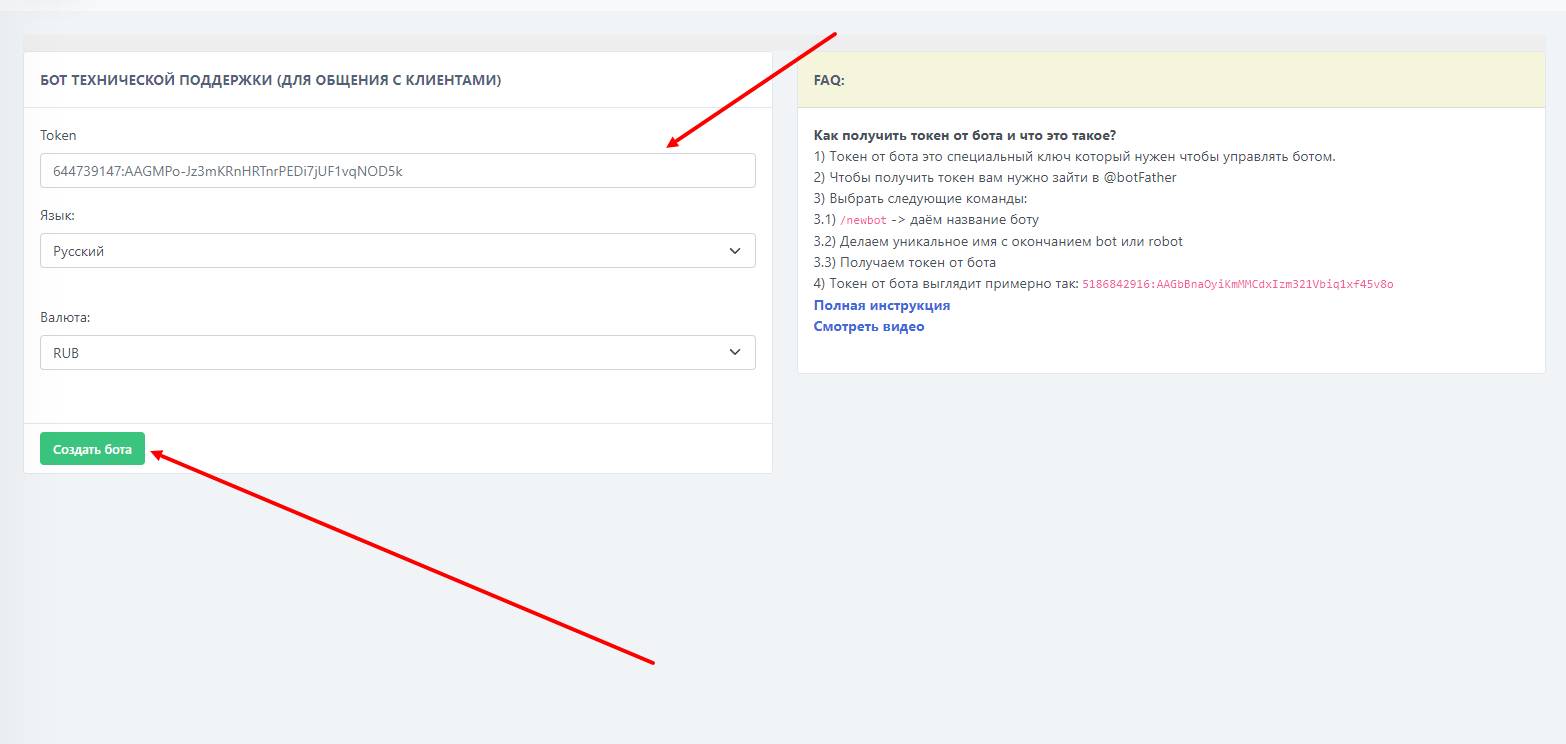 Next step - add the previously issued token to