

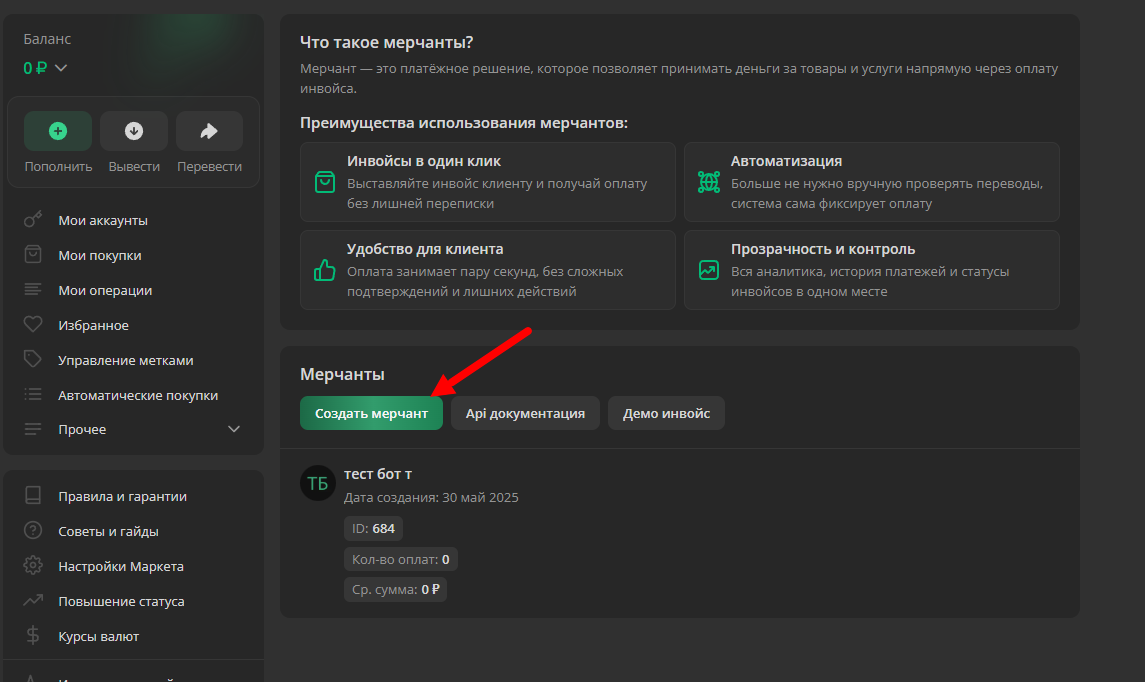
 How does LOLZ MERCHANT differ from receiving payments to a personal account?
- When using the merchant, an invoice is issued instead of a transfer
Required data for setup:
- Merchant ID
- Privat Key
- Merchant Key
Go to the LOLZ website in your profile settings or via the direct link, click the "Merchants" button, and create a checkout system
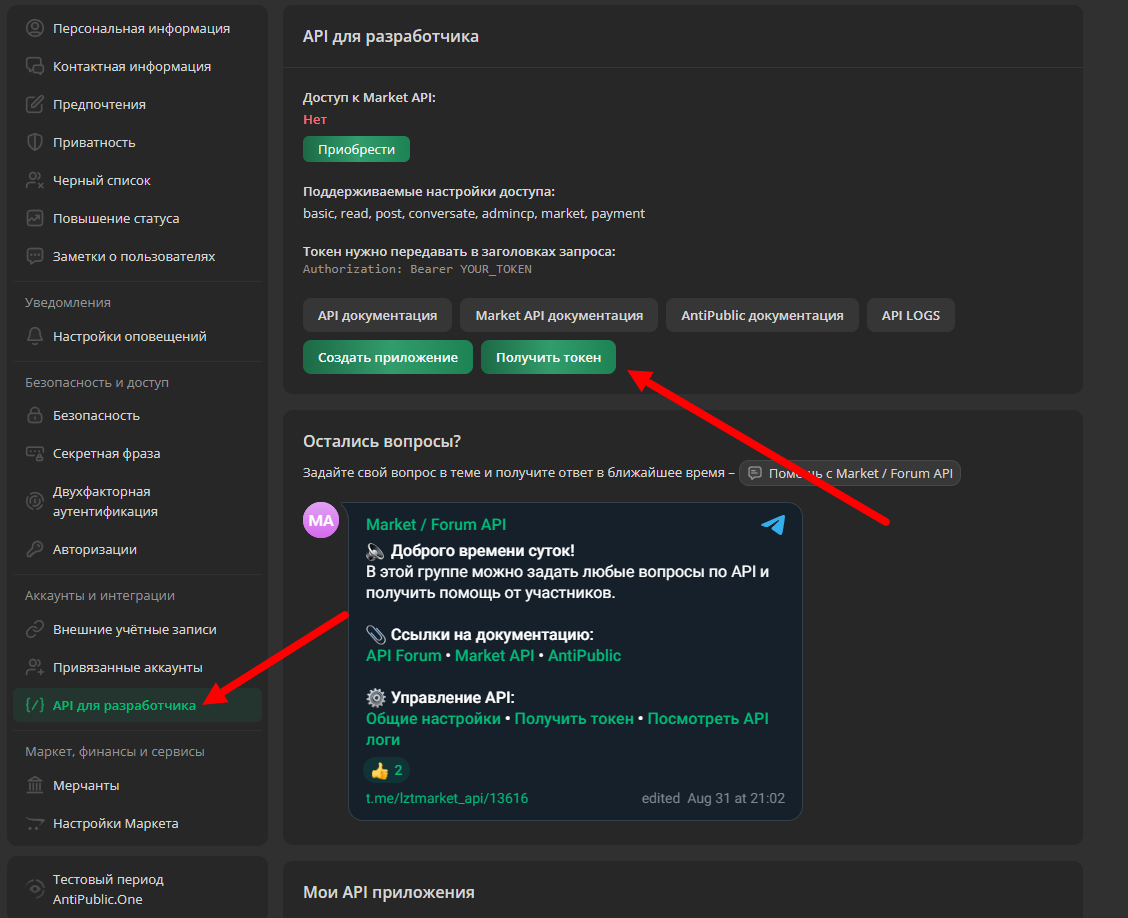 After creating the merchant, copy the API Private Key - you can find it in the API developer tab marked in the screenshot or via the
 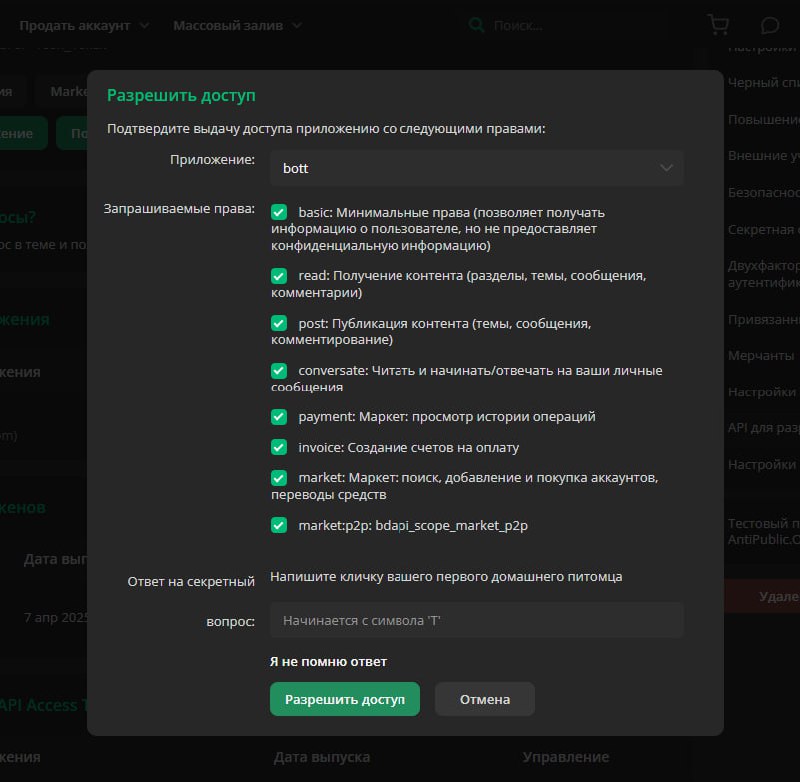 For the payment to work successfully, you need to grant the key the permissions shown in the screenshot — check the boxes and copy the key.
 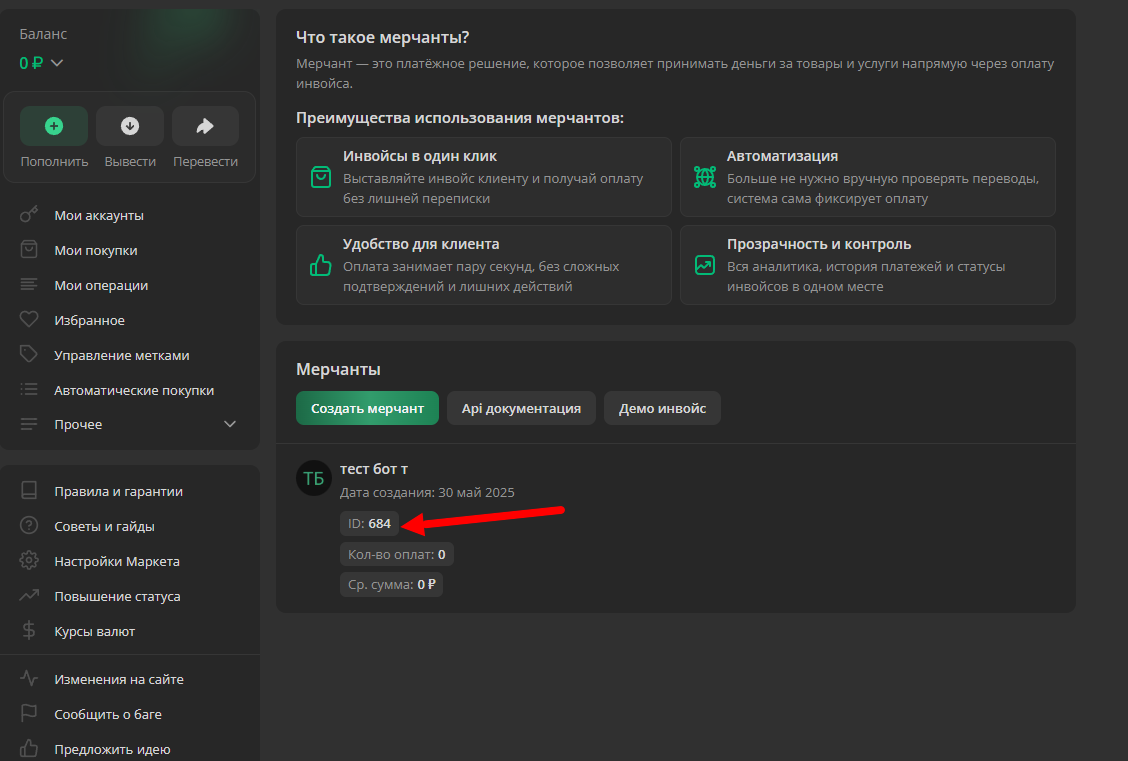 Go to the page
 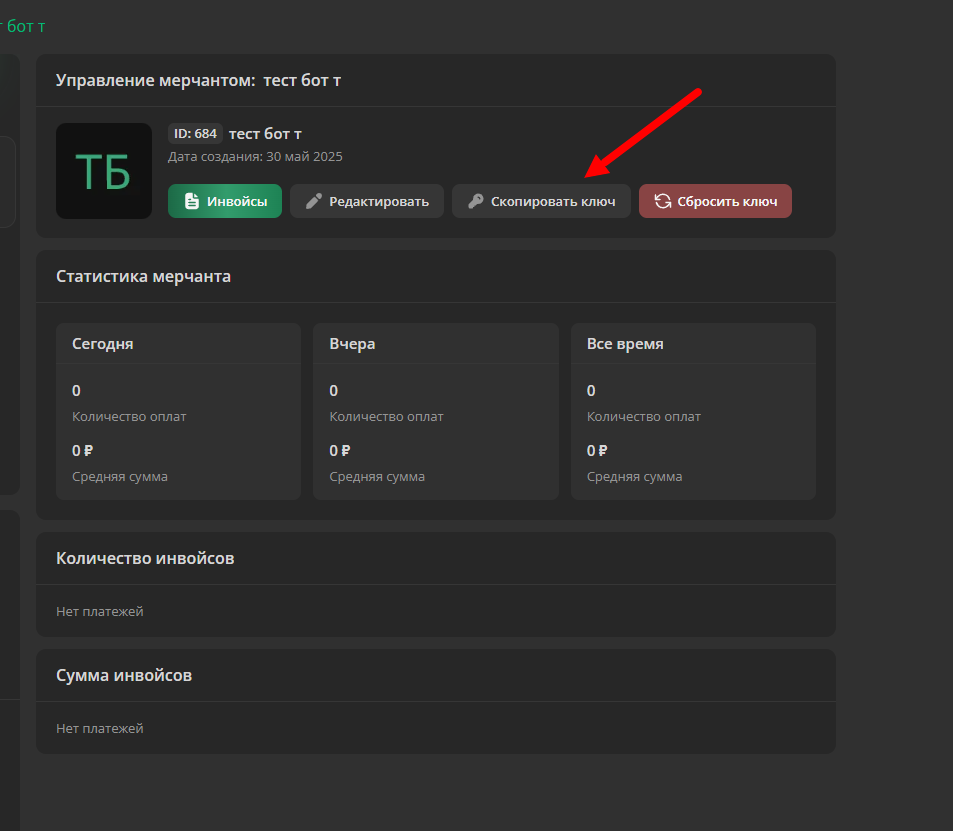 Click on the button with the name of your merchant - we will go to the advanced cash register settings; for Merchant Key, click the "Copy key" button
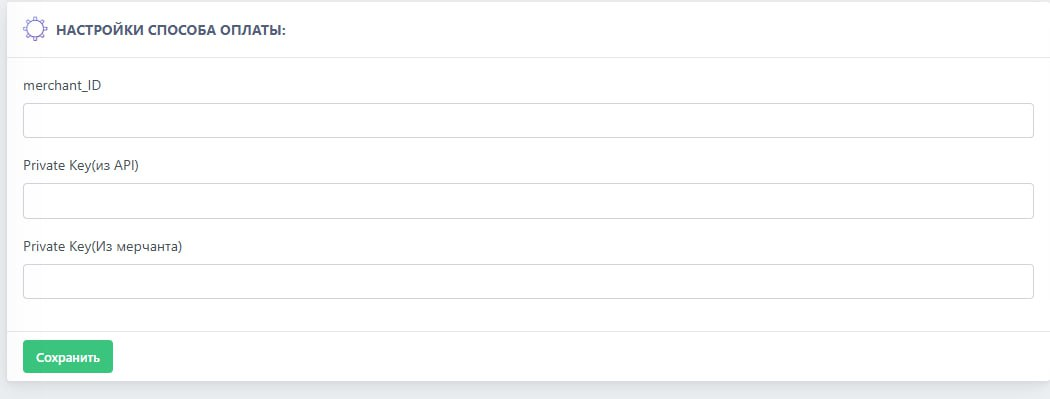 Go to the BOT-T website and enter the previously copied data