Create a product with the API type

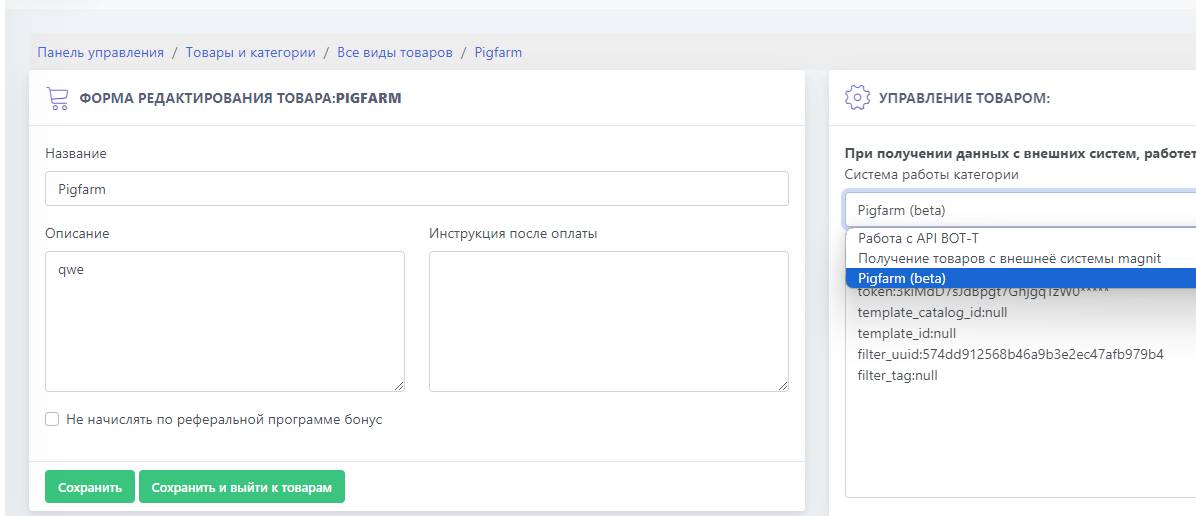
Create a product with the API typeAfter creating the product, select Pigfarm mode

Next to the token field, enter your access token (Make sure it has permission to create orders and products)

Design

DesignThe design only partially follows templates. (Text only, no menu)

By default, it is null — this means the main template will be used.

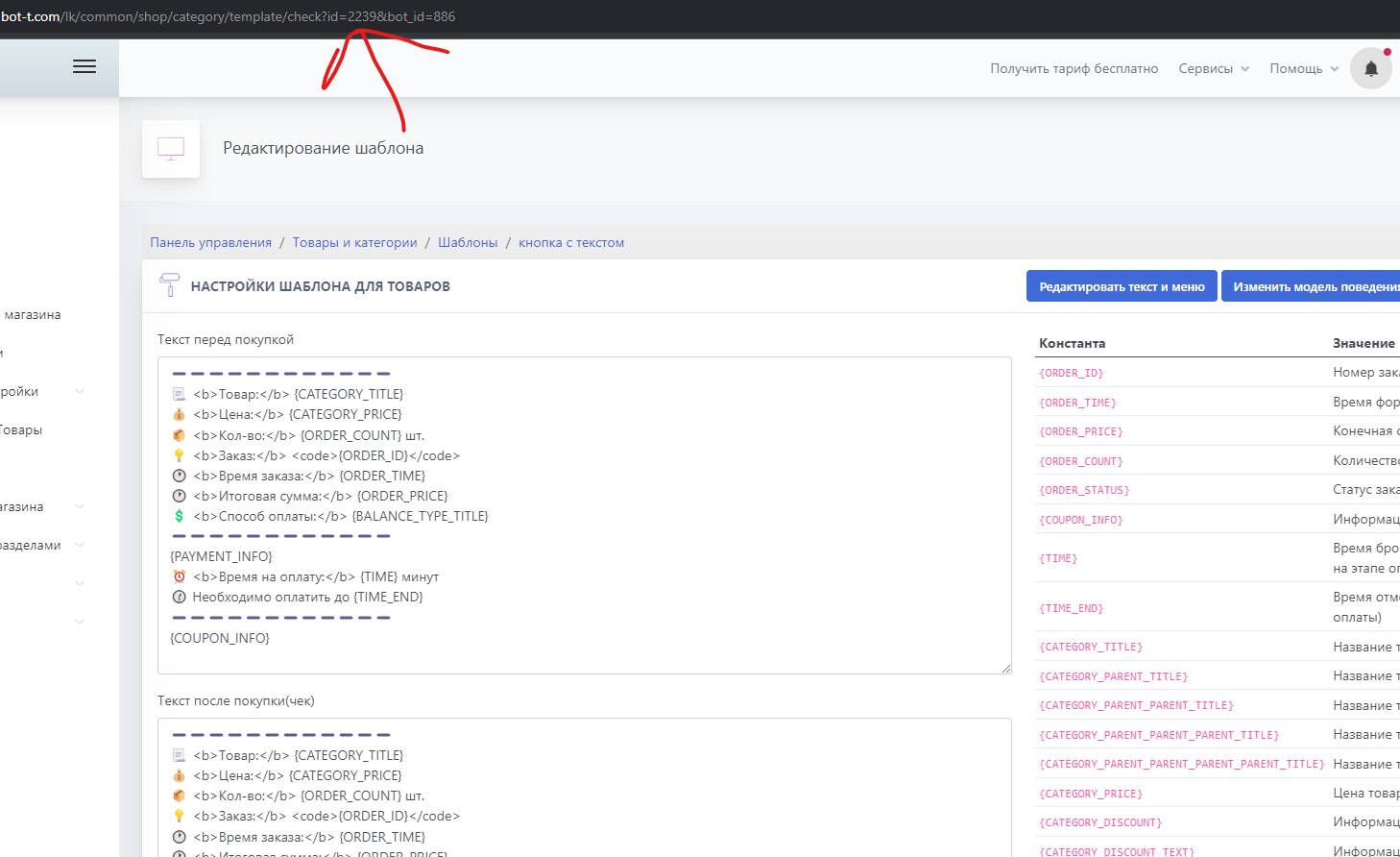
Thanks to the template, you can set your own text, find out the template ID, as shown in the screenshot in the request line when editing the receipt.
The text inside the menu itself also depends on the template design.

It is recommended to create separate templates for the API

Filters

Filtersfilter_uuid - is responsible for displaying a specific category
filter_tag - sorts by tag (which is set on the PigFarm website)

Output in the right places

The product from Pigfarm, like any other product, can be displayed in any section. To do this, through menu management, you can insert a link to the Pigfarm product into the action.

If you want to display products at the zero level (where there are only categories), there are two ways to do this:
1) Through the main template for categories, insert direct links to Pigfarm.
2) Use a free message for the main menu and build the entire catalog manually.

Create a bot:
free of charge and without programming knowledge BOT-T.COM