

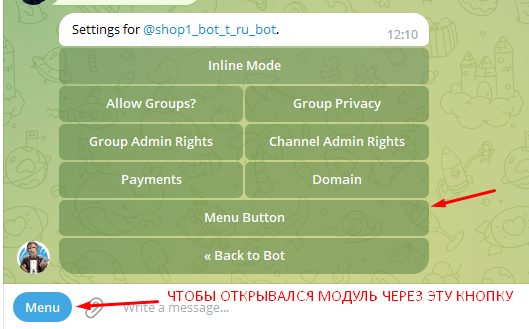
 To add the mandatory channel subscription module, you need 3 things:
A bot created through the Bot-T builder with the Full plan or higher (see screenshot)
A created channel with any post
Our bot on Telegram https://t.me/FIND_MY_ID_BOT to find out the ID of the PRIVATE channel. If the channel is public, we do not need it.
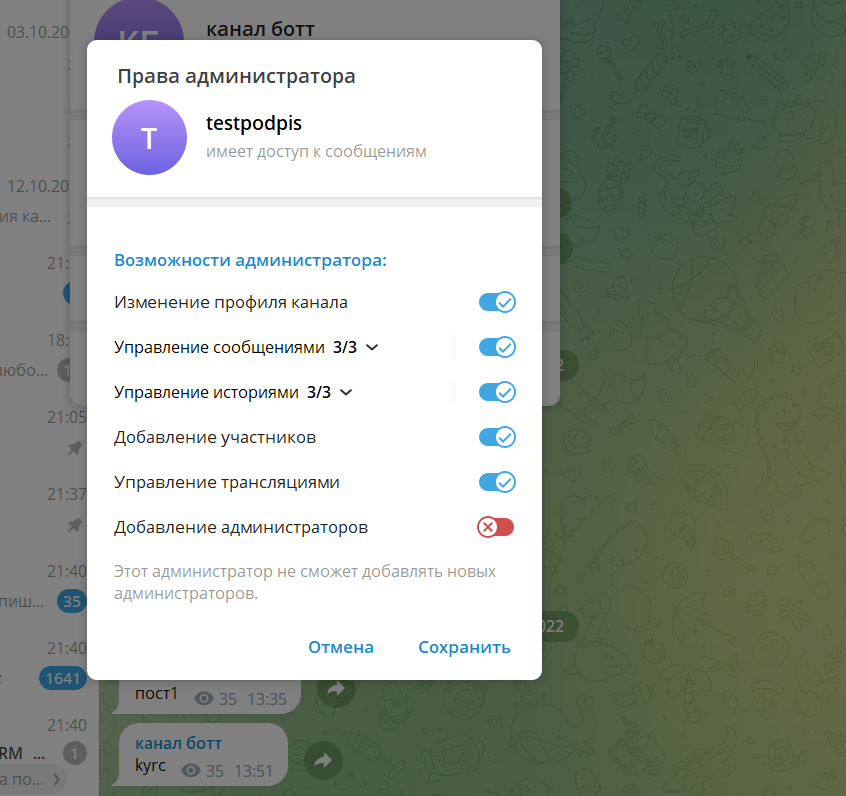 In order to assign YOUR BOT as the channel admin, you need to add it to your channel and grant it administrator rights.
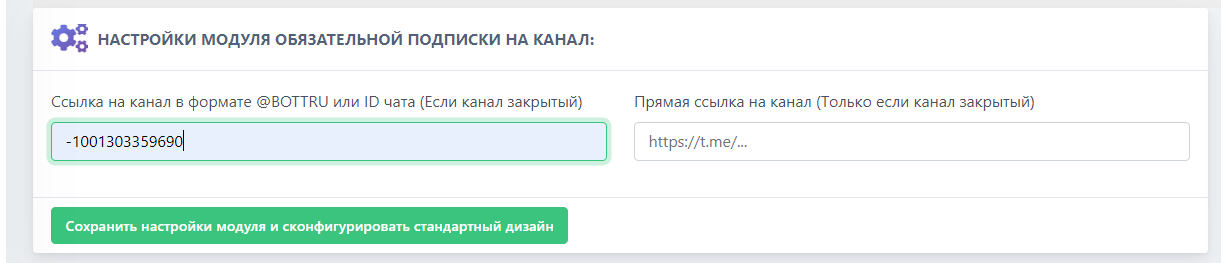 THE ID MUST BE ENTERED WITH A MINUS
 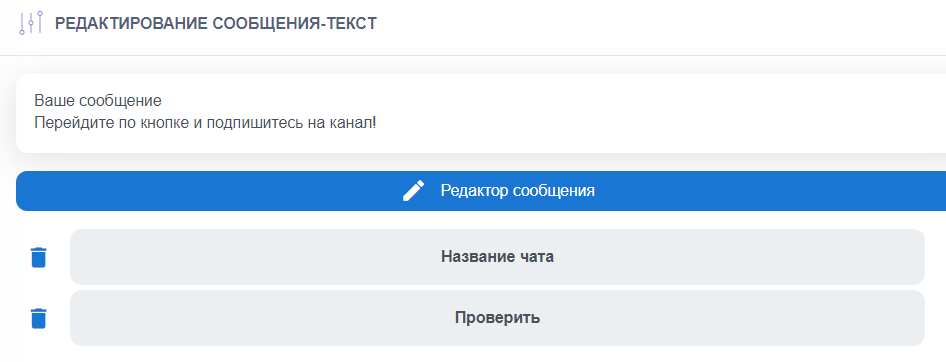 This is what the finished subscription module looks like for a PRIVATE channel. For proper setup, click the check button "Check that the settings are correct" to make sure the module is working properly. if you have THE MODULE DOES NOT APPEAR IN THE BOT FROM THE ACCOUNT YOU USED TO CREATE AND CONFIGURE THE CHANNEL YOURSELF, then it may be because you are the resource creator?!
 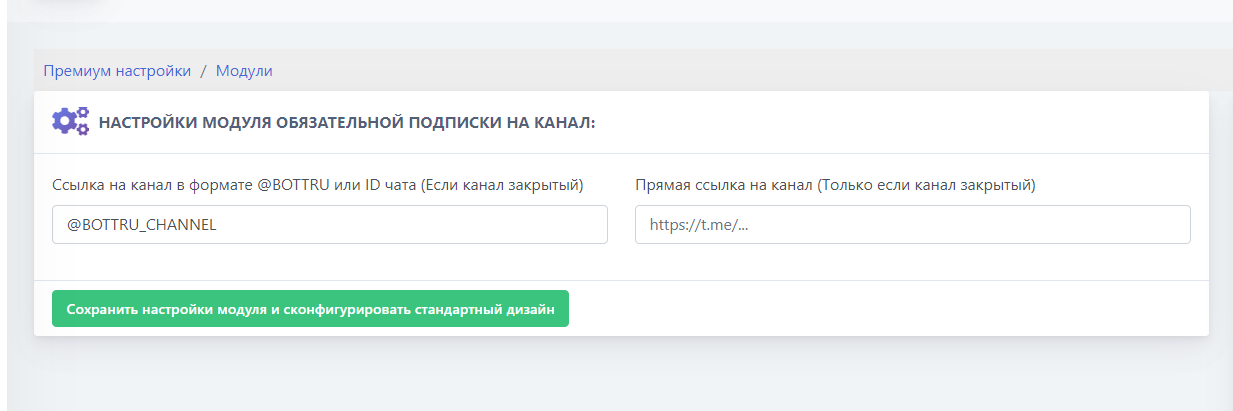 This is what the finished subscription module looks like for an OPEN channel. For proper setup, click the verify button "Check the correctness of the settings" to make sure that the module is working properly. If you DO NOT SEE THE MODULE IN THE BOT FROM THE ACCOUNT WITH WHICH YOU CREATED AND CONFIGURED THE CHANNEL ITSELF, it may be because you are the creator of the resource?!
 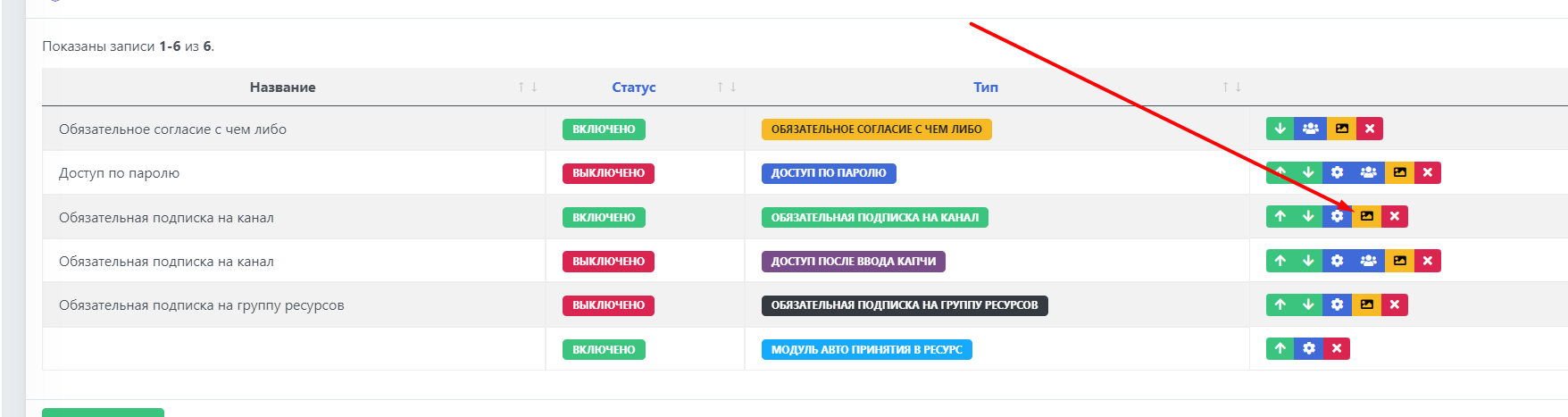 To change the design for the mandatory subscription module, click the yellow button "Edit design", and change it however you want.