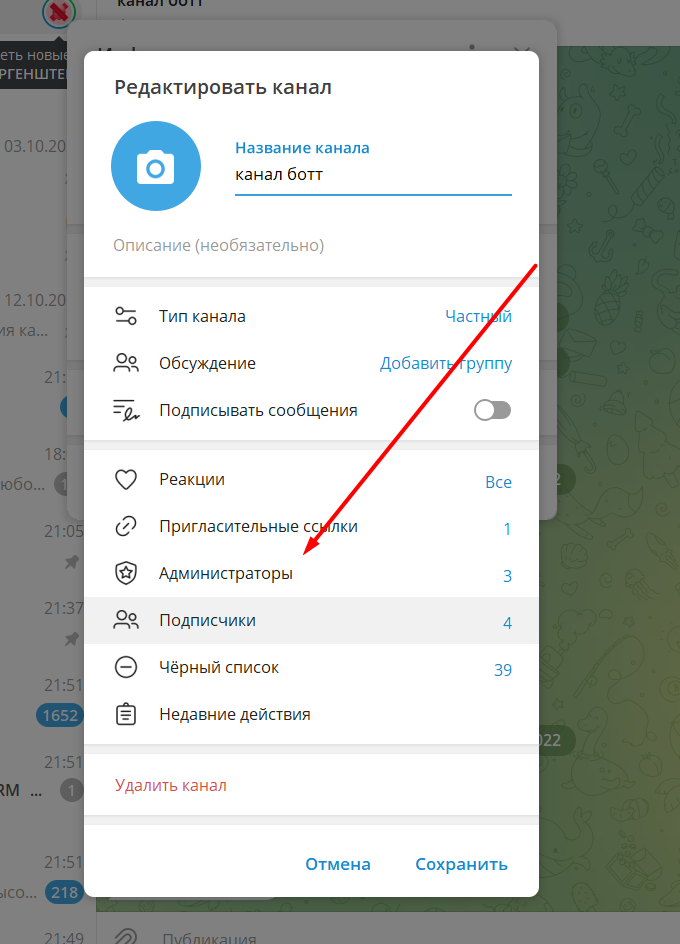
 We go to our resource for mandatory subscription. Copy your bot's name into bot - t, namely login - @Your_BOT.
And paste it into the add administrators tab (see screenshot)

Help Center BOT-T
Find answers, learn how to use the service, and get help from our team.
For example: payment, plans, Telegram bot, reviews...

Search results
We go to our resource for mandatory subscription. Copy your bot's name into bot - t, namely login - @Your_BOT.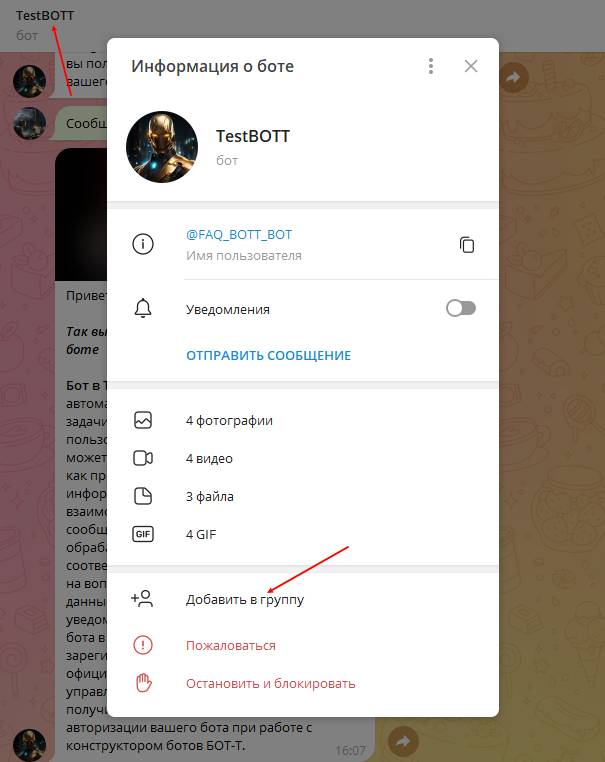 You can also add the bot to your resource through bot management. To do this, you only need to:
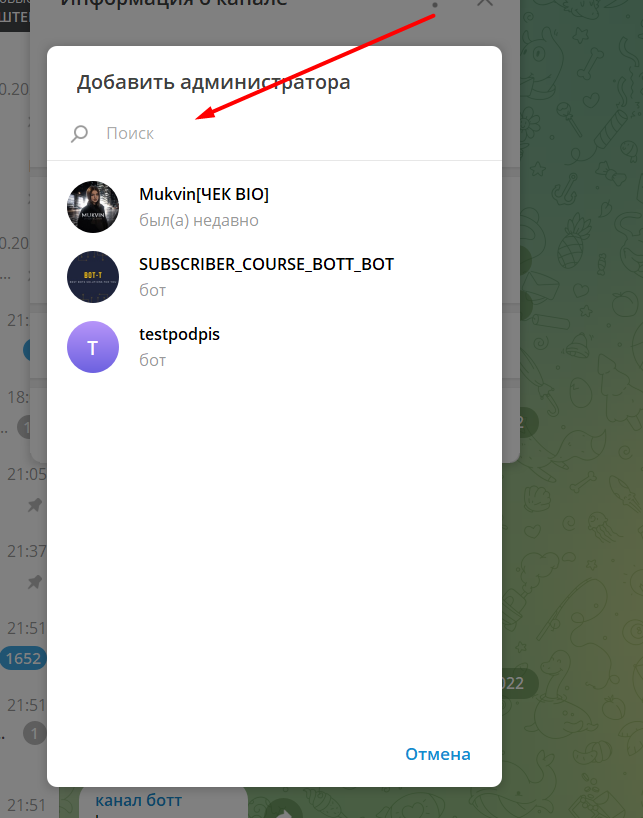 It’s simple: you’re being offered to choose an admin from people you know, but we need a bot; click the button in the screenshot.
 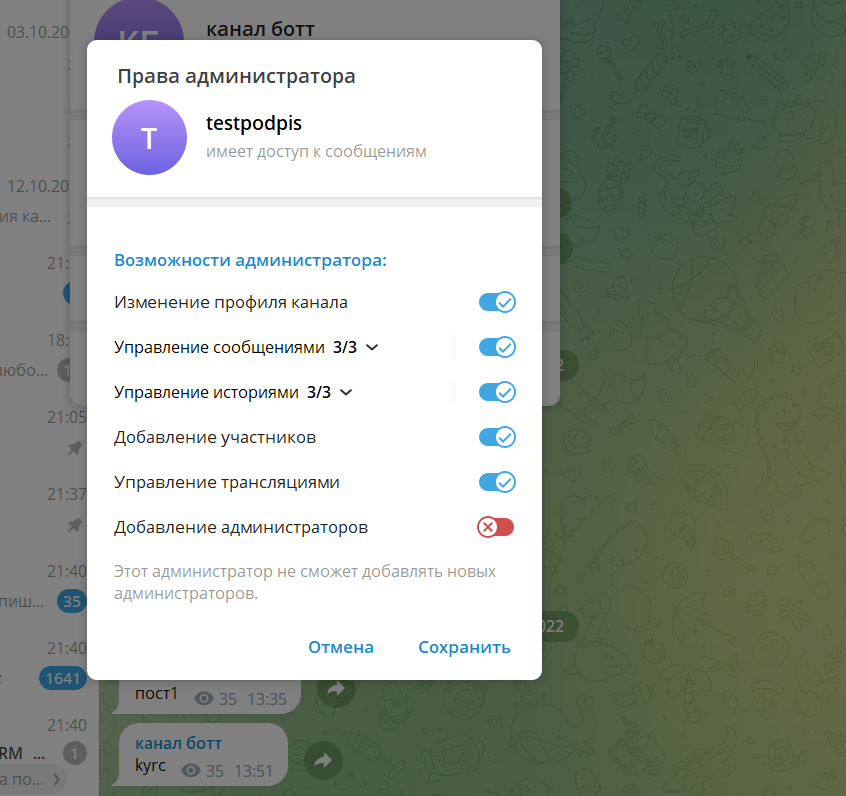 We assign the standard rights and save. Done