 This block provides access to editing the order design
 Access to the design settings is carried out by clicking the "Order Design" button

Help Center BOT-T
Find answers, learn how to use the service, and get help from our team.
For example: payment, plans, Telegram bot, reviews...

Search results
This block provides access to editing the order design 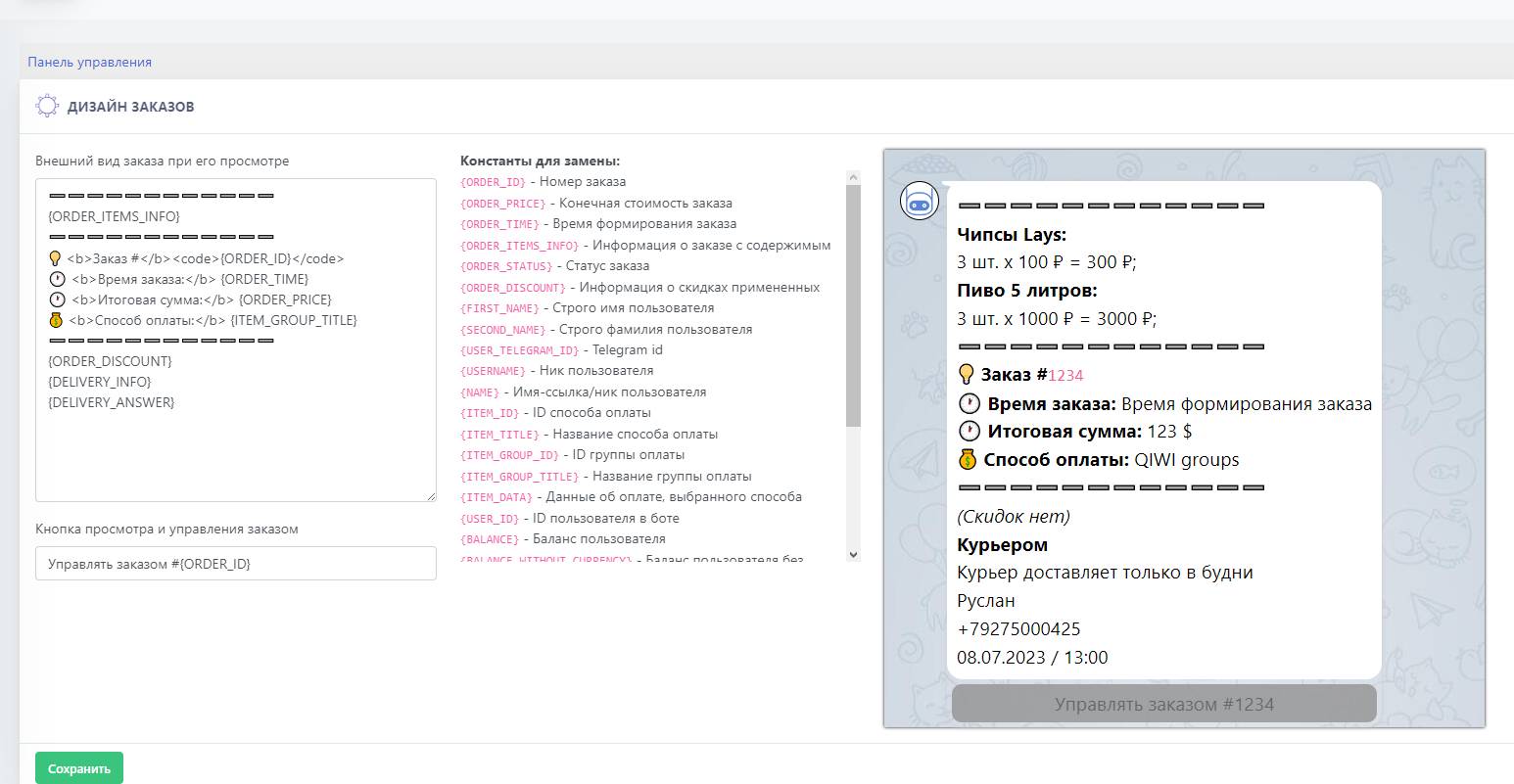 In this field, the order design is configured when it is viewed; on the right is the design behavior model during its setup.Order notifications allow both the buyer and the store administrator to view all order details.