

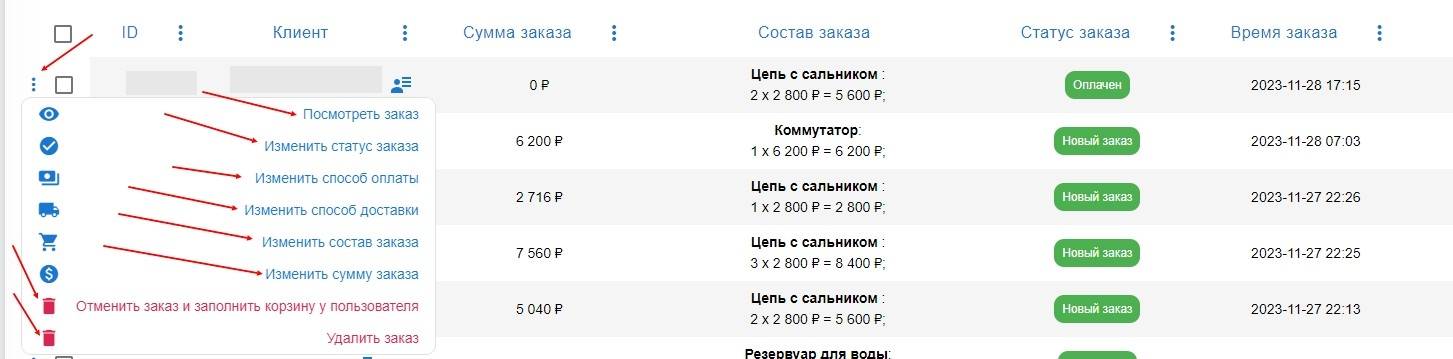
 After going to "Orders", you will be able to see all active orders with the purchase amount and the ordered item.
Order management is done by clicking the button with three dots, and the available editing options will open:
- View order - view the order contents
- Change order status, the following options are available:
New order
Paid
In progress
Completed
You can also notify the customer about the change in order status by clicking the corresponding button in this section
- Change payment method - change the payment system to any one you have already added
- Change delivery method - change the shipping company / item pickup method
- Change order contents - edit the contents of the placed order
- Change order amount - change the total cost of all items in the order
- Cancel the order and fill the user's cart
- Delete order