

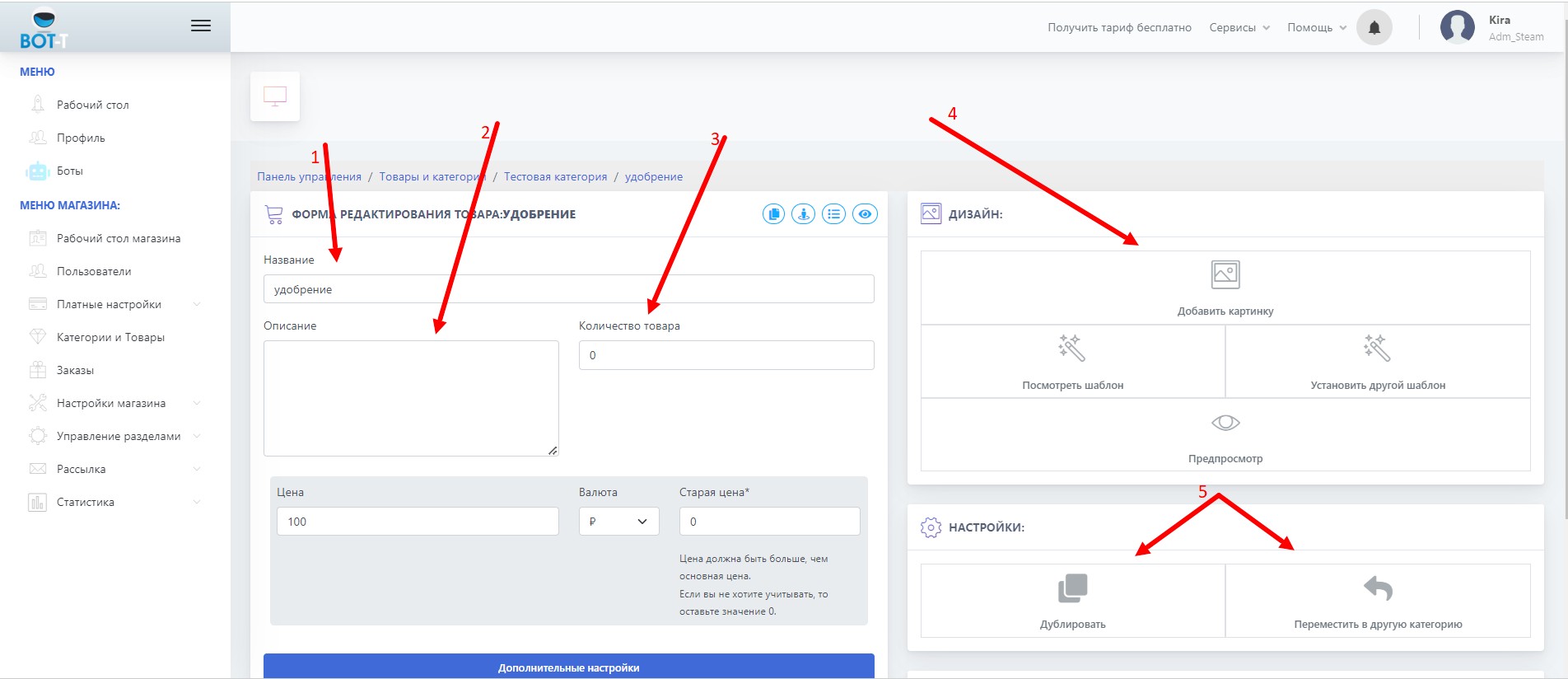
 1. In this field you can edit the product name
2. In the product description, you can specify (manufacturer, product feature)
3. This field shows the quantity of the product in stock
4. You can upload a product image using the "Add image" button (only one image can be added)
5. Buttons to duplicate and move
-Duplicate - this button duplicates the product with all settings and keeps it in the same category
-Move - this button will help you move the product to any other category/subcategory