

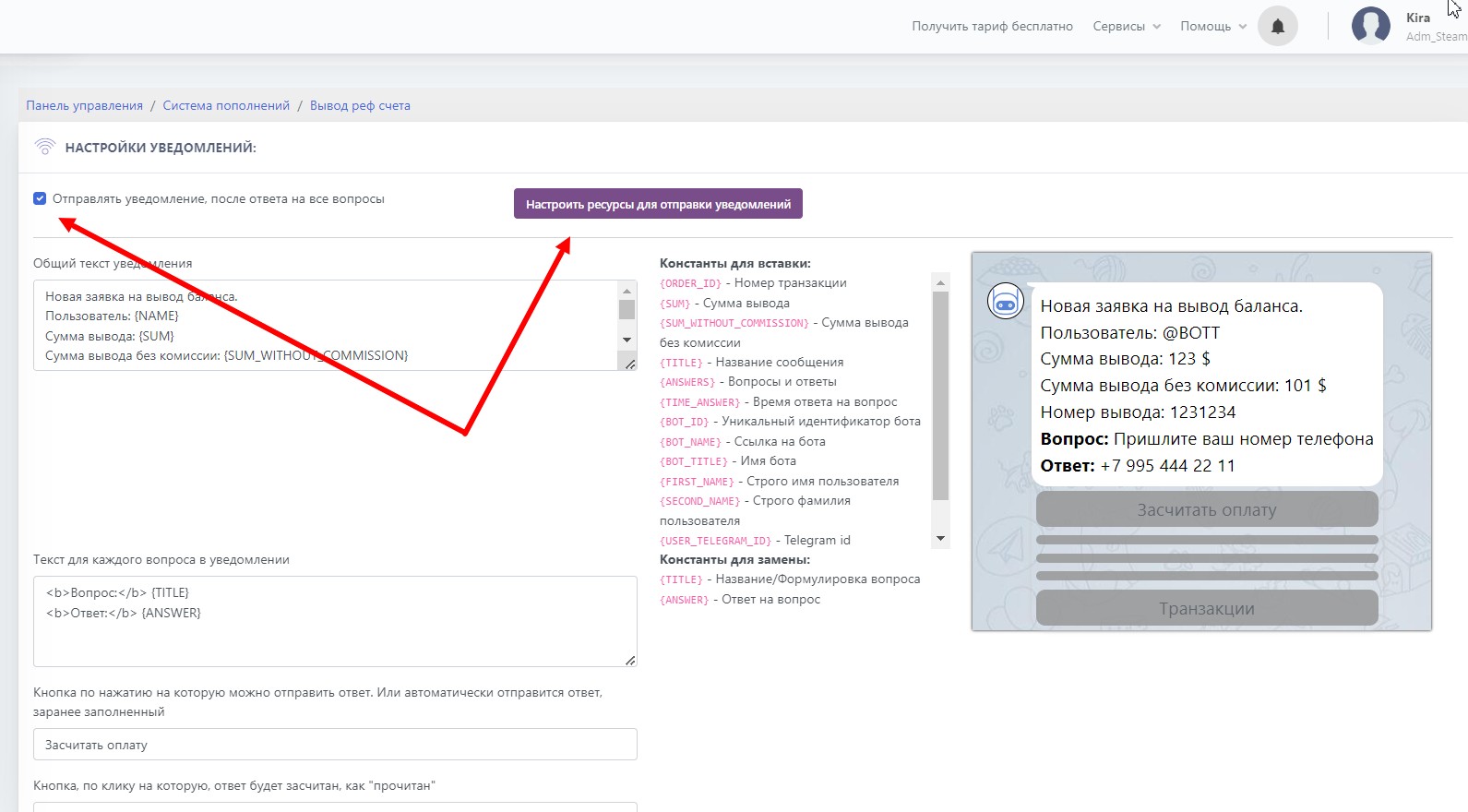
 For configuration, go to the "configure balance display questions" section
then check the box next to the text "Send a notification after answering all questions"
then click configure resources for sending notifications
Additionally, you can configure the question design and feedback appearance
 The settings include constants that you can use to customize and make admin notifications more convenient. When editing, you will have an example on the side that will change as you type, which will make your work easier.
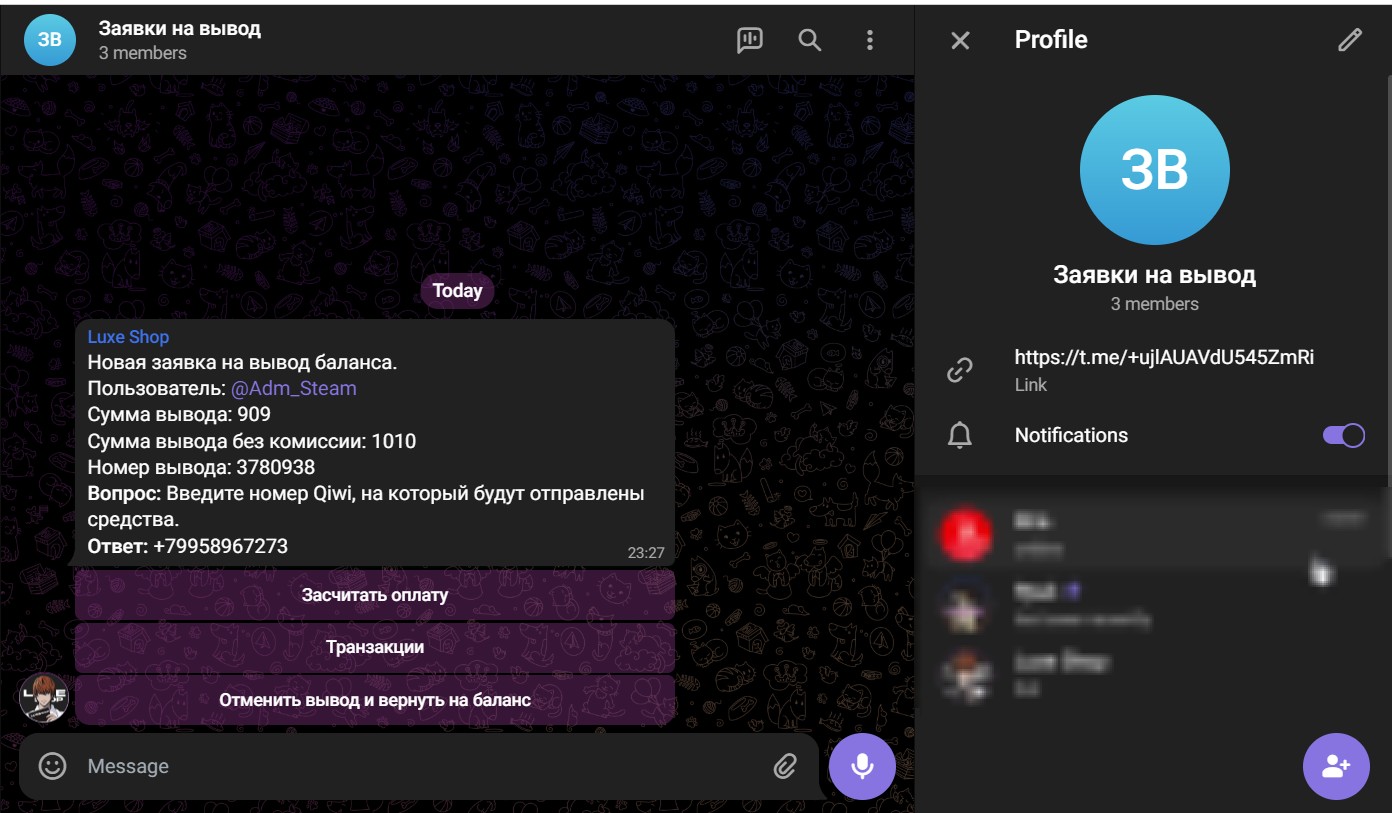
  For starters, you need to add your bot to the channel and chat as shown in the screenshot, and обязательно make a post in the resource!
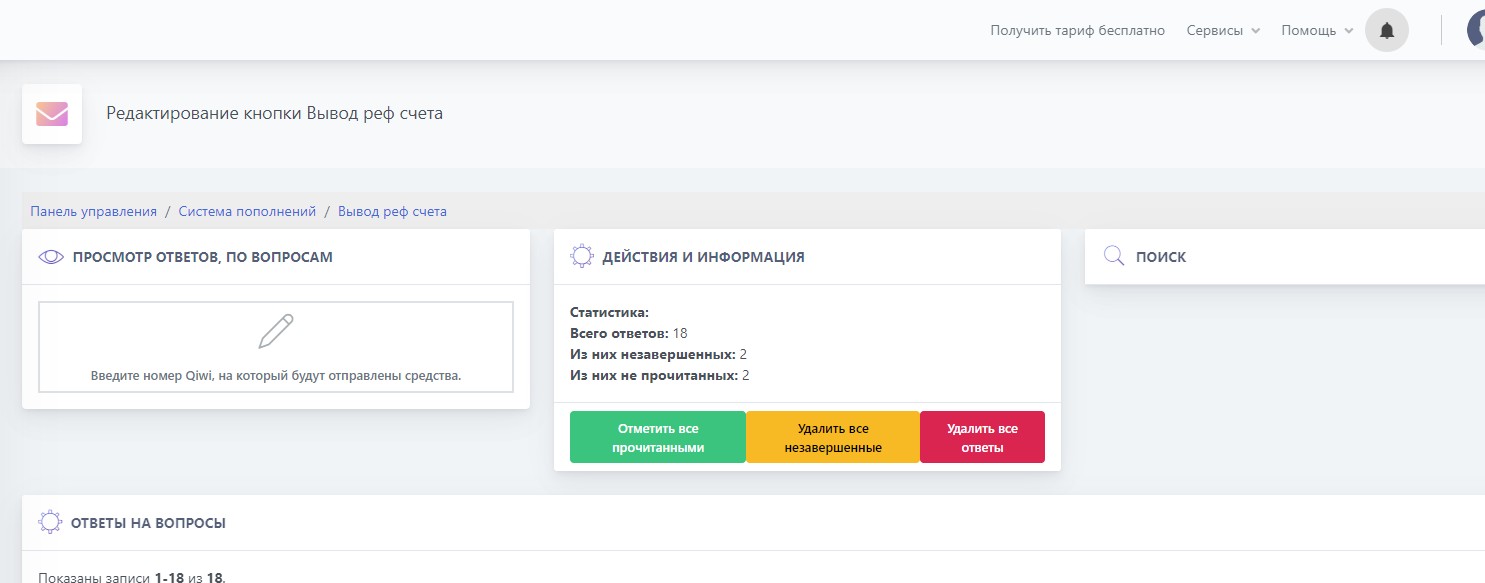
 This setting is located in Top-up settings - balance withdrawal question settings (purple button); there we select our resource and add it so that notifications go there