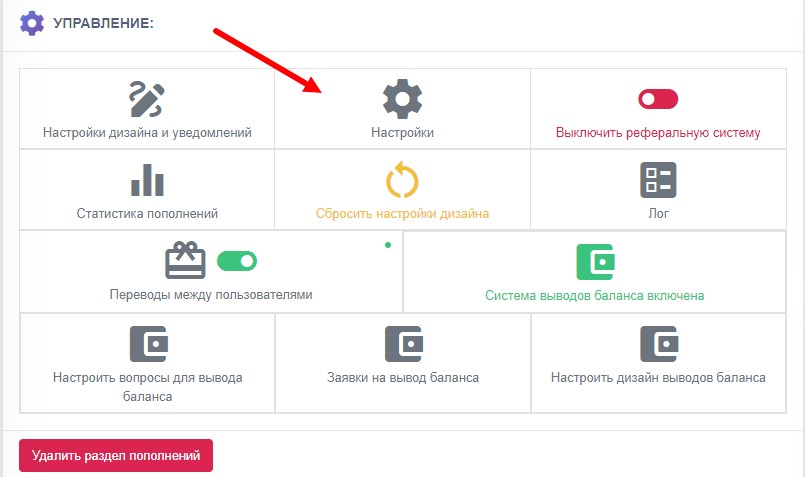
 TOP-UP SETTINGS CHANGE
The time in minutes allocated for payment before automatic top-up cancellation
The maximum percentage of the order amount that can be spent on paying for the order via balance
BALANCE WITHDRAWAL SETTINGS:
Minimum withdrawal amount
The percentage by which the withdrawal is increased or decreased (withdrawal fee)
BOT OPERATION MODE SELECTION
Partial payment of the order or direct payment is possible
TOP-UP SETTINGS CHANGE
The time in minutes allocated for payment before automatic top-up cancellation
The maximum percentage of the order amount that can be spent on paying for the order via balance
BALANCE WITHDRAWAL SETTINGS:
Minimum withdrawal amount
The percentage by which the withdrawal is increased or decreased (withdrawal fee)
BOT OPERATION MODE SELECTION
Partial payment of the order or direct payment is possible - when payment methods are displayed, balance usage will appear first. When you click it, the amount will be debited, but no more than the maximum percentage you set. If the balance is enough to fully cover the transaction cost, the payment type will be BALANCE and the transaction will be completed
Only full payment of the order with balance or direct payment - when payment methods are displayed, balance usage will appear first. When you click it, the amount will be debited. The button will be shown only if the balance amount is enough to fully cover the transaction cost
Only full payment of the order with balance, without direct payment


 The deposit/withdrawal system gives the user an internal bot balance, where they can store their funds and make purchases from the bot balance. Also, when deposits/withdrawals are enabled, you will be able to use features such as:
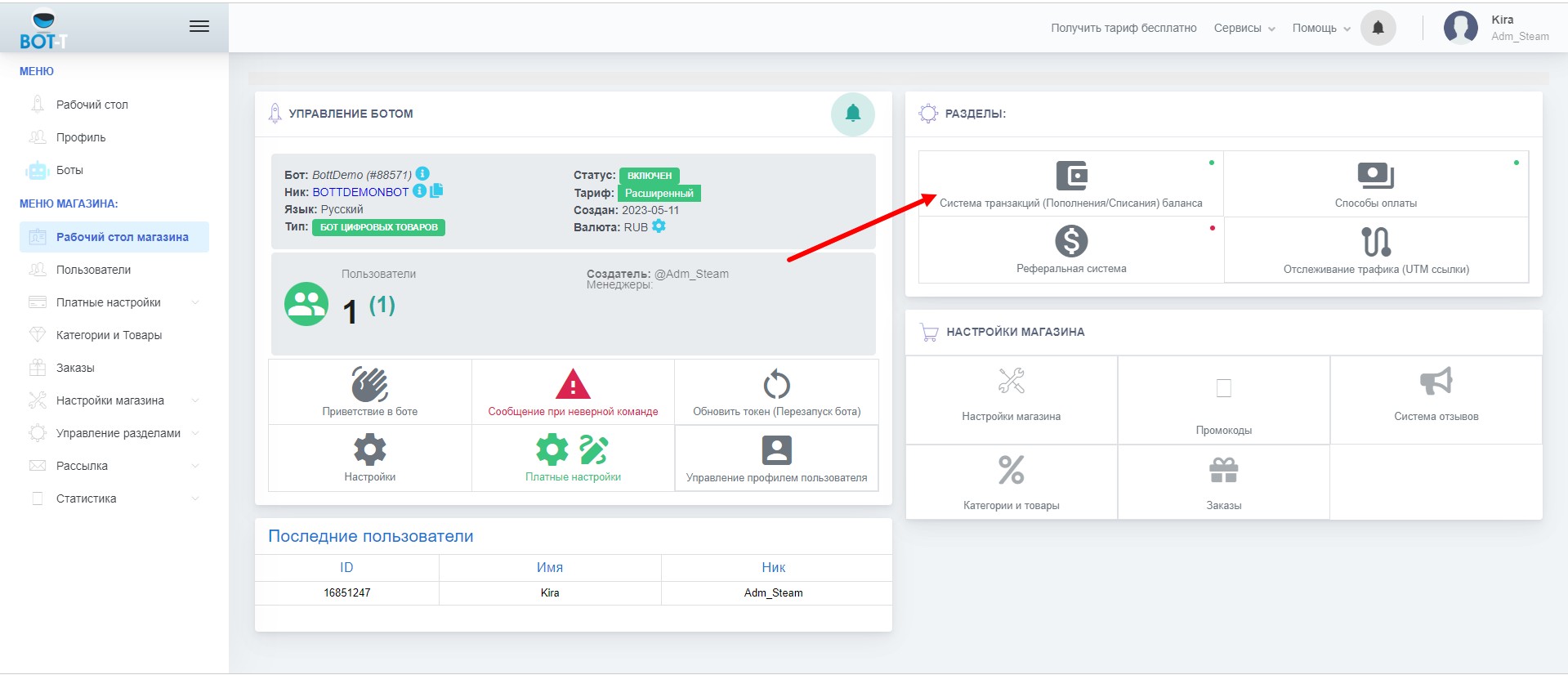 To enable the top-up section, click the "Transaction system (Top-up of balance deductions)" key on the bot's desktop.
 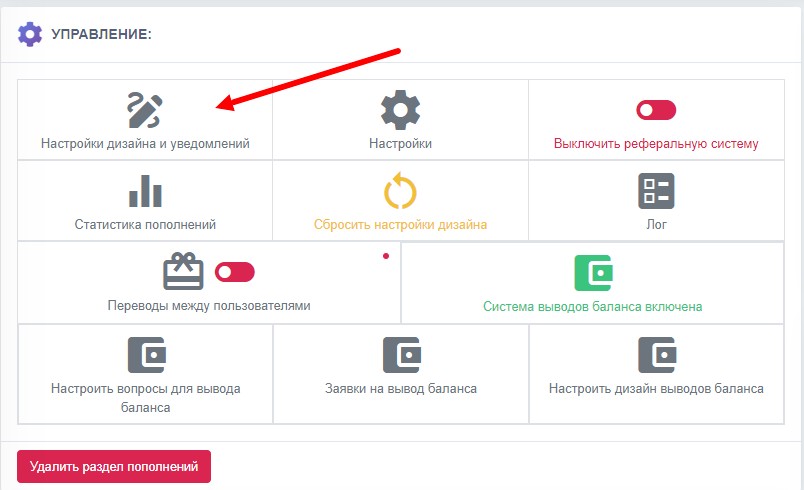 This section contains settings for various systems
 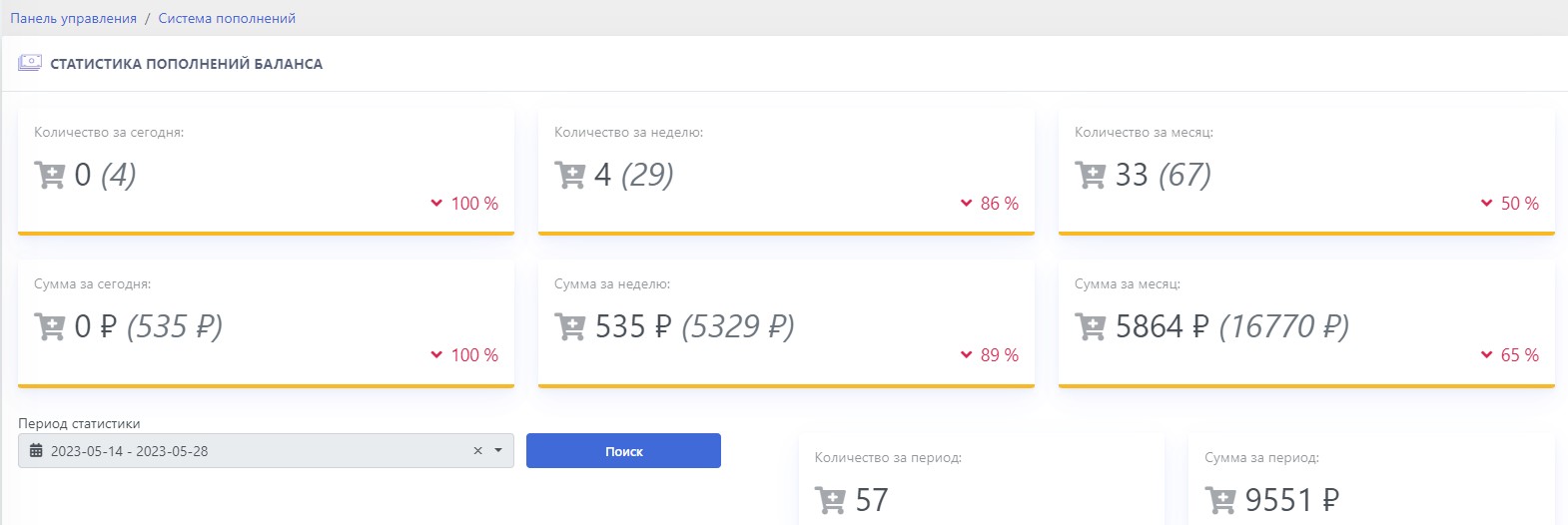 The statistics display data such as: