

 Transfers between users in a Telegram shop bot can be useful for implementing various features and capabilities:
1. Gifts and bonuses: Users can send each other gifts or bonuses that can be used for purchases in the shop.
2. Referral programs: If the bot has a referral program, users can transfer bonuses or discounts to each other.
3. Profit sharing: If the shop operates on a partnership model, users can share profits from sales made thanks to their recommendations.
4. Virtual currency: If the bot uses virtual currency (for example, points or tokens), users can transfer it to each other.
5. Social interaction: Transfers between users can encourage social interaction and the creation of a community around the bot.
In general, transfers between users can increase user engagement, stimulate their activity, and boost sales in the shop.
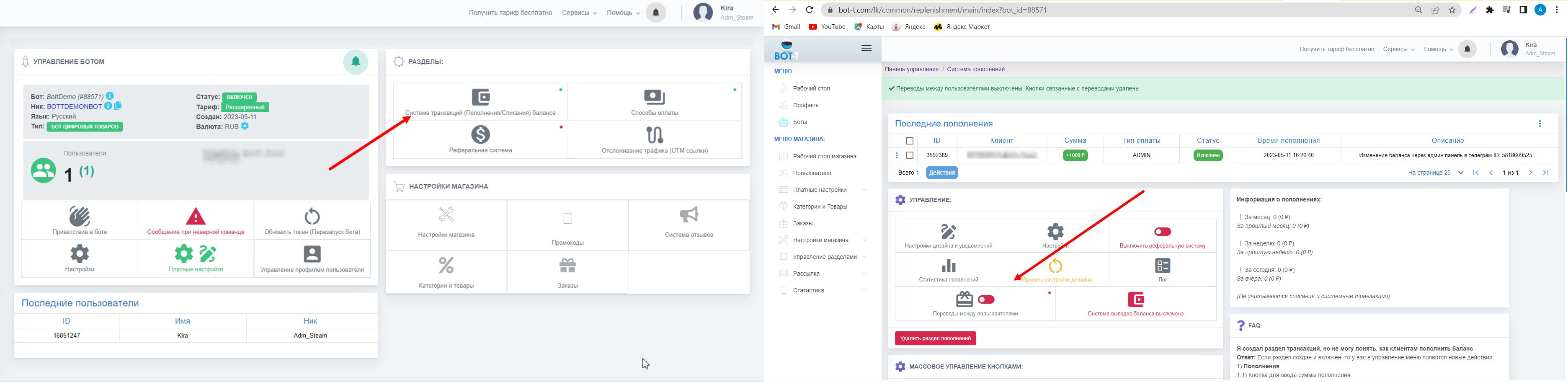 On the bot's desktop page, find the key "Transaction system (top-ups/debits)
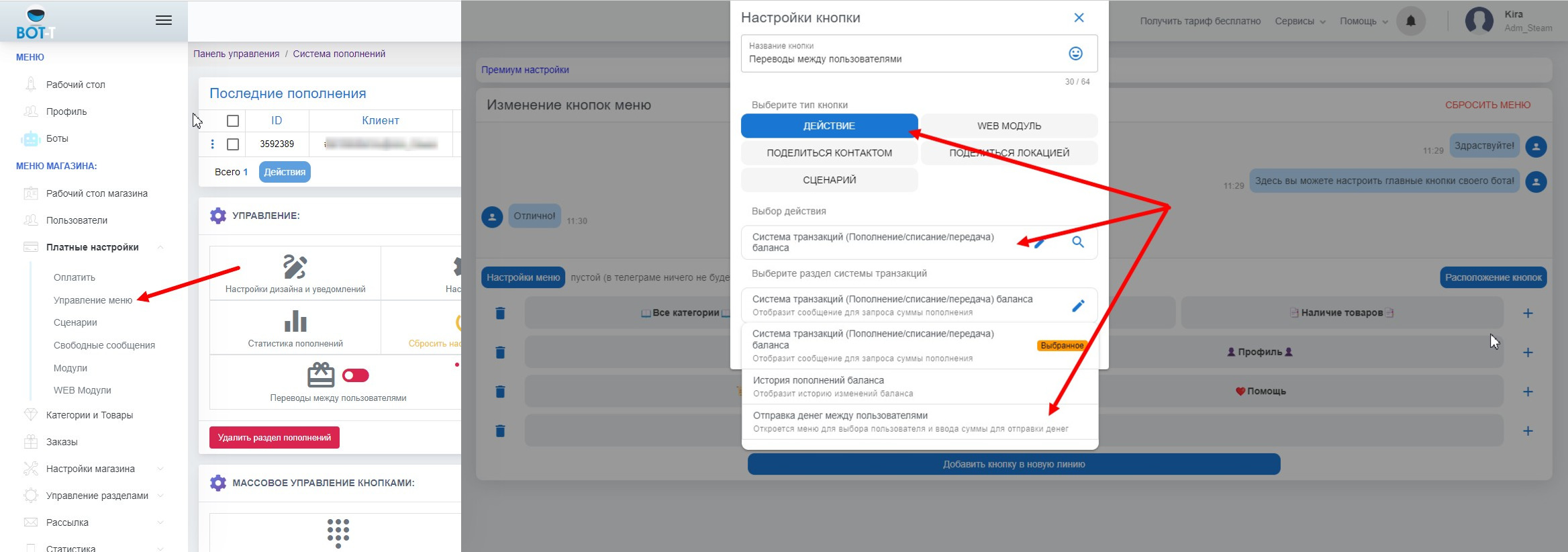 After enabling this feature, we need to add the transfer button to the menu.
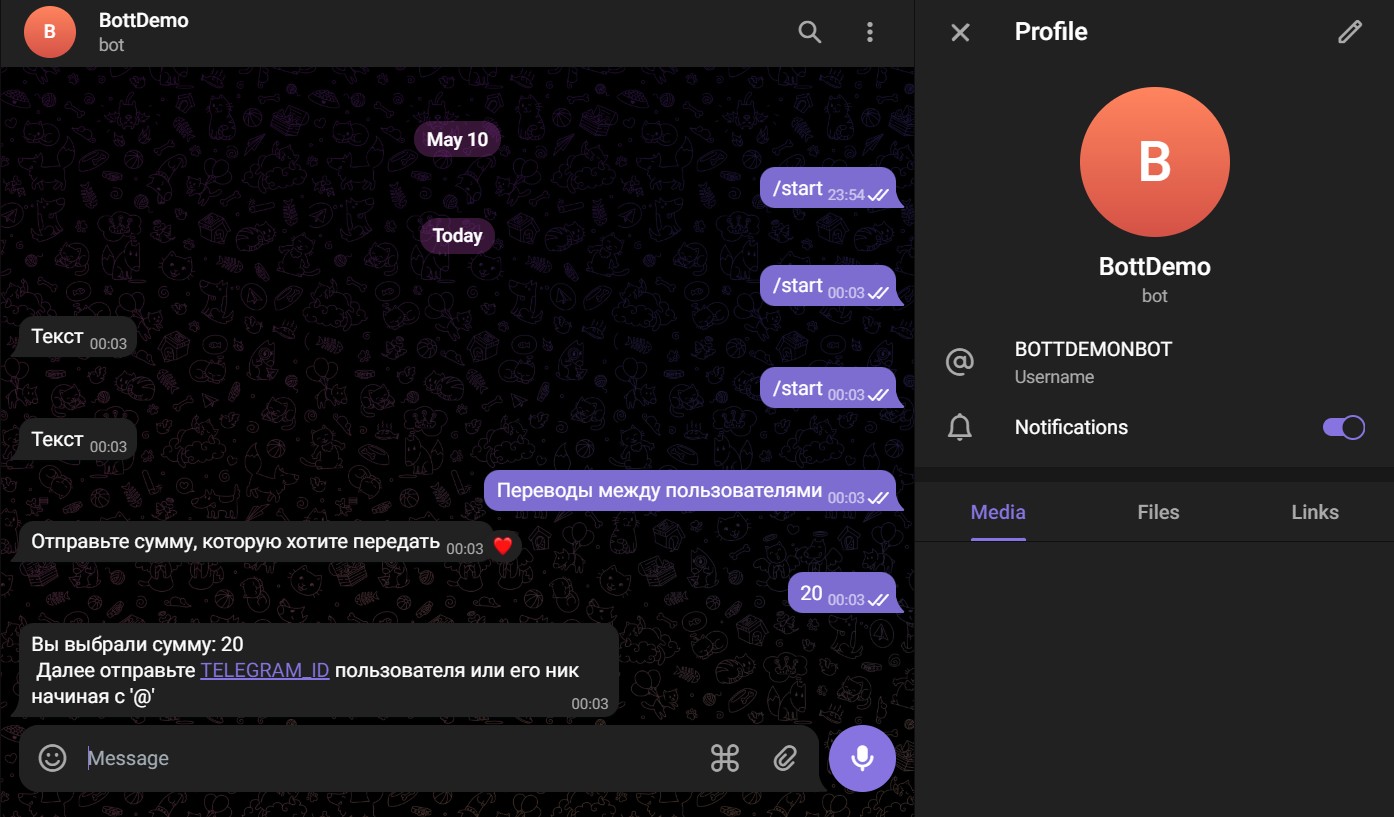 This is what a properly configured user-to-user transfer system looks like.