Creating a service account for access to GOOGLE spreadsheets

Creating a service account for access to GOOGLE spreadsheetsCreating a service account can be a very difficult step for inexperienced users.

In this guide, we will try to describe all the steps in as much detail as possible, starting from scratch.

Let's get started!

1) Go to the page https://console.cloud.google.com/
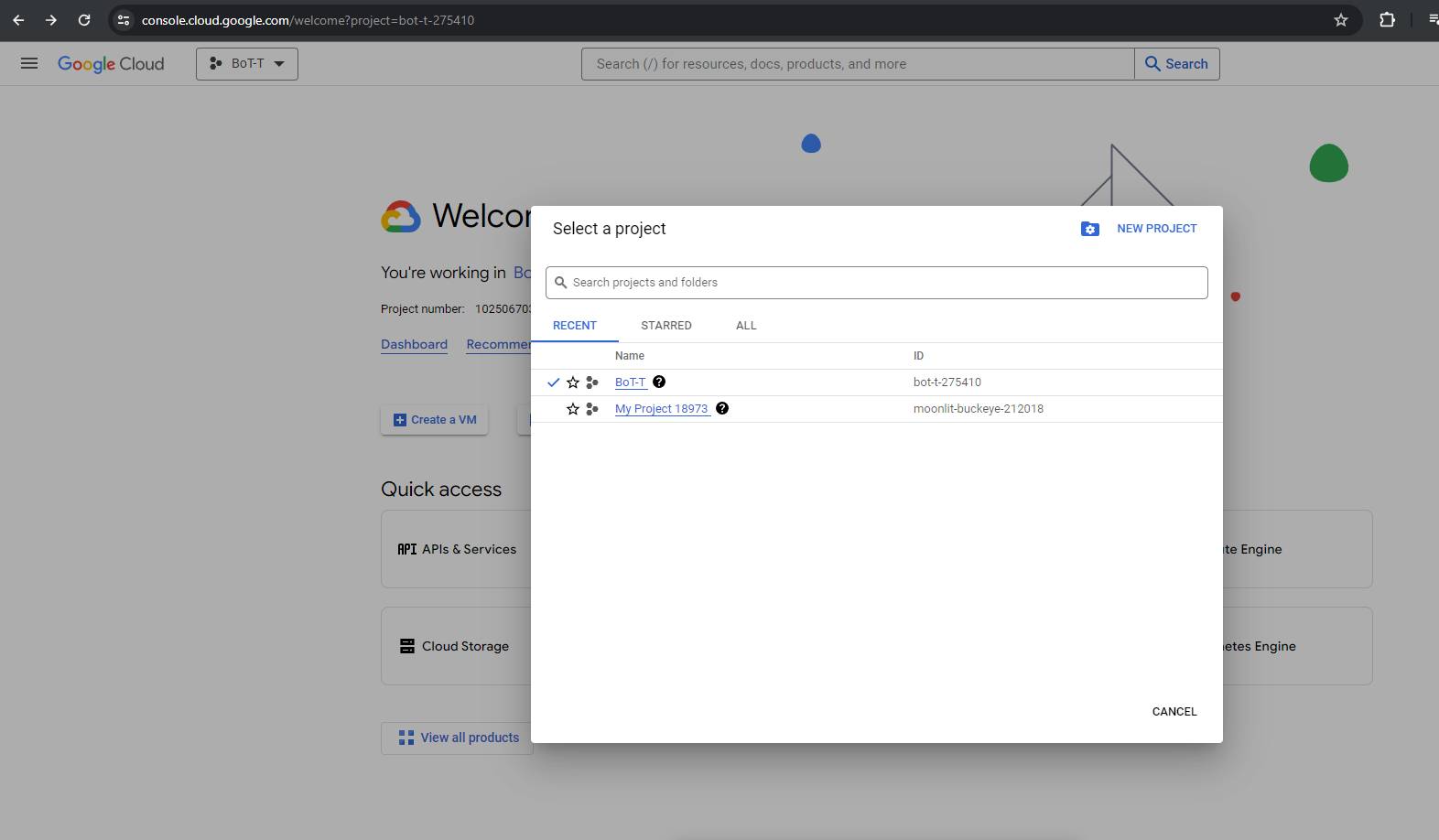
2) Create a project as shown in the screenshot
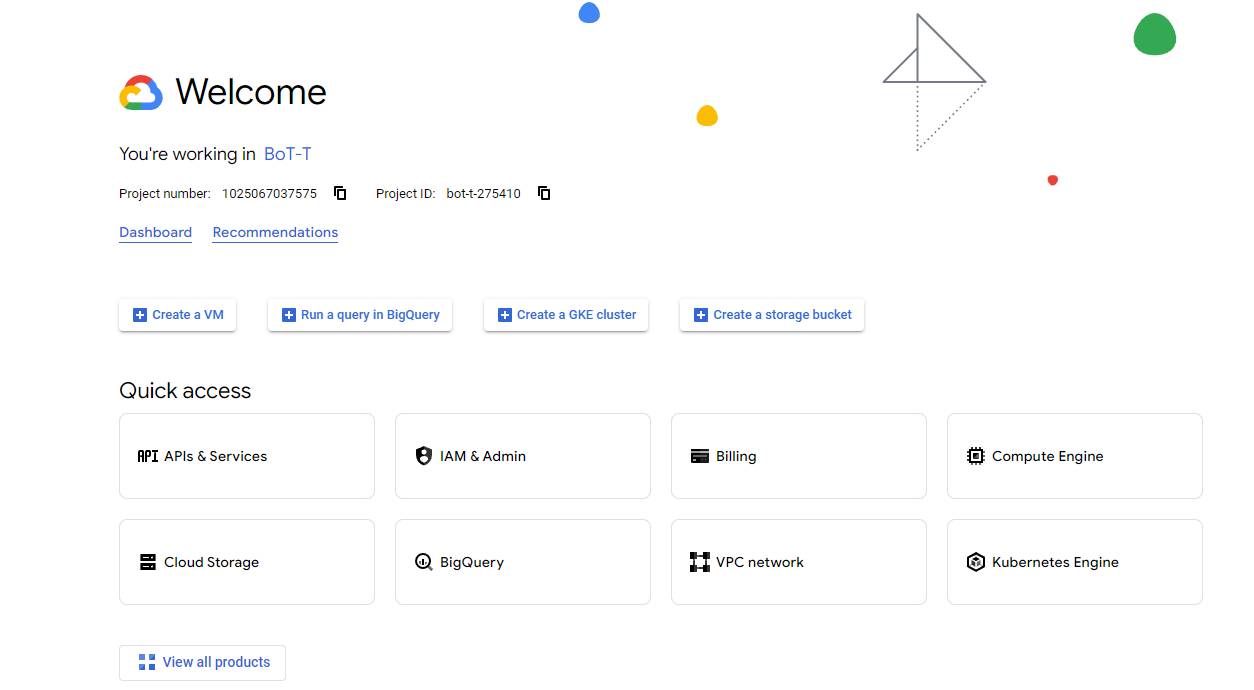
After successful creation, we should get a similar panel

After successful creation, we should get a similar panelNext, we will enable the Google Cloud services API
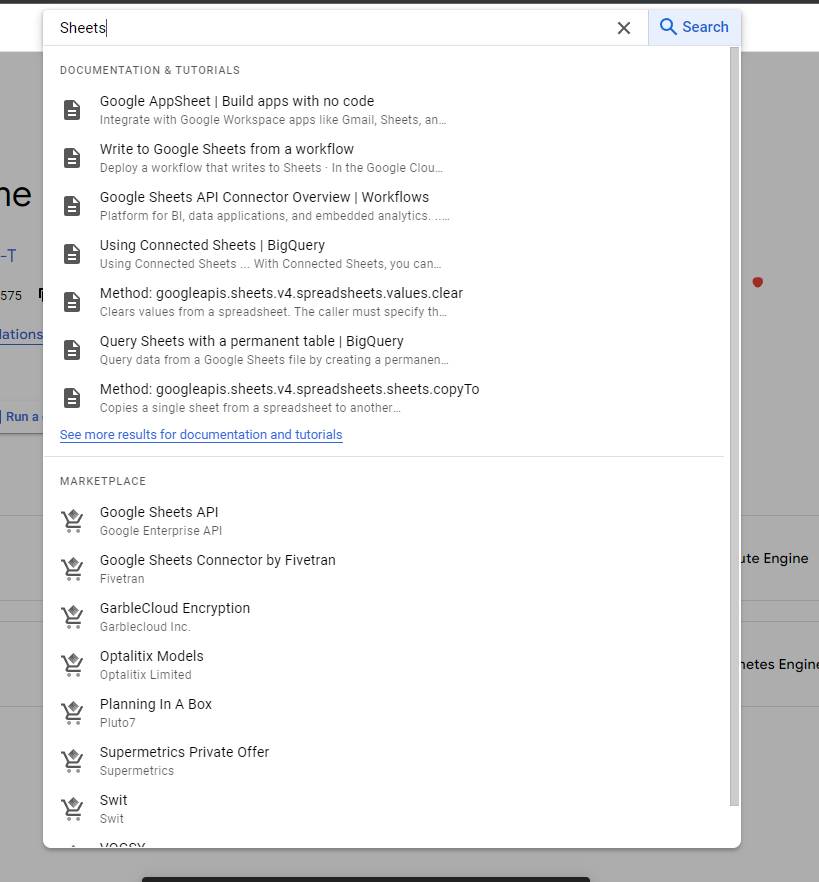
Message with an image

Message with an imageType Sheets into the search and select Google Sheets API
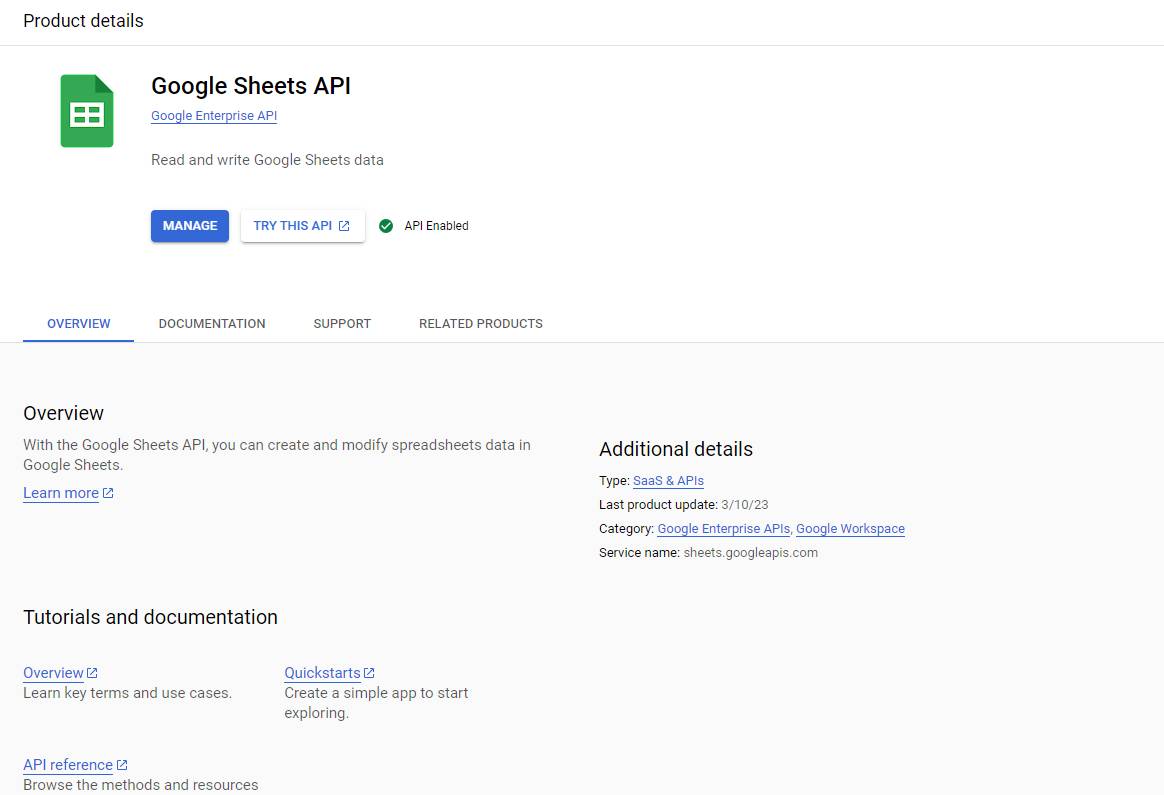
Enable the service

Enable the serviceIn the example in the screenshot, it is already enabled
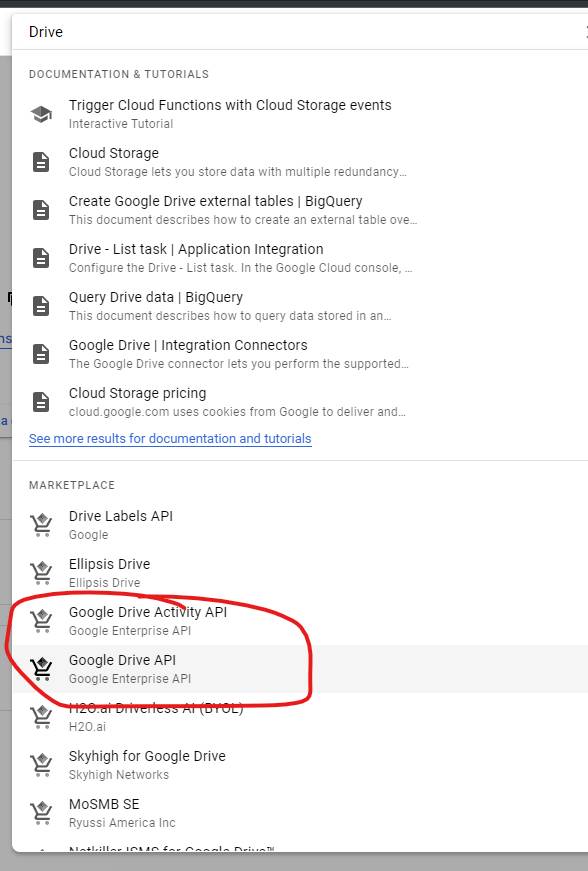
We are looking for the GoogleDrive service and turning it on

We are looking for the GoogleDrive service and turning it onWe go back to search and enter Google Drive.
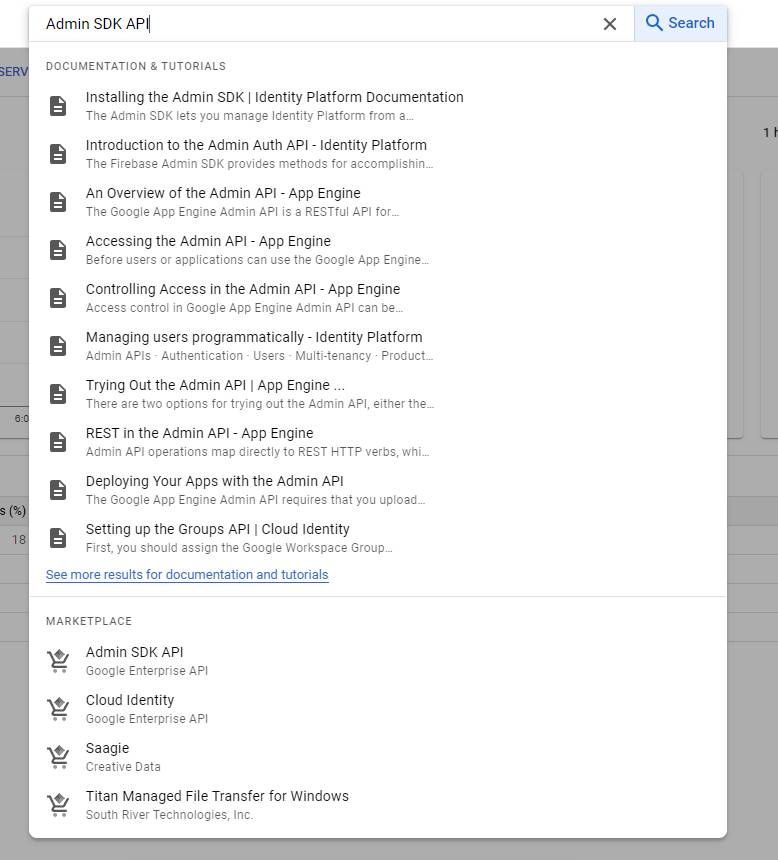
We select it as shown in the screenshot.
Also enable it; the steps are no different from Google Sheets.

We do the same with the Admin SDK API service

We do the same with the Admin SDK API serviceAll steps are repeated.

Result

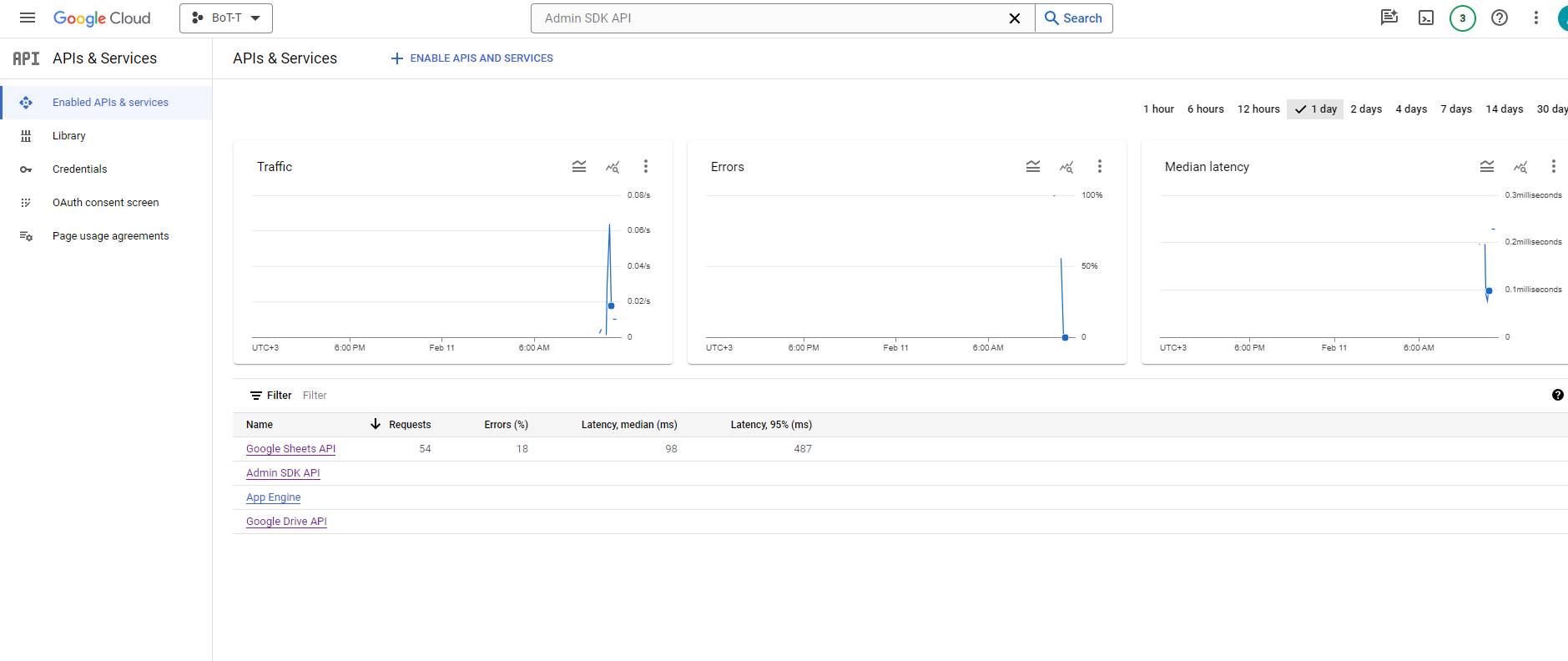
ResultIf you go to the "APIs & Services" tab from the project page,
you should see the result as in the screenshot.

Great, half is ready

Great, half is readyWhich half, you ask?

Yes, the creation process is quite complex, and avoiding mistakes is even more difficult!

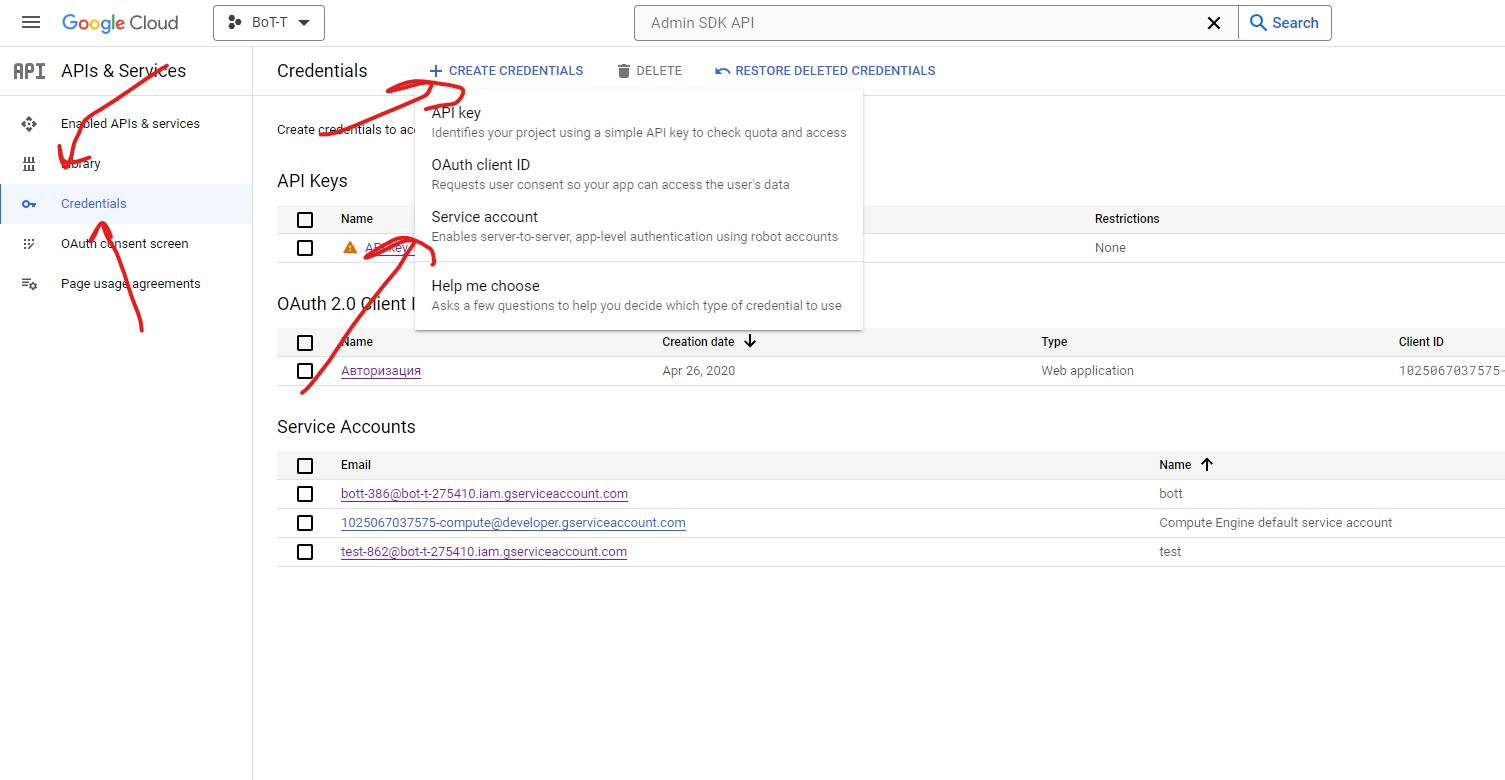
Next, we move to the Credentials (Access, access credentials) tab

We create a new one and select a service account!

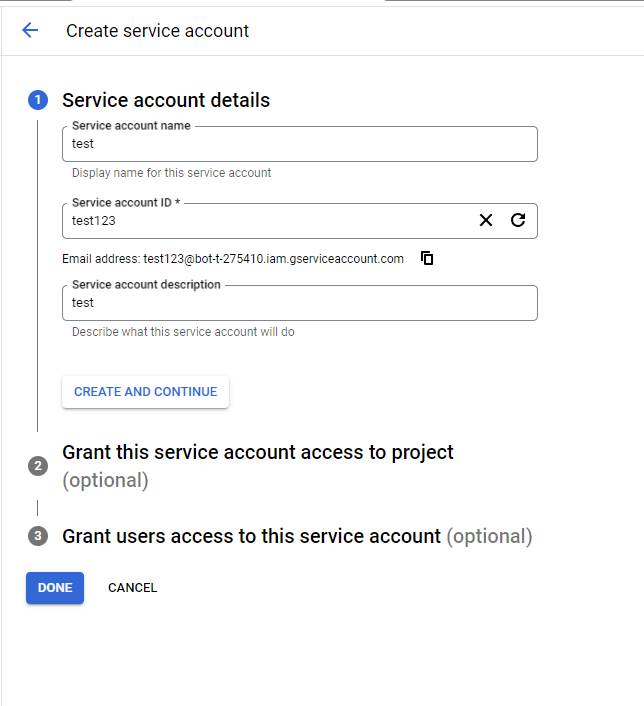
Let's come up with a name

Let's come up with a nameThe names do not matter at this stage.

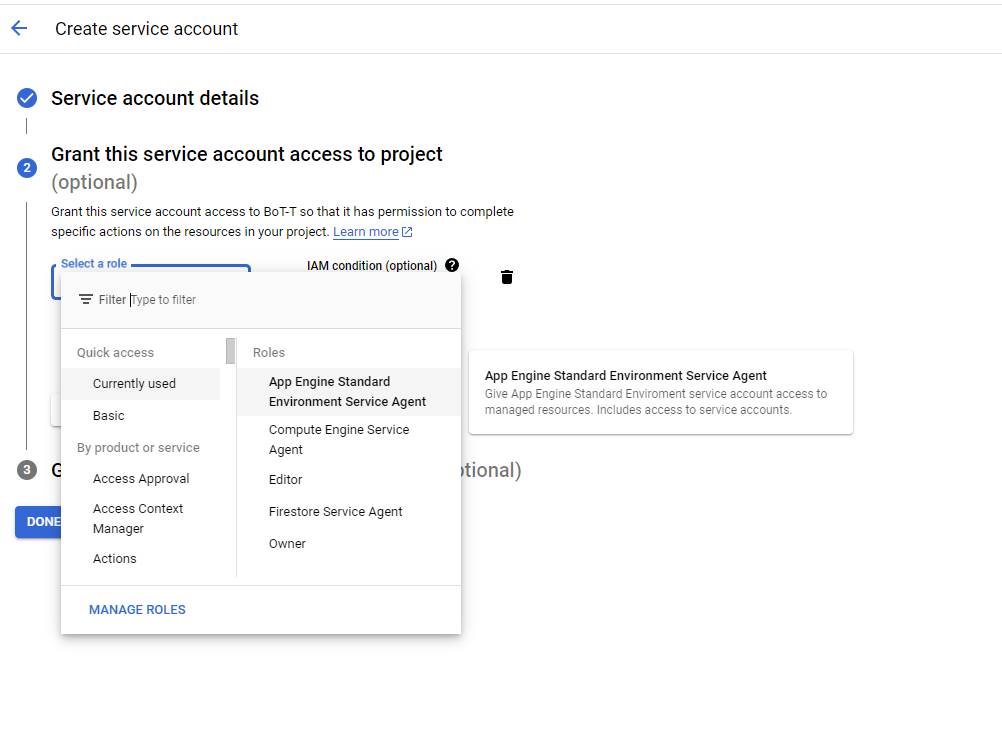
We are granting access rights, a very important step!

We are granting access rights, a very important step!Be sure to choose as shown in the screenshot.

In general, you must grant all permissions.

Why all, you ask? Because we won’t be able to explain and sort through the 1,500 types of Google permissions in this article!

If you choose the one I selected in the screenshot, an error may appear if you already have a user with those permissions. In that case, use the one that has already been created.

Key issuance

To access, you must issue keys; we covered this in detail in the article https://bot-t.com/faq/HELP/poluchenie_dannyh_tablicy_i_vernoe_zapolnenie_poley

Create a bot:
free of charge and without programming knowledge BOT-T.COM