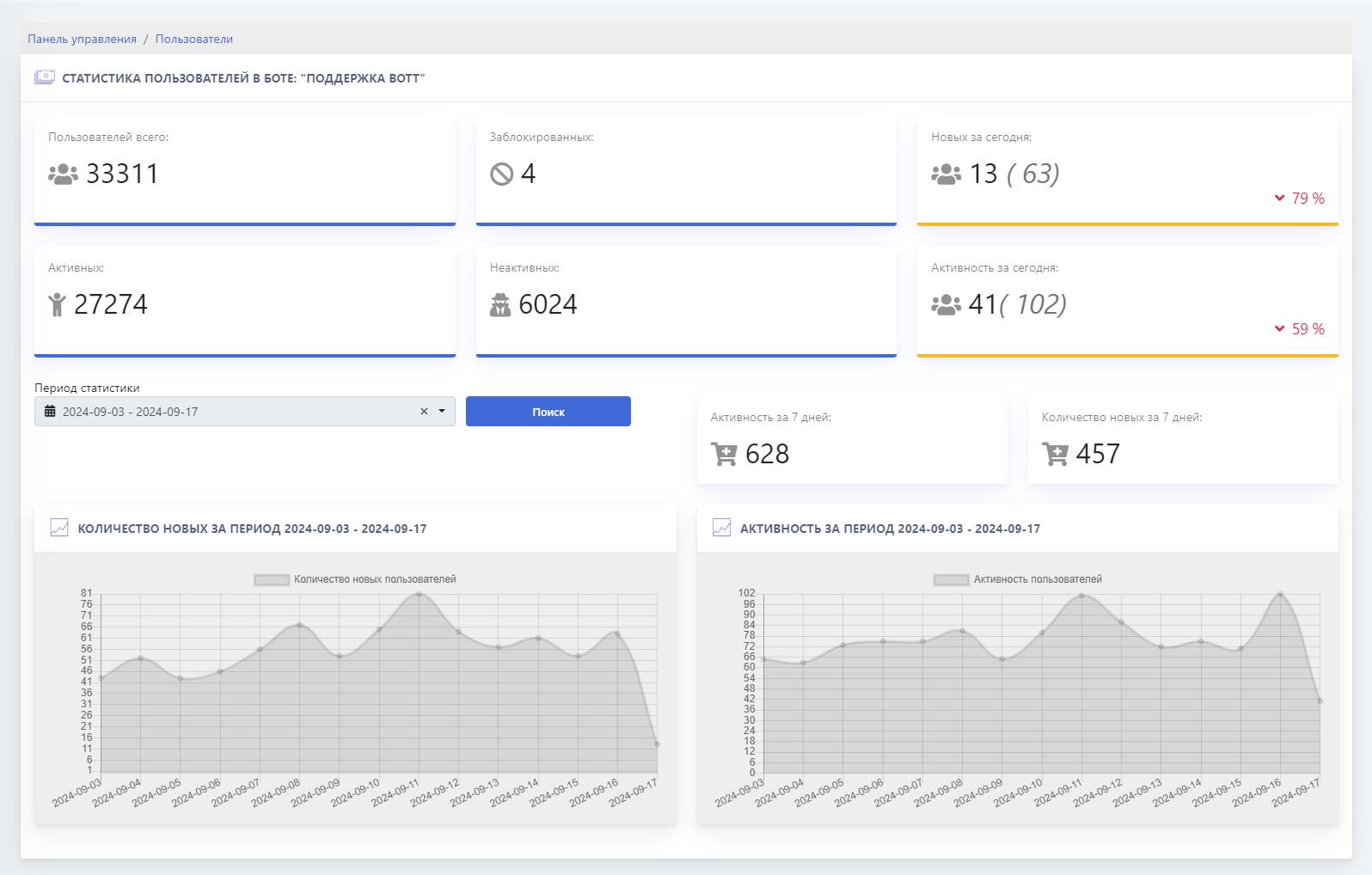
Let’s look at the main metrics using our support bot as an example:
Total users — the total number of all users over the entire time who have at least started a dialog with the bot (sent /start)
Blocked — the number of users blocked by YOU
New today — the number of new users who interacted with the bot during today,
the figure in brackets is for the previous day
Active — users who interact with the bot (broadcasts will reach them)
Inactive — users who have blocked the bot; in this case, broadcasts will not reach them and, in general, no interaction takes place
Activity today — the number of interactions with the bot for today
A convenient chart is also displayed for tracking the number of new users and activity over a certain period of time, which makes it possible to analyze and identify what contributed to one phenomenon or another
In the latest Telegram update it became possible to view activity with the bot over the last month


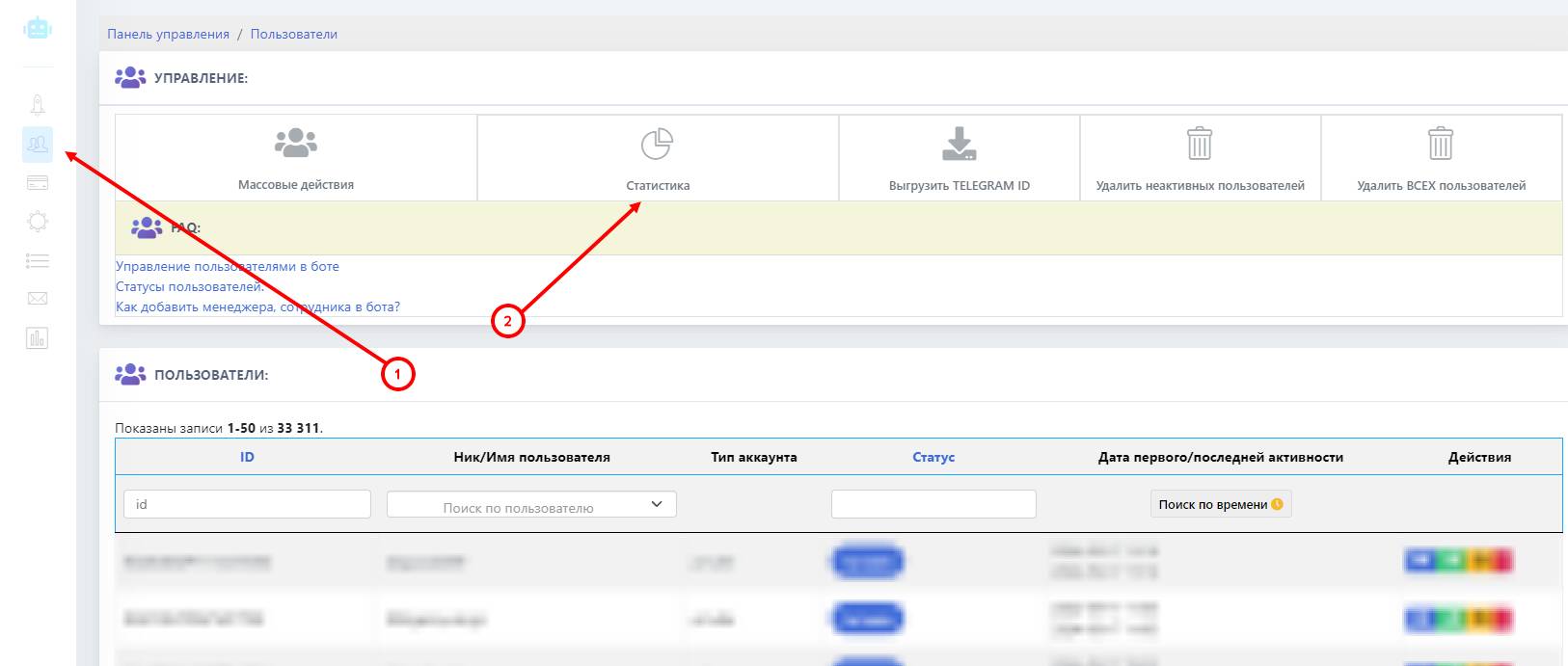 Statistics of user activity in the Telegram bot — this is a valuable tool that allows you to analyze user churn and acquisition, and how your users interact with the bot.