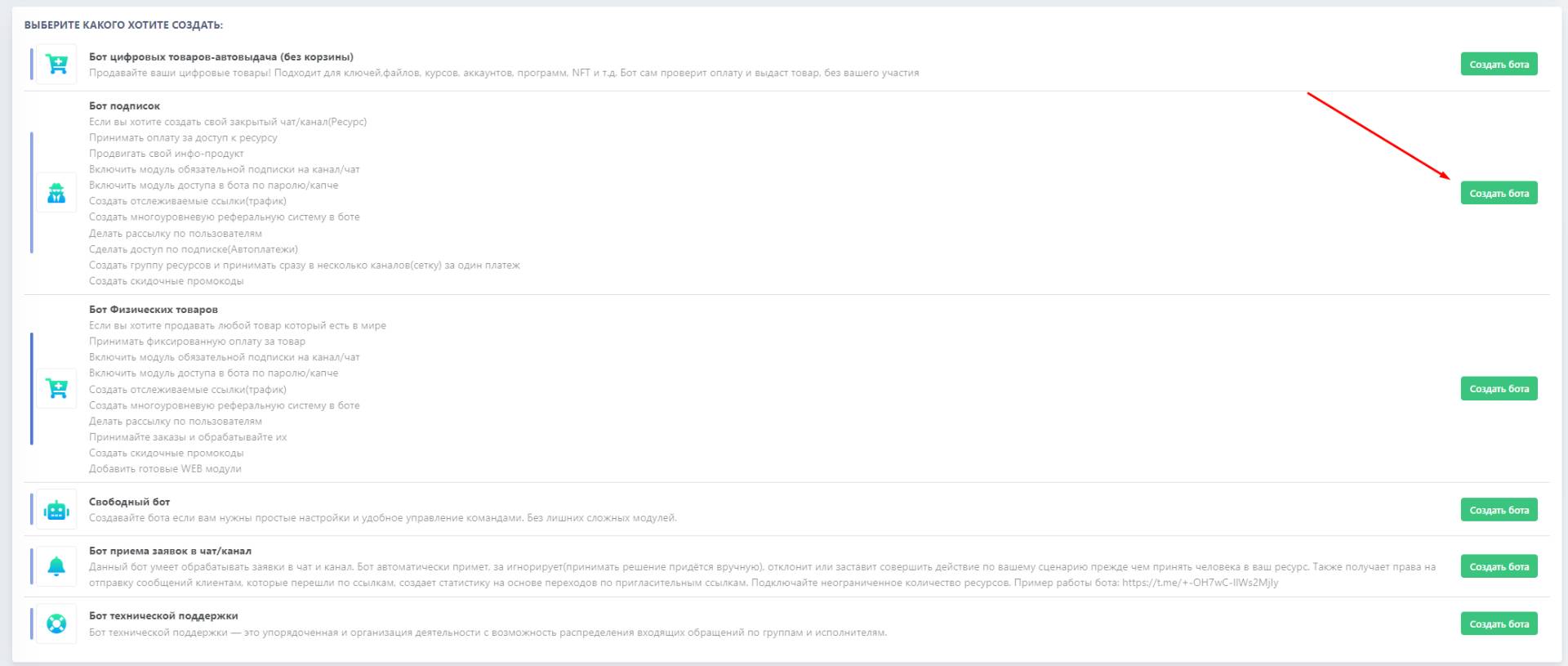
 Creating a bot for access to paid channels - a detailed video tutorial.
 Next, after generating the API token in @botfather, insert the received token into the appropriate template and create a bot for auto-subscriptions

Help Center BOT-T
Find answers, learn how to use the service, and get help from our team.
For example: payment, plans, Telegram bot, reviews...

Search results
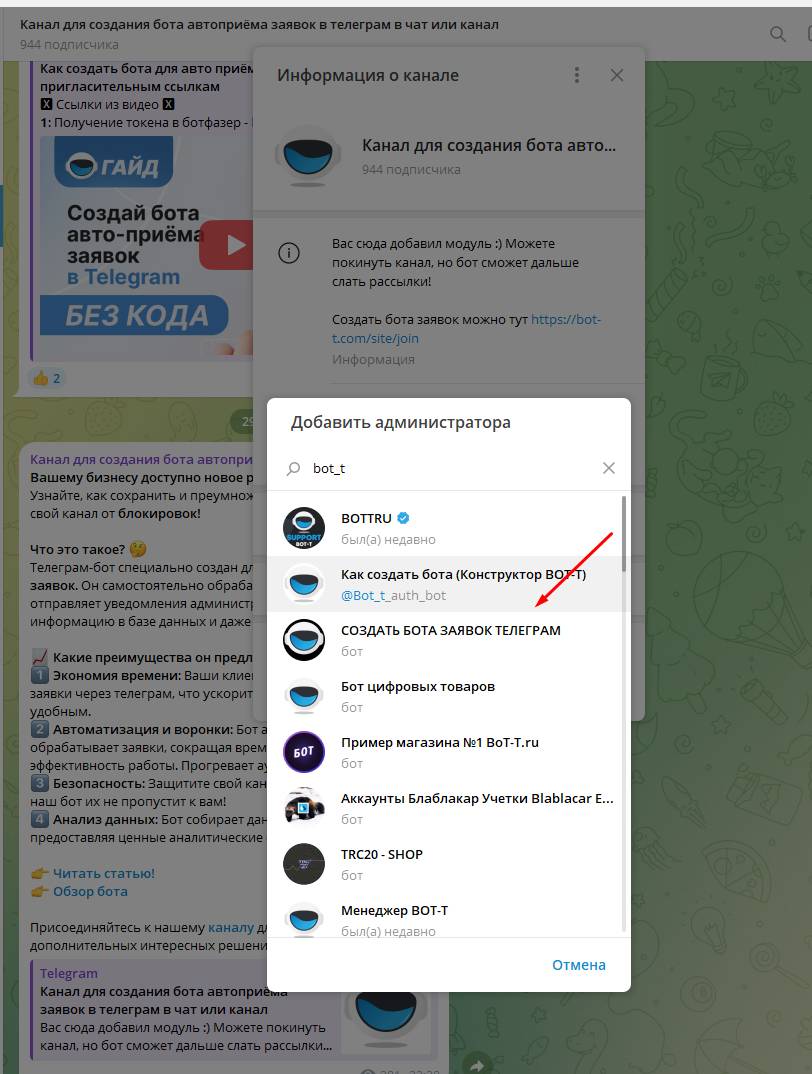
Creating a bot for access to paid channels - a detailed video tutorial. 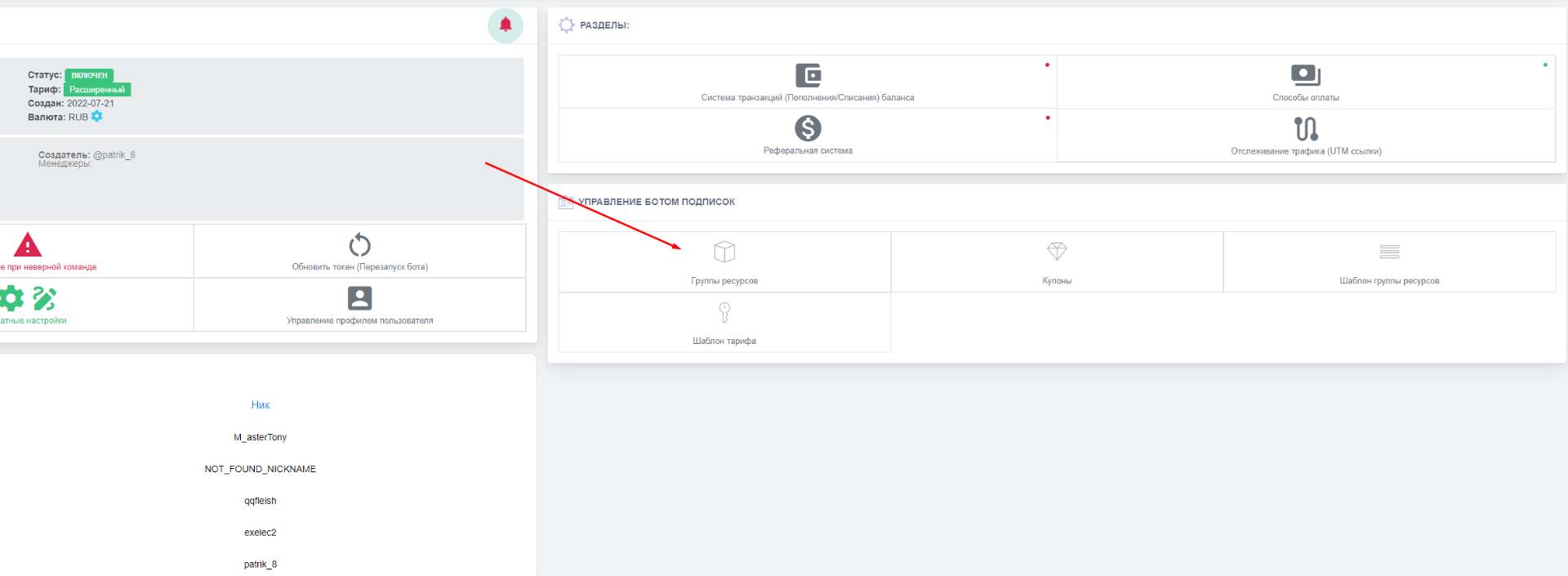 The main settings for a paid Telegram subscription are - adding a resource for subscription tracking, the premium menu (if purchased), and sending subscription mailings through your own bot, as well as payment setup and resource setup
 Video instructions
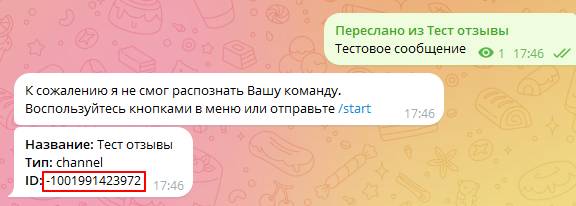 The next step will be to find out the ID of your chat or channel. To do this, you need to forward the previously created message in the channel/chat to this bot
 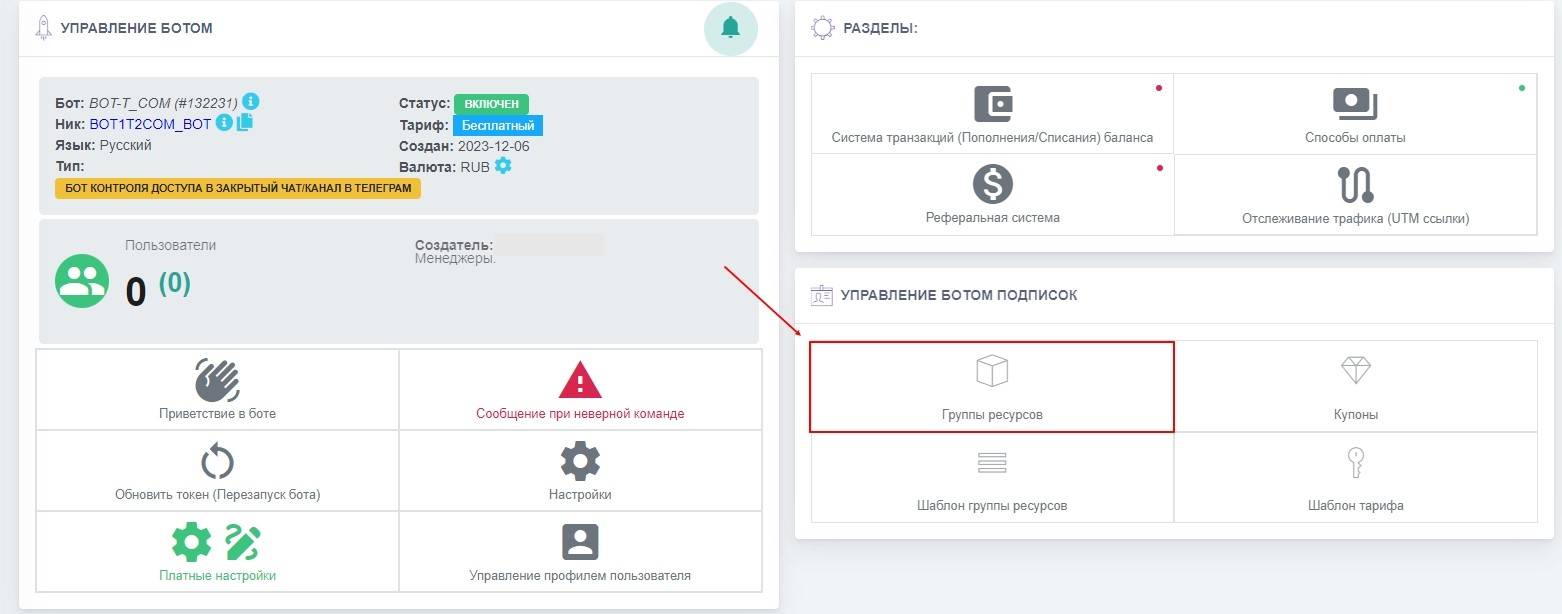 To add your resource for paid access in the bot, you need to go to the bot’s dashboard and click the "Resource Groups" button, then add the resource and rates using the "add resource with group" button
 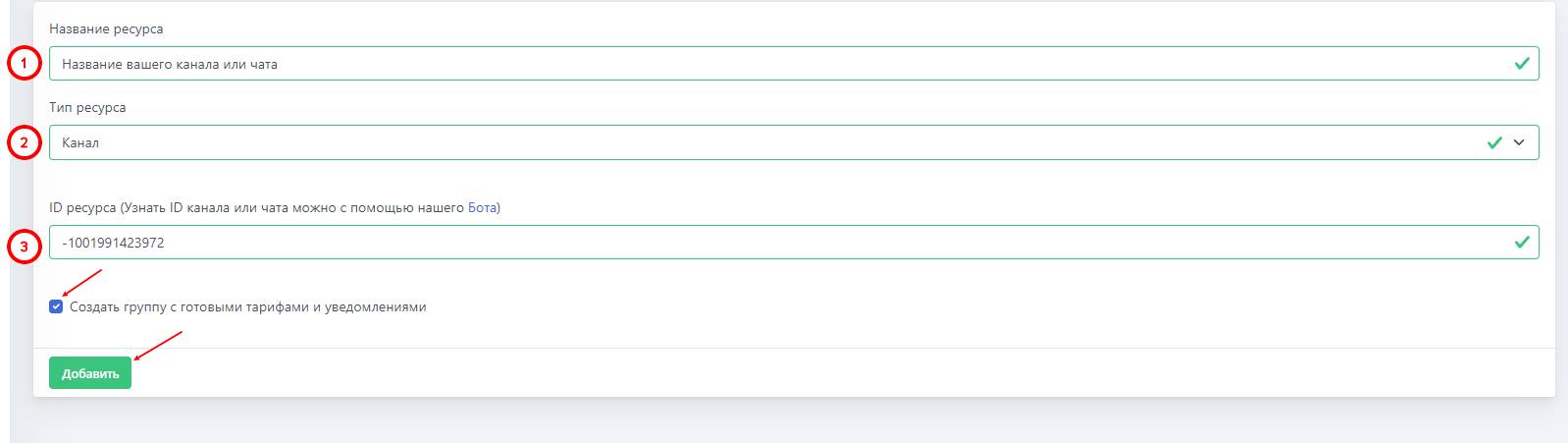 The following data will be required to add a resource:
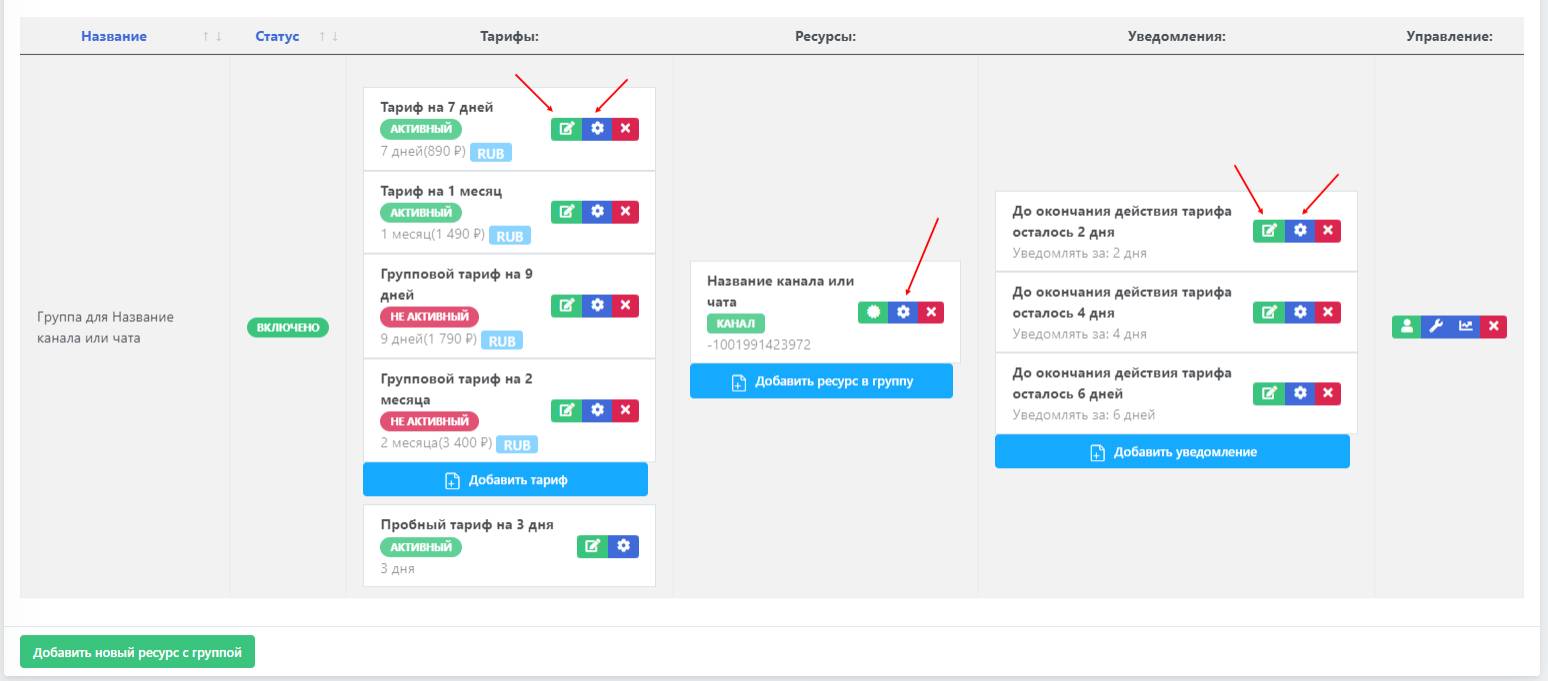 If you checked "Create a group with preconfigured plans and notifications," subscription expiration notifications and the resource plans will be created by default. You can edit the price, validity period, and plan name by clicking the "gear" icon in the blue button. Clicking the green button with the pencil will open a text editor, where you can change the subscription description.
 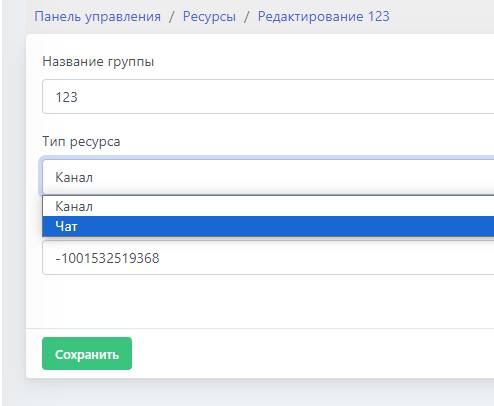 In this resource setting, you can change the resource name in the bot (visible only to you) and replace the resource itself (with a chat or channel) while keeping the group and tariff settings.
 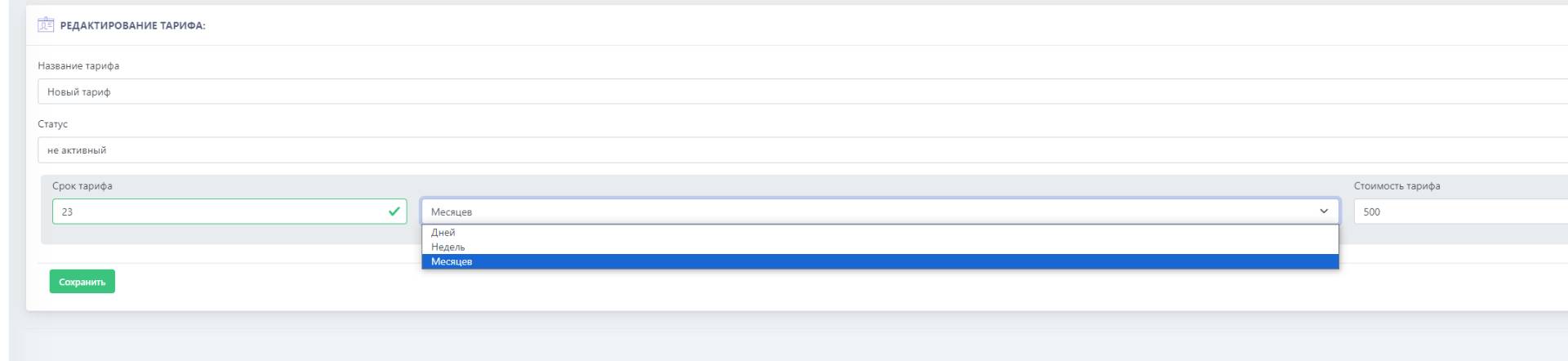 Setting up a tariff group includes:
 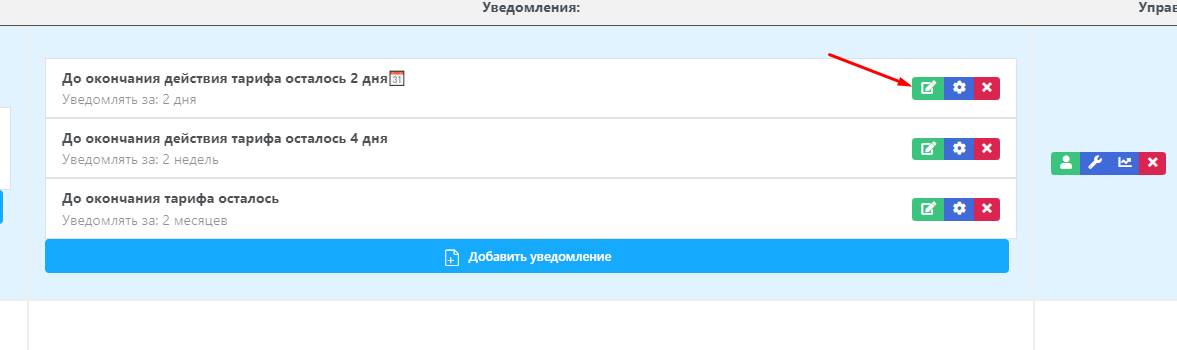 1. Editing an added Notification
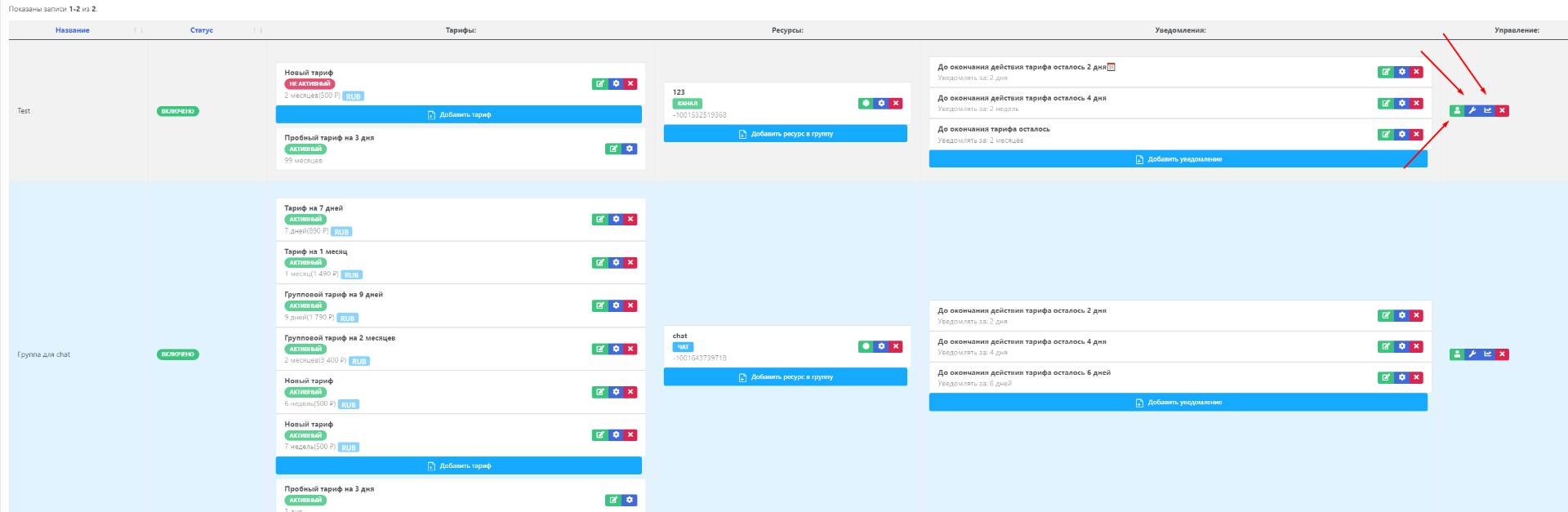 The main settings include:
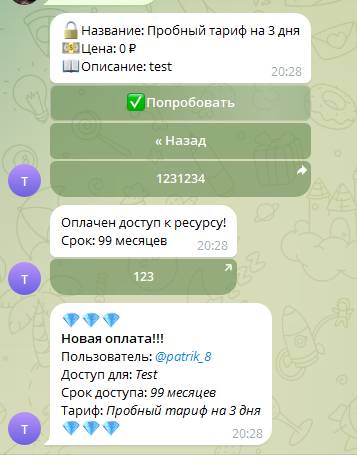 When purchasing a plan, the user will be sent a notification with information about the purchased plan and an invitation link to Your resource (valid for the duration of the purchased plan)