

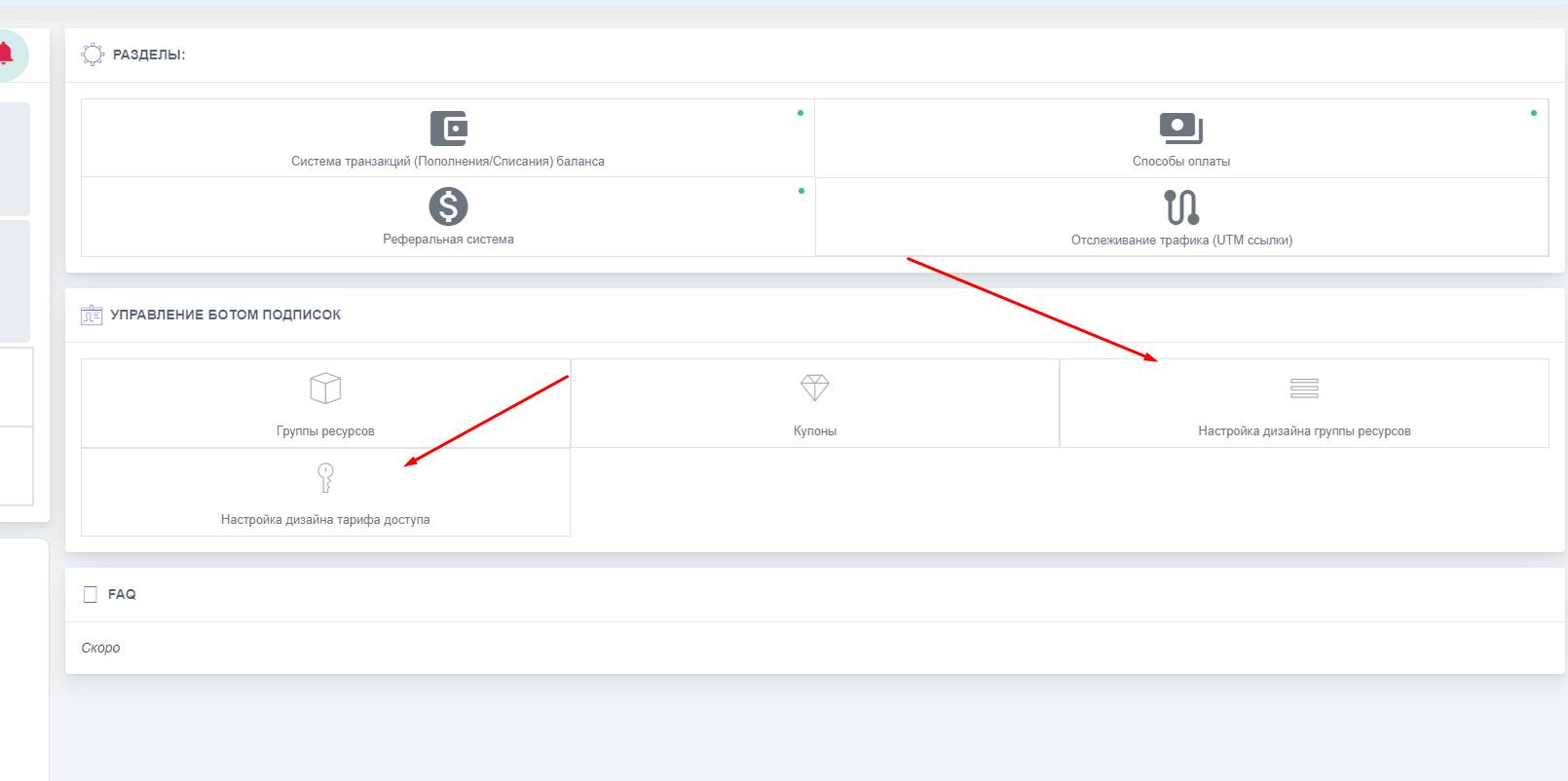
 While working with the subscription bot, you can also edit the resource group design settings or the access plan design settings; to do this, you need to click the appropriate button in the bot's workspace.
 Subscription bot design setup
While working with the subscription bot, you can also edit the resource group design settings or the access plan design settings; to do this, you need to click the appropriate button in the bot's workspace. Editing the subscription bot design text
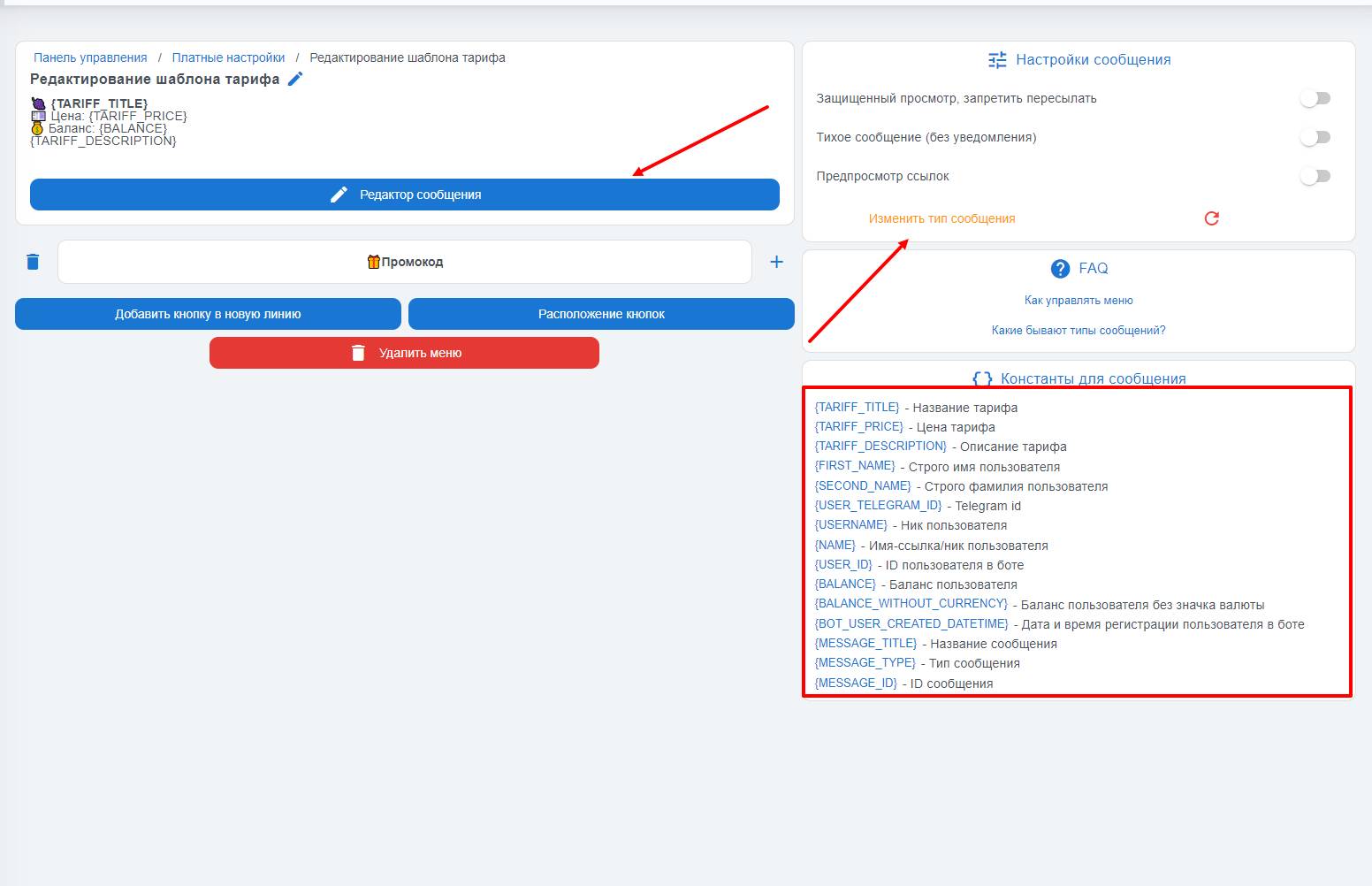 Editing the text is done by clicking the "Message Editor" button; then you will be able to change the text, add emojis, and use the necessary constants.
You can also change the message type, for example to "message with an image", by attaching an image accordingly.
You can add a menu by clicking "Add button"
In the template, you can configure the message in the upper right corner:
- Disable message forwarding
- Message without notification
- Enabling the "link preview" toggle activates the disabling of displayed links used in the editor.