
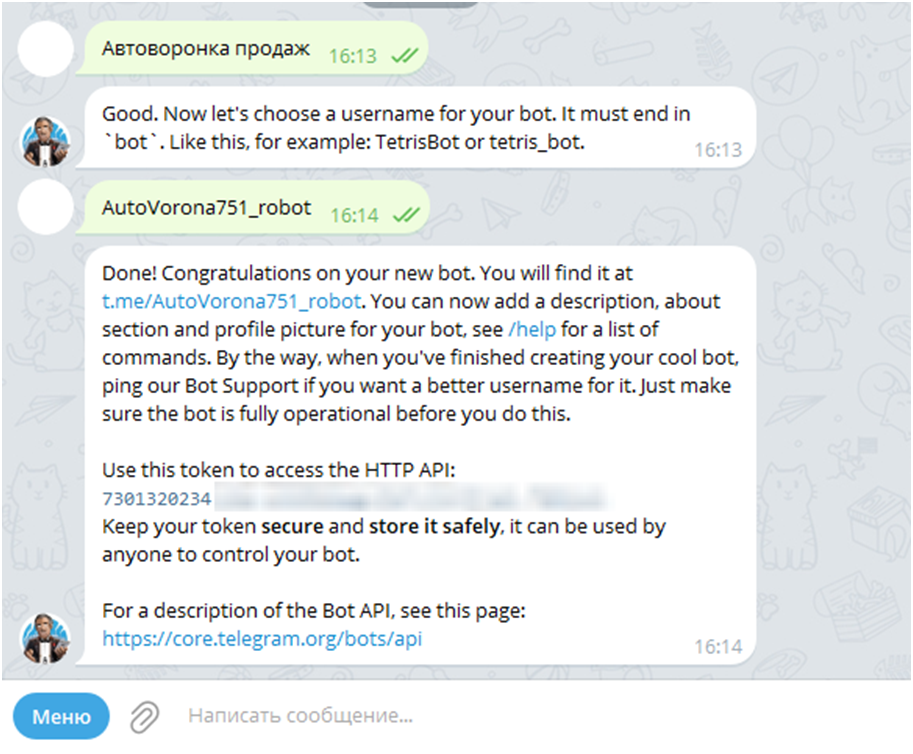
How do I make a bot in Telegram?
1. In the search bar, enter @BotFather and select the official bot from Telegram.
2. Click the "Start" button or send the /start command to begin interacting with BotFather, then enter the /newbot command and send it.
3. BotFather will ask you to enter a name for your bot, which will be visible to users.
4. Next, you need to enter a unique username for your bot, which must end with "bot" (for example, voronka_bot).
5. After the bot is successfully created, BotFather will send a unique API Token. We will need it later, so copy it.
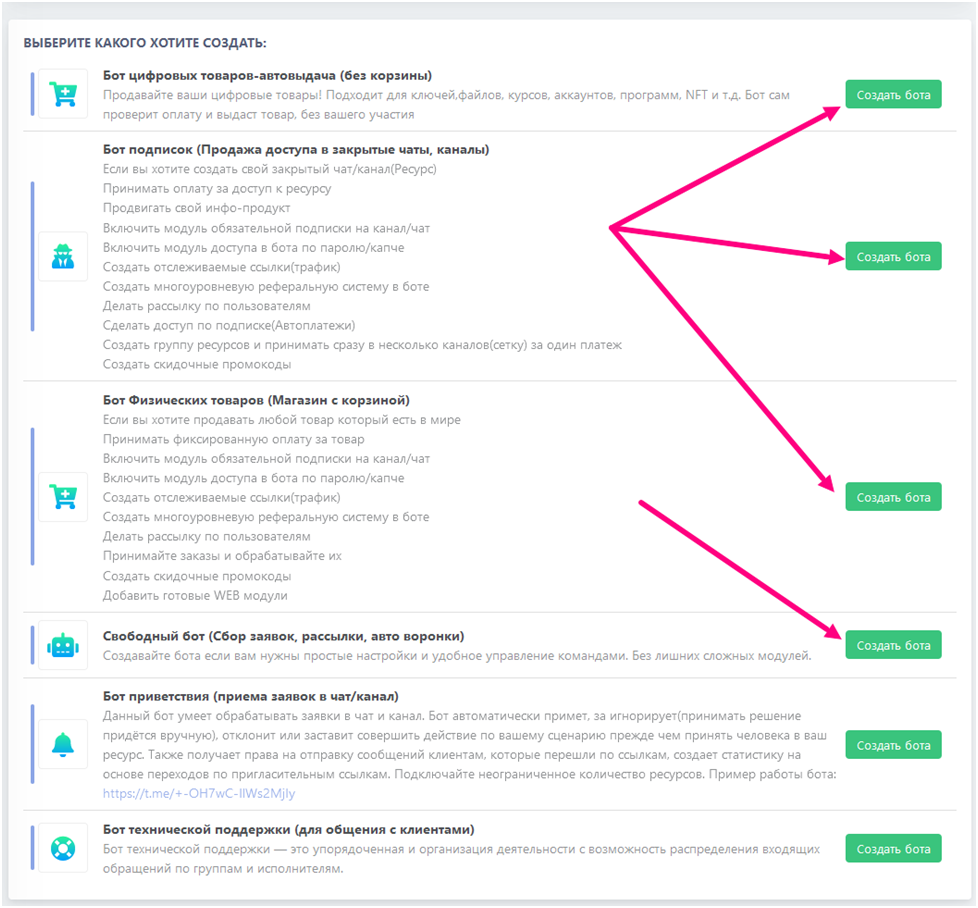
Choosing the type of bot for the automated funnel
Go to the website BOT-T and choose the appropriate type of bot depending on your needs, for example:
1. If you are going to sell products directly in Telegram, then choose:
- Digital goods auto-delivery bot
- Subscription bot
- Physical goods bot
2. If the bot is needed only for distributing information, introducing the customer to the product with a subsequent transition to an external resource, in that case a free bot will suit you; it does not have unnecessary functions that may not be needed.
But we recommend starting the setup with the type of bot related to point 1, since at any time you will be able to connect product sales directly from the auto-funnel inside the bot with order creation in the BOT-T system.
free of charge and without programming knowledge BOT-T.COM