

Frequently Asked Questions are pre-prepared questions and answers to them, which primarily help reduce the workload of your organization’s staff.
How does the quick replies bot work?
For example: Imagine a bot that answers customer questions for an online store. The customer sees a list of questions, clicks the one they need, for example: "How long will delivery take?". In turn, a free-form message is attached to the question as a button, and the bot returns the answer: "Delivery takes 2-3 business days".
You need to create a list of the most frequently asked questions (FAQ) and the corresponding answers. This database is configured using free-form messages; below we will look at an example of creating questions and ready-made answers for them.
What is a question-answering bot?
Setting up quick replies to common questions
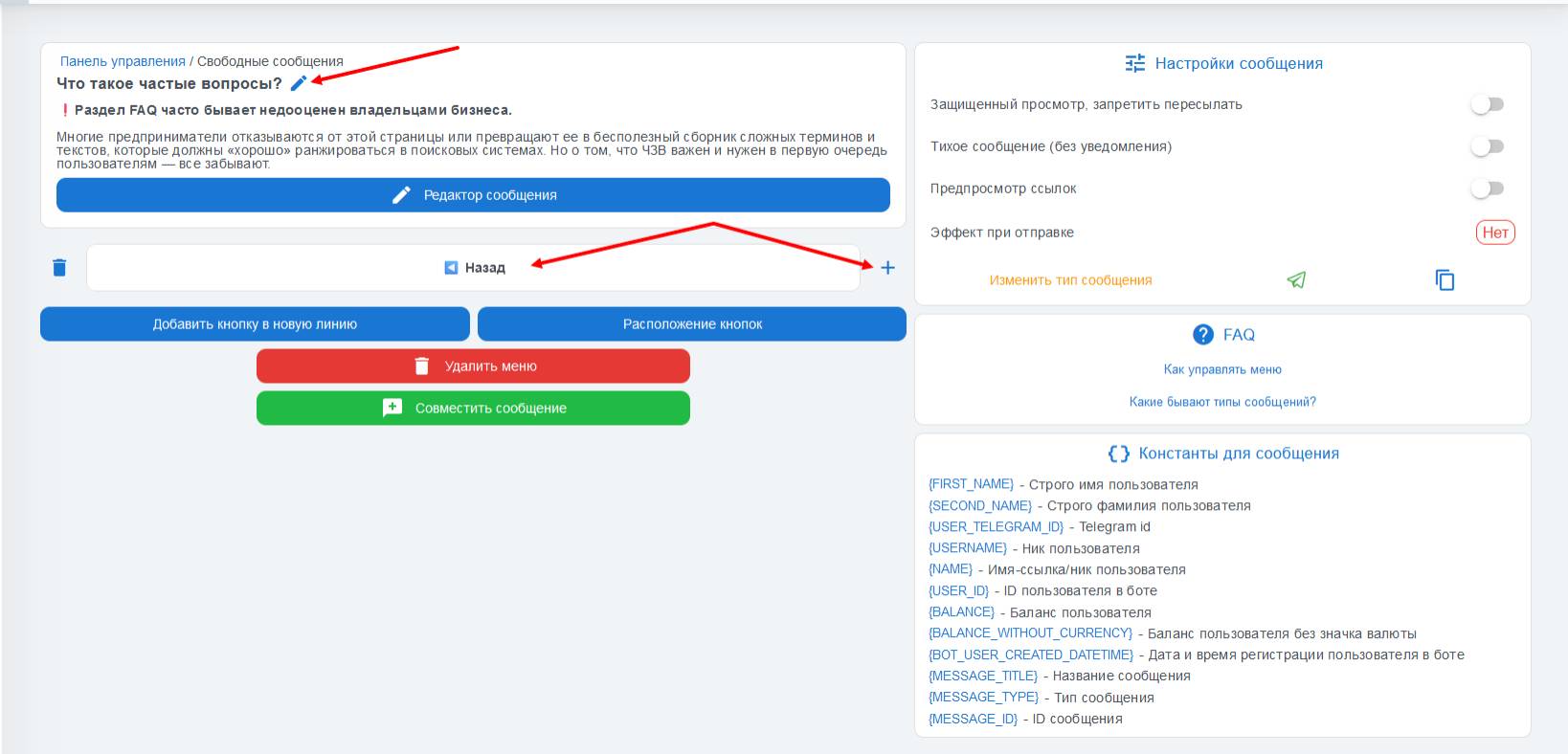 Let’s assume that you have already analyzed frequently asked questions and compiled a list of quick replies; to implement them in your bot, you need to go to the "Paid settings" section, then to "Free messages" — we described these messages in more detail in this article.
Choose the required message type and give the message a name, for example, a name similar to the question (for quick linking of messages to buttons and to avoid confusion).
For the convenience of customers using the bot, you can add a "Back" button that leads to the list of questions — another free message, in which we will create buttons with the question titles.
Creating a message with a list of questions in the support bot
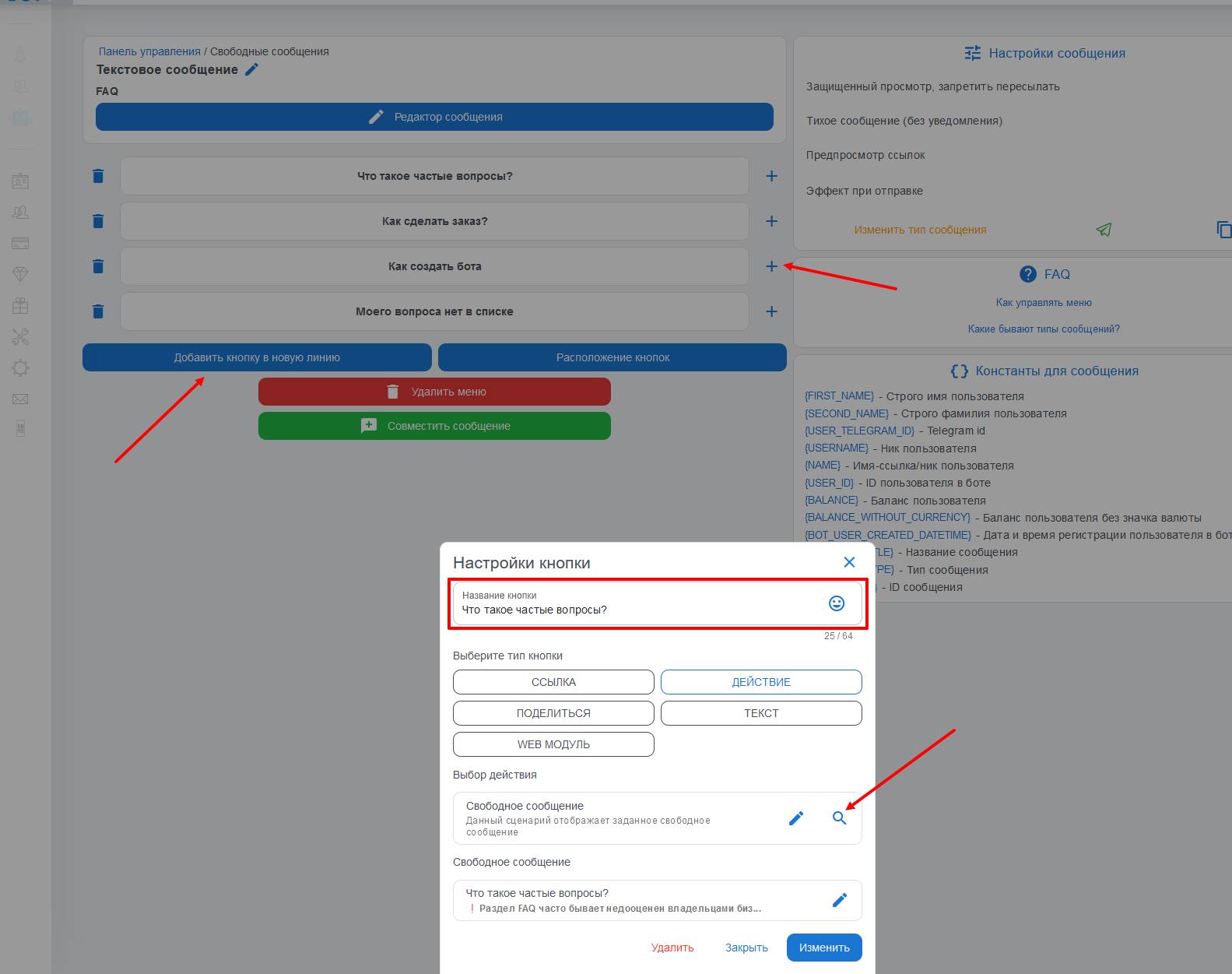 The next step in setting up quick answers to questions is creating a list of questions.
The message is configured in exactly the same way as prepared answers — using free-form messages.
We create a free-form message, add buttons with the question titles, and then, through the "Action" tab, look for the "free-form message" item or use keyword search, which will significantly reduce the time spent configuring the list of frequently asked questions