
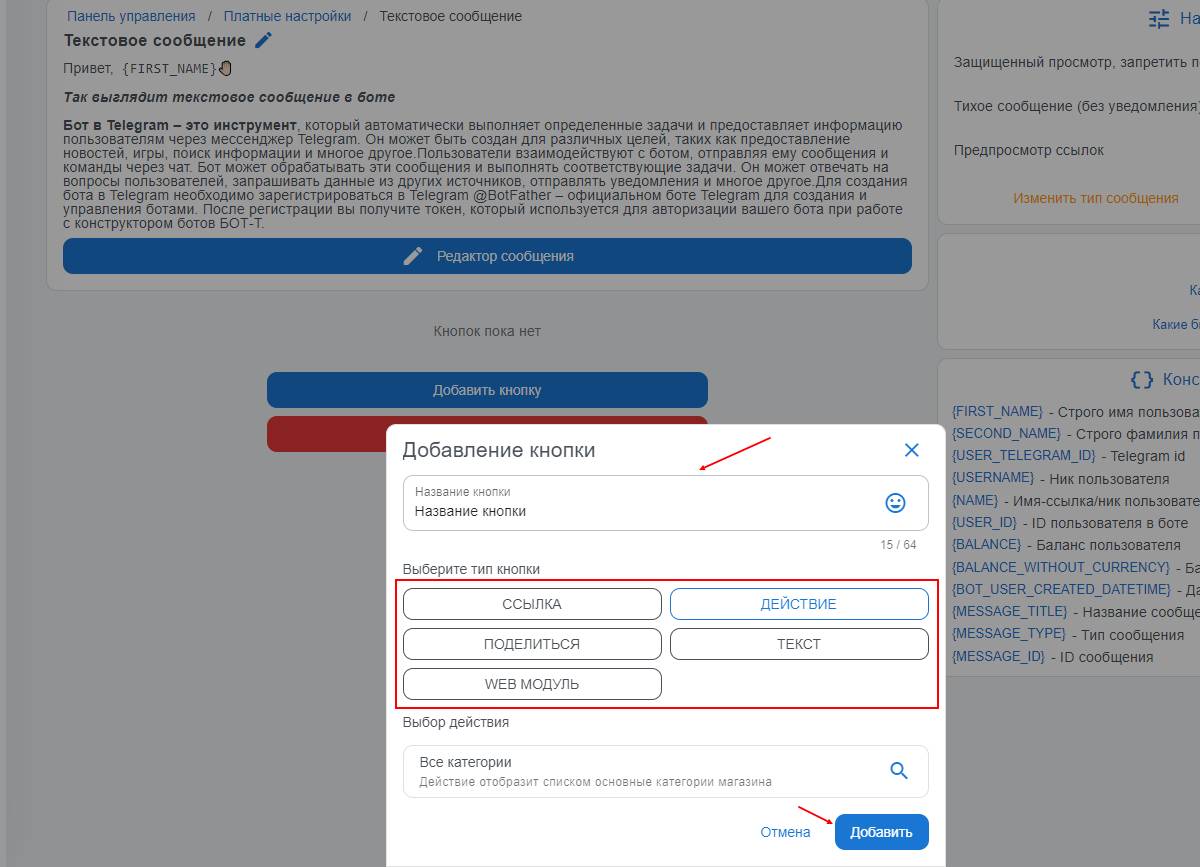
Menu setup
Menu management is a very useful feature; it can not only link to buttons (links) but also include free-form messages and button functions that are available in the bot’s menu.
The screenshot shows how to add menu functionality; you can add as many buttons as you want. There are 5 categories:
*link
*action
*share
*select text
*web module
The button design can also be embellished with emojis 🦾🤖
What types of buttons are there in the menu?
Available button types in the menu:
1) Action - attaching some action to the button, for example a previously created free message, attaching a profile, product categories, product showcase
2) Link - attaching a link to the button; when it is clicked, a transition to the attached link will be made
3) Share - directly, as in social networks
4) Web module - this is a graphical interface; you can use attaching your own links (opening will take place through the web app inside the Telegram bot), as well as attaching ready-made solutions, such as:
- Shop Web - a ready-made catalog layout for your products
- SMS - The module is an integrated button that allows you to resell services from https://sms-activate.org/ keeping the difference for yourself!
- PROXY6 - The module is an integrated button that allows you to resell services from https://proxy6.net/ keeping the difference for yourself!
- SMS VAK - The module is an integrated button that allows you to resell services from https://vak-sms.com keeping the difference for yourself!
- CMC HUB - The module is an integrated button that allows you to resell services from https://smshub.org/ keeping the difference for yourself!
- SMM Module - The module is an integrated button that allows you to resell services from https://soc-proof.net/ keeping the difference for yourself!
5) Text - sending a prepared short text to the user when the button is pressed. (max. 256 characters!)
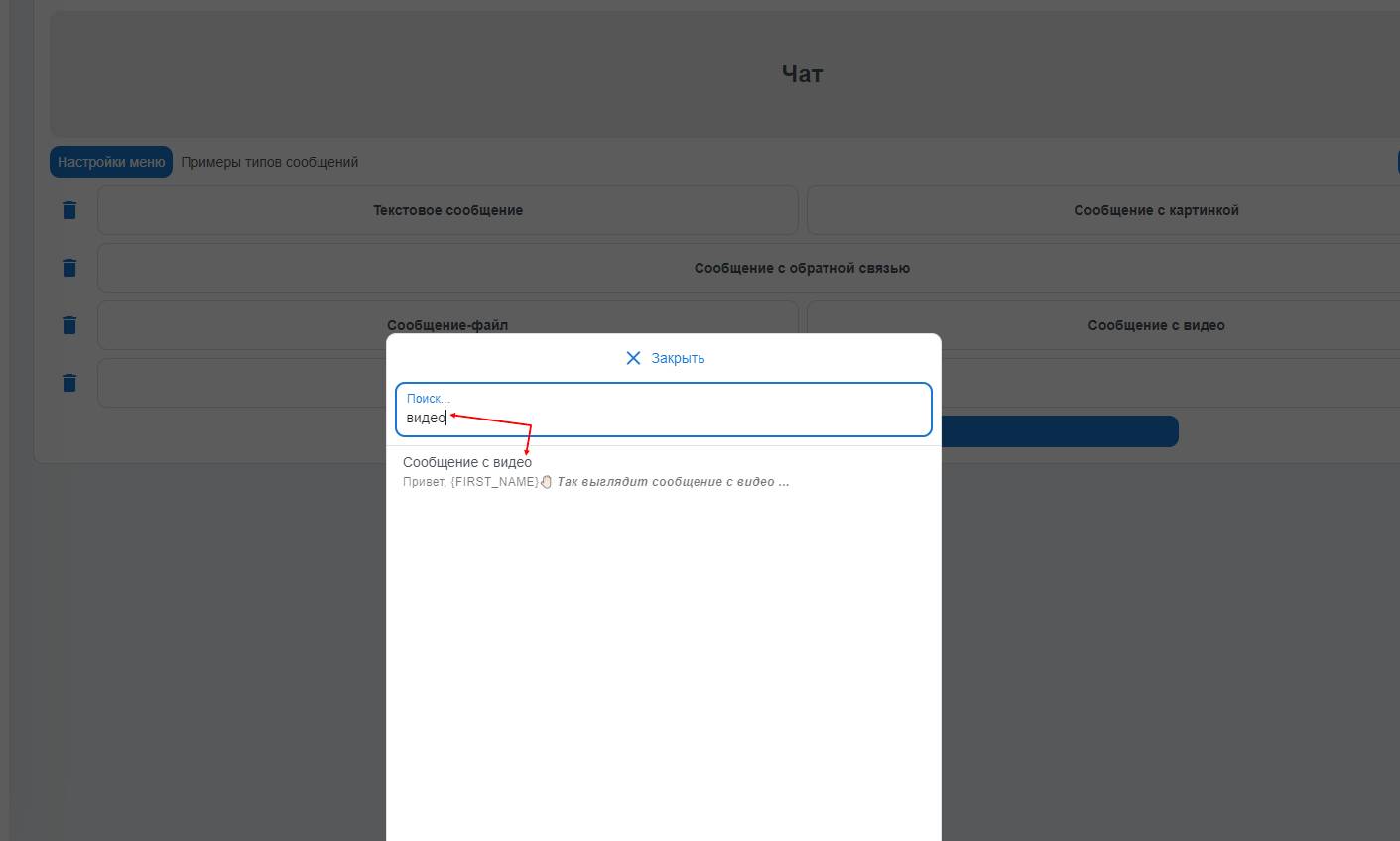
How does search work?
You can use a very useful feature - search for the action you need, if you have many free messages and it is difficult and time-consuming to find the one you need to assign to a button.
All you need to do is use the search bar and enter the first letters of the free message name you are interested in, or another action, and the system will understand what you meant by the keywords!
free of charge and without programming knowledge BOT-T.COM