

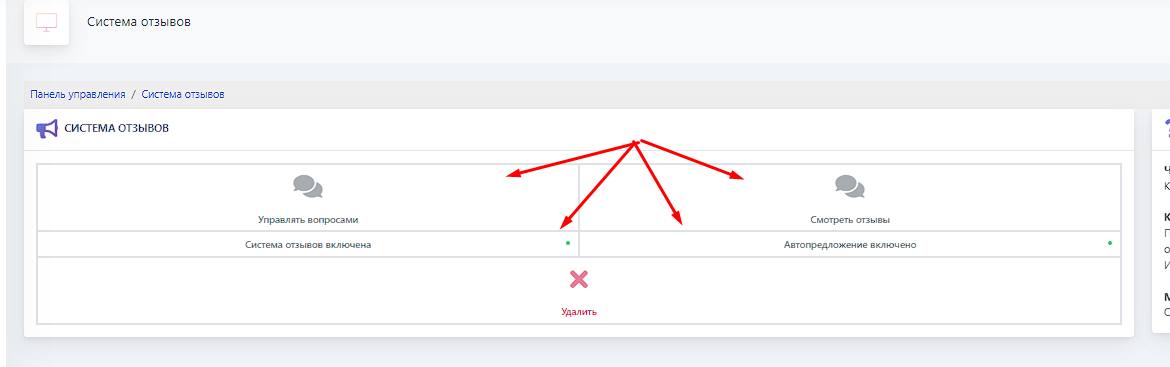
 This block allows your customers to leave the most honest and unchangeable reviews!
Reviews can be enabled or disabled (see screenshot)
Reviews can be sent to your manager, viewed on the website, and sent to a chat or channel (more details in the next block)
What happens if you turn off the review system?
Customers will no longer be able to leave them, but all reviews for past orders will be preserved
How does auto-prompt work?
When auto-prompt is enabled, the buyer will be prompted to leave a review immediately after placing an order. Otherwise, leaving a review is only possible when viewing the order information
Can the bot administration edit reviews?
Review responses cannot be changed!
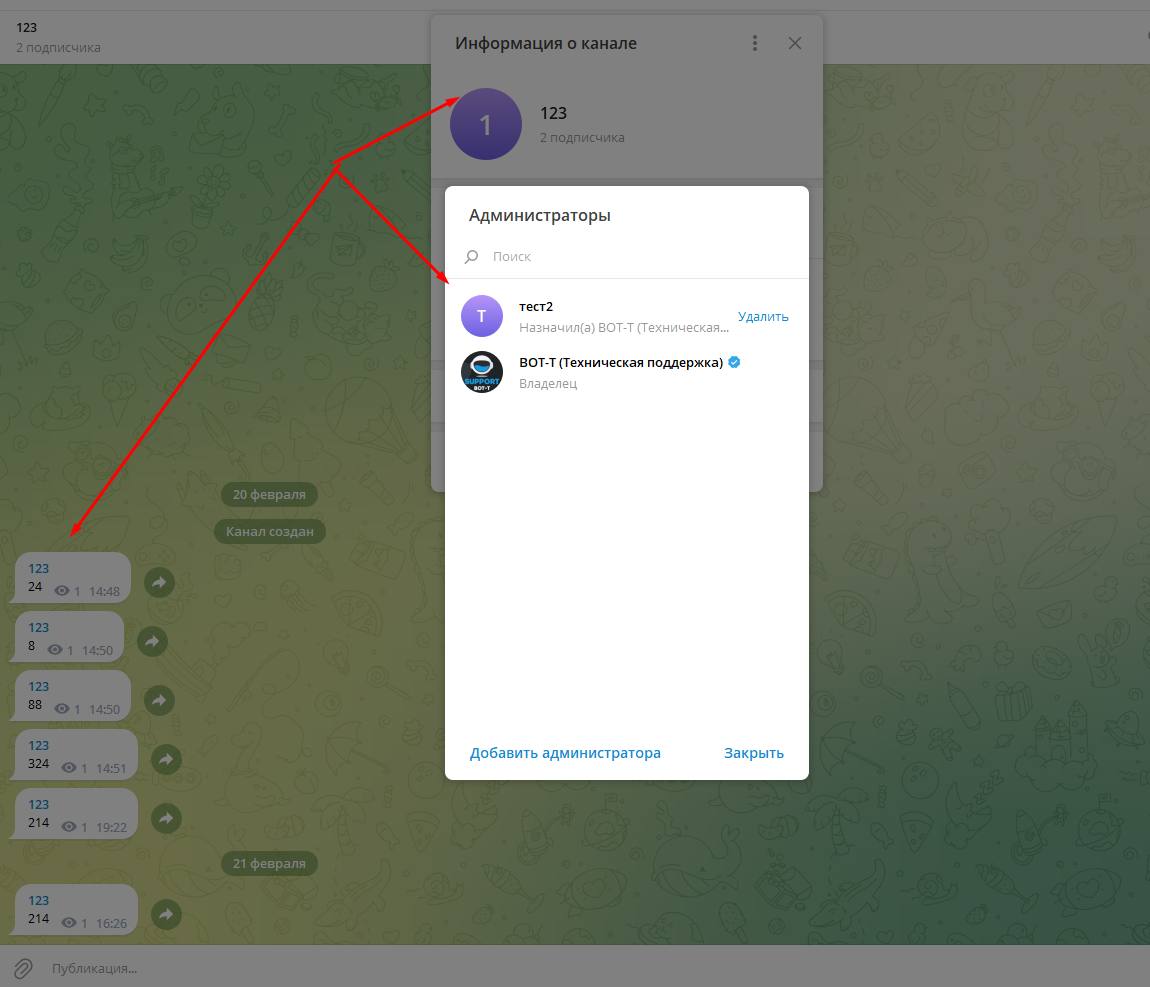 For starters, you need to add your bot to the channel and chat as shown in the screenshot,
 This is what a chat or channel group looks like in the users section
 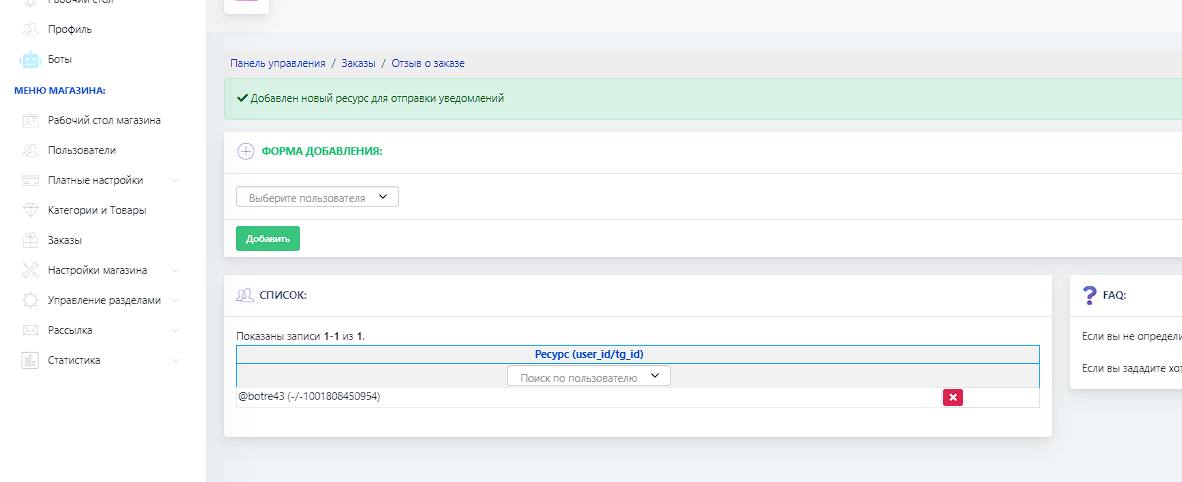 This setting is located in reviews - in notification settings (purple button); there we select our resource and add it so that notifications will be sent to it
 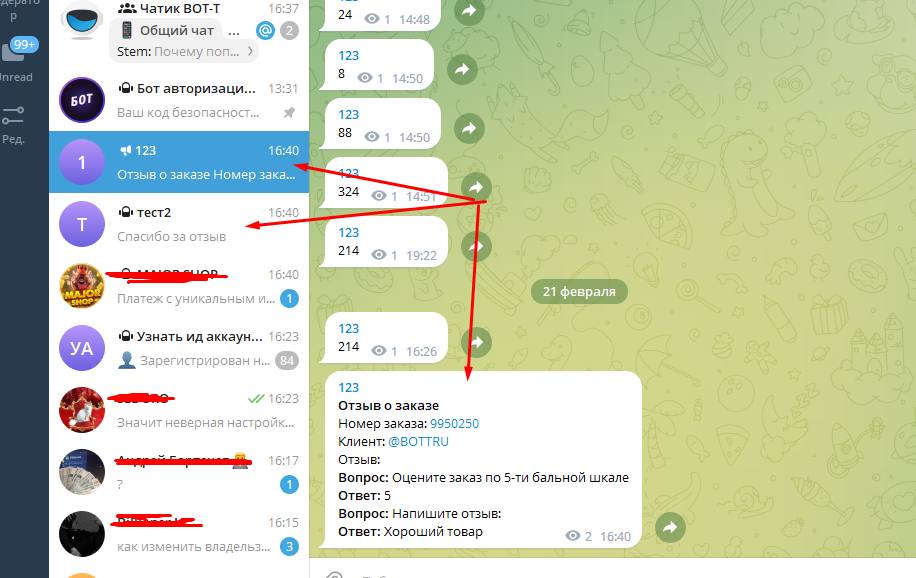 This is what a properly configured review module looks like