

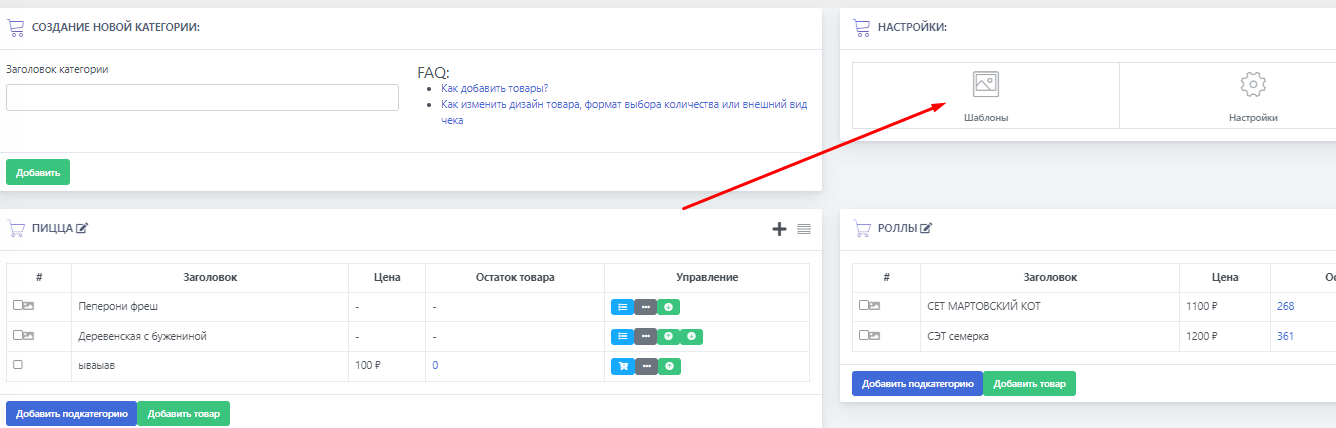
 To change category templates in the auto-sales bot, you will need access to the admin panel. It is located in "categories and products"; then click on templates in the top right corner (see the screenshot).
 Templates are divided into several types. A breakdown of each type is available below in the subcategory of the question; here we will describe general information.
There are 2 types of templates: for products and for categories. Choose the desired option to start making changes.
For products, templates are divided into the following types:
1. Product quantity selection
2. Product quantity selection via calculator
3. Prohibit selecting the product quantity, but display the order confirmation menu
4. Prohibit selecting the product quantity, without order confirmation
For categories, templates are divided into other types:
a) Column editing (standard type)
1. One column
2. Two columns
3. Three columns
4. No columns
b) Category template in the form of a slider
1. Standard slider
2. Slider with loading of product/category buttons
More details about each template type can be found in this article, in our subquestions.