

 How does it look and how do I do it?
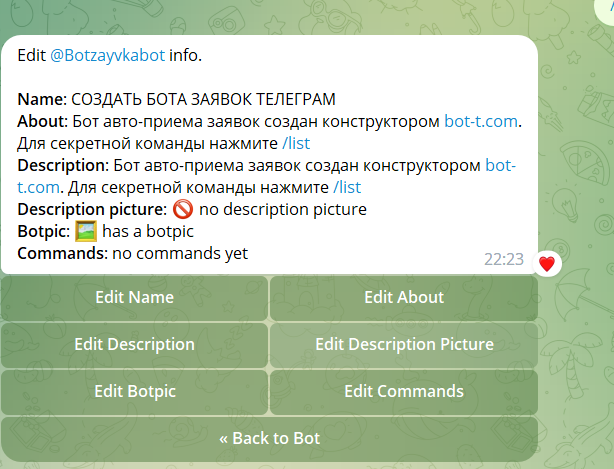
First, you need to go to @botfather and choose your bot, then click /edit bot,
and /edit about. Then enter information about your bot, and you’re done!
In the example (screenshot), I indicated the information
Edit Description - changing the "What can the bot do?" section before the /start command
Edit Description Picture - adding/changing the image for the "What can the bot do?" section