

 To perform bulk actions on the page, you need to select all the necessary items and then perform the desired action. It is important to remember that up to 500 items can be displayed on one page, so when there are many users, you need to use filters for more convenient work.
 About mass actions
To perform bulk actions on the page, you need to select all the necessary items and then perform the desired action. It is important to remember that up to 500 items can be displayed on one page, so when there are many users, you need to use filters for more convenient work. Example of use in a Telegram bot
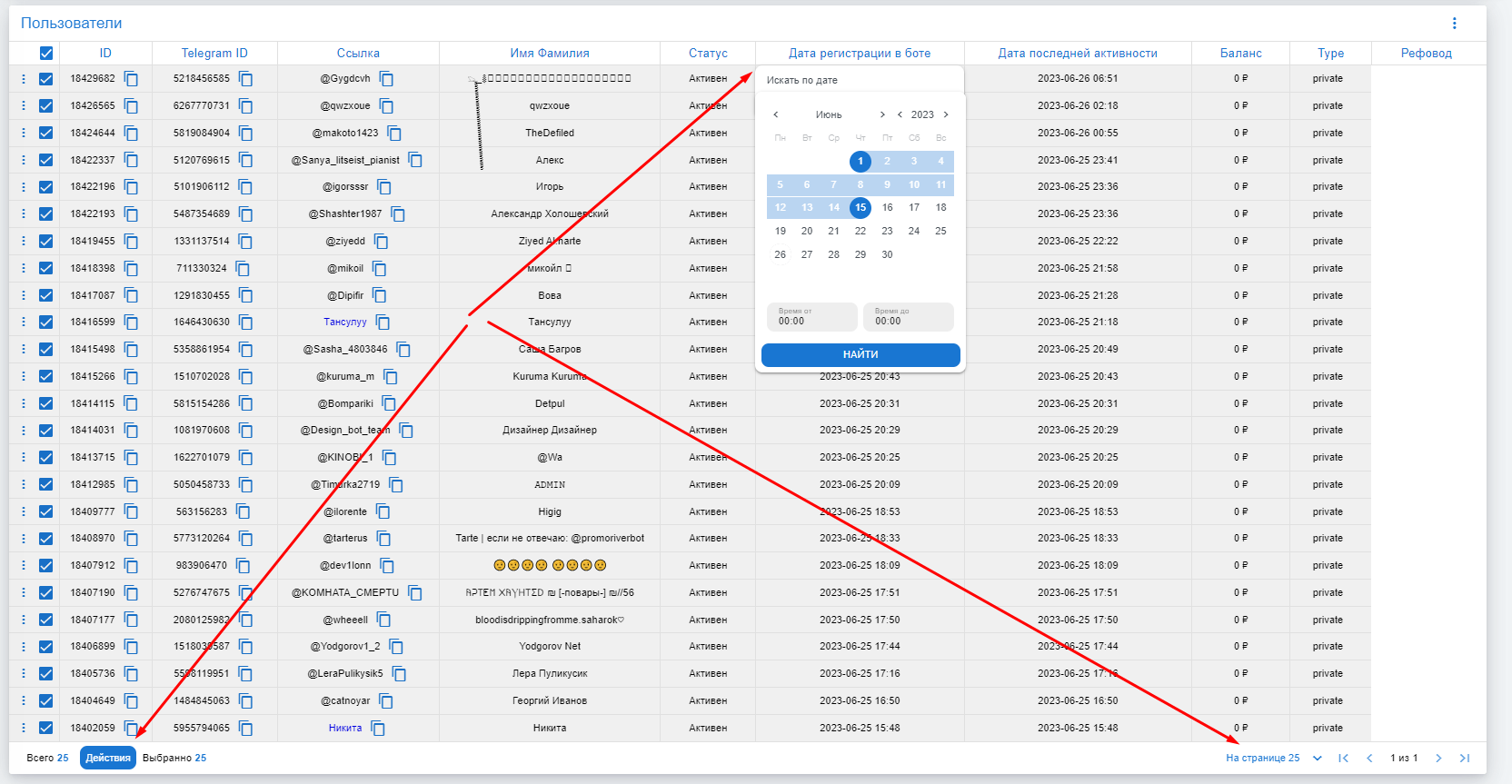 For example, let's show how to block users registered on the same day.
1. Select the user display on the page.
2. Choose the period for which you need to block them.
3. Check the boxes next to the users you want to block.
4. Click the action button and select Block.
5. Confirm the user blocking.
Sorting by columns
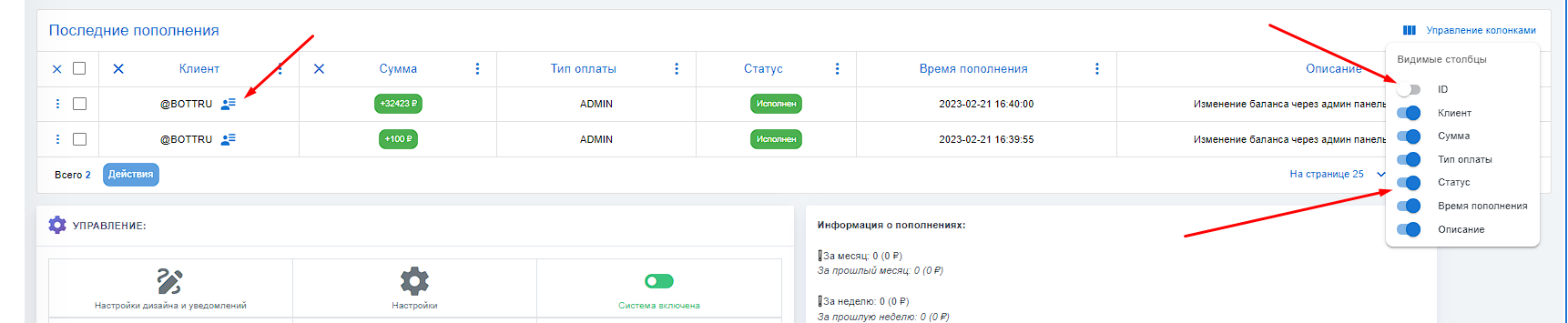 Also, you can add sorting by the columns that interest you and hover over a person to find out all the information.