

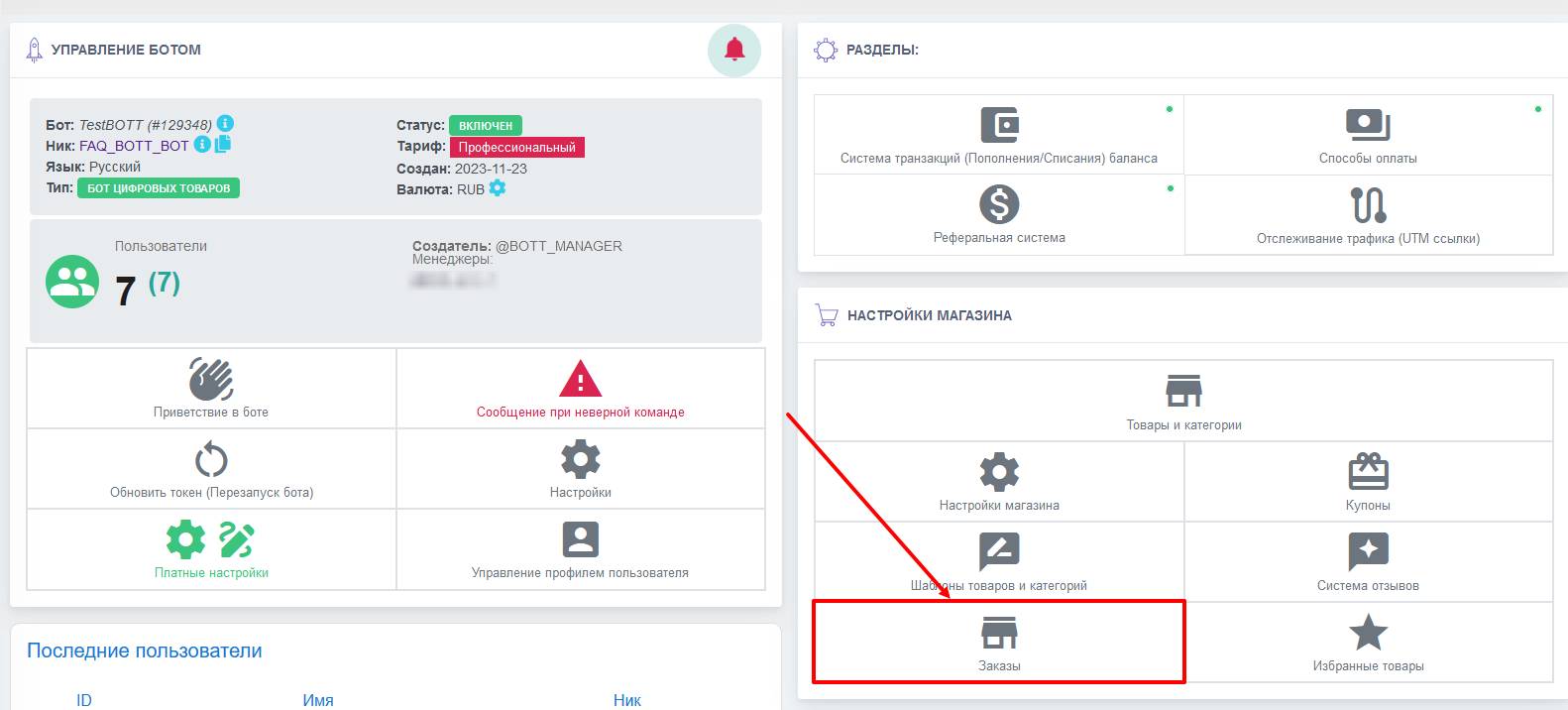
 Sales statistics in the Telegram bot is a set of data that shows how your bot is performing in terms of sales, taking into account the total turnover and number of orders over the entire time.
Sales statistics are also an essential tool for analyzing the effectiveness of your business strategy.
The order statistics section is located in the corresponding “Orders” button on the bot desktop for the “Digital goods bot” or “Physical goods bot” type.
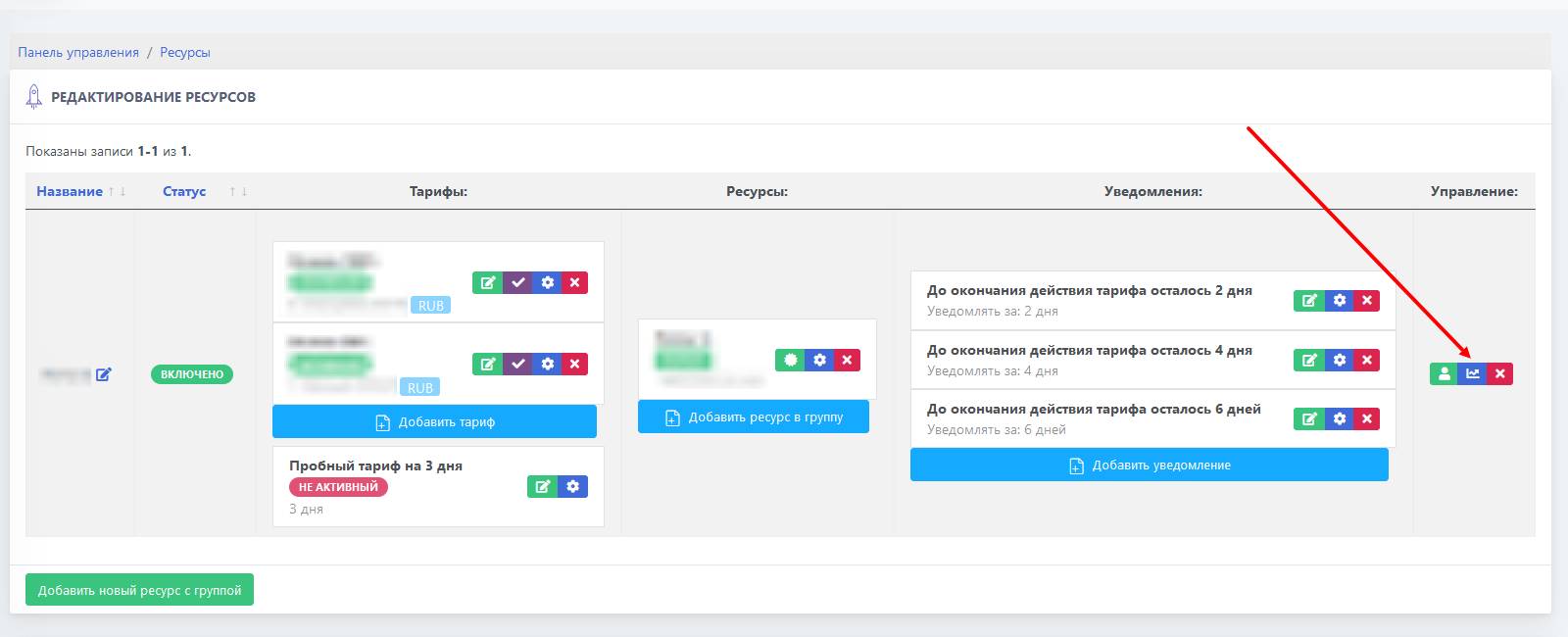 Sales statistics in the subscription bot are located in the "Resource Groups" section in the right-hand column called "Management"
 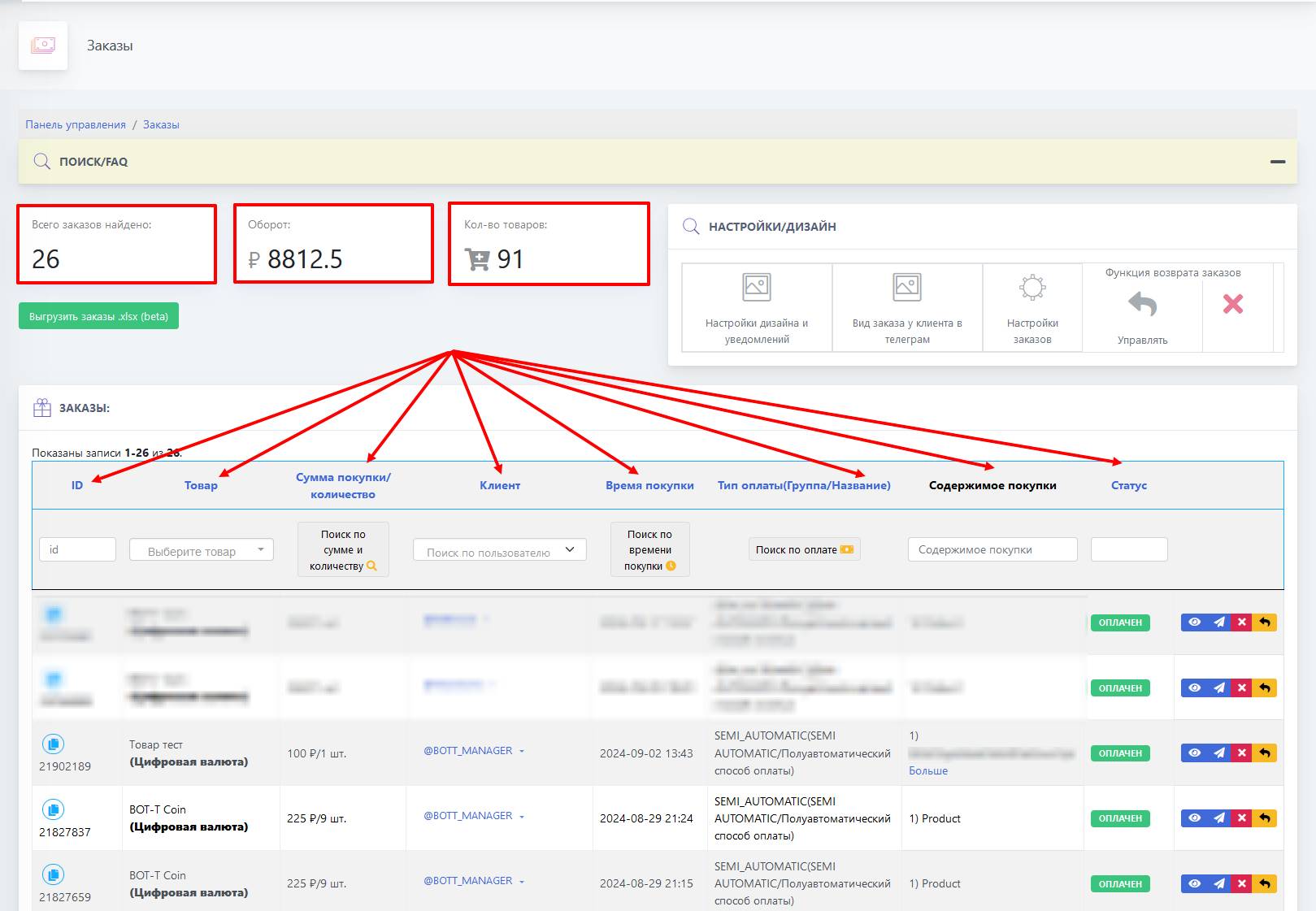 The "Orders" button contains important parameters for generating sales records, such as: