

 UTM tags are short text fragments consisting of keywords that are added to a URL to track the source of traffic that brought the user to your bot.
Traffic tracking is a very useful and powerful tool that allows you to analyze statistics of visits and purchases for a specific link tied to any resource where that link is distributed.
Let’s imagine that you bought ads from two bloggers, let’s call them Petya and Vasya, but how do you separate the two blogs and the traffic statistics? Let’s find out in this article!
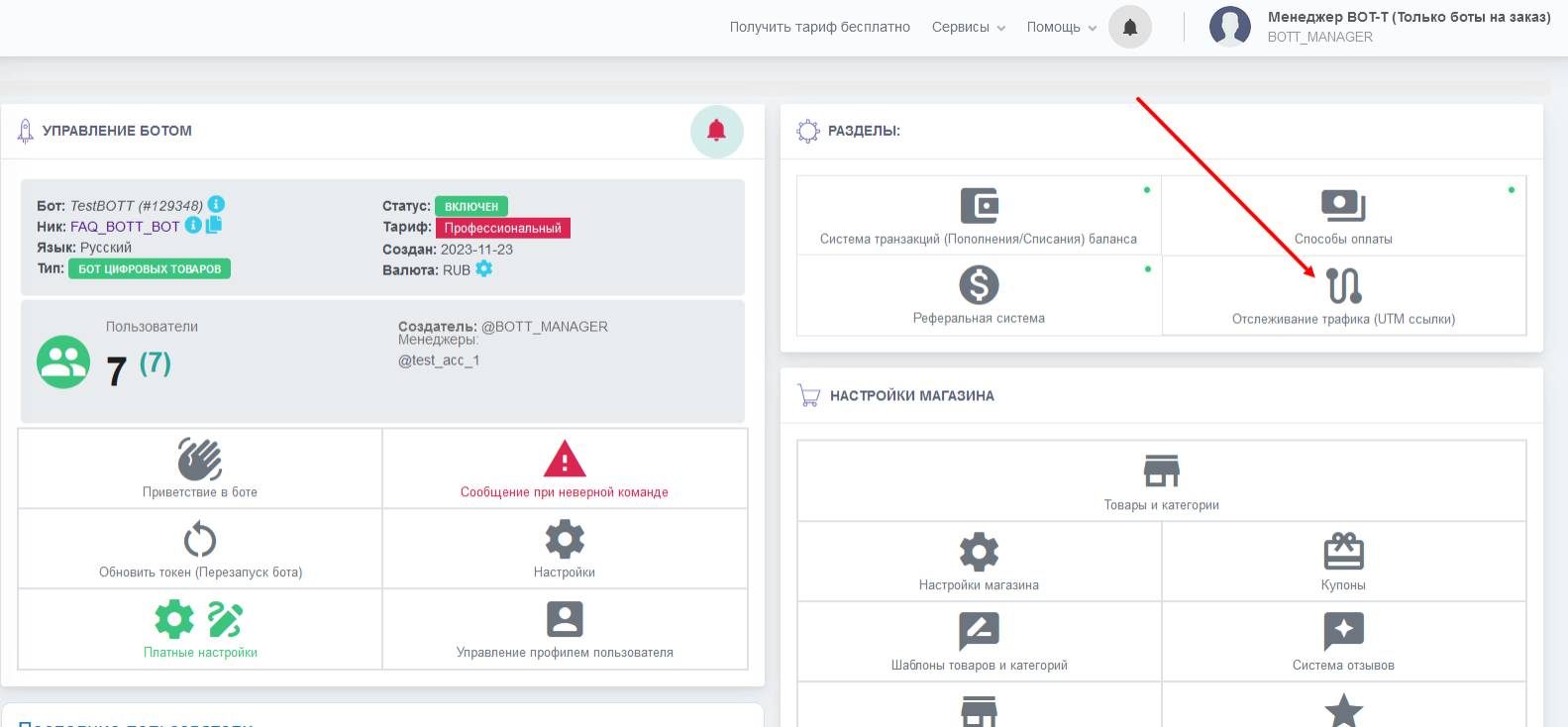
Setting up UTM tags starts with finding this very section, and it is located on your bot’s dashboard, so first go to the BOT-T website, select the required bot, then go to the dashboard and in the upper right corner click the "Traffic tracking (UTM links)" button
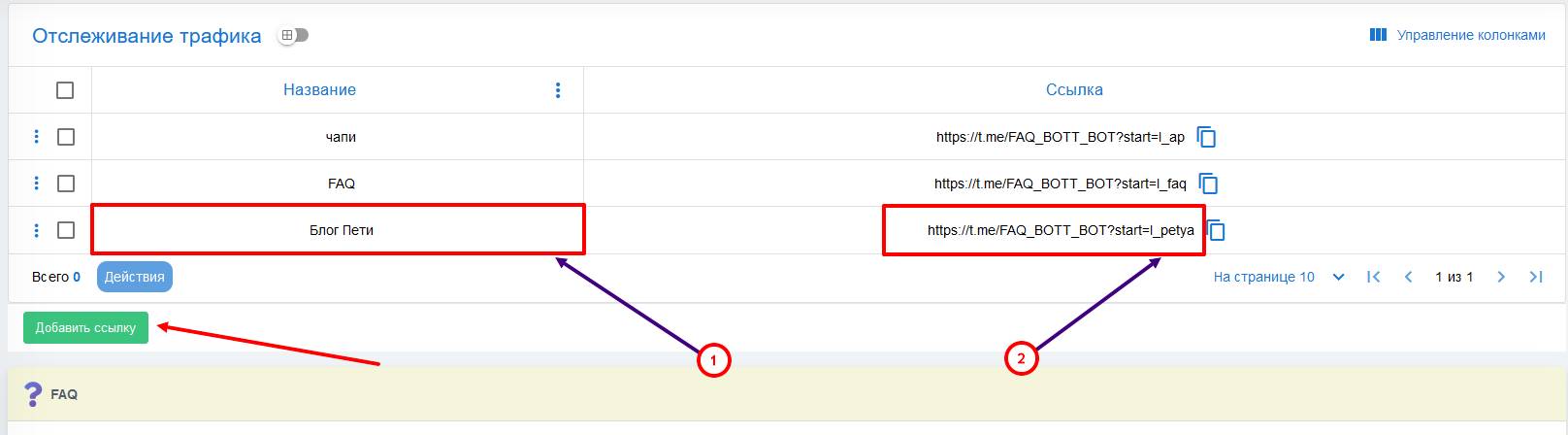 Previously, we assumed a situation where you bought advertising from two bloggers, but how do you create a UTM link for the promotional text of Petya and Vasya?
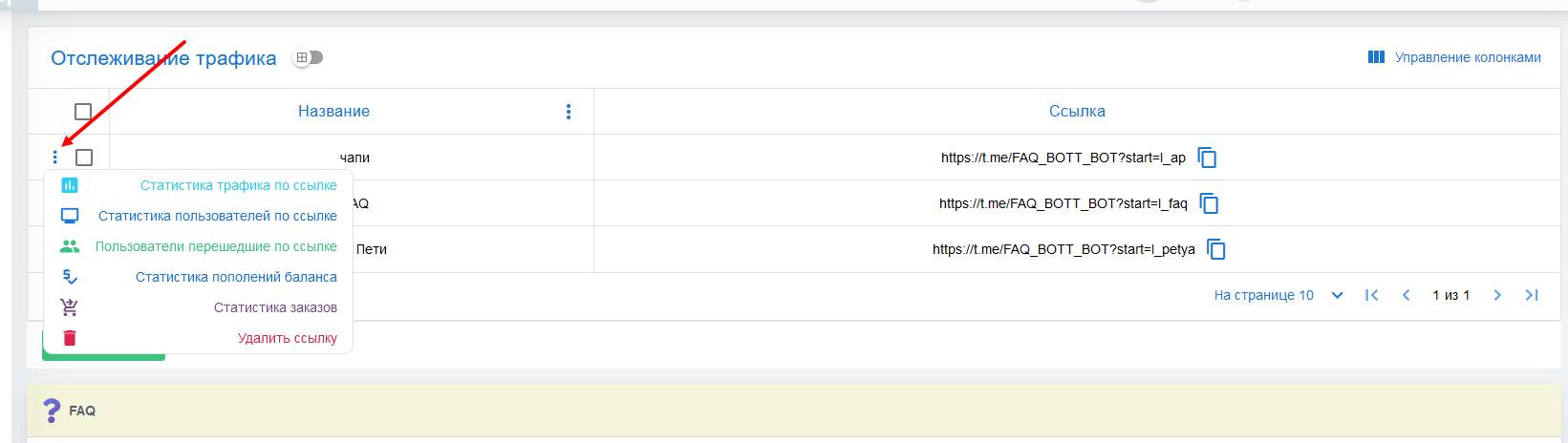 Also, each label has its own statistics: