

 Importing products from another bot is suitable for those who have many projects in the BOT-T service
The purpose of importing products: to minimize the actions involved in filling catalogs in bots with the same theme, in addition to the catalog, product and category templates are also copied
Important! For the import of products to work properly, you must be the creator in both bots. The main bot acts as a warehouse for the bots into which the product is imported!
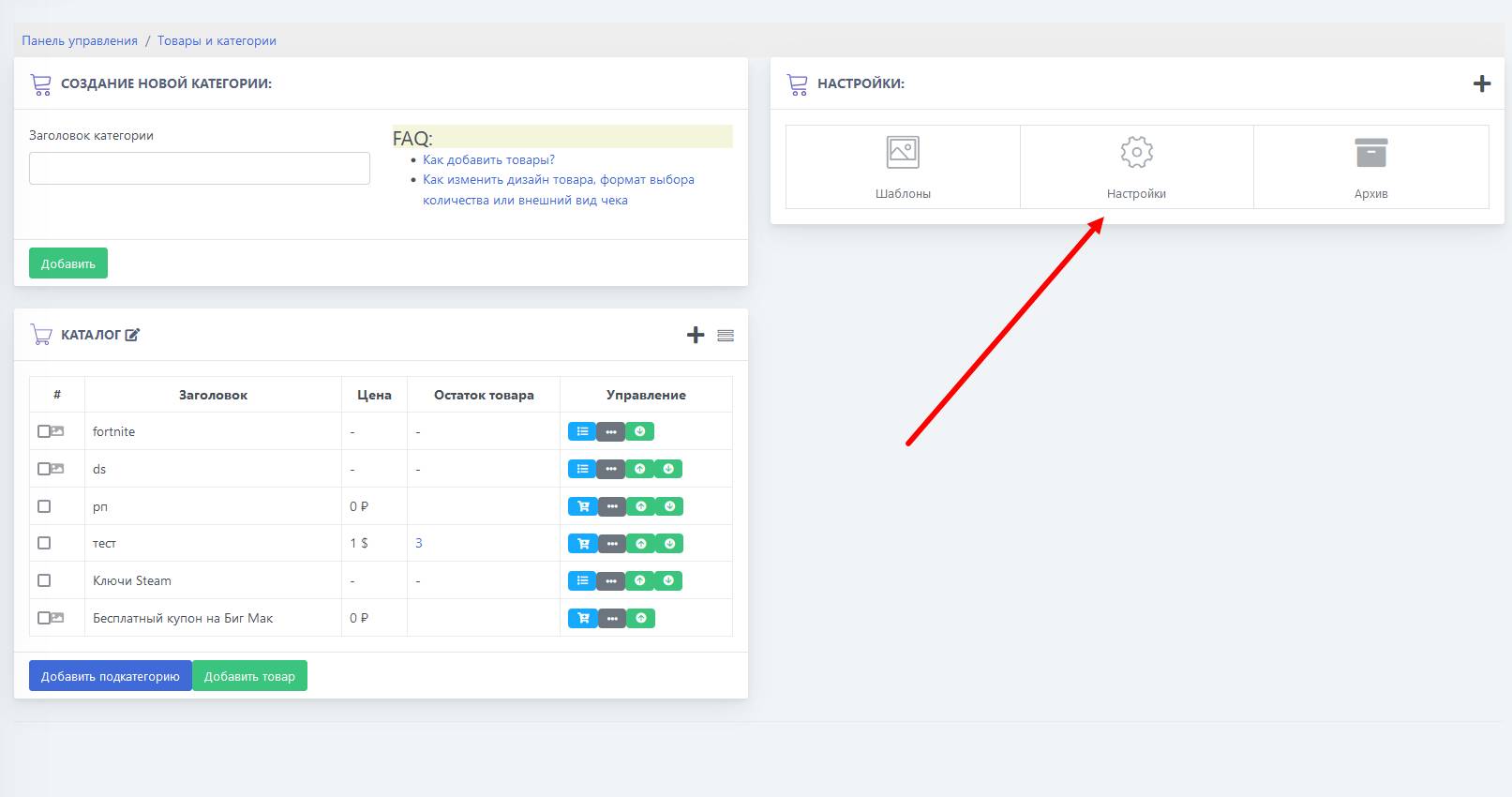 The transition to product import settings begins with going to products and categories via the desktop of the second bot (into which the catalog is transferred from the first (main) bot).
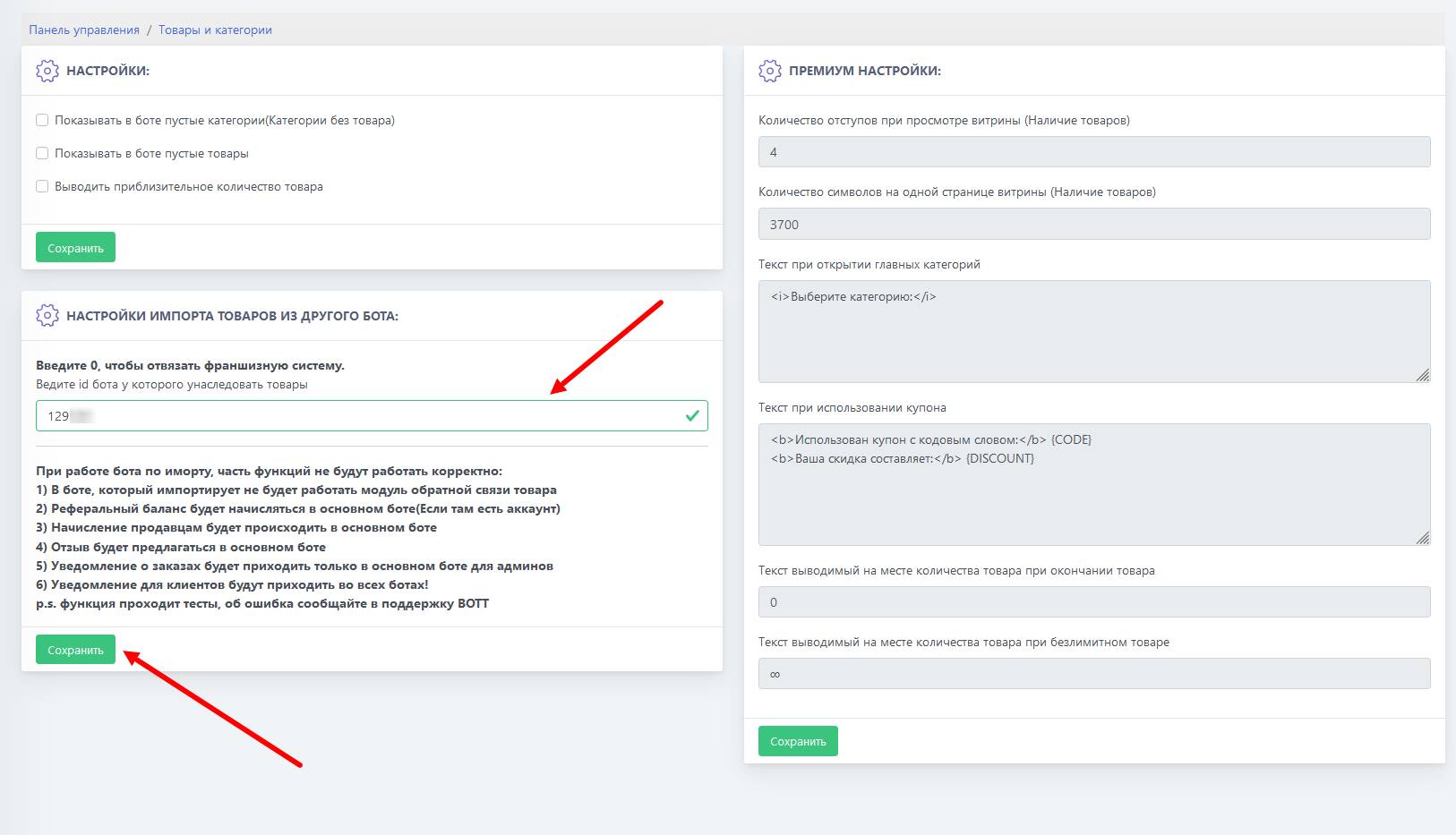 When importing products, we will only need the main bot ID (warehouse), it is from it that the catalog will be copied to the other projects.
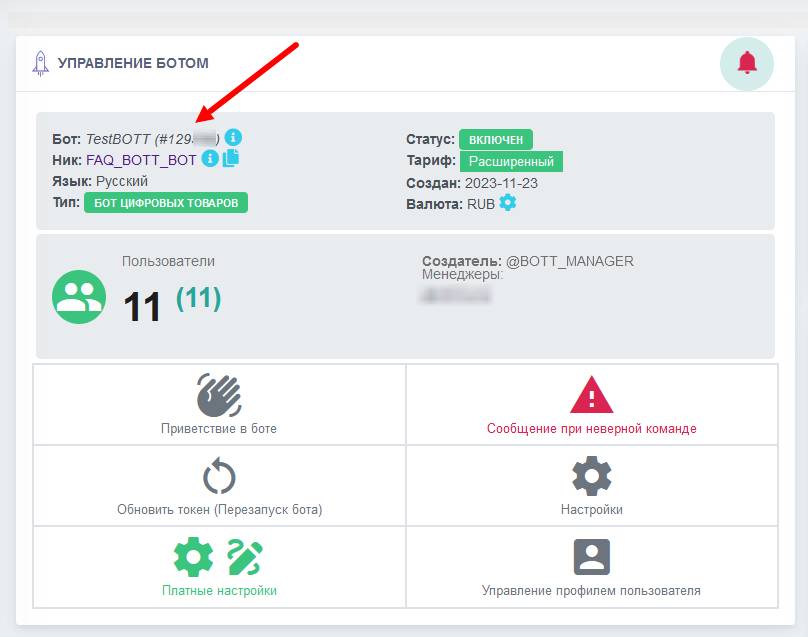 From the block above, we will need the main bot ID, but where can we get it?