

 Telegram digital goods bot is a special type of shop bot that specializes in selling digital goods.
Digital goods in a Telegram bot are products or services that can be purchased and received in electronic format. They do not require physical delivery, which makes the purchasing process instant and convenient for the user.
These can include e-books, music tracks, video courses, software, games, and other products that can be delivered to the buyer electronically. Like other shop bots, a digital goods bot can accept orders, process payments, and send notifications about order status.
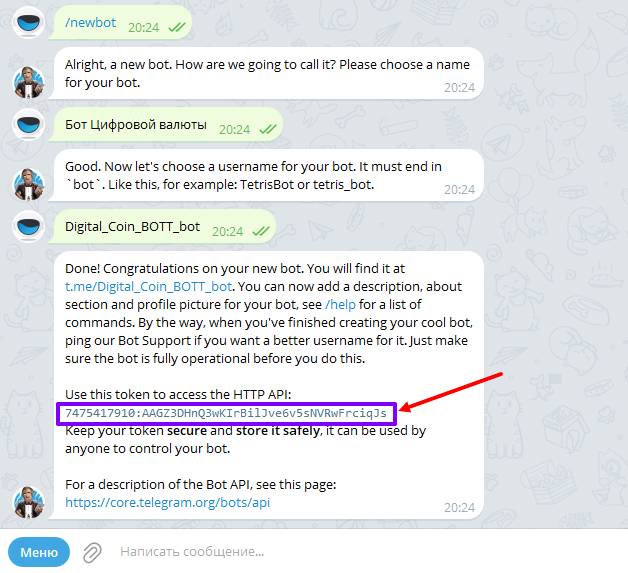 The initial stage in creating a bot with automatic delivery of digital products in Telegram will be creating/issuing an API token in @botfather; you need to follow these instructions:
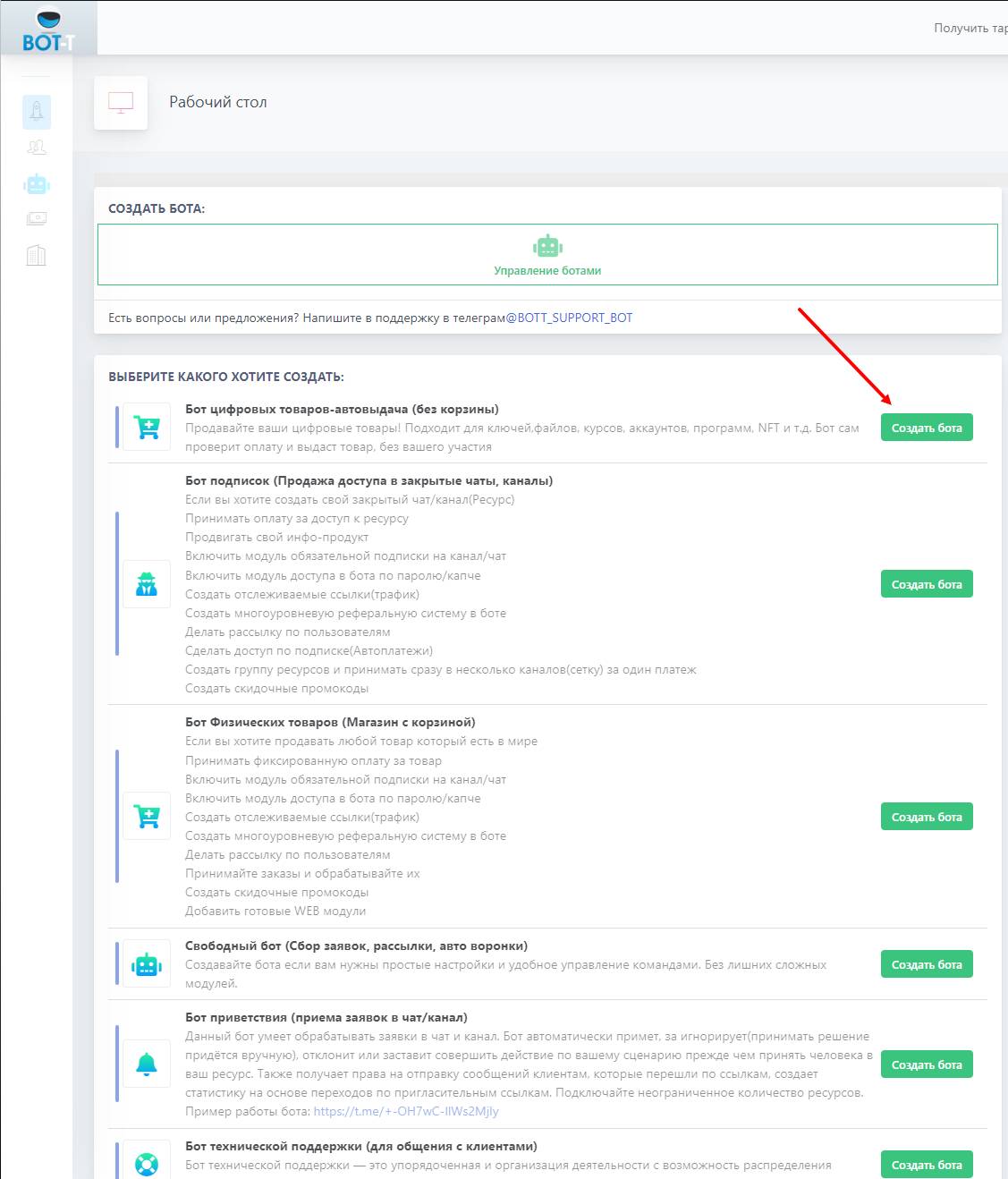 Let's analyze an example of creating an auto-delivery bot for digital goods for selling in-game currency
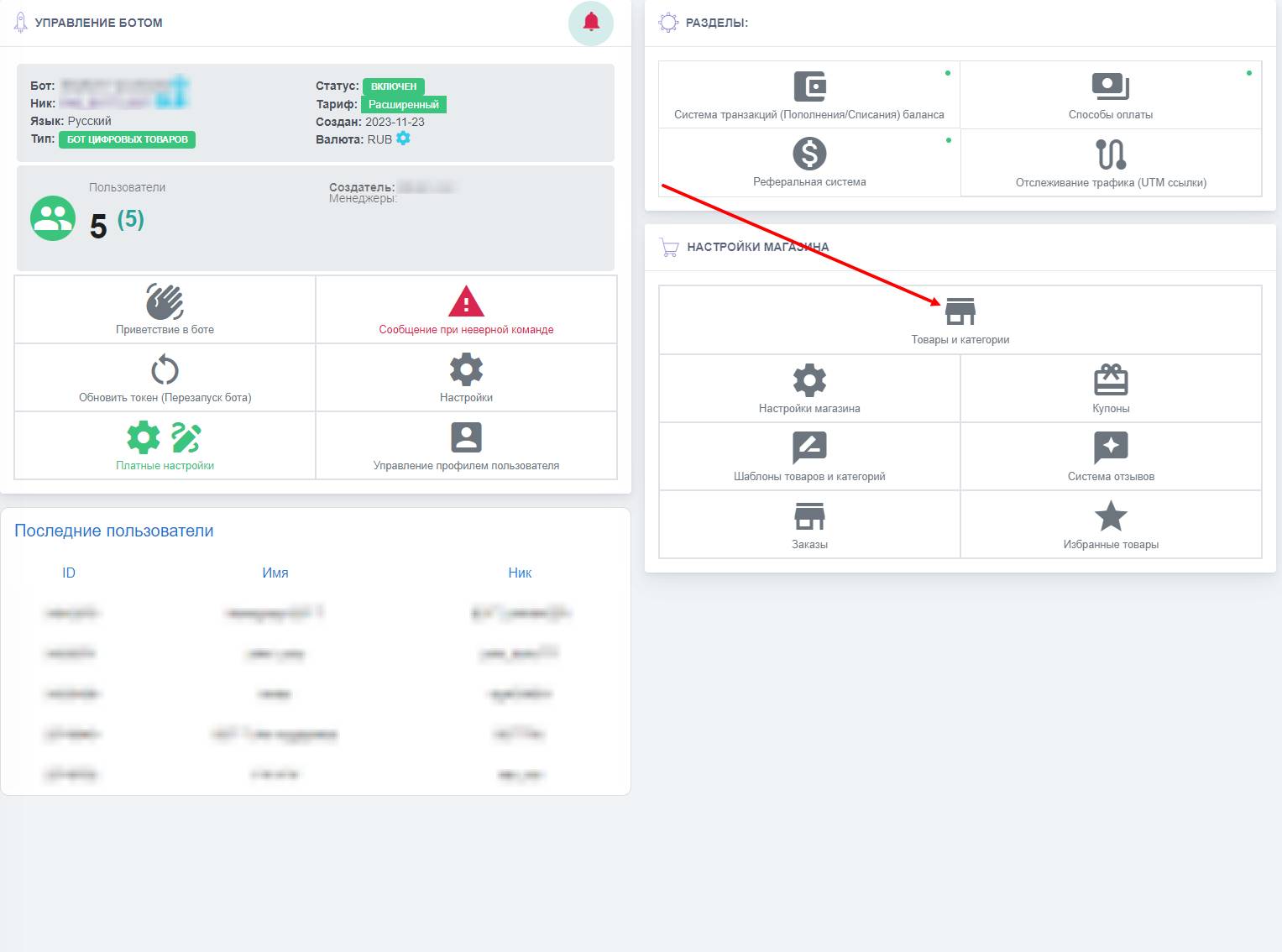 Which item is the main one when selling products, and in principle where can you view it? Correct! It is the catalog.
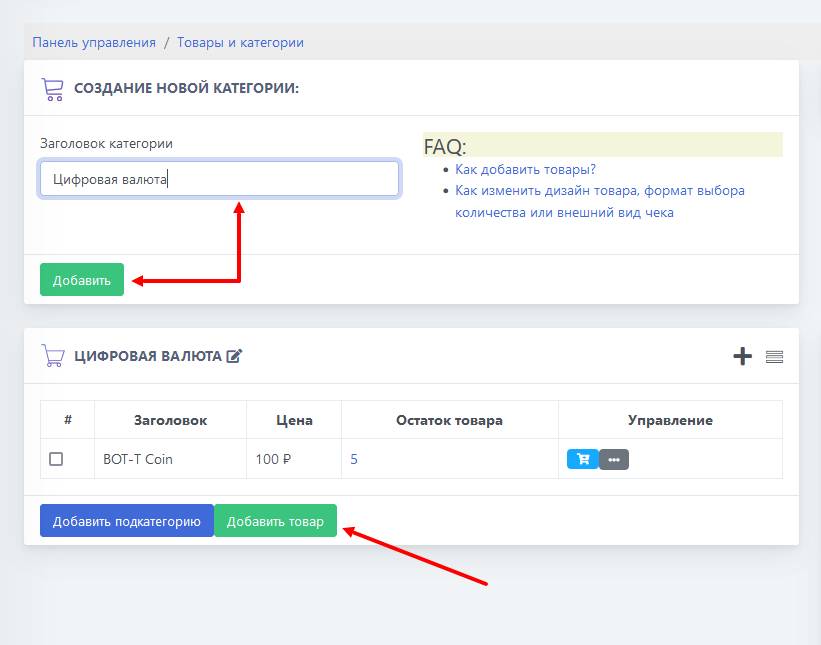 Working with the catalog always begins with creating product categories, let's look at an example of creating a bot for selling game keys.
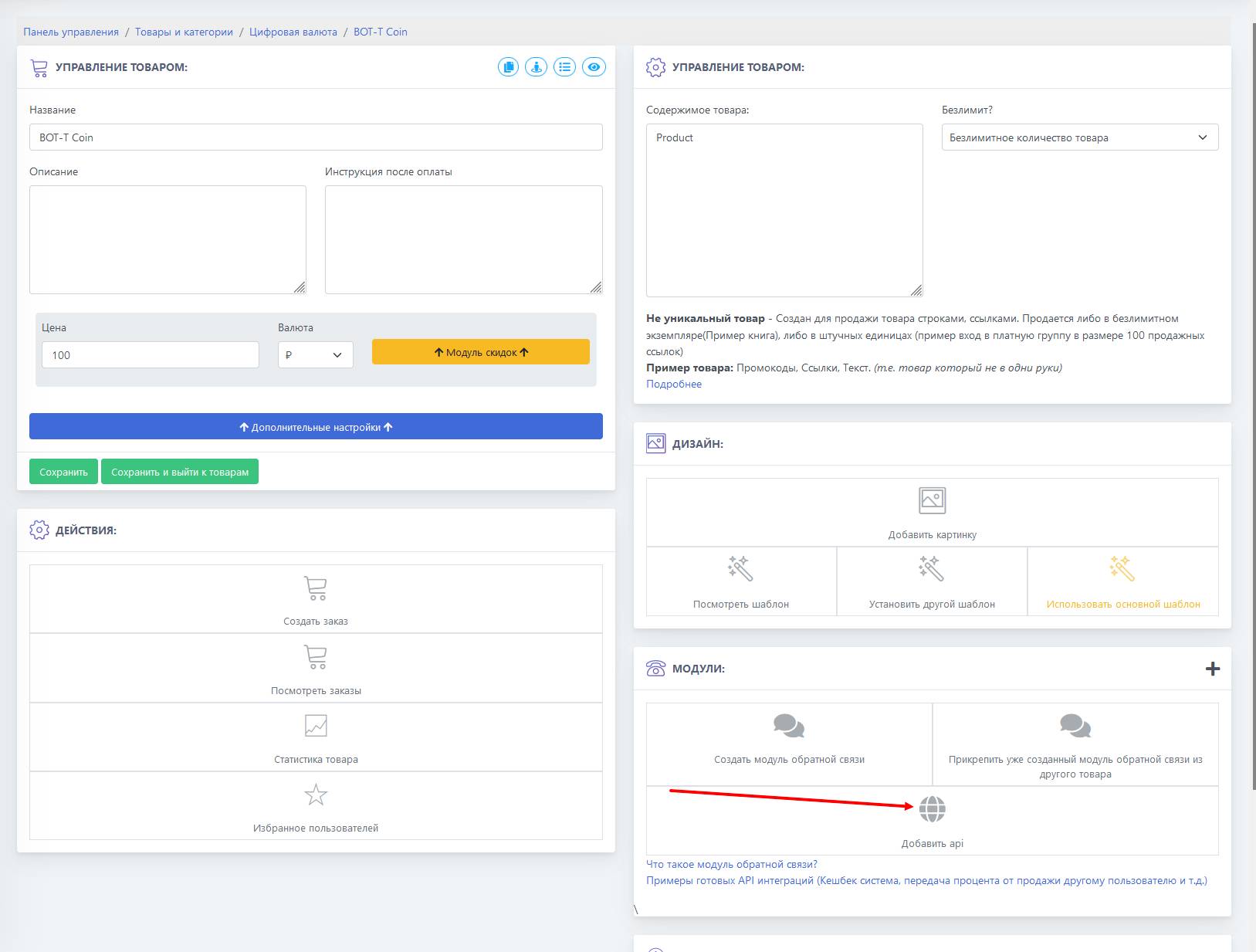 The next step in our tutorial is setting up the return of the selected amount of coins to the balance
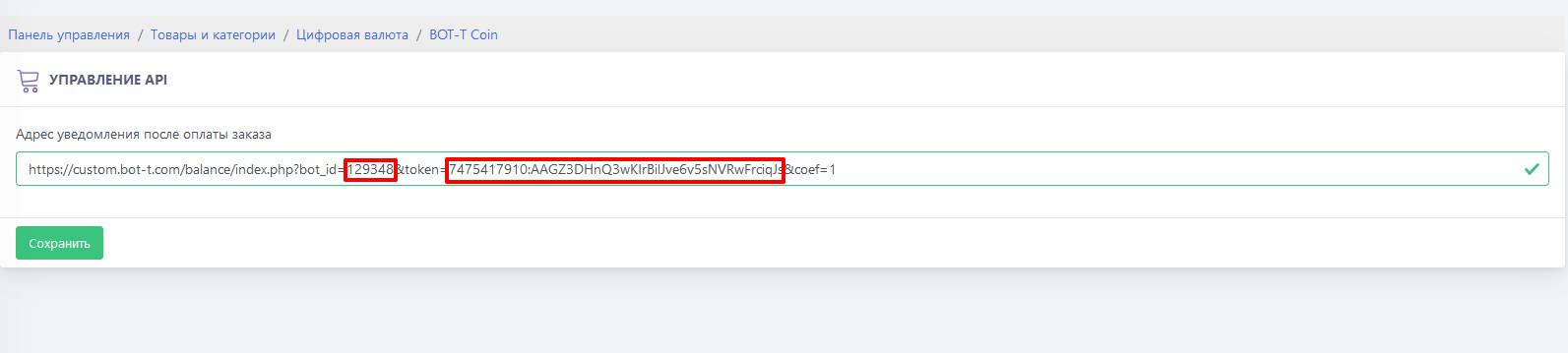 The screenshot demonstrates the correct API link setup; do not add spaces after
 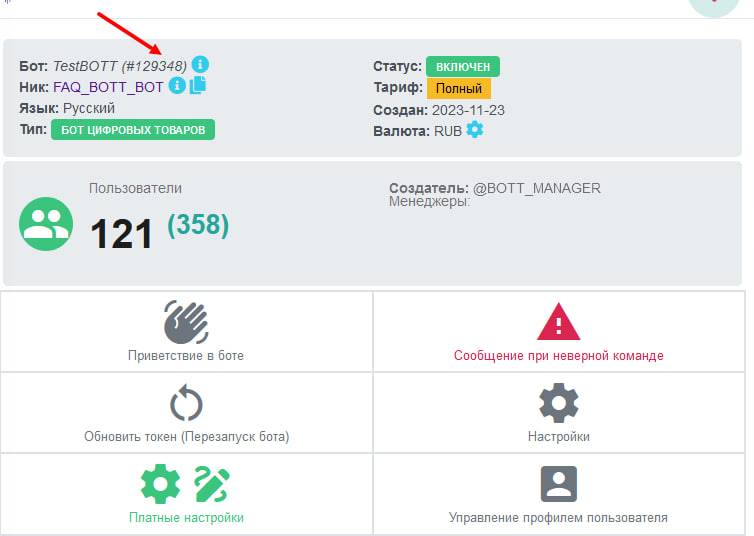 You can find the bot_id on your bot’s dashboard; it is located next to the bot’s name.
 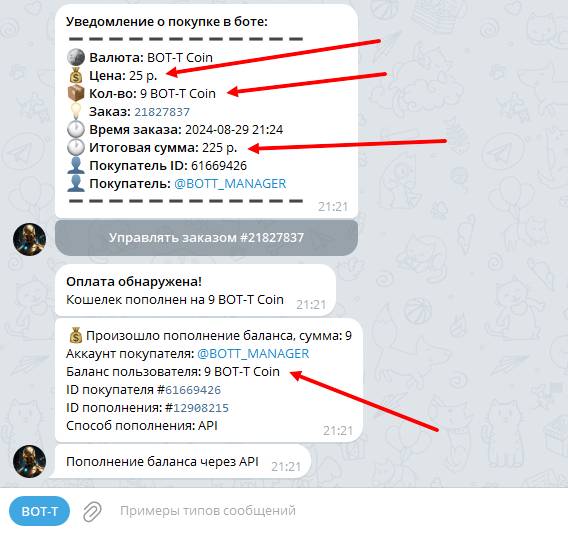 For example, we have a currency called BOT-T Coin, the cost of one coin is 25 ₽, and we want to buy 9 such coins.