

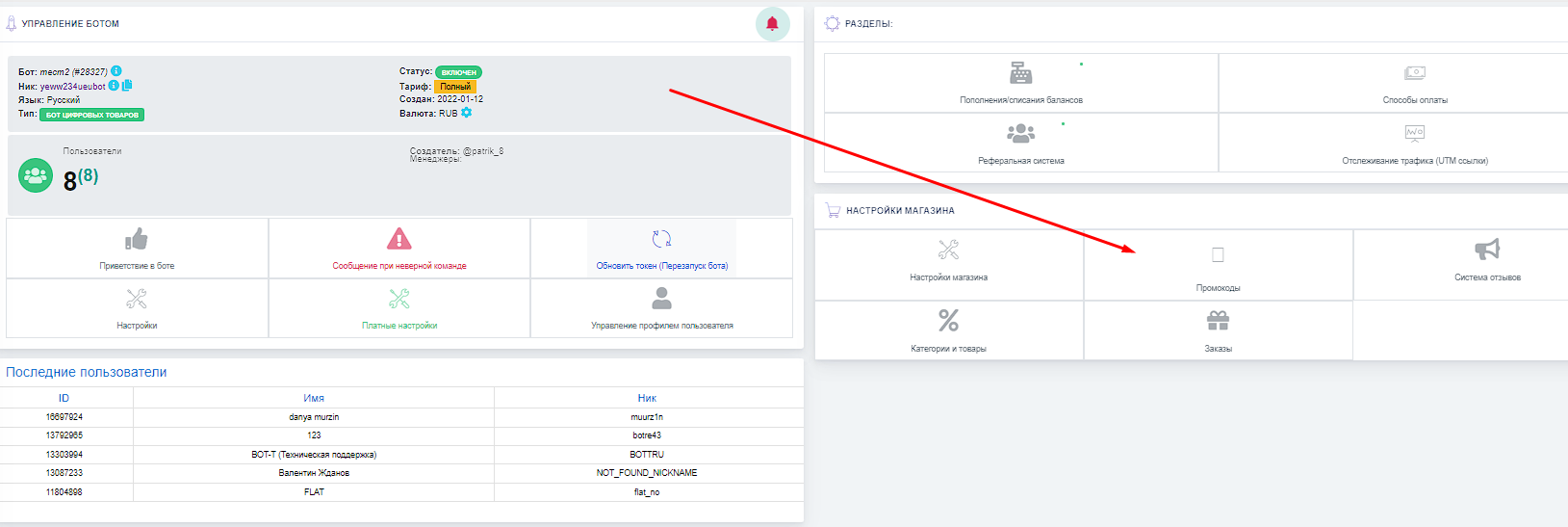
 To proceed to creating a coupon, click the button shown in the screenshot.
 Where and how do I create a coupon
To proceed to creating a coupon, click the button shown in the screenshot. Coupon types
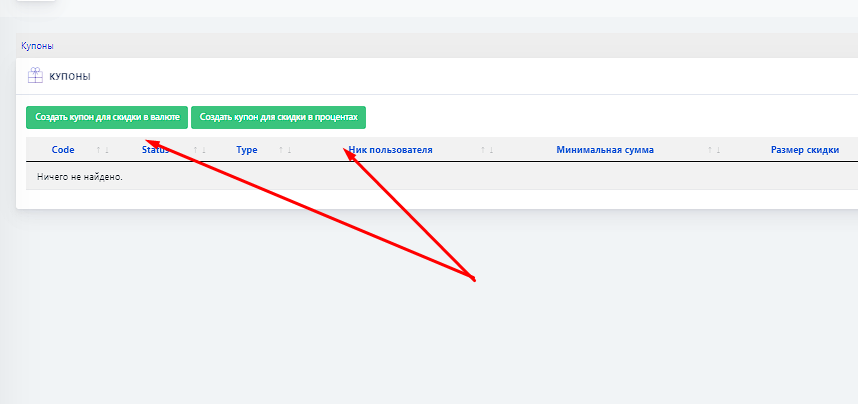 There are 2 types of coupons in the bot
1) Currency coupon type - creating a discount in currency (ruble/dollar...) for a specific amount
2) Percentage coupon type - creating a discount in % of the order amount
Coupon setup and creation
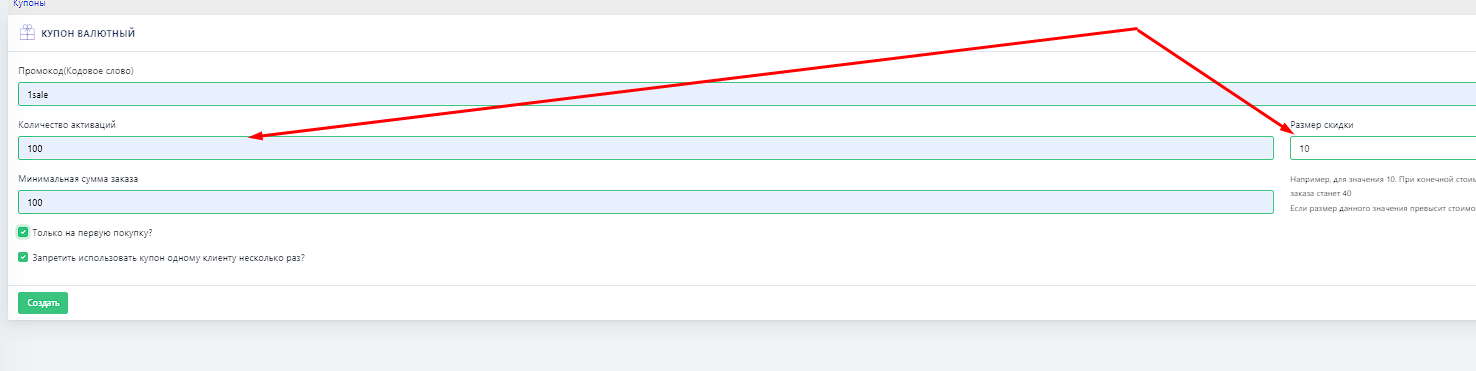 Suppose we selected the percentage coupon type
 1) This is your magic word that will activate the promo code Attention: the promo code must be activated in the profile in the bot
2) The number of activations for this coupon
3) The discount amount
4) The minimum order amount at which the promo code will be activated
5) You can enable the promo code for 1 purchase or for multiple purchases
6) Prohibit one person from using the promo code many times, or allow it
What does this look like in the bot
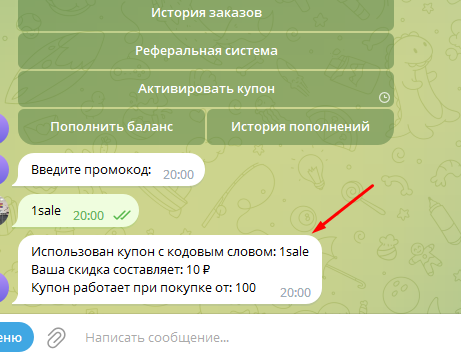 Example
Here we see how to use a coupon in the bot (we go to the profile) and enter the secret word to use the promo code
Then the coupon is credited and it can be applied to the next purchase