

 Sales bot in Telegram is a chatbot that is designed to sell goods or services through the Telegram messenger.
 This bot can offer a product catalog, process orders, accept payments, and communicate with customers.
Users can browse products, ask questions, place orders, and receive notifications about the status of their orders. Such bots are usually used to simplify the purchasing process and improve convenience for customers.
Let’s look at an example of creating a chat bot for a store using the example of a digital goods bot.
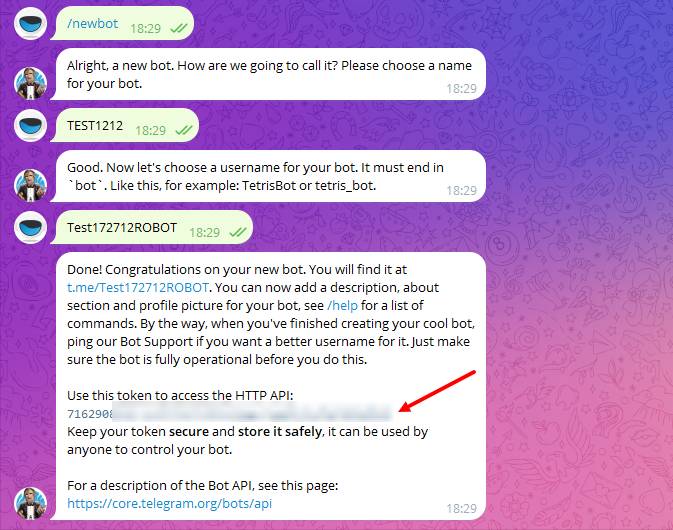 The initial step in creating a bot with automatic delivery of digital goods in Telegram will be creating/issuing an API token in @botfather; you need to follow these instructions:
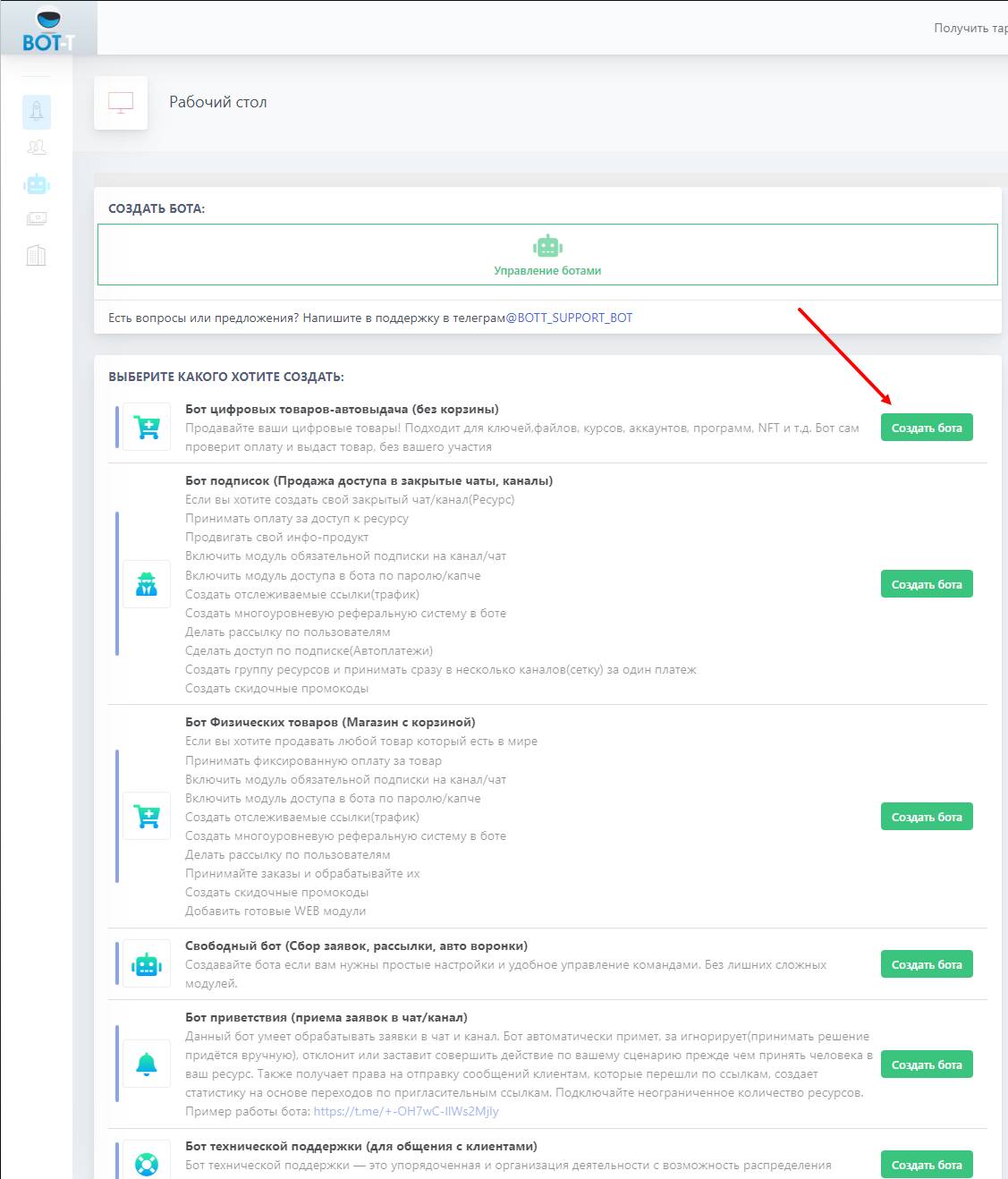 The next step will be to add the previously issued token to the BOT-T system, following the instructions:
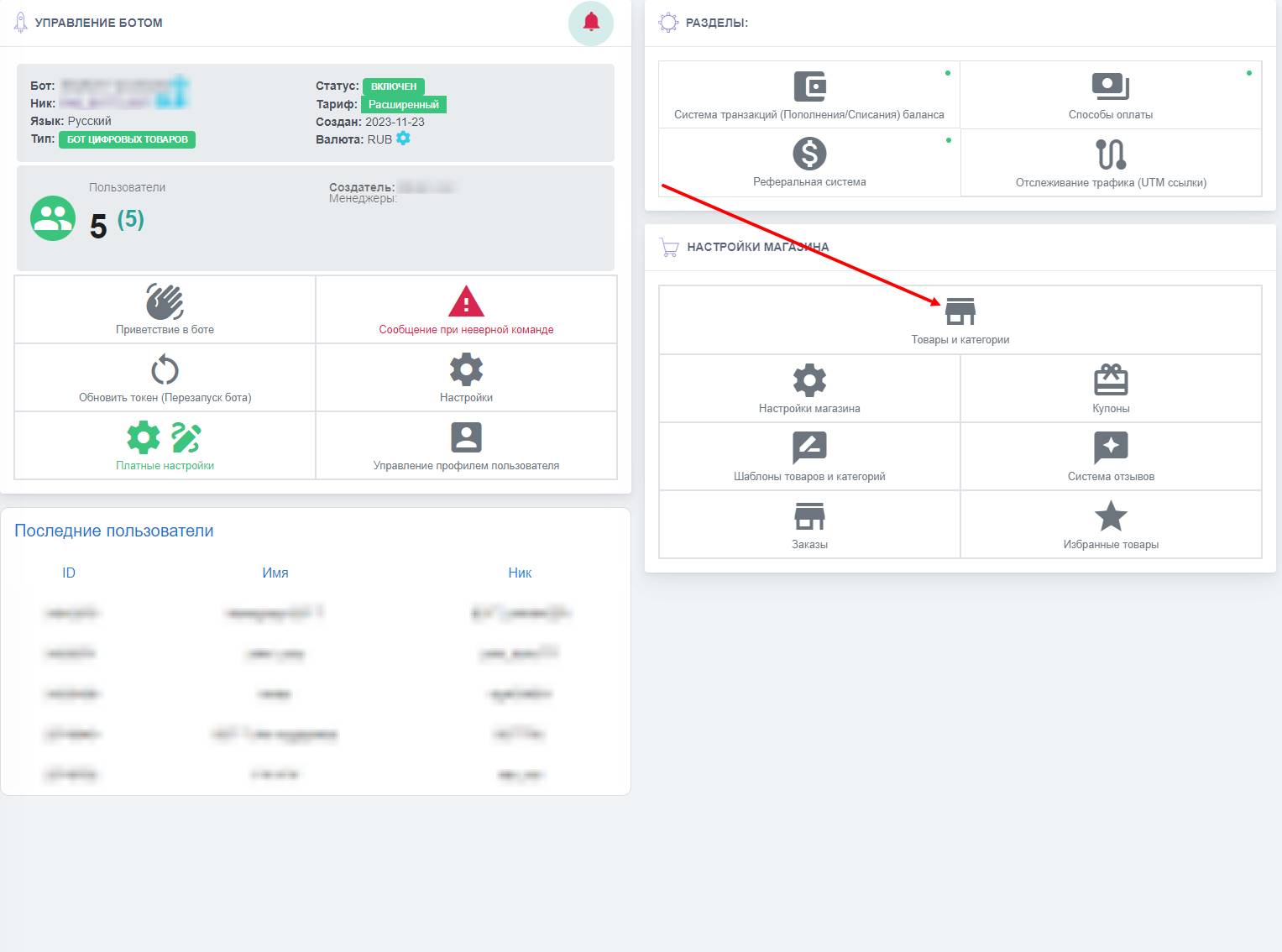 Which item is the main one when selling products, and where can you generally view it? Correct! It’s the catalog.
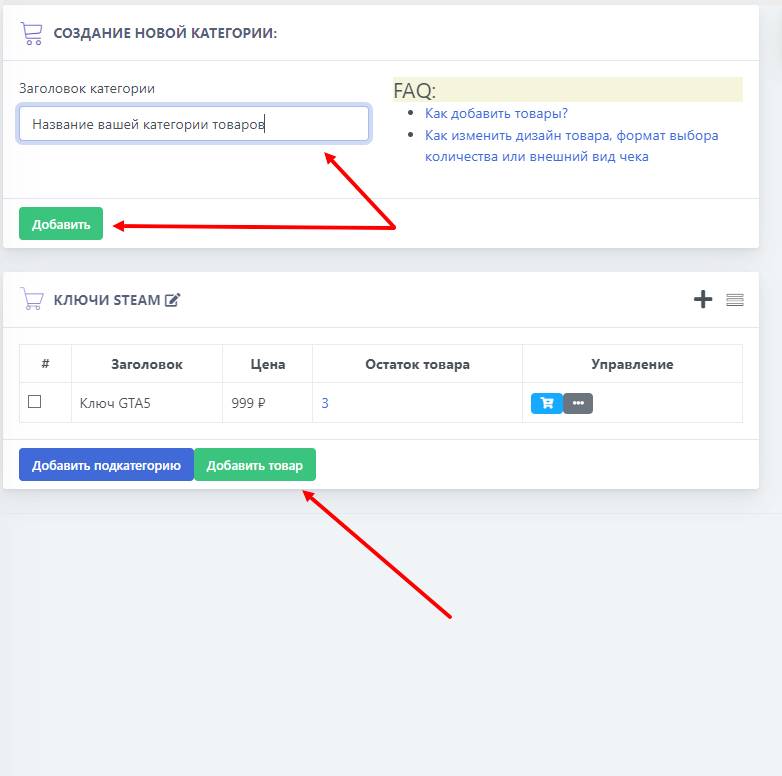 Working with the catalog always starts with creating product categories; let's look at an example of creating a bot for selling game keys.
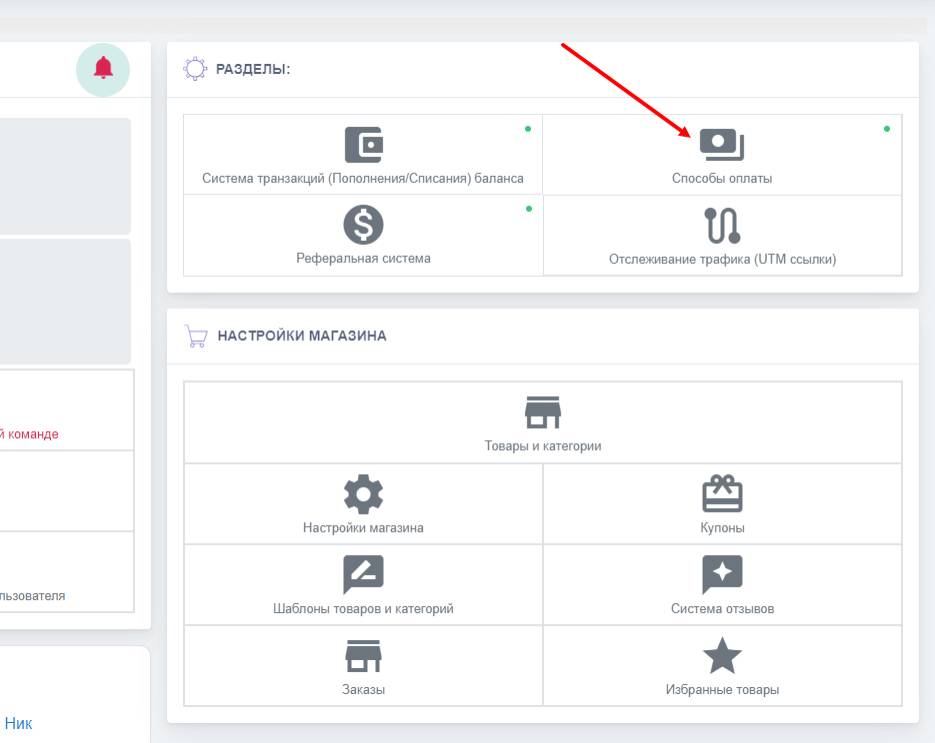 We move on to the most important step — adding payment systems; it is through them that our keys will be issued automatically