

 Telegram survey bot is a special bot that allows you to create and conduct surveys among the members of your channel or group in the Telegram messenger. The bot allows you to ask questions, create answer options, and collect survey results. It is a convenient tool for getting feedback from your audience or for conducting quick polls among chat participants.
- Detailed video instructions on creating a bot for answering questions and polling users in Telegram
- How to integrate Google Sheets into a Telegram bot?
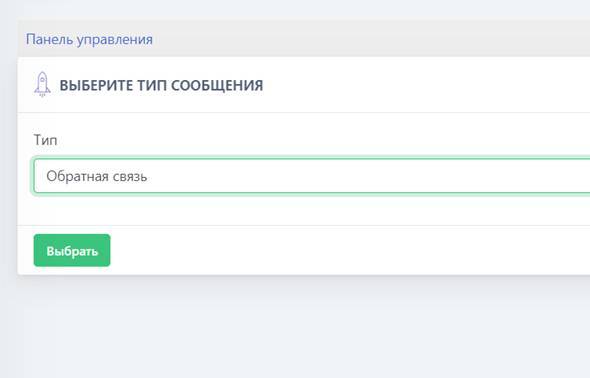 To begin, we will need to purchase a Full plan or higher; once the plan has been purchased, you need to go to “free messages” and create a new message using the green button.
 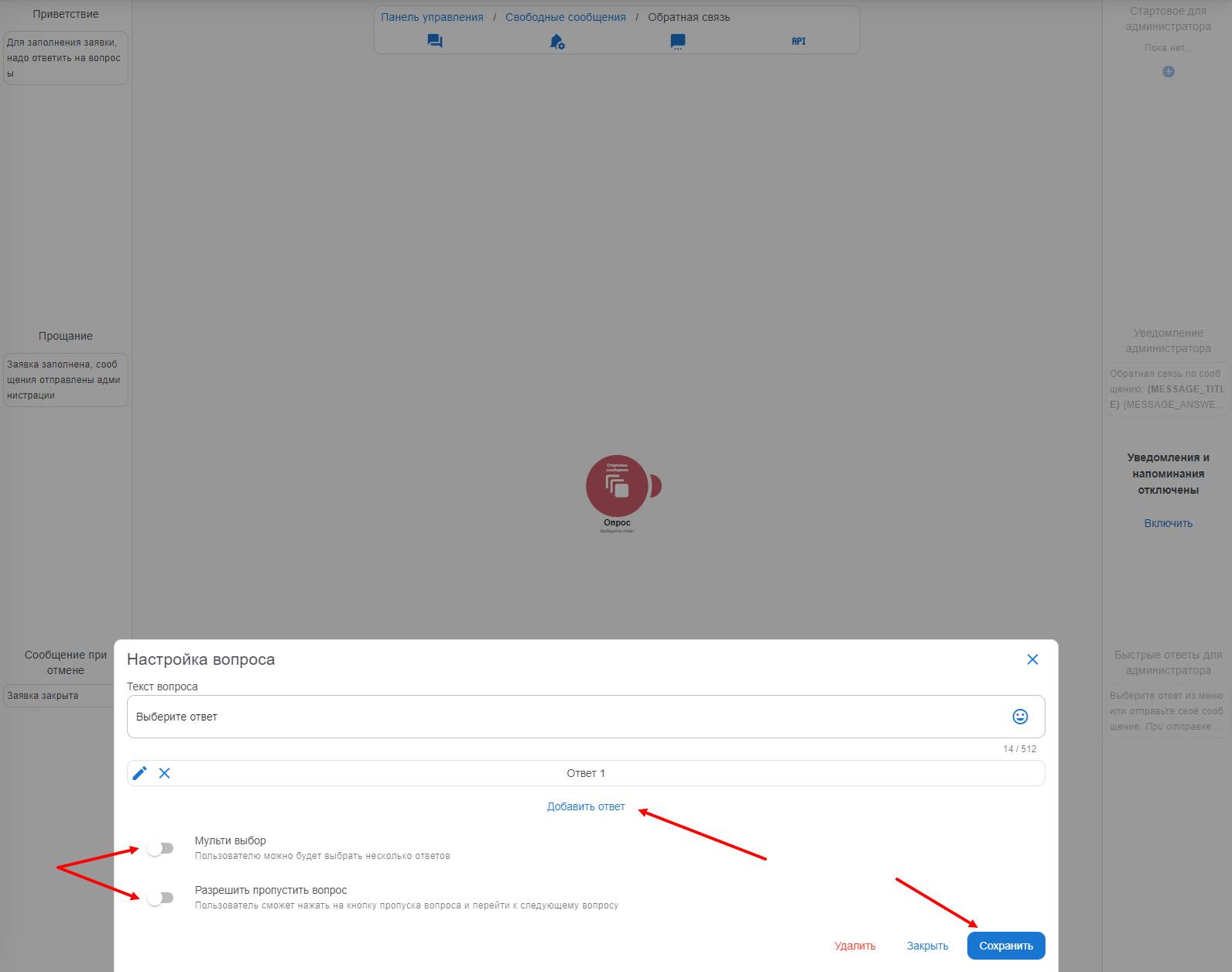 Next stage - creating surveys in the Telegram bot. This type of question is suitable for conducting a survey in the Telegram bot, and the user will also be able to select multiple answer options if you click the "multi-select" button
 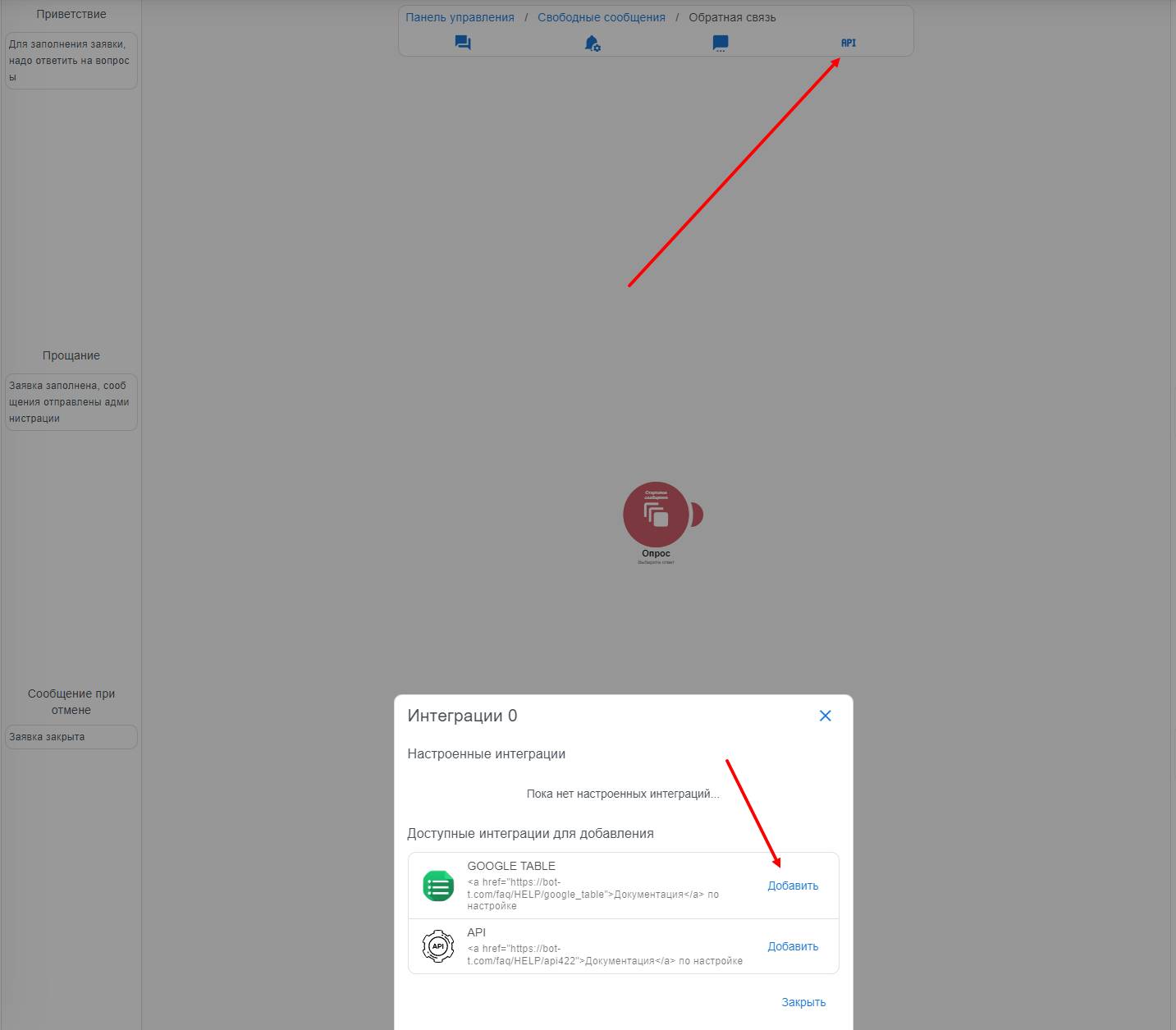 API integration in the Telegram bot means using various APIs (Application Programming Interface) to interact the bot with other services, applications, or systems. This allows the bot to receive data from external sources, send information to other applications, and perform various actions based on the received data.This button configures ready-made integrations for transferring feedback requests via API, as well as to Google Table.
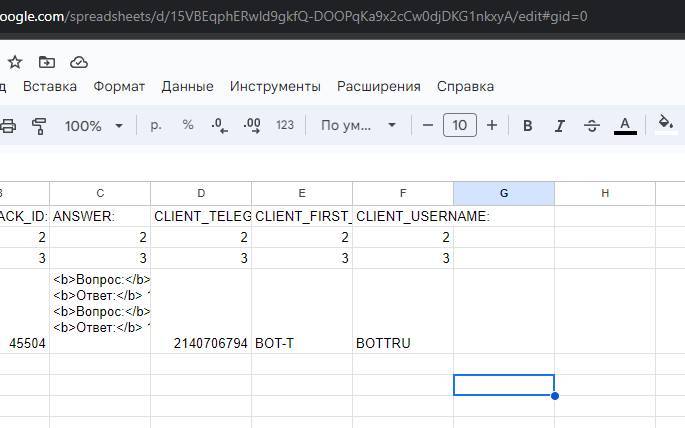 We go into your spreadsheet and copy the string from the address bar, as shown in the screenshot. Save it for later use.
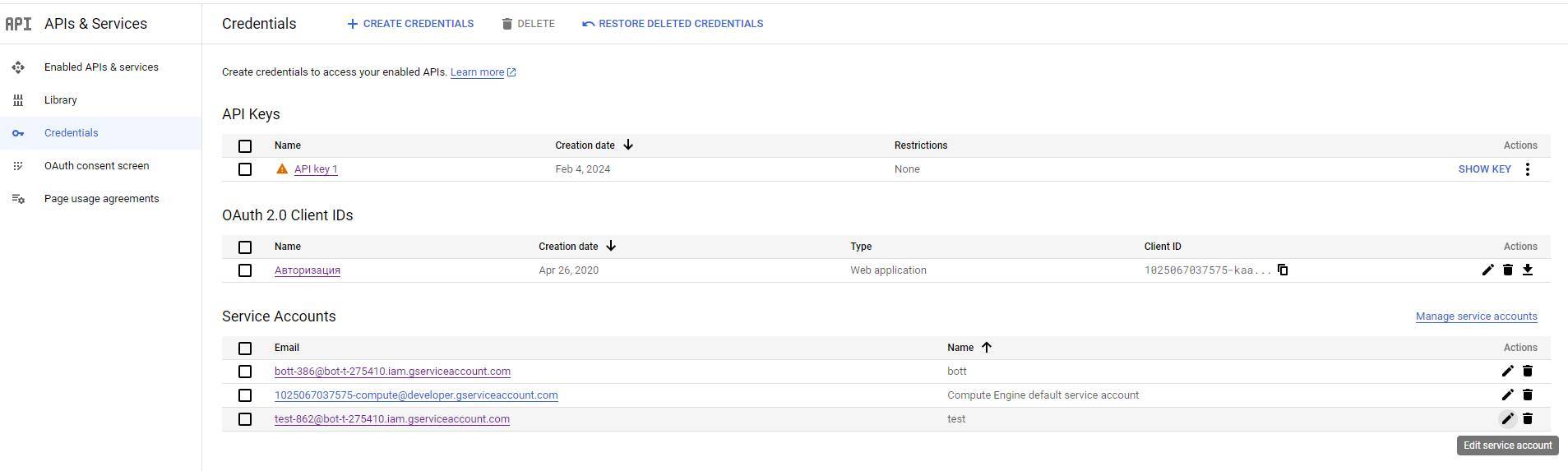 Select your service account and go to its settings.
 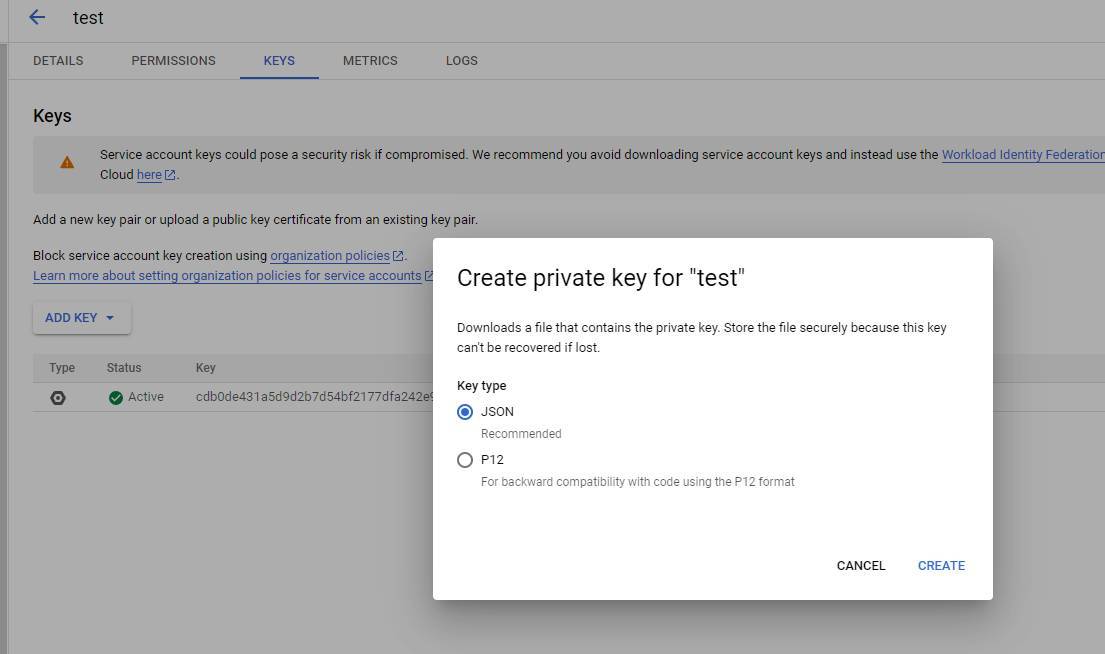 Go to the KEYS tab. Then click Add key and select the JSON format.
 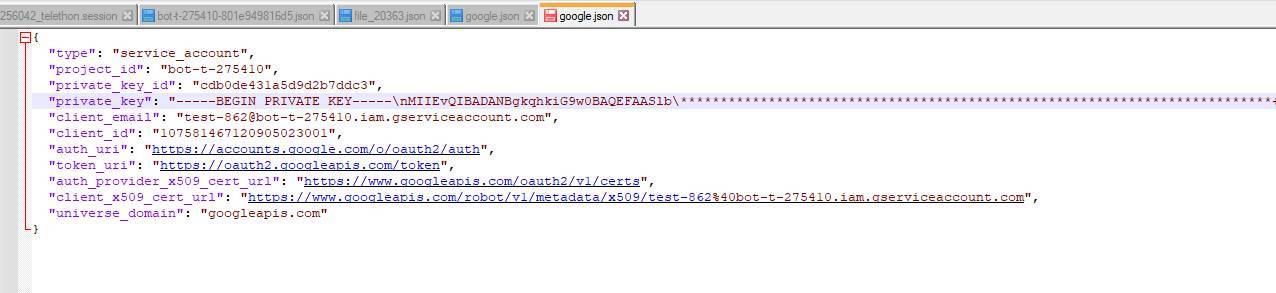 Copy all the content for further use
 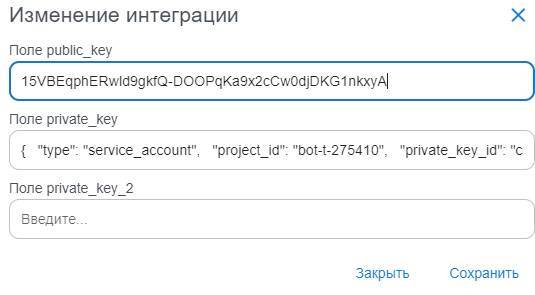 We fill in the data as shown in the screenshot. Do not delete any characters or add any.
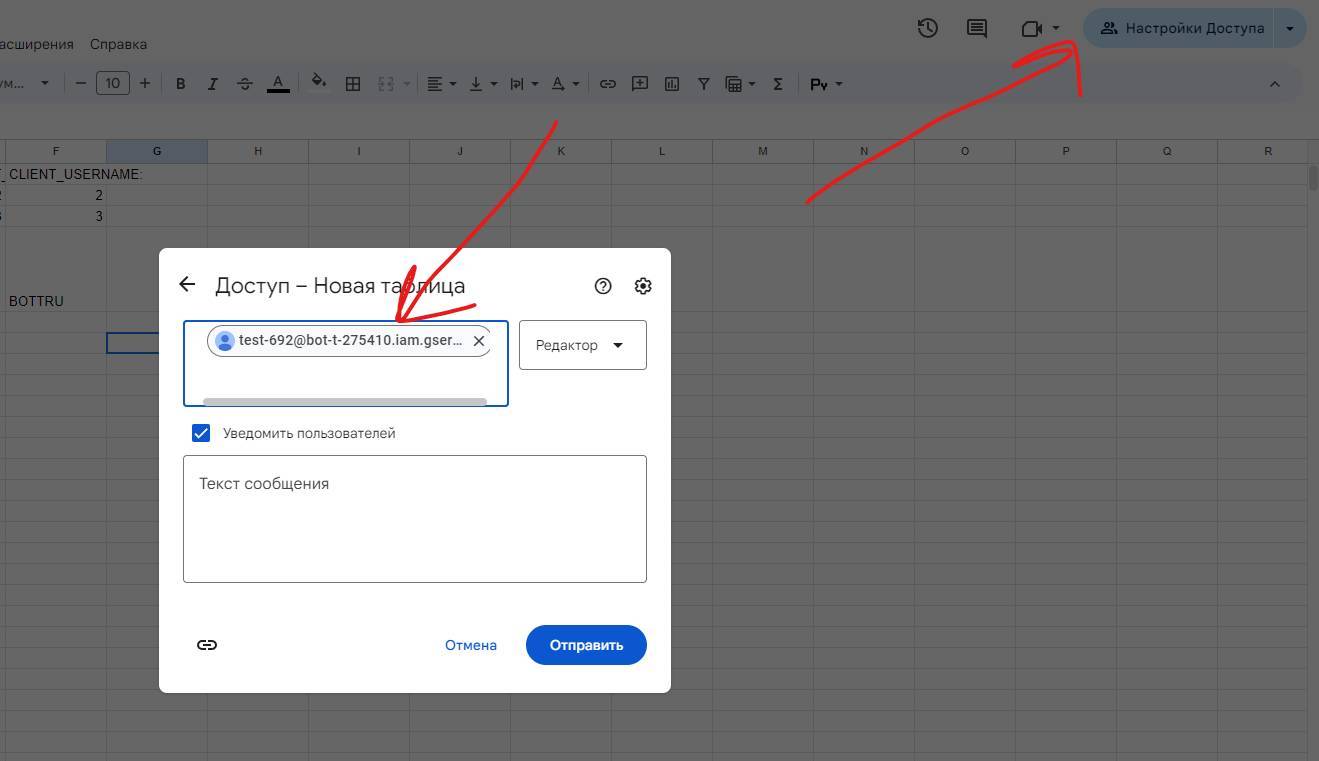 Very important step!