

 A bot for communicating with clients is a bot that uses automated systems to process and answer user questions in the Telegram messenger.
Bots can be configured to perform various tasks, such as providing information about products or services, processing orders, solving problems, or simply providing customer communication.
The advantages of chatbots in Telegram for answering customer questions include automating the customer service process in a popular messenger, improving response speed, and availability for users 24/7. They can also save the company time and resources, allowing employees to focus on more complex tasks and customer issues.
How to make a Telegram bot for communicating with clients?
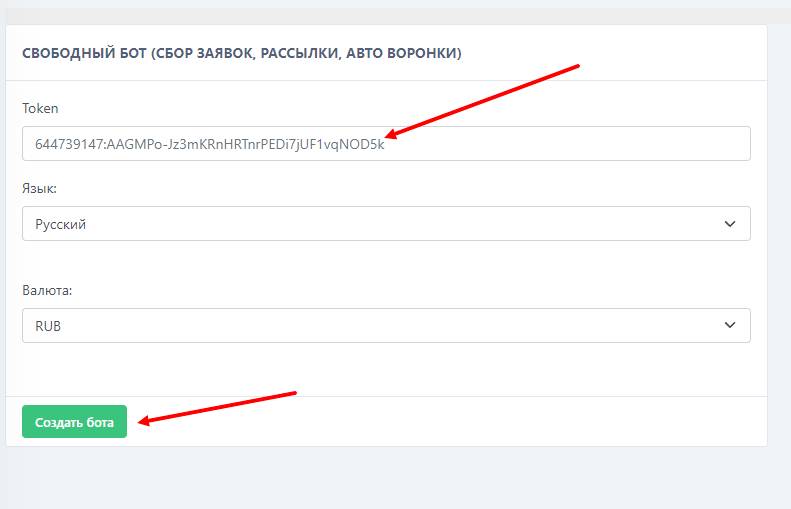 Creating a chatbot to answer questions in Telegram starts with issuing a token for the bot. The API key is issued by following these instructions:
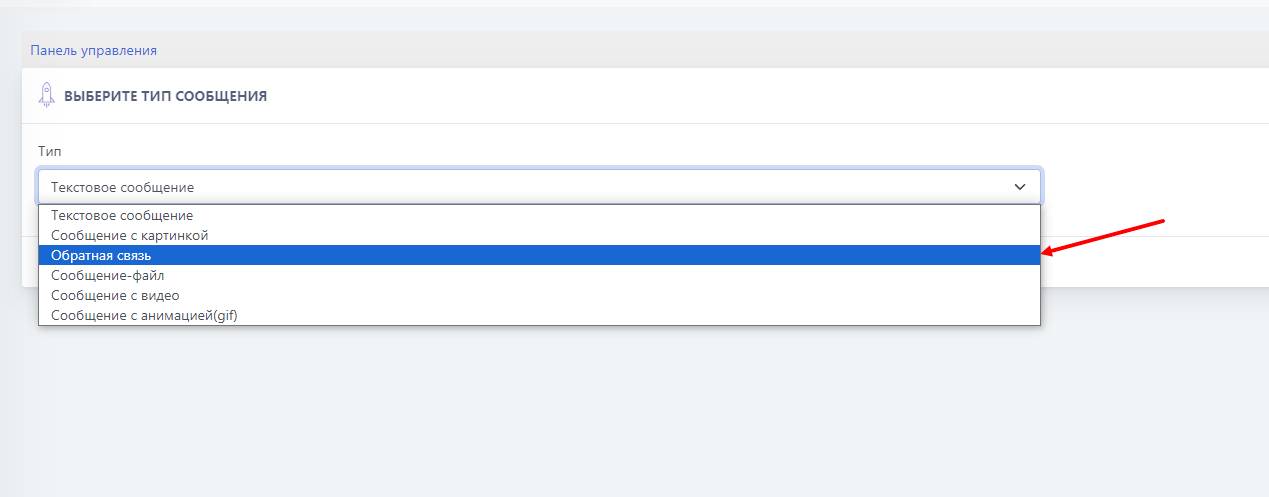 To add a feedback module to the bot for communicating with clients in Telegram, you need to:
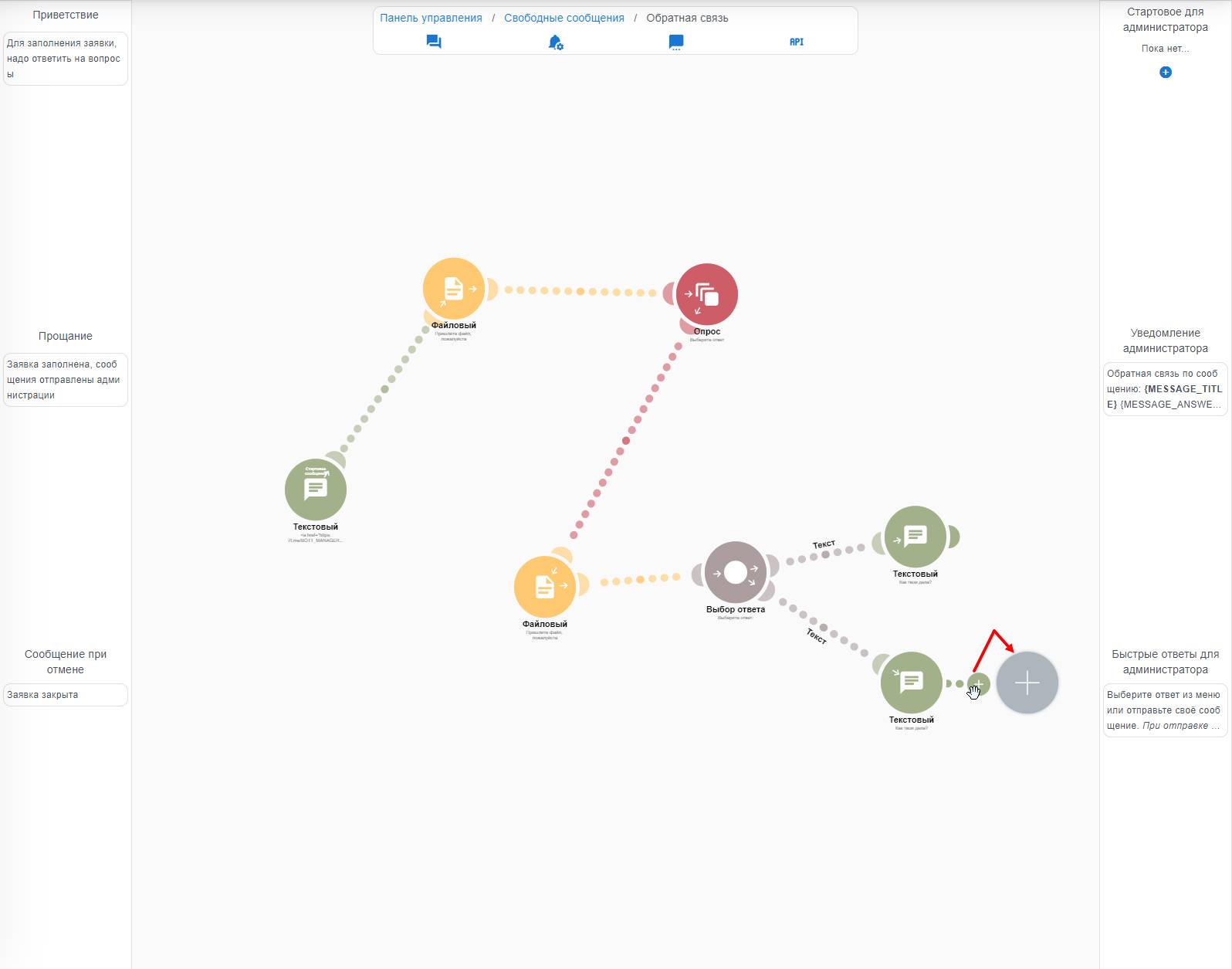 Adding a question is done by sliding the "circle with a plus" to the right; this also creates a branch for other questions from the previous one. There are several types of questions:
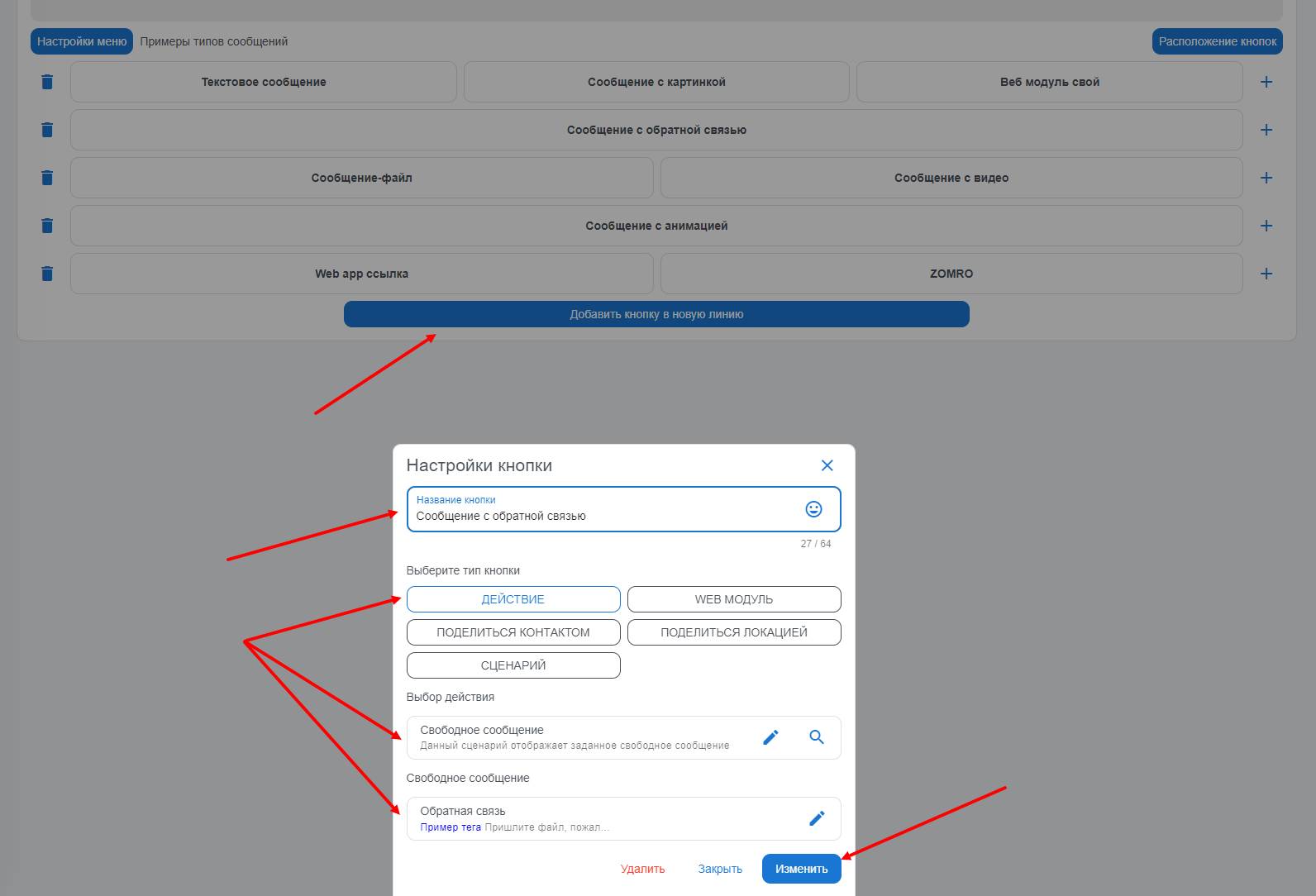 To add a survey button to the chatbot for answering questions, you need to go to your bot’s dashboard. Then click the "paid settings" button and select "main menu management". Next, proceed to create a button, give it a name, and choose the path "action -> free messages". In this section, select the previously created feedback module for communicating with customers.