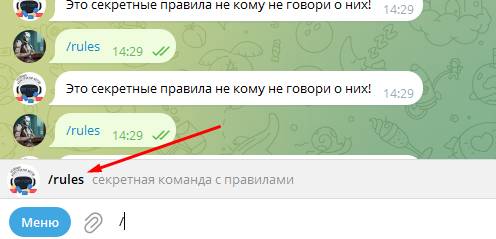
 Displaying a script via command
 in the bot looks like this (see screenshot)
This script is created in the free bot scripts
(whatever you name this script — that is what you will need to write in the bot so that the script starts, in the example the script is /rules).
To make the command appear in the bot
(the bot shows a list of available commands), you need to add this command to your bot in BotFather along the following path:
your bot ==> Edit_bot ==> Edit comands==> write your command and its description (in the example, it was written like this: rules - secret command with rules)


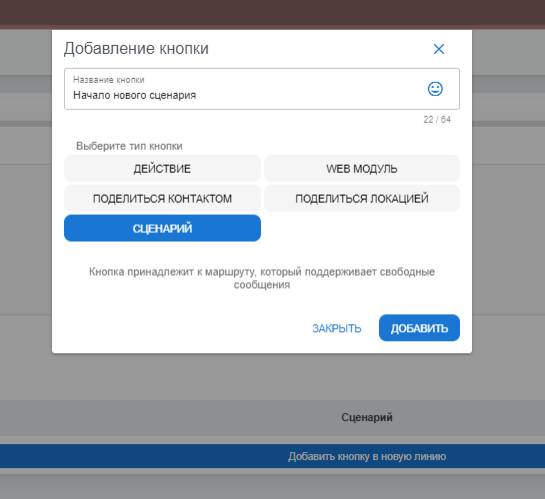 To output the script directly from the bot menu, you need to go to "paid settings", then create a button and select the script function. (see screenshot). Then edit the script in the Scripts tab in the bot's main menu