

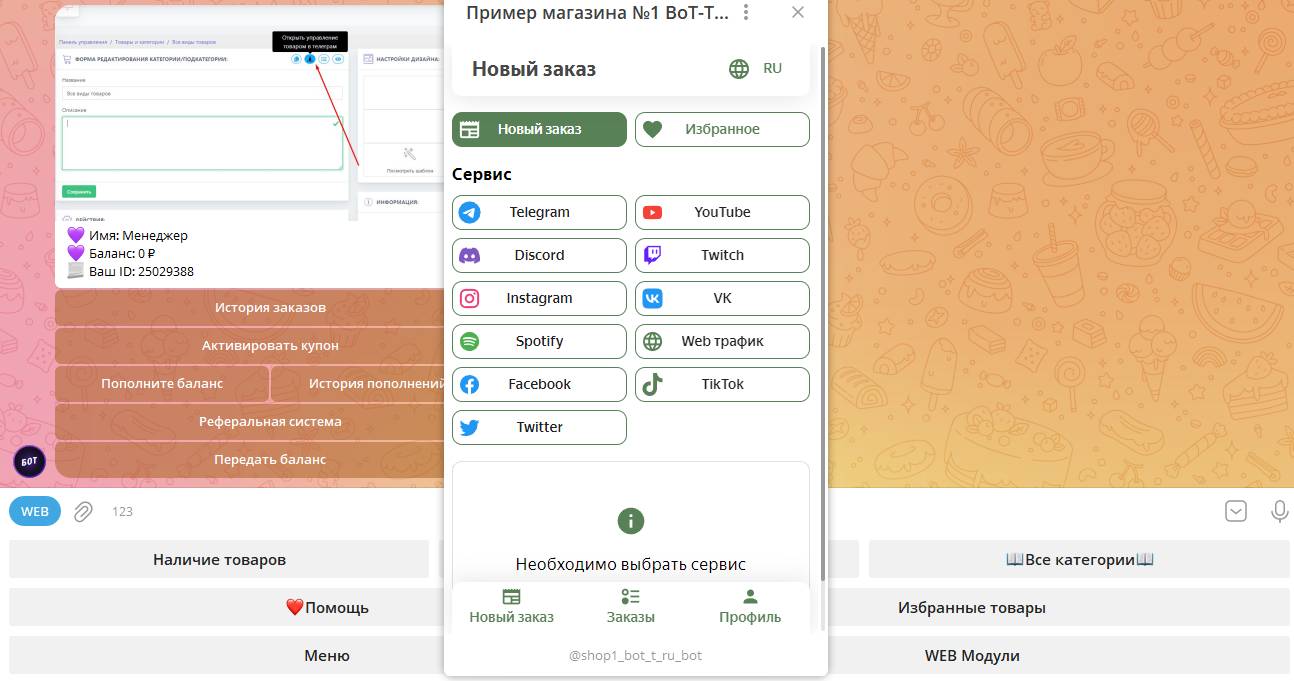
 After you have created/purchased the web module, you need to attach it to the menu or to a button near the bot’s keyboard.
 How to display a web module in the desired section?
After you have created/purchased the web module, you need to attach it to the menu or to a button near the bot’s keyboard. We display in the menu
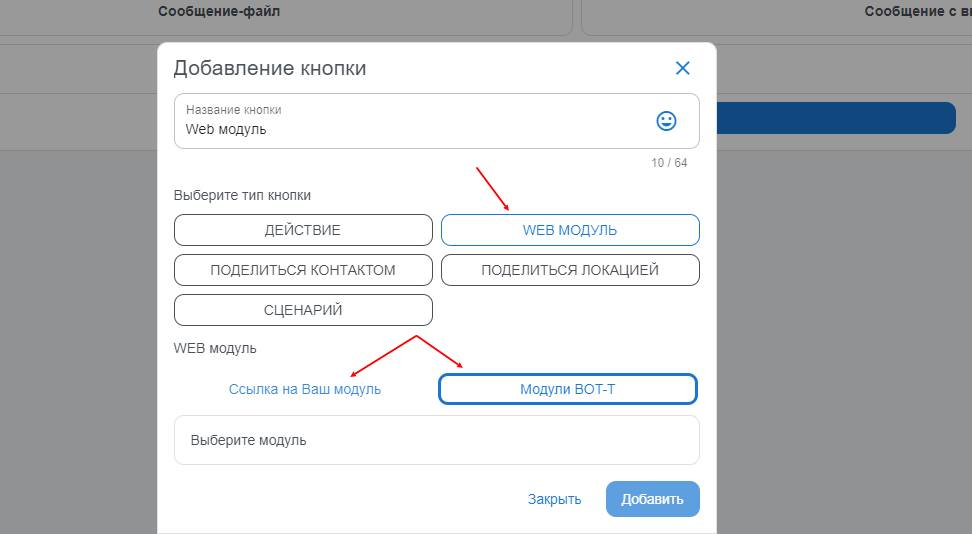 Each menu has a special action, "WEB module." Thanks to it, you can attach your web module.
Please note that for the main menu, you need to enter the /start command to update the settings.
Display it in a special button, to the left of the text field
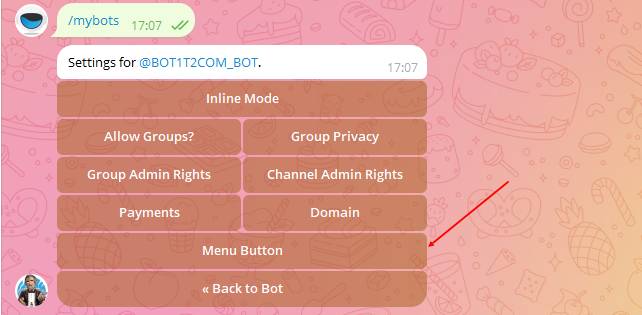 You can also attach a button to the left of the keyboard. This can only be done through @botFather.
1. Open the Telegram app and find @botFather in the search bar.
2. Tap the "Start" button to begin chatting with @botFather.
3. Select the bot for which you want to attach a Menu button.
4. Send the button text
5. Send the link from the module
6. DONE!
Where can I get the link to the web module?
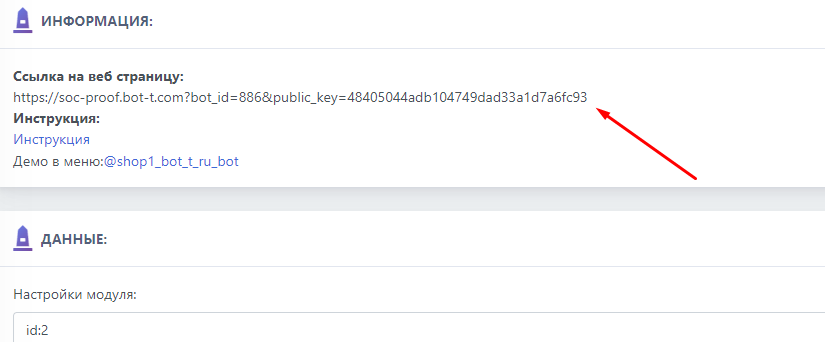 You can get the link to the page from the web module settings, as shown in the screenshot
 How to display a link in an inline menu in webApp&
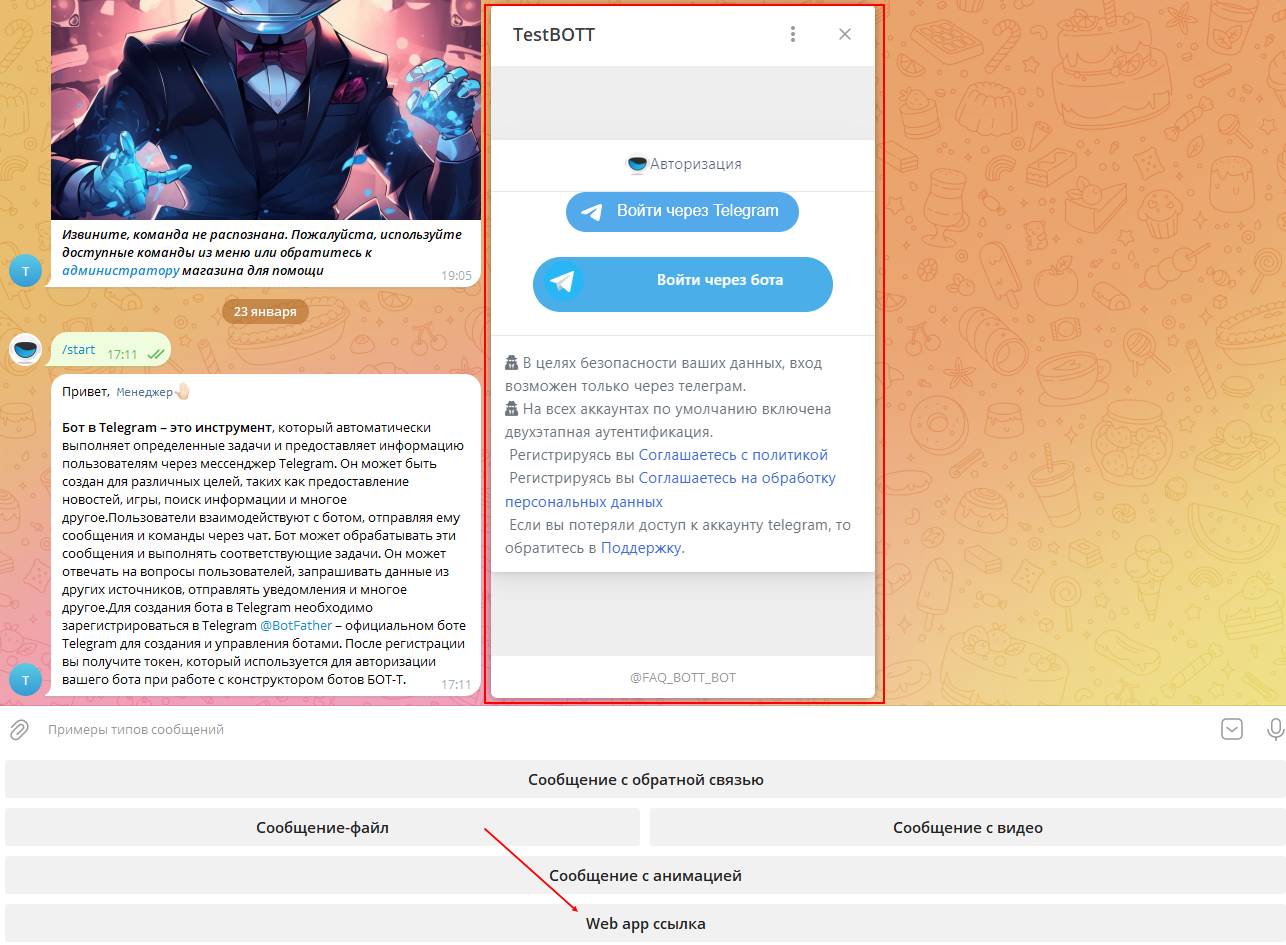 Adding a link in web app format is done in the same way as adding a ready-made web module, using "manage main menu", except in this case you need to select the "link to your Web module" button and paste the required link to the page that is planned to open in web app format.