

 What you need to know about the VPN module and how to connect it:
1. The VPN module sells VPN links that need to be inserted into one of the applications (Hiddify or Straitsand) - you can find more details in the instructions that will be embedded in the VPN module via the corresponding button or read here.
2. You earn on the margin of sold accounts, the base prices will be listed below, and in turn, the ceiling for your prices in the bot is unlimited; you can sell VPN for 1000 rubles and for 2000 rubles.
Prices:
1 month = 75 rubles for 1 key
3 months = 170 rubles for 1 key
6 months = 340 rubles for 1 key
12 months = 520 rubles for 1 key
3. To start selling, you must have a premium plan or higher in the bot, as well as a balance in the bot of 300 rubles to purchase the VPN module
4. For your client to be able to buy a VPN key in your bot - YOUR ACCOUNT IN THE BOT @VPN_high_bot MUST HAVE a positive balance, but not less than the cost of the basic key (point 2).
LINK TO VIDEO ON SETTING UP THE VPN MODULE
Now let's move on to setting up the module
 After purchasing the VPN module, we need to configure it; the setup itself will need to be done in the window shown in the screenshot
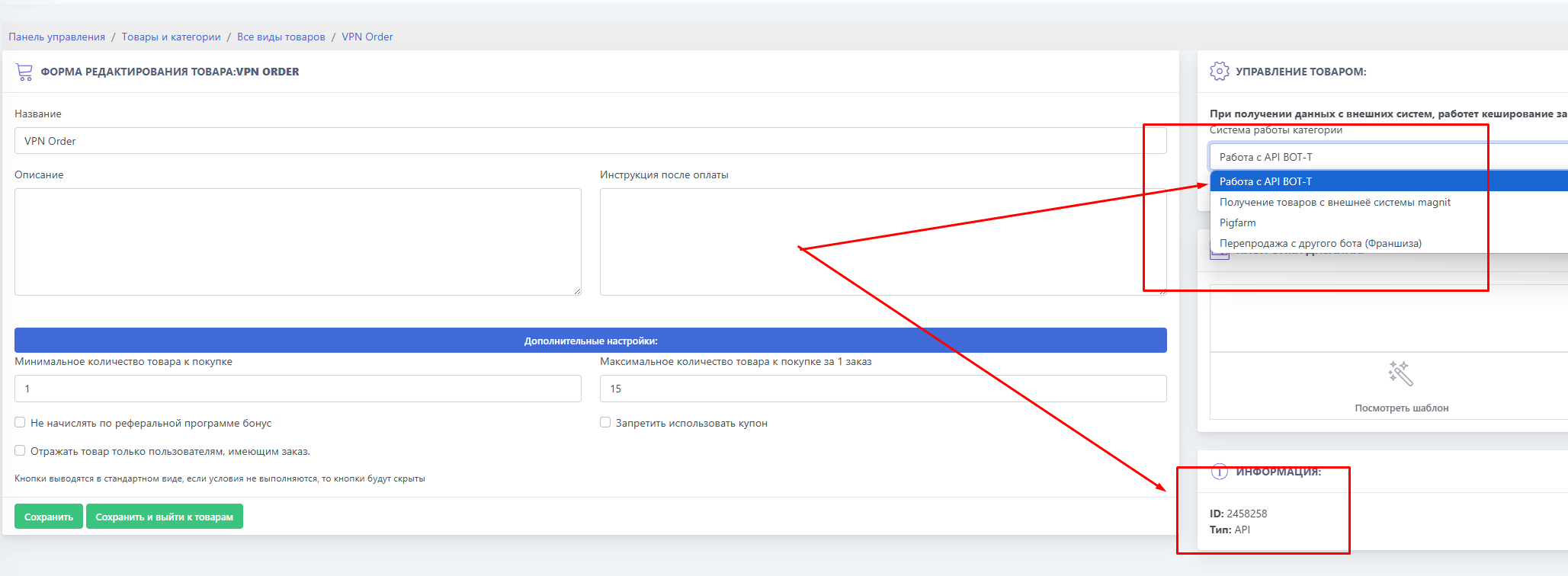 Where is the ID for copying and the API selection for the correct module setup
 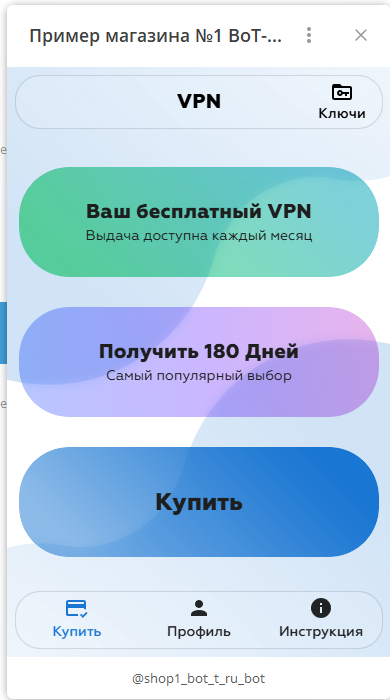 You get:
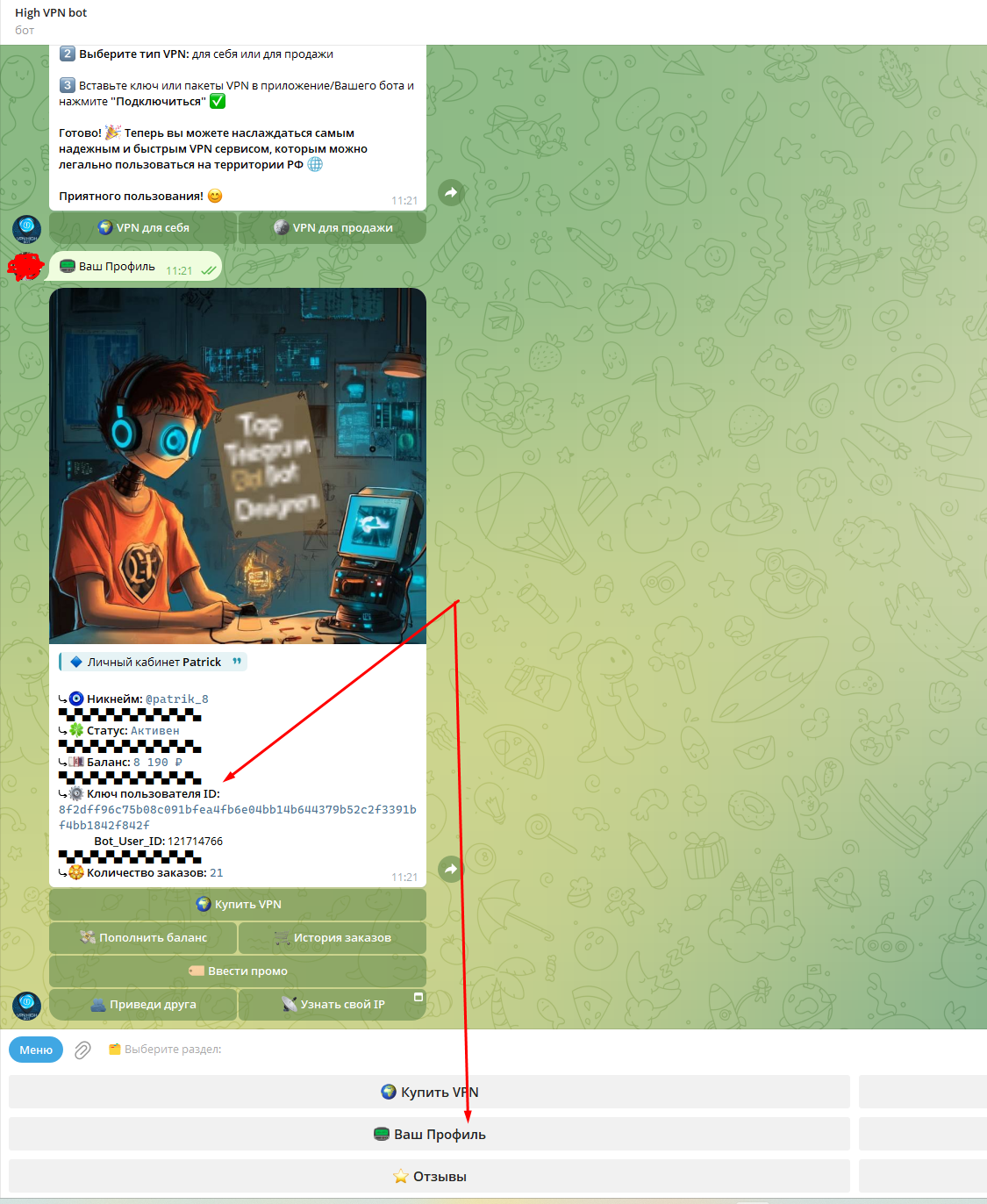 The ID and secret key for copying are shown in the screenshot