

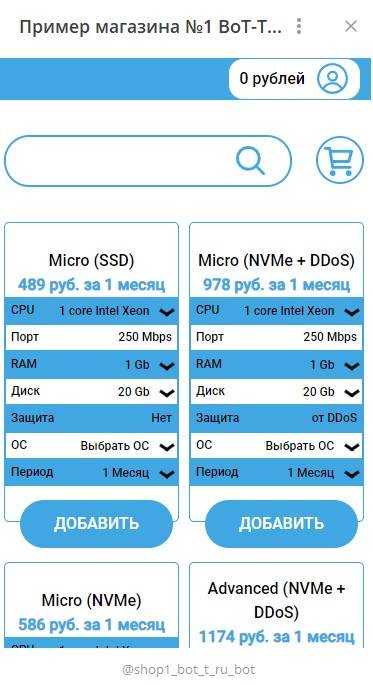
 The Zomro module is a dedicated server rental service on zomro.com, with the ability to choose the machine specifications and rental period.
To configure the module, you will need to register on zomro.com, it is important to remember your login details.
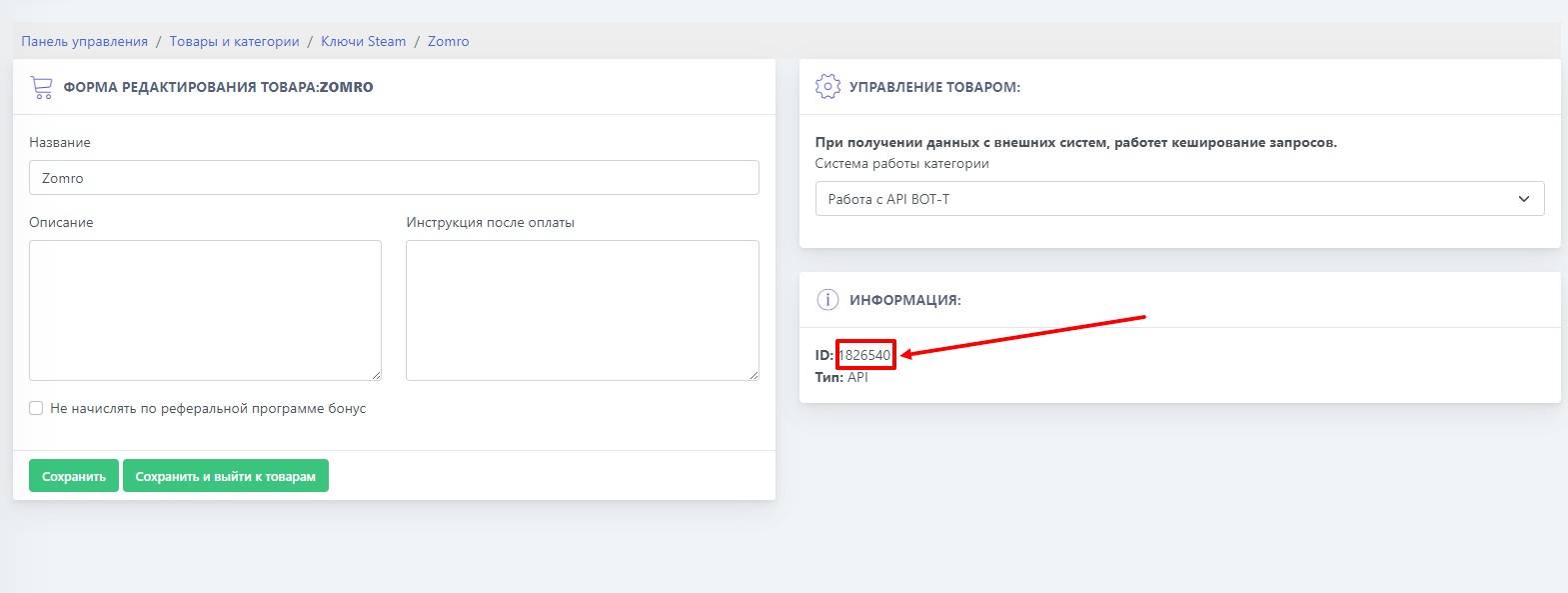 It is necessary to create a product with the type "API", copy the product ID; we will need it later.
 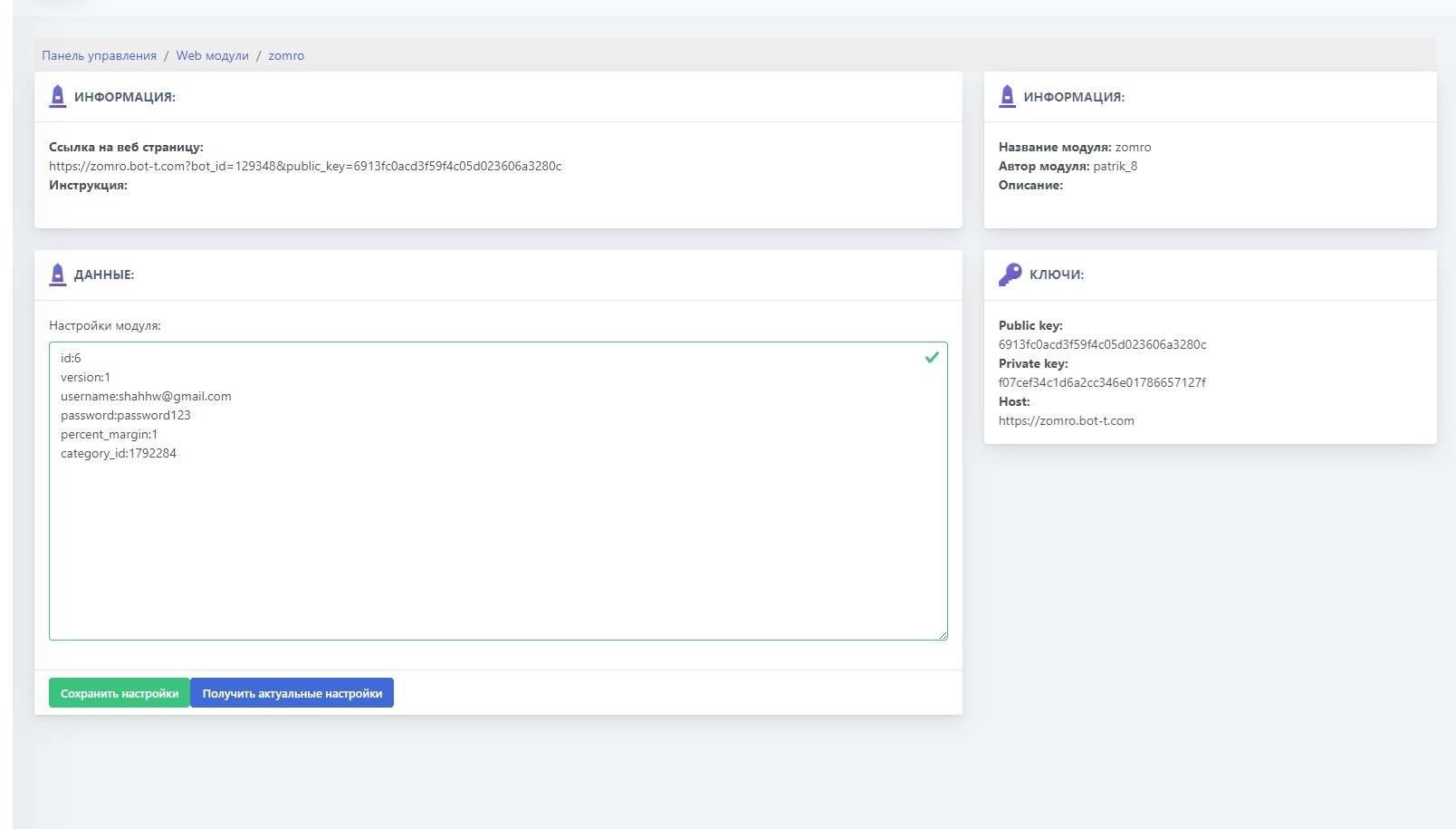 Bot settings:
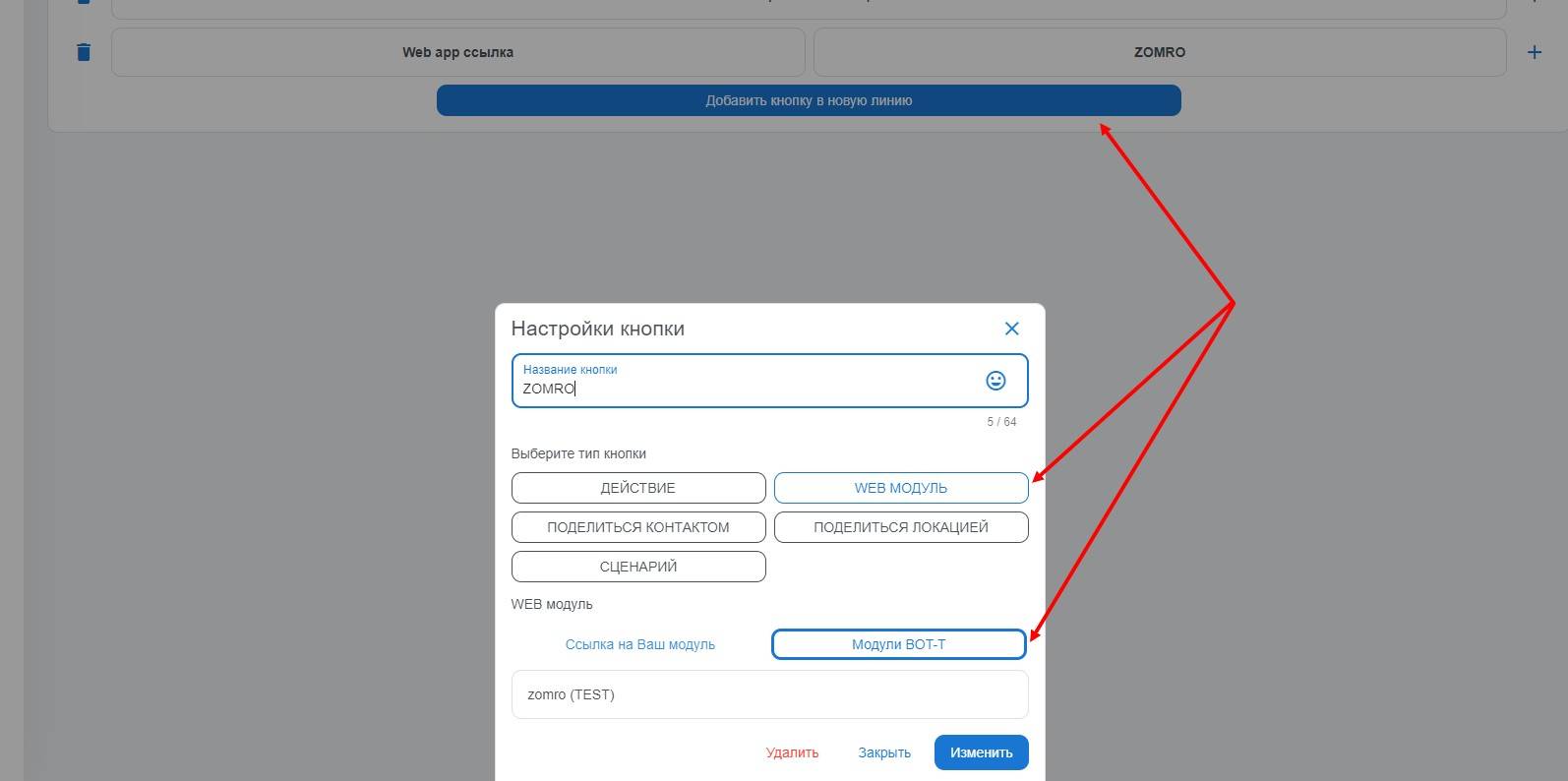 To add a button to the main menu linked to the ZOMRO WEB module, go to the “paid settings” section from the bot desktop, then select “main menu management,” create a button, assign it a name, and choose the previously created web module.