
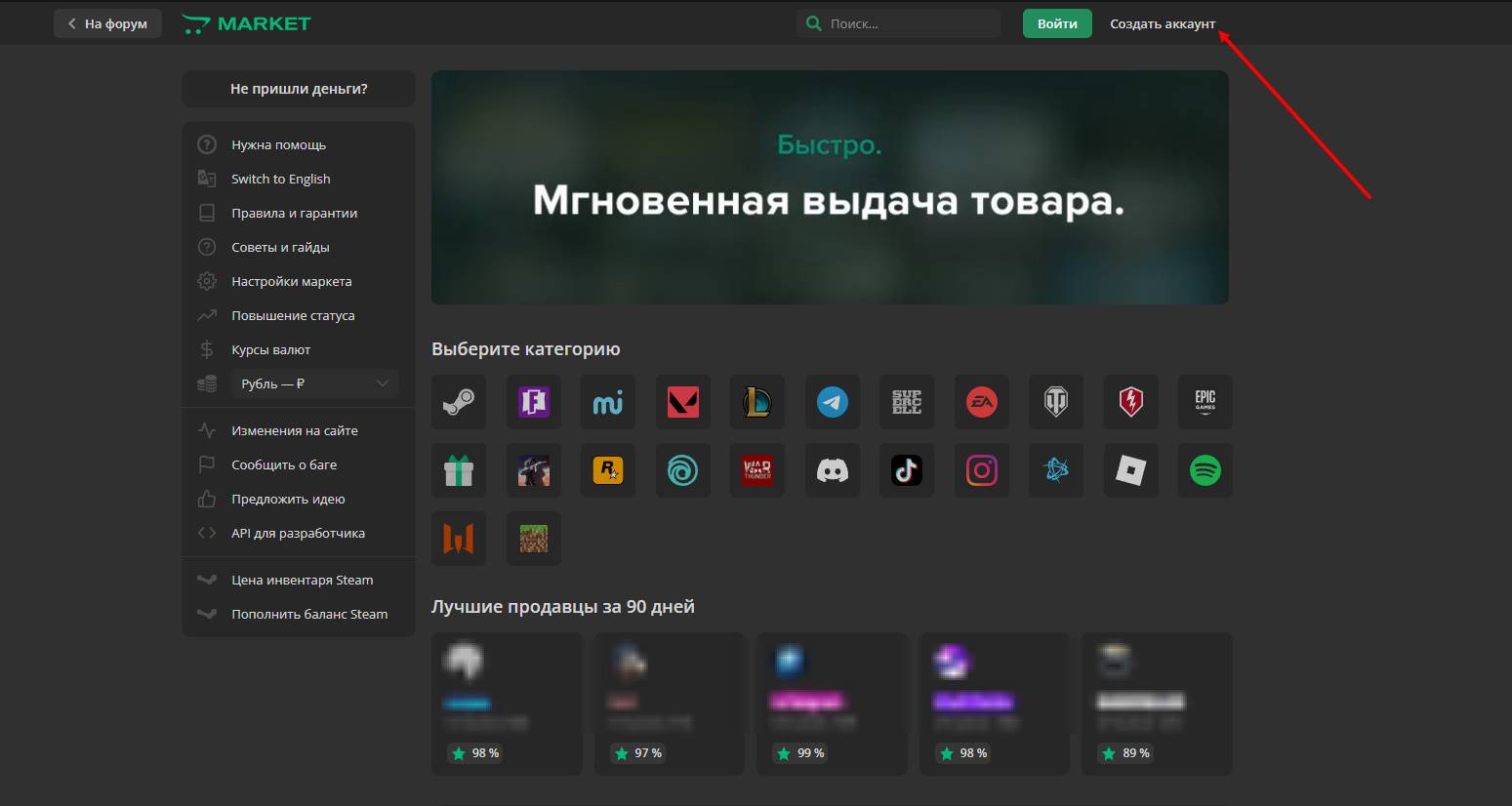
 Web module Lolz Market - is a web application that resells accounts from the https://lzt.market website with your markup; before starting to configure the module, you must be registered on the Lolzteam. website.
 What is the Web module of Lolz Market?
Web module Lolz Market - is a web application that resells accounts from the https://lzt.market website with your markup; before starting to configure the module, you must be registered on the Lolzteam. website. Creating a product with API type for Lolz Market
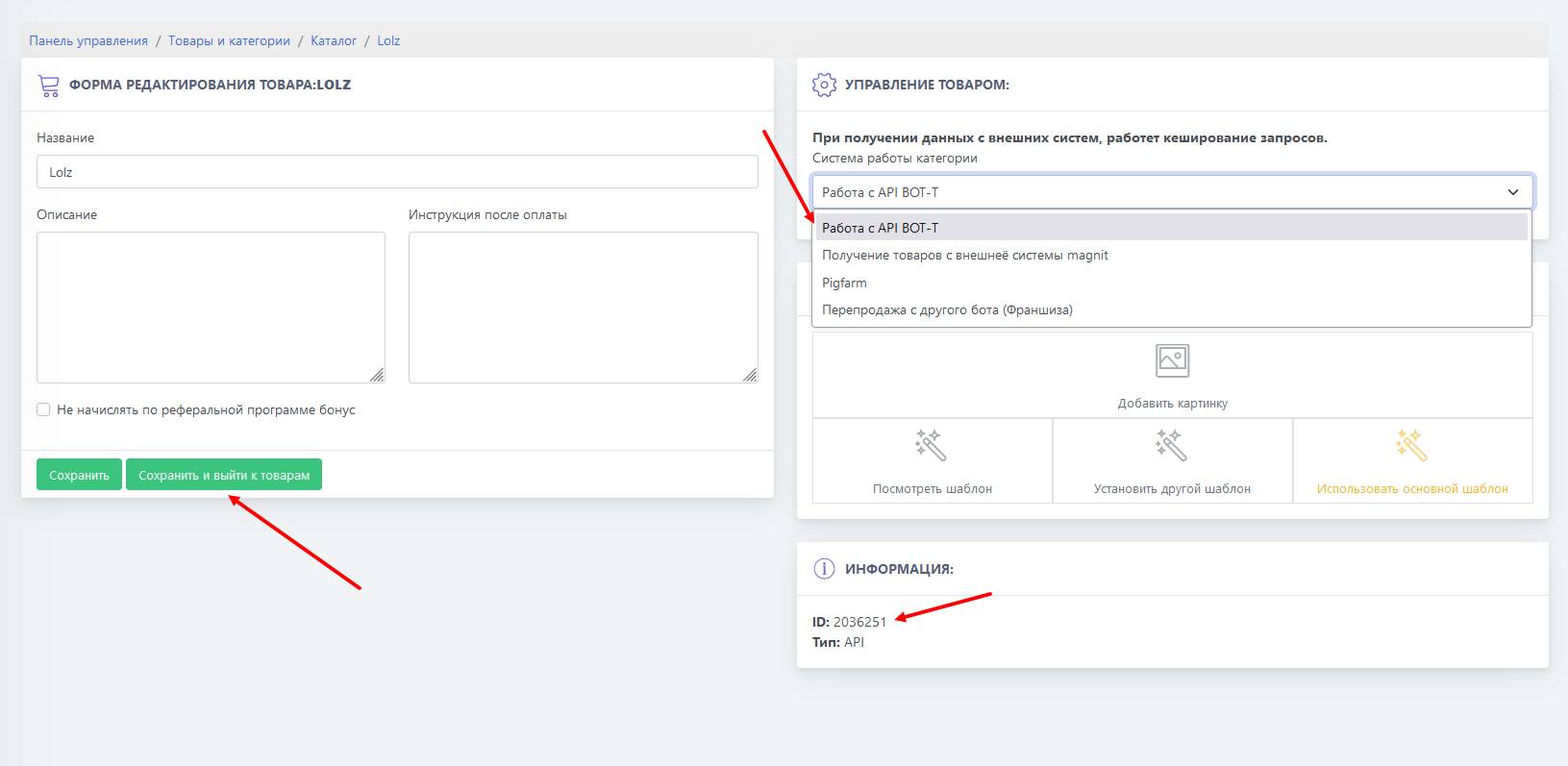 The first step in the setup stage is creating a product with the API type.
 By default, the operating mode is set to working with the BOT-T API; we do not touch this item and leave everything as is, we will only need the ID of the product later on.
Token release Lolz market
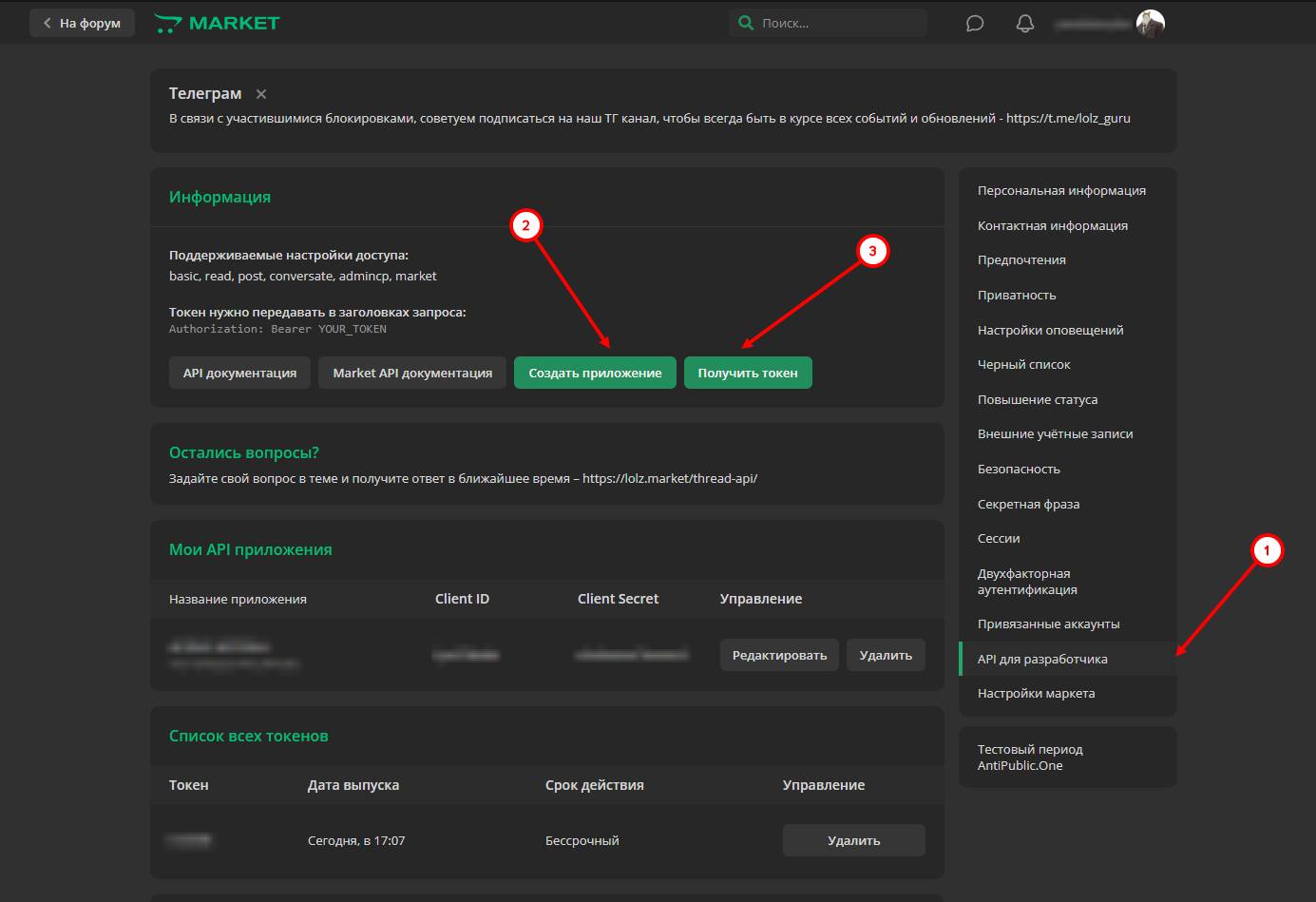 Second step of setting up the web module — issuing a Lolz Market token
We remind you that you must have an account created. Go to your profile settings, select the (1) "API for developers" tab, then click (2) "Create application" and (3) "Get token".
Important! When creating the token, check the "Market" box. Before that, pay for access to Lolz Market; without payment, you will not be able to issue a market token, since you will not have access to the platform!
After you have issued the token, copy it.
Lolz Market Web Module Setup
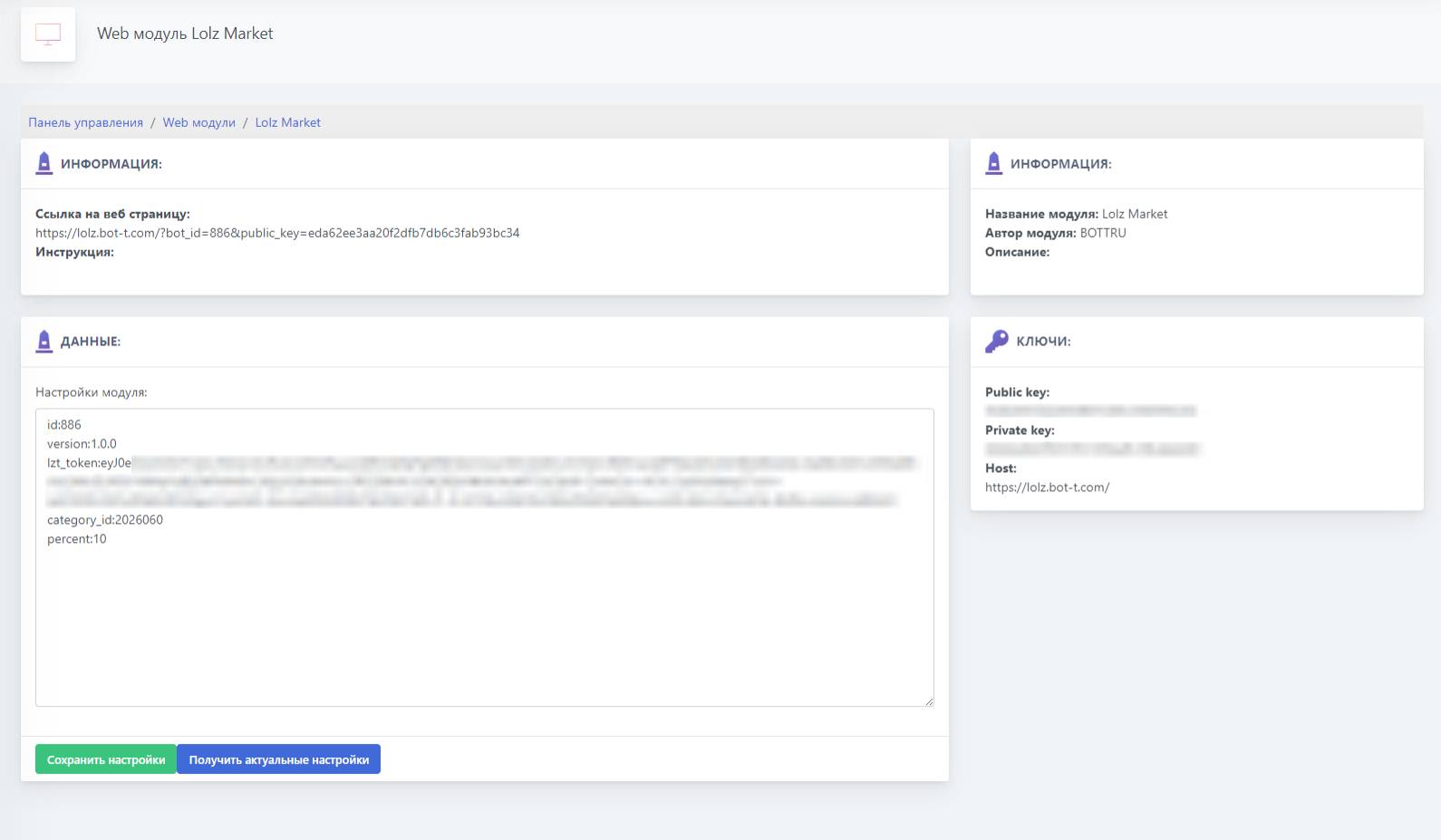 Bot settings:
- id:886 (Do not change)
- version:1.0.0 (Do not change)
- lzt_token:eyJ0eXAiOiJKV1QiLCJh..... (Specify the previously issued Lolz market token)
- category_id:2026060 (Specify the ID of the previously created product with API type)
- percent:10 (The percentage of your markup relative to the product price in the market)
- proxy: Specify the proxy in the format
type://login:password@ip:portImportant! Do not put spaces after ":"; without proxy the Web app will not work!
Adding a button to the menu with the Lolz Market Web module
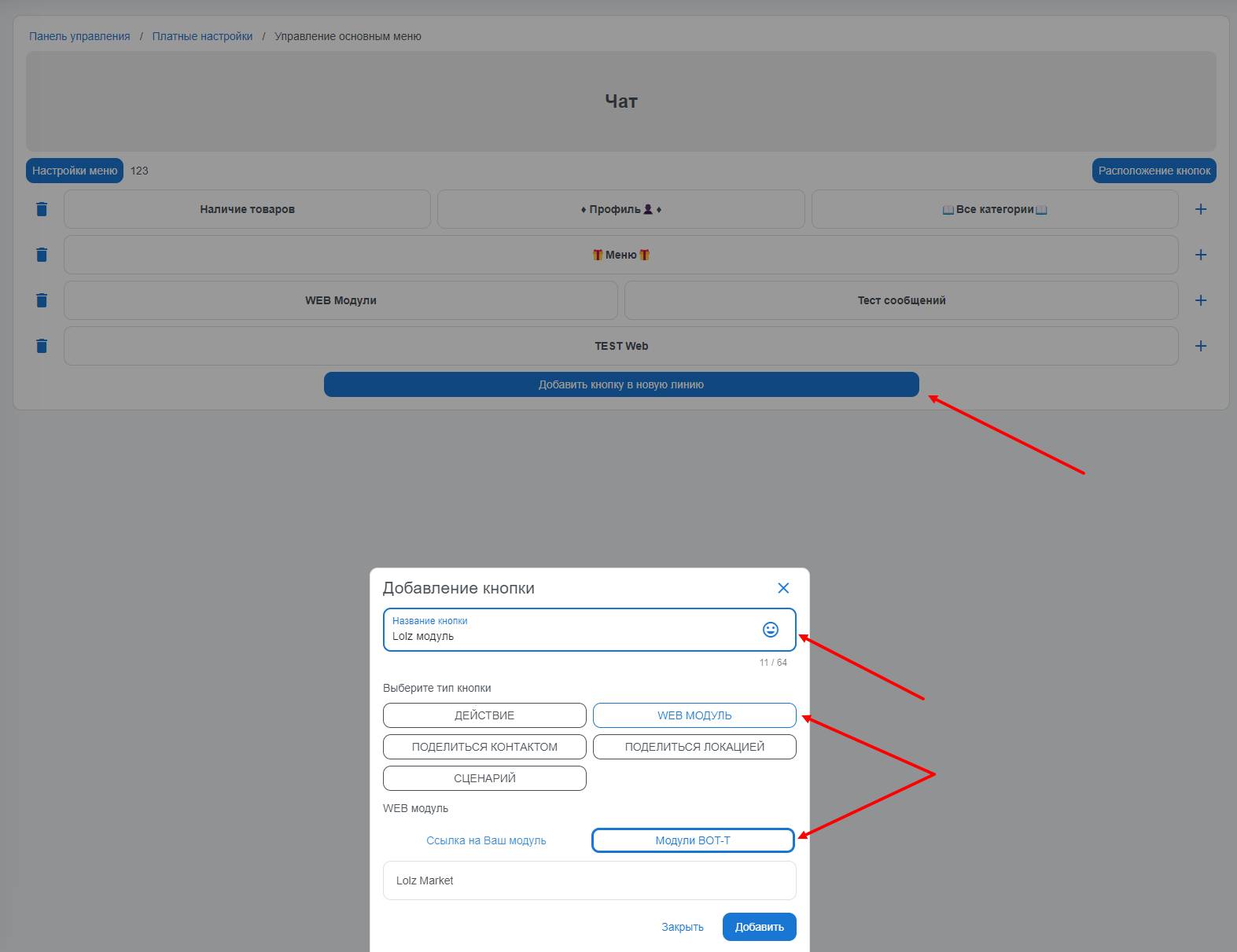 To add a button to the main menu linked to the LOLZ MARKET WEB module, you need to go to the "paid settings" section from the bot desktop, then select "main menu management", create a button, also assign it a name, and select the previously created web module.
Done! Setup is complete
What does the Lolz Market Web module look like in the bot?
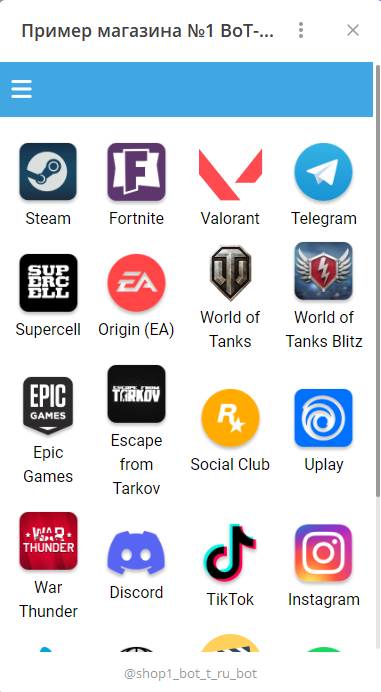 On the main page of the Web module, all accounts available for purchase will be displayed, and by clicking the button with three horizontal lines in the upper left corner, the user will be able to view all their orders (purchased in your module) with the contents of the items.