

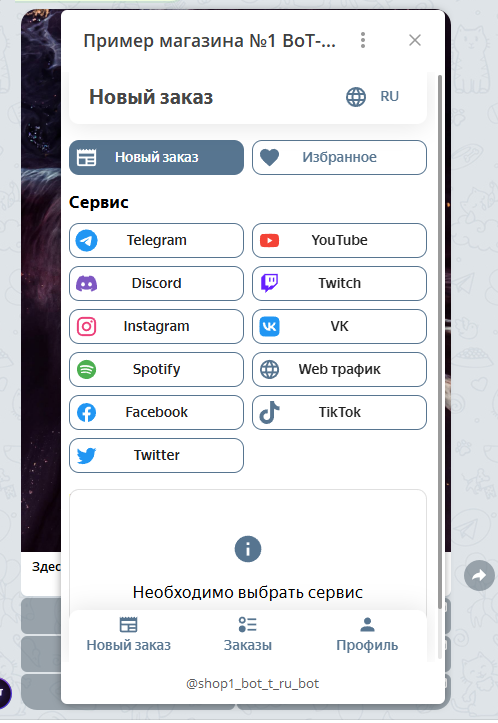
 The SMM Web module is a mini-application for providing services to promote profiles on various social networks, including boosting followers, likes, reactions, and much more.
Promotion services are provided by the soc-proof service; to configure the Web module, you will need an account created on this website.
How the module works: Using the Web module, you can resell boosting services with your own markup; your soc-proof account must have a balance.
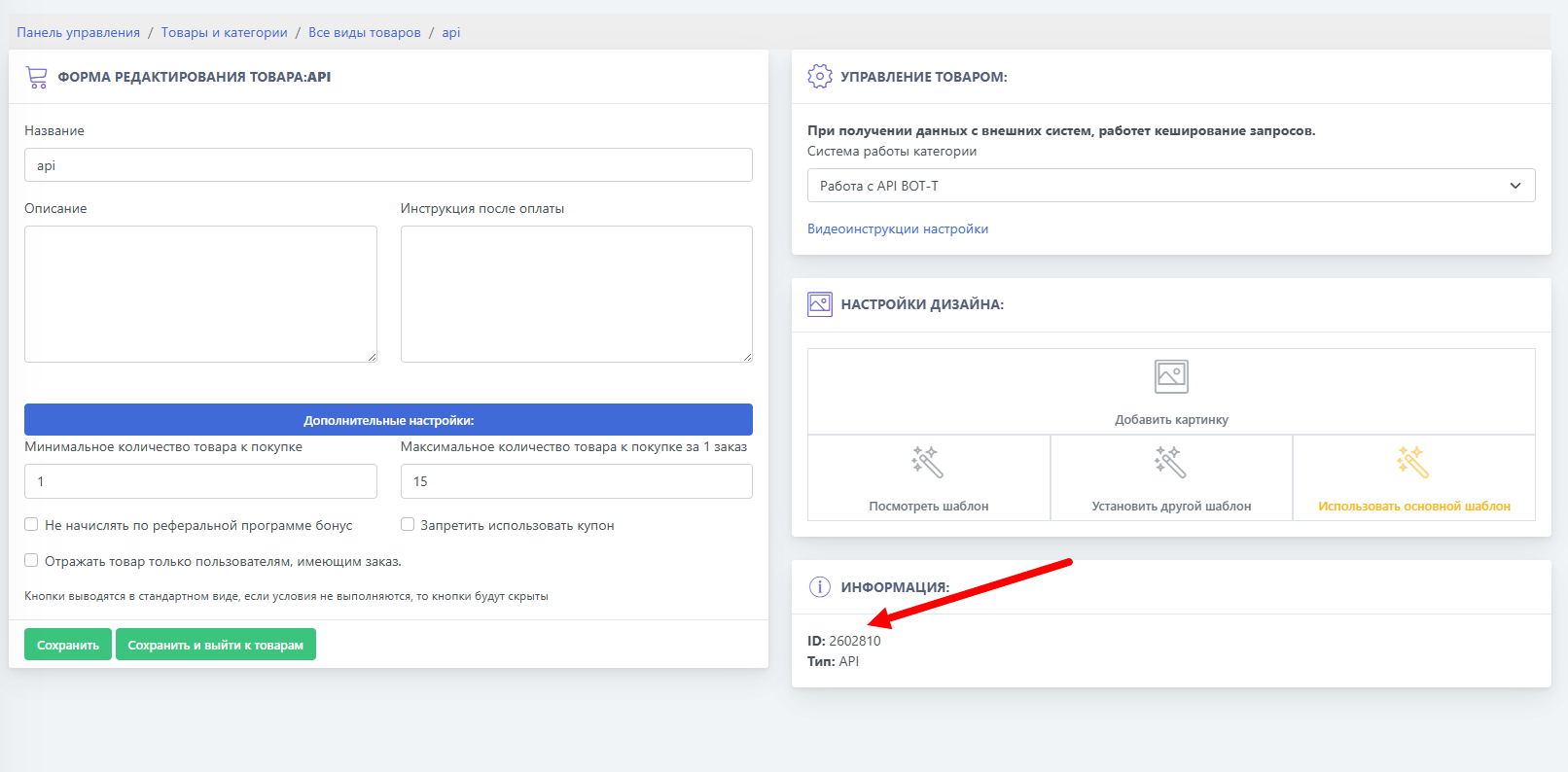 We go to the "Products and Categories" section and create a product with the "API" type - обязательно choose the "API BOT-T" operating mode, the next step is to copy the product ID.
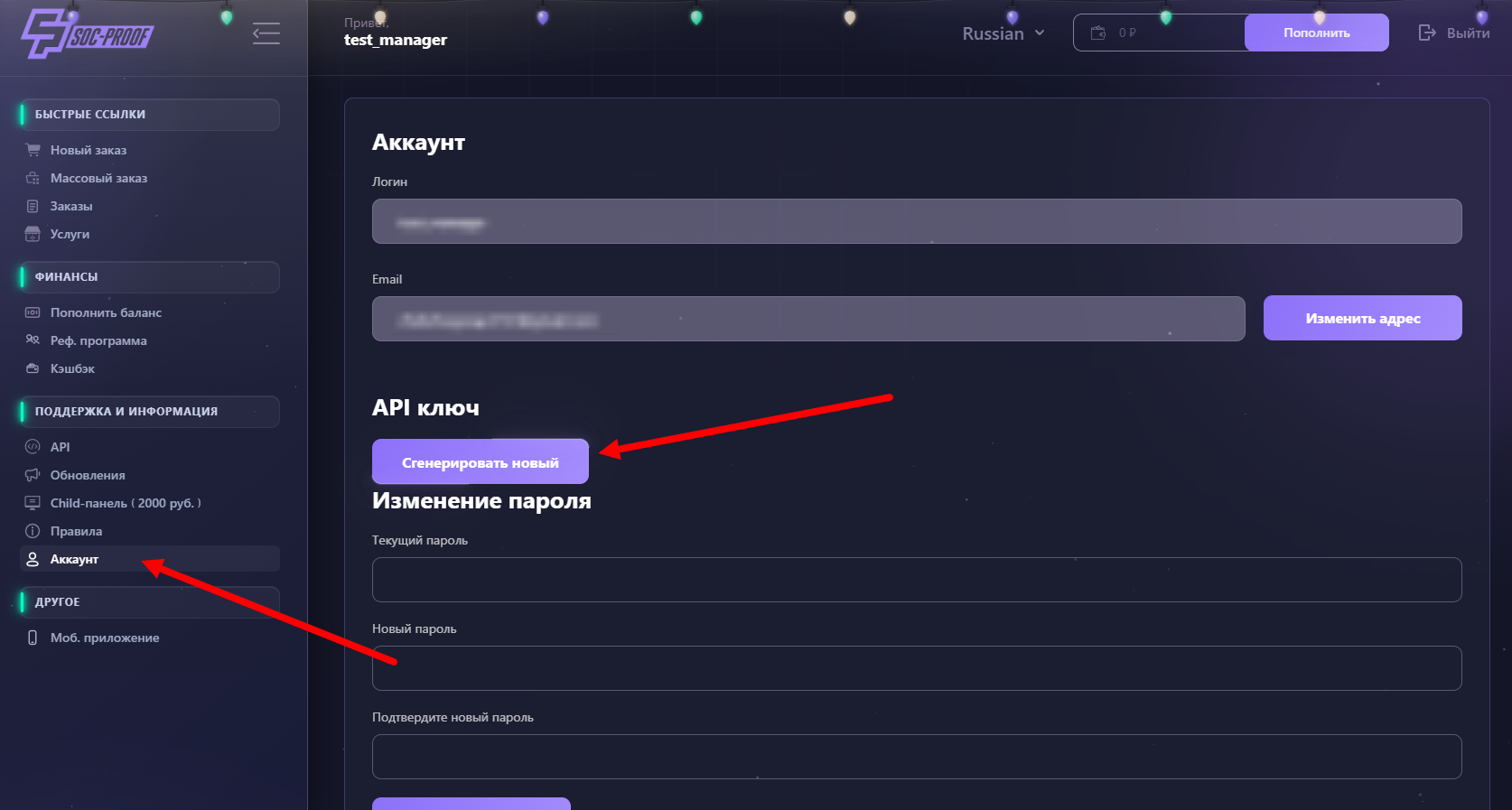 One of the important parameters in configuring the module is the API key. To generate it, go to the direct link
 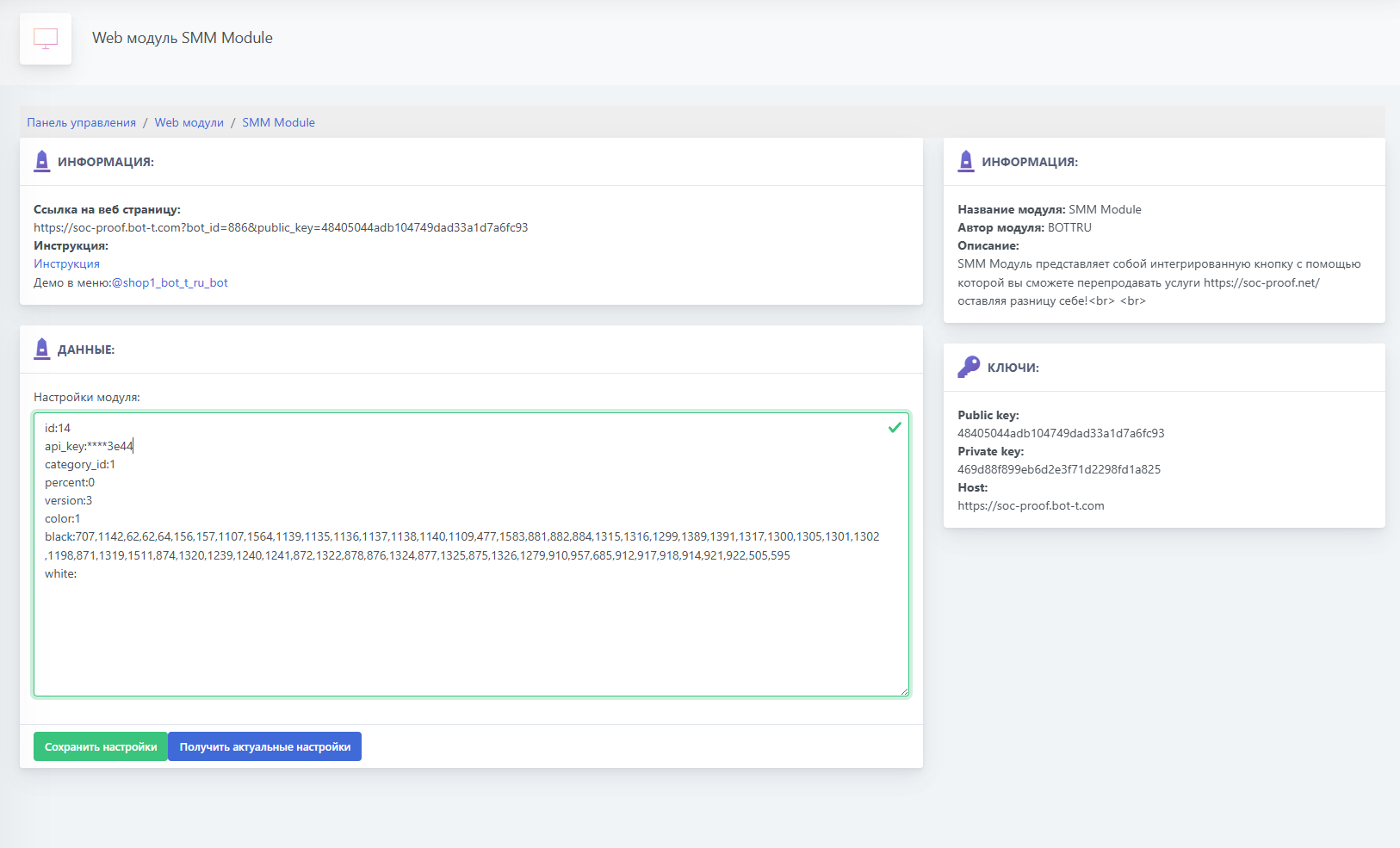 Let’s take a detailed look at what each setting means: