

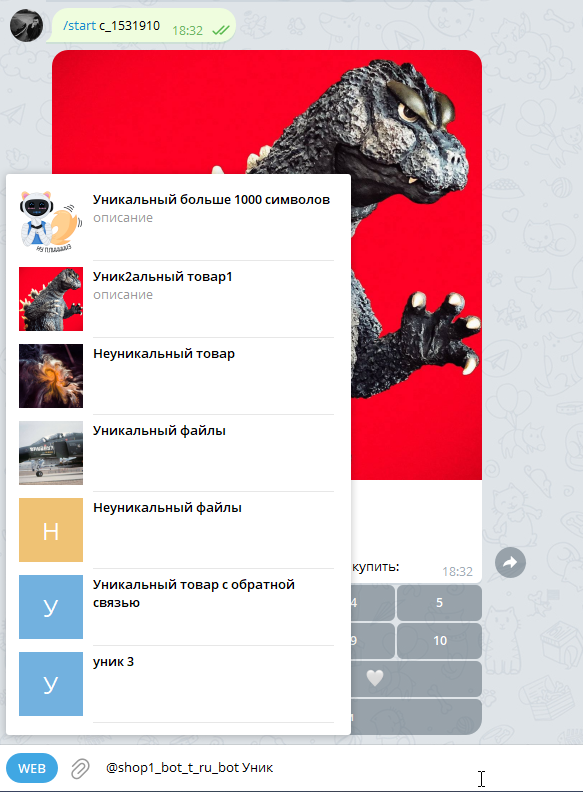
 Product search in the Telegram bot is a feature that allows bot customers to find and receive information about products through chat with the bot.
The product search system works from the client side quite simply: the user enters the @bot_nickname in the text input field and types the product name and/or its description (depending on the configured settings)
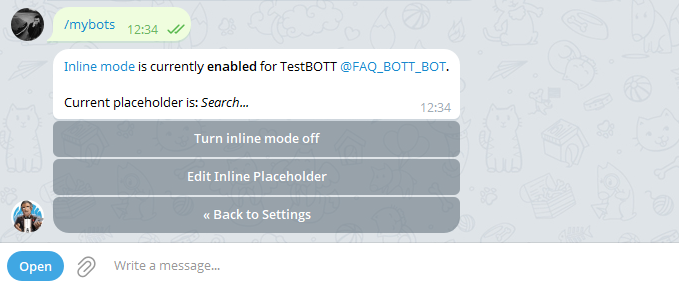 Go to @botfather, then via Web or with the /mybots command select your bot and follow the path (click the buttons with the same names):
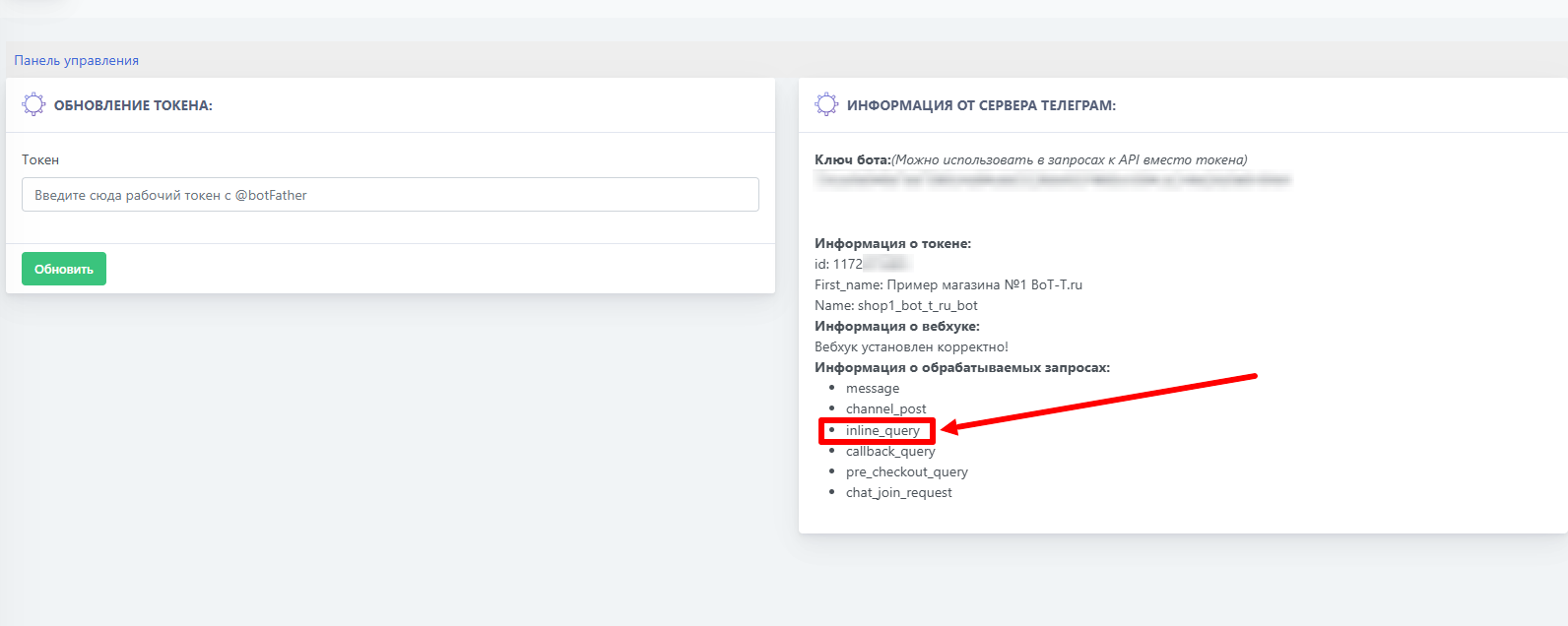 In this case, we need the
 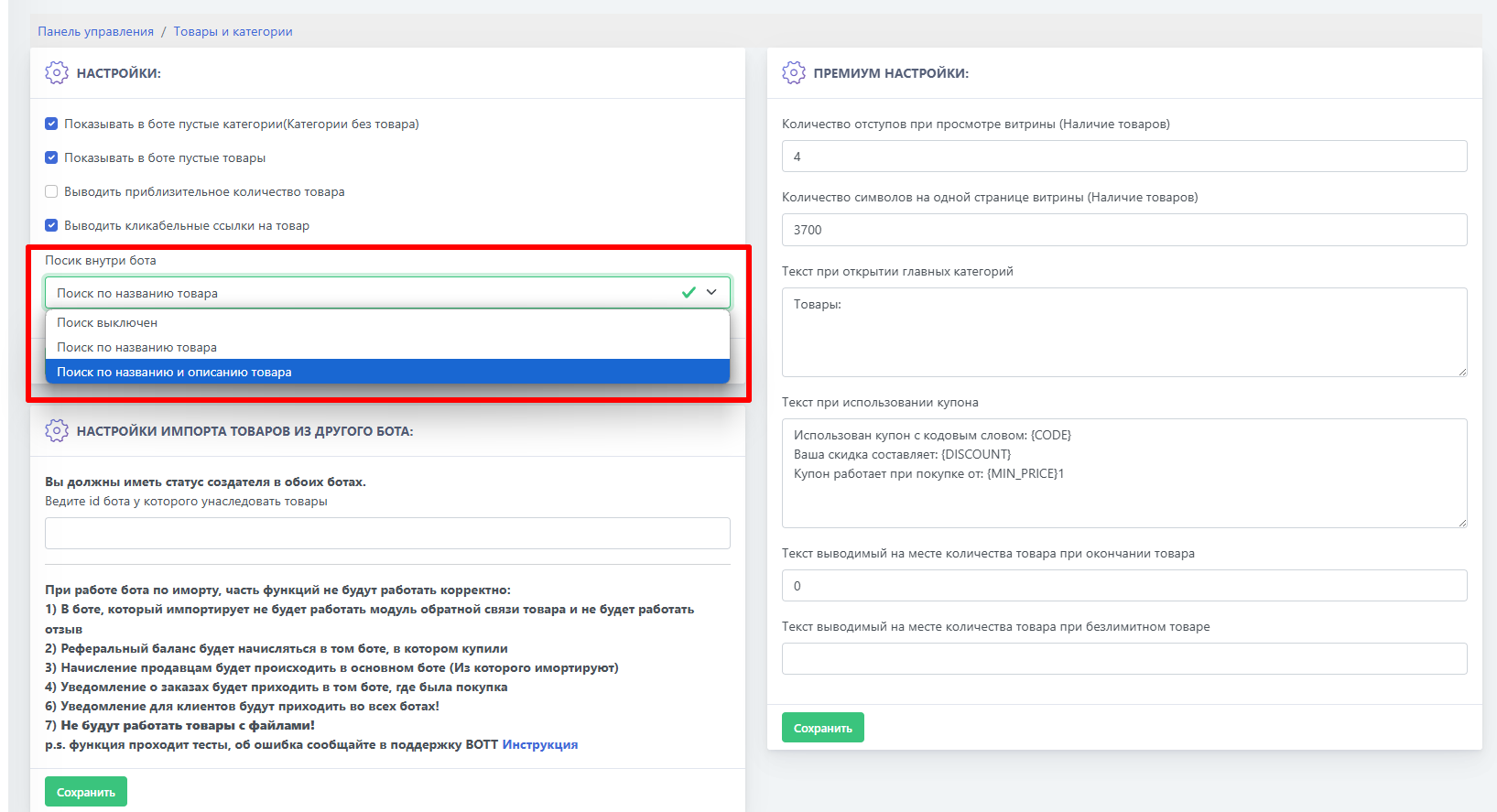 The last step in setting up the product search system is enabling search itself at the BOT-T level.