

 The user profile in the Telegram store is a page that displays information about the user, their orders, and purchase history.
 Telegram profile
The user profile in the Telegram store is a page that displays information about the user, their orders, and purchase history. How do I go to profile settings?
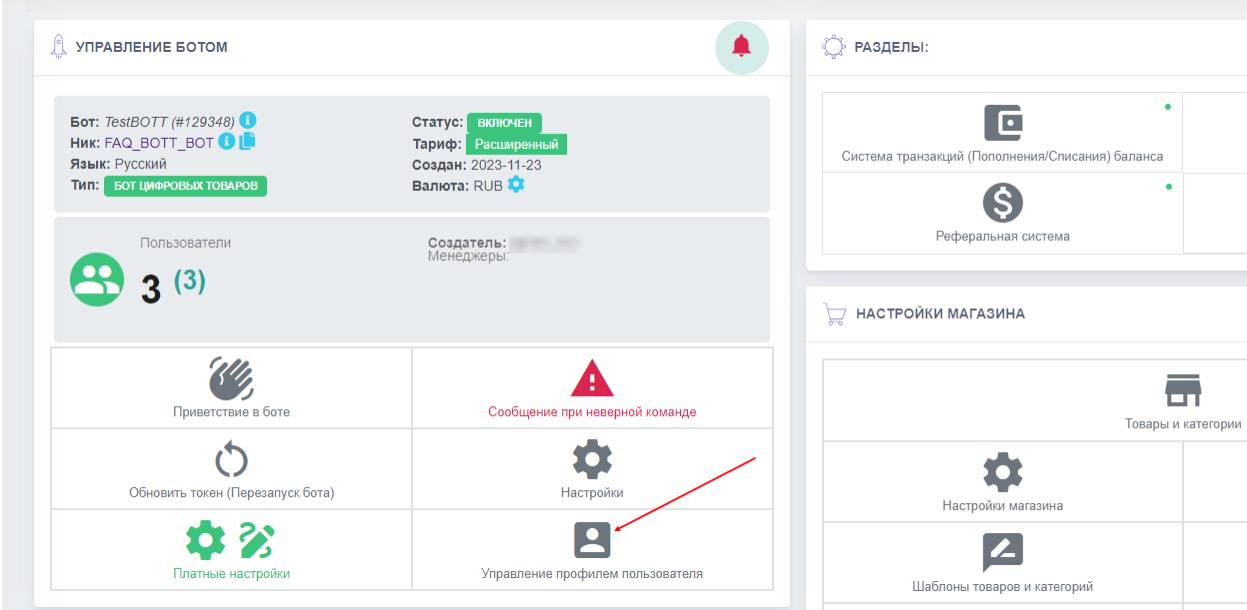 To configure the design of users’ profiles, you need to go from the bot desktop to the “User Profile Management” button
 Profile design setup
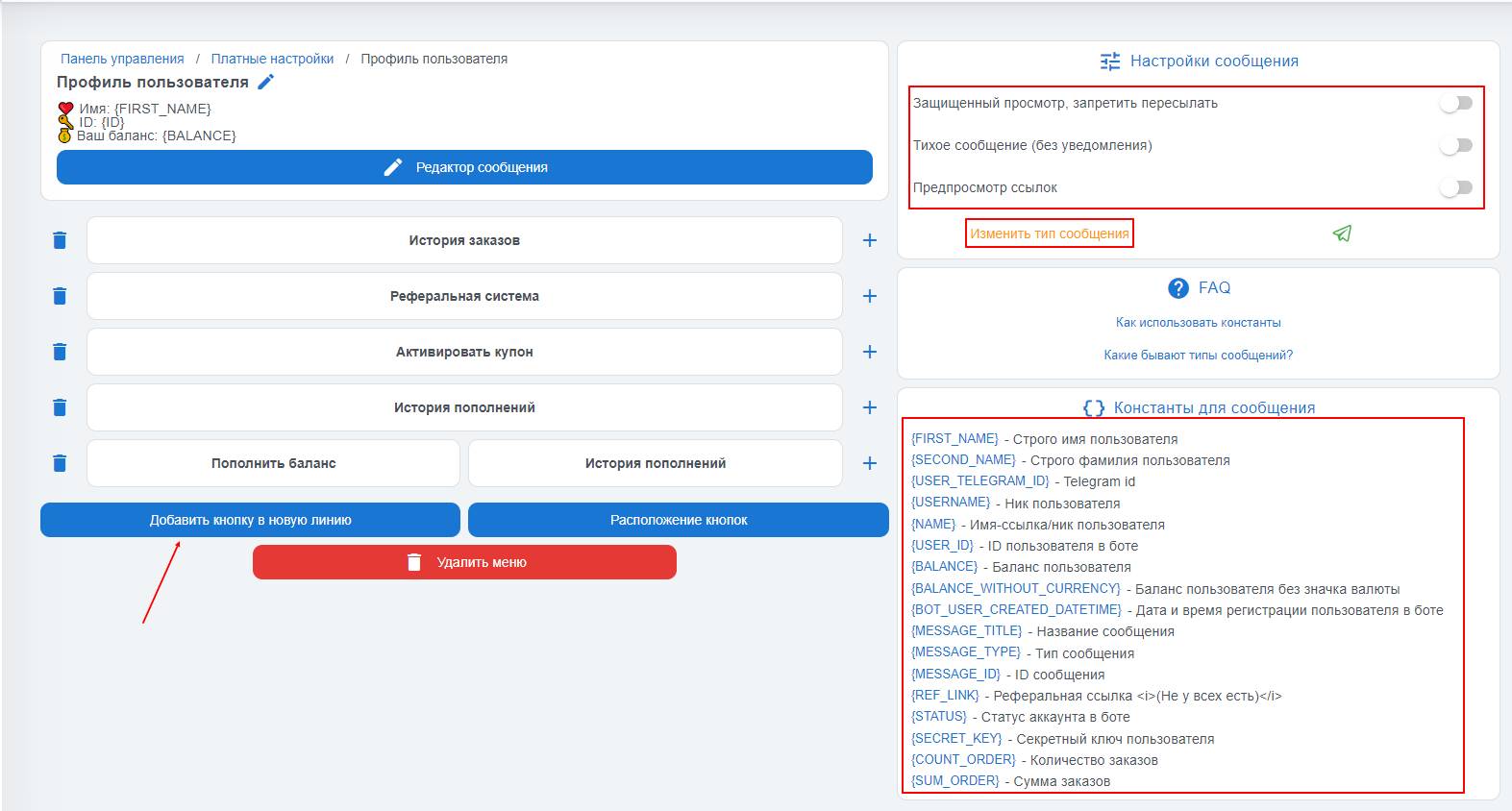 By default, the user's profile uses a text message type, but the character limit is much higher than for other message types—up to 4096 characters, and at any time you can change the message type by clicking the "Change message type" button, for example to a message with an image.
When editing the profile text, you can use the necessary constants, symbols, and emojis
You can also use the message settings, they are located in the upper-right corner:
- Protected view, prevent forwarding the message
- Silent message (no notifications)
- Link preview; to disable it, you need to activate the "toggle"
What does it look like in the bot?
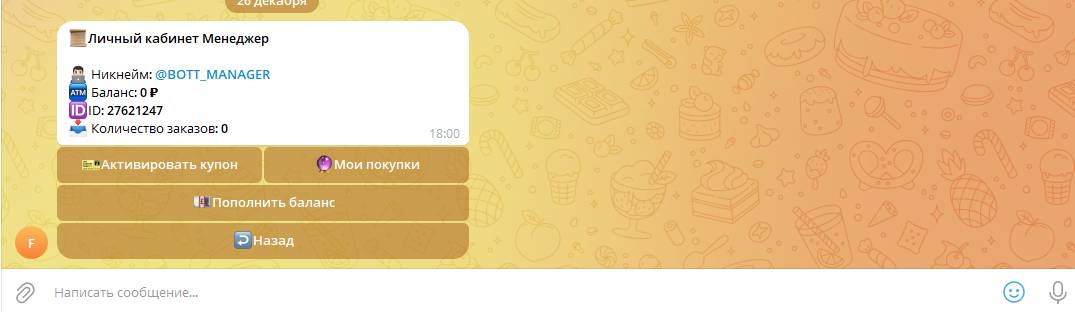 Example of a configured user profile