

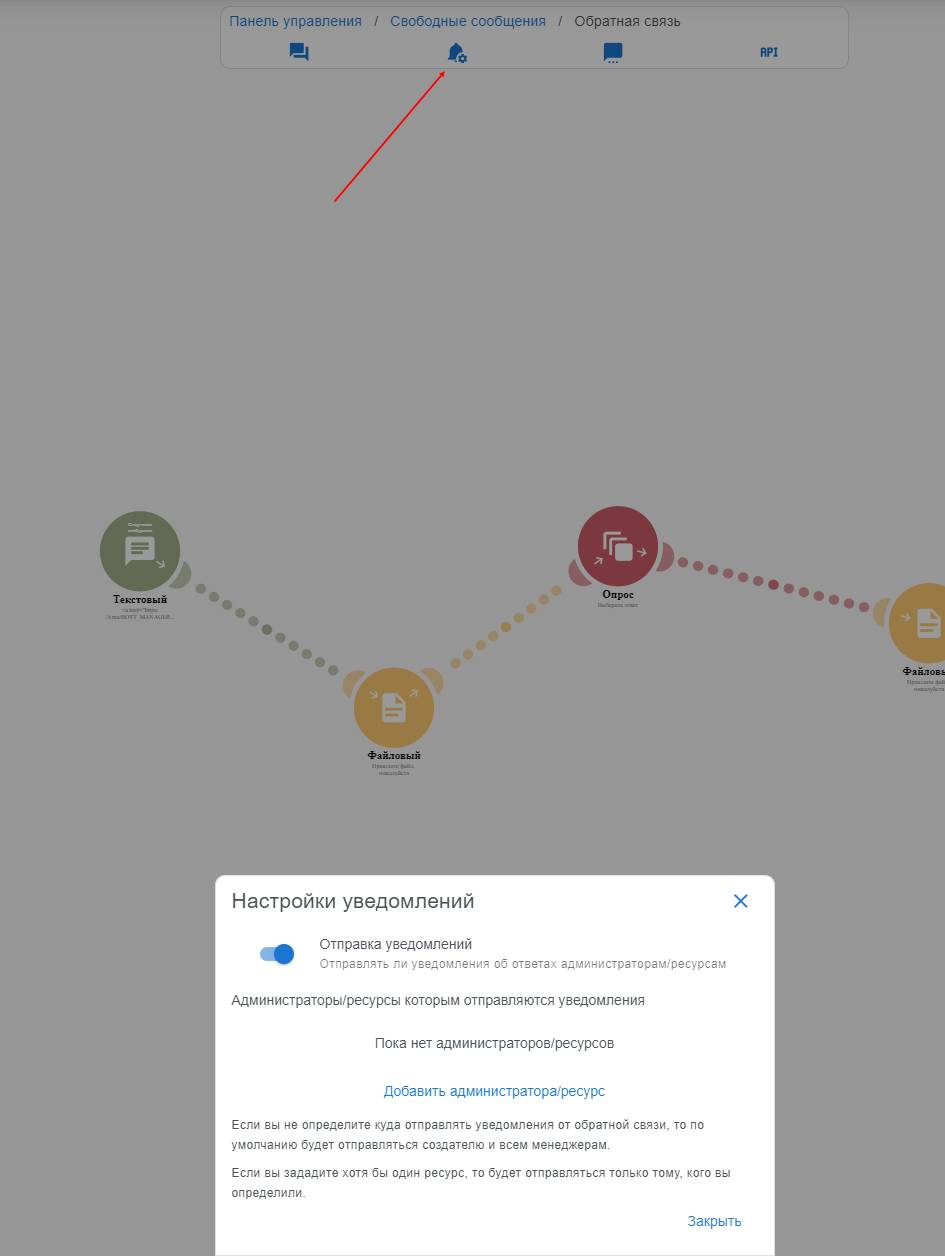
 The notification settings button can link your channel, manager account, or your second account to receive notifications when a user successfully completes the feedback module and send their response to Telegram.
 Notification settings in the feedback module
The notification settings button can link your channel, manager account, or your second account to receive notifications when a user successfully completes the feedback module and send their response to Telegram. Admin notification settings
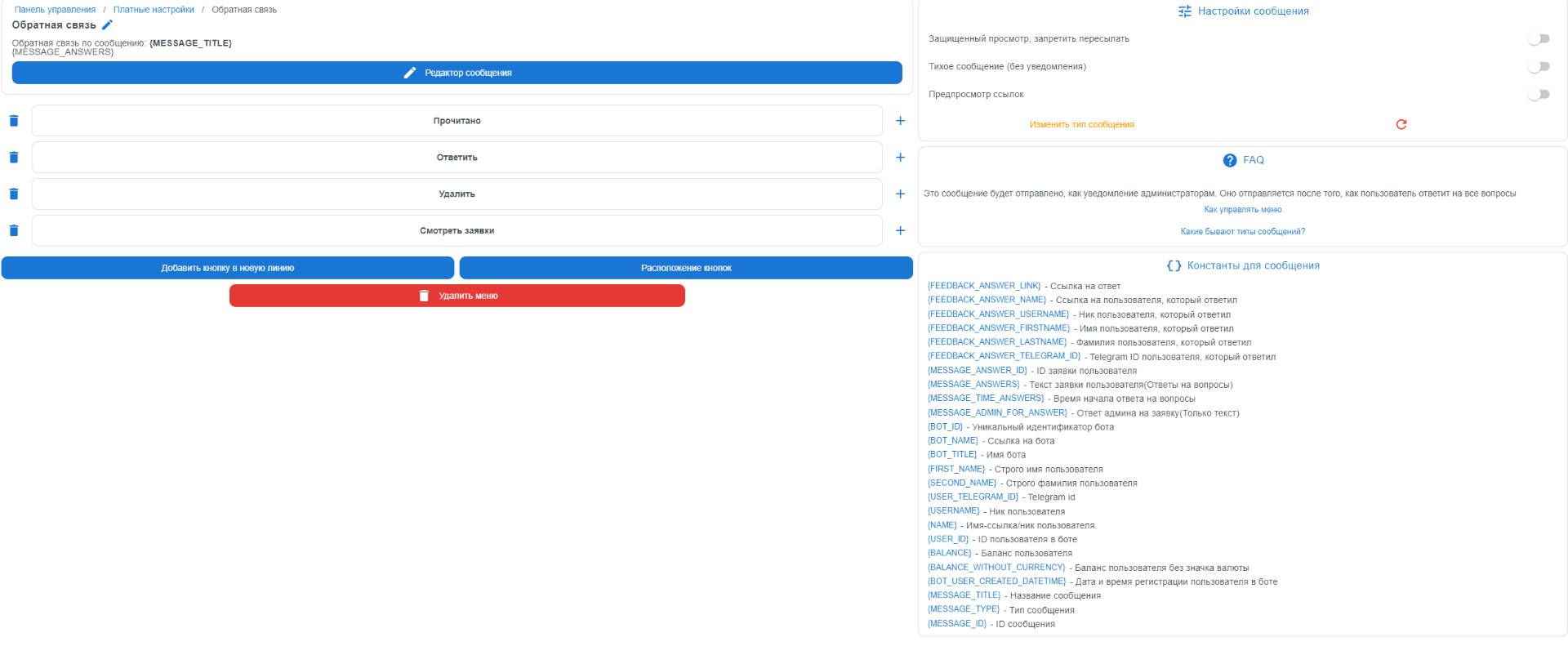 In this button, you can configure constants that will be provided to both the user and you.
Constants for insertion:
{MESSAGE_TITLE} - message title
{MESSAGE_ANSWERS} - questions and answers
{MESSAGE_TIME_ANSWERS} - response time for the question
{BOT_ID} - unique bot identifier
{BOT_NAME} - bot link
{BOT_TITLE} - bot name
{FEEDBACK_ANSWER_FIRSTNAME} - user's first name exactly
{FEEDBACK_ANSWER_LASTNAME} - user's last name exactly
{FEEDBACK_ANSWER_TELEGRAM_ID} - Telegram ID
{FEEDBACK_ANSWER_NAME} - user's nickname (not available for everyone)
Also, in this message, action buttons on the administrator's side are configured