

 A bot for communicating with customers in Telegram is an automated tool that allows users to send their questions, feedback, or suggestions directly to the administrator or owner of the bot in Telegram. It is usually a dedicated bot that receives messages from users and forwards them to the administrator. A feedback bot can be configured to automatically send replies or to create tickets/requests so that the administrator can track and process users’ messages. It is a very convenient tool for communicating with users and receiving feedback from them.
We have also prepared a video tutorial on integrating a Google Sheet into a Telegram bot! - https://www.youtube.com/watch?v=bqNVgdQQ1hY
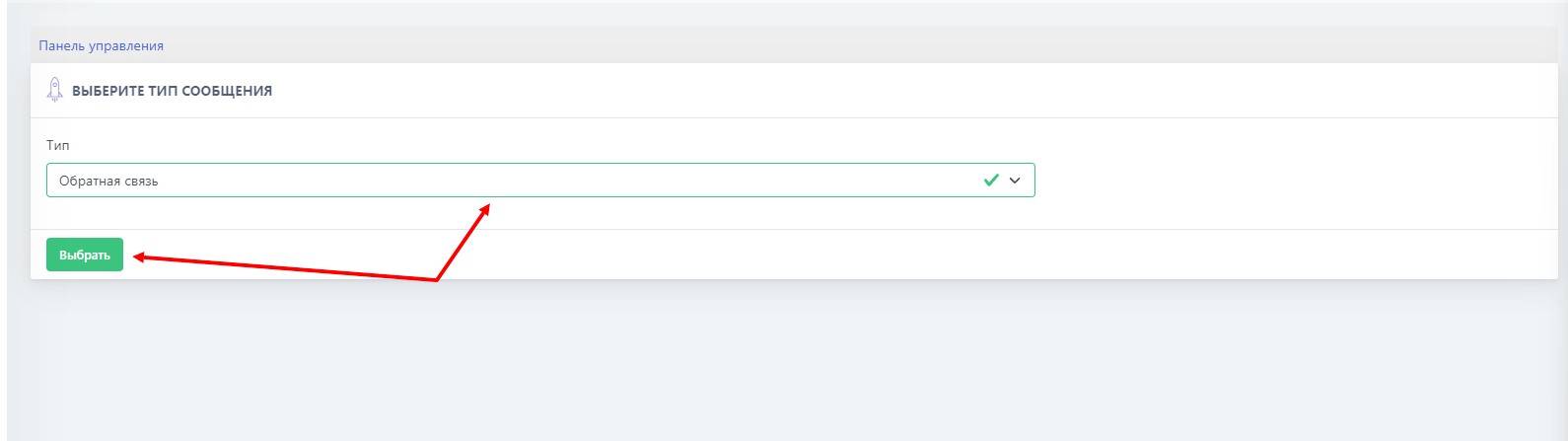 To start using the feedback function, you need to purchase the "Full" plan or higher. After purchasing the plan, you need to go to the "Free Messages" section with the "Feedback" type and create a new message by clicking the green button.
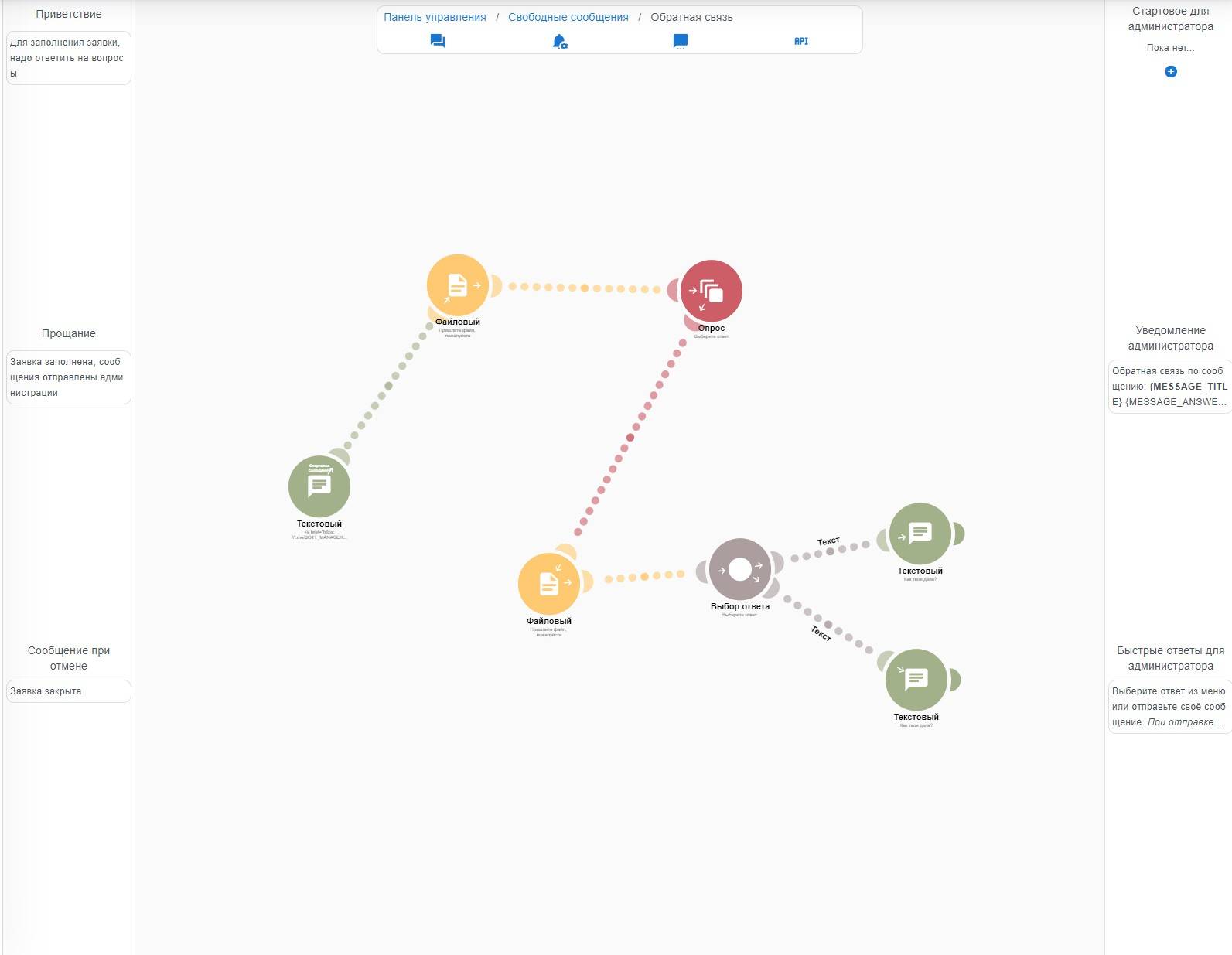 The next stage is creating and configuring question text for communicating with clients in the Telegram bot. There are several types of questions:
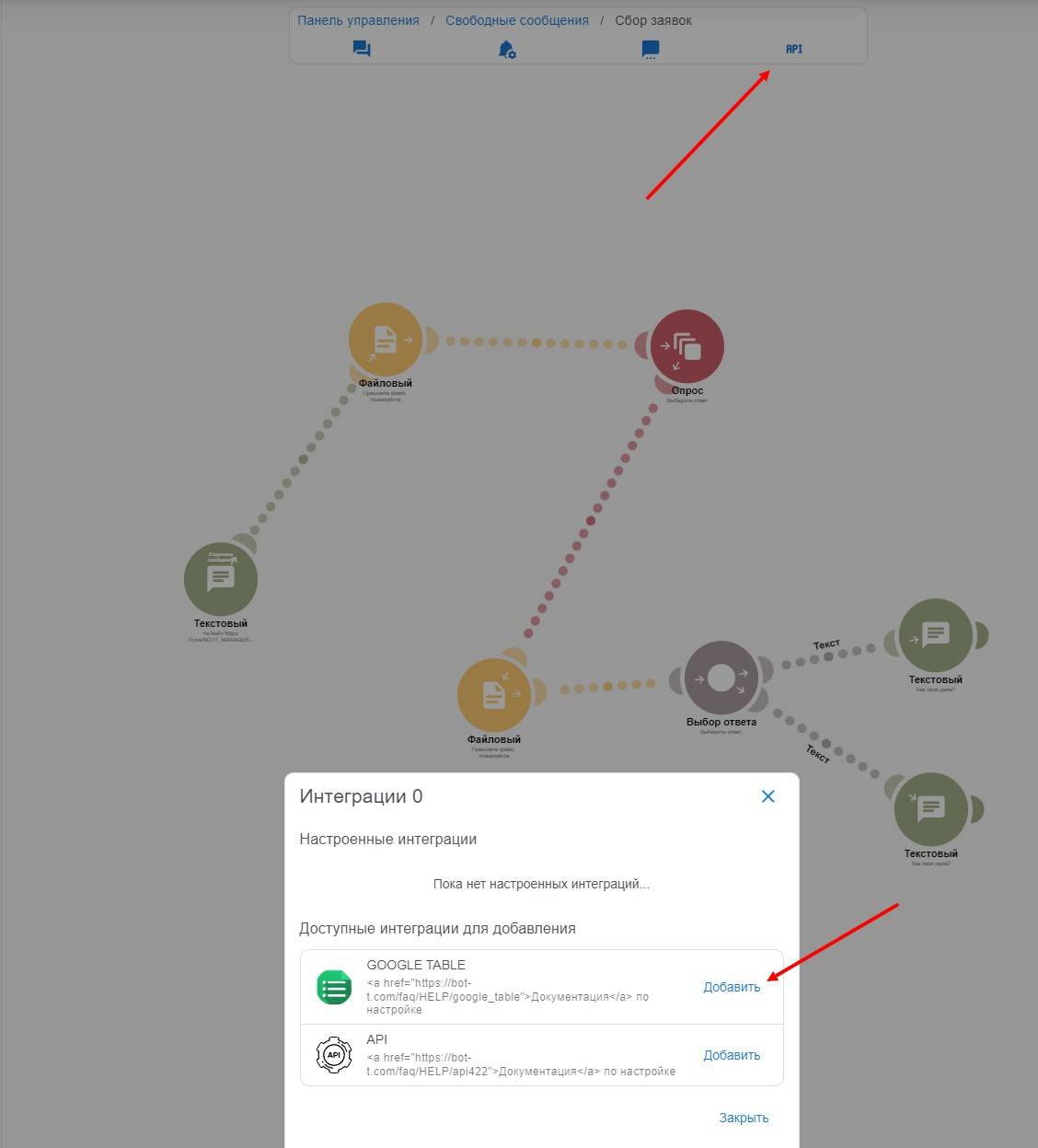 API integration in a Telegram bot means using different APIs to interact with other services, applications, or systems. This allows the bot to receive data from external sources, send information to other applications, and perform various actions based on the received data.
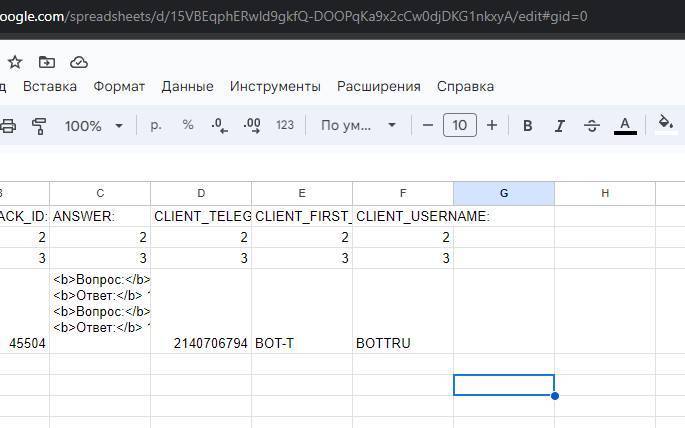 Go to your spreadsheet and copy the string from the address bar, as shown in the screenshot. Save it for future use.
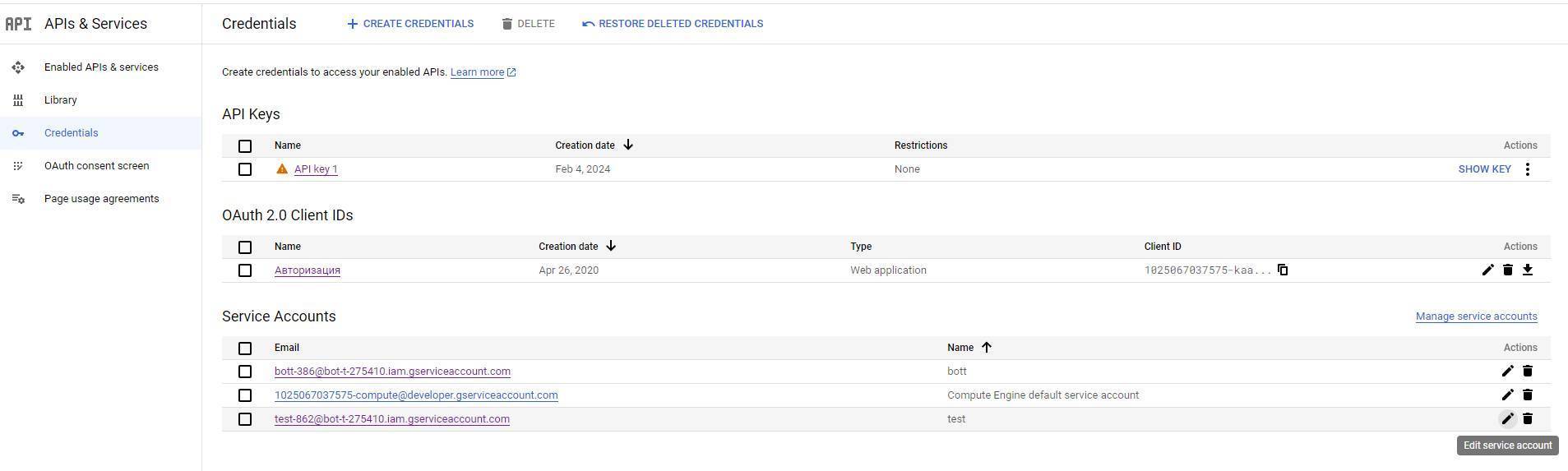 A service account in Google Sheets is a special type of account that is designed for automatic access to data and performing operations in Google Sheets via the API. It is used to automate processes, for example, to read or write data in a spreadsheet, create new spreadsheets, or delete existing ones.
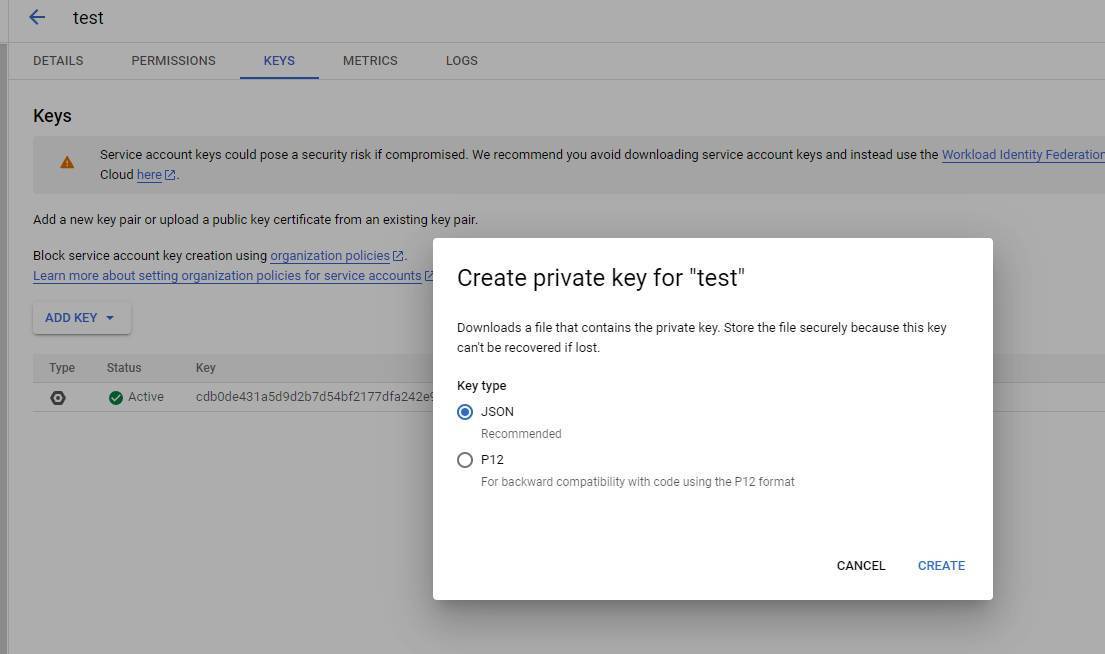 To create an authentication key in Google Cloud Console, follow these steps:
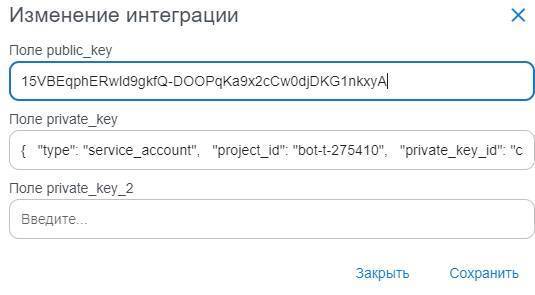 The next step is to fill in all the data, as shown in the screenshot.
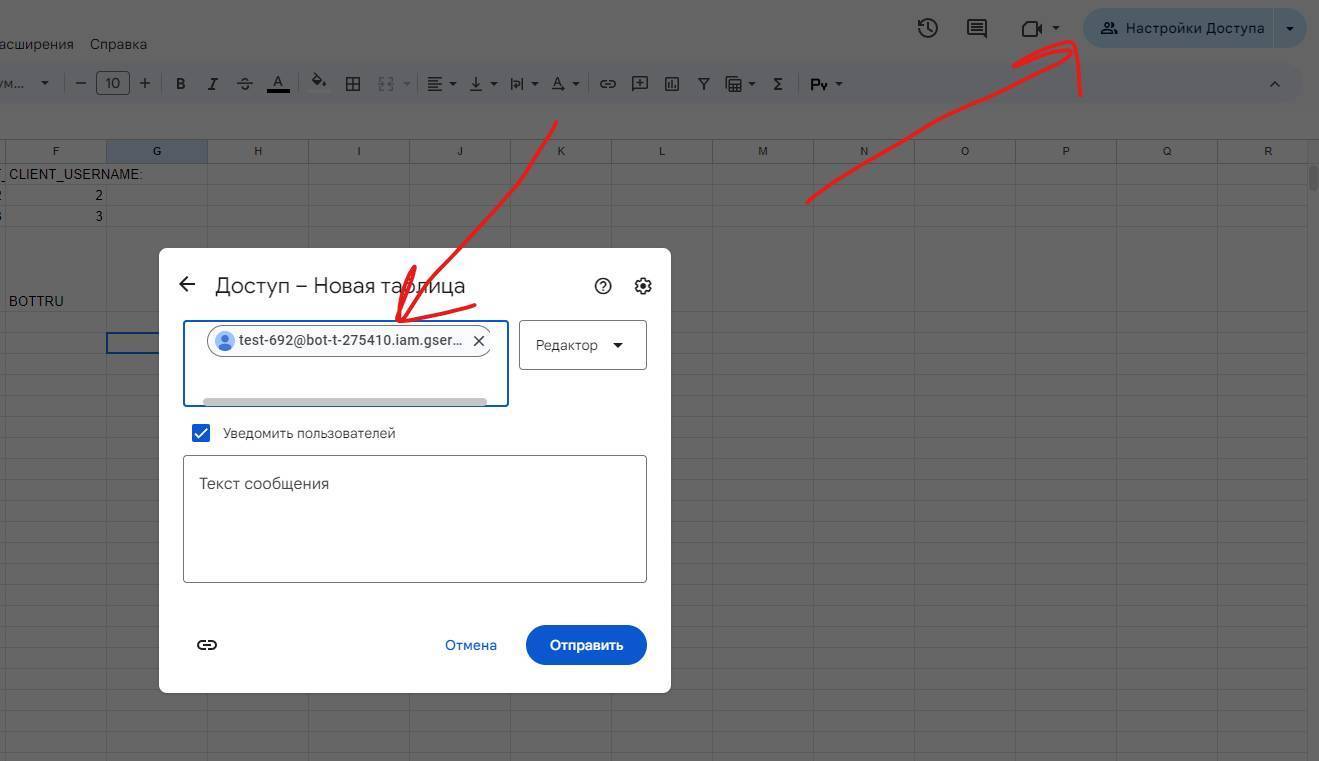 This step is extremely important!