HTML tags in Telegram: how to use them to format text
HTML is a markup language used to create web pages and other documents. In Telegram, you can also use HTML to format text in your bot. In this article, we will explain how to use HTML in a Telegram bot.
Telegram provides many text formatting options that let you highlight important words and phrases, making the text more readable and attractive. In this article, we will talk about the various ways to format text in Telegram.
Using the BOT-T message editor
1. Go to the website bot-t.com
2. Select the message that needs to be edited
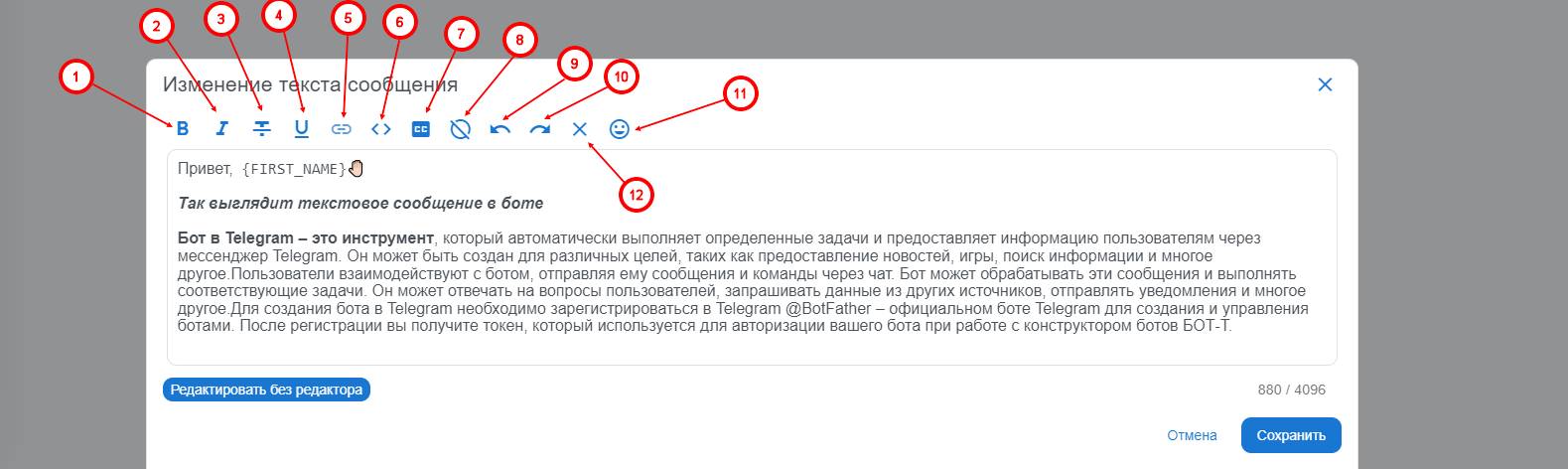
3. Highlight the required text and use the built-in text editing tools, such as:
1) Bold text
2) Italic
3) Strikethrough text
4) Underlined text
5) Highlight the required text and use the highlighted button, or on the selected text apply the key combination "ctrl+v"
6) The button displays the source code with all HTML tags applied
7) Monospace - copyable text
8) Hidden text (spoiler)
9) Undo action
10) Return to the previous action
11) Highlight the text and press the corresponding button so that formatting is not applied to the text
12) With this, you can insert the necessary emojis into the text without needing to use third-party resources with an emoji library
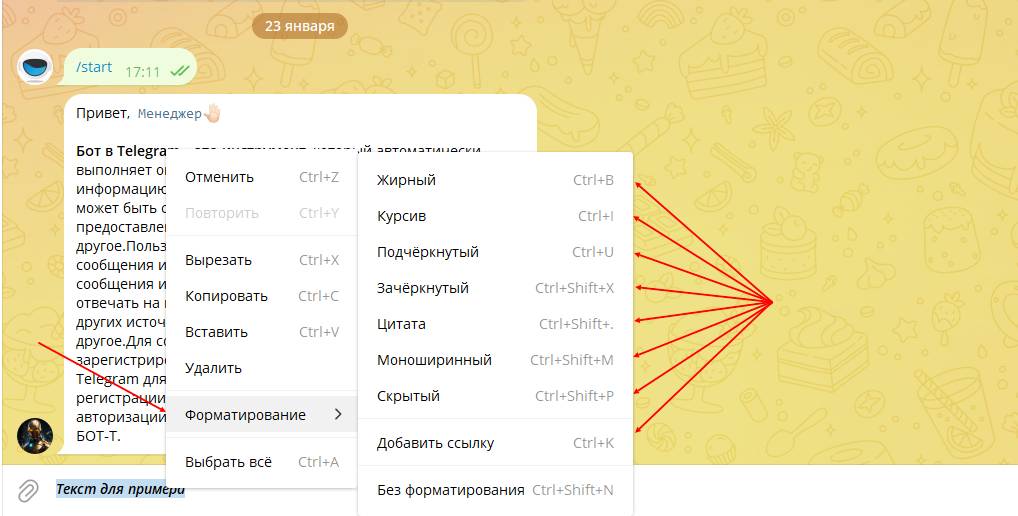
Using the built-in editor on a PC
1. Open the text editor and enter the desired text.
2. To select text, click and hold the left mouse button on it.
3. Choose the desired format from the drop-down menu: bold, italic, strikethrough, or monospace.
4. If you want to change the text color, select it and choose the desired color from the color drop-down menu.
5. To change the font size, select the text and choose the desired size from the font size drop-down menu.
6. If you want to add a link, select the text and click the “Insert link” icon. Enter the URL and link name.
7. If you want to add an image, select the place where you want to place it and click the “Insert image” icon. Choose the image file and click “Open”.
8. After you have finished formatting the text, save it.
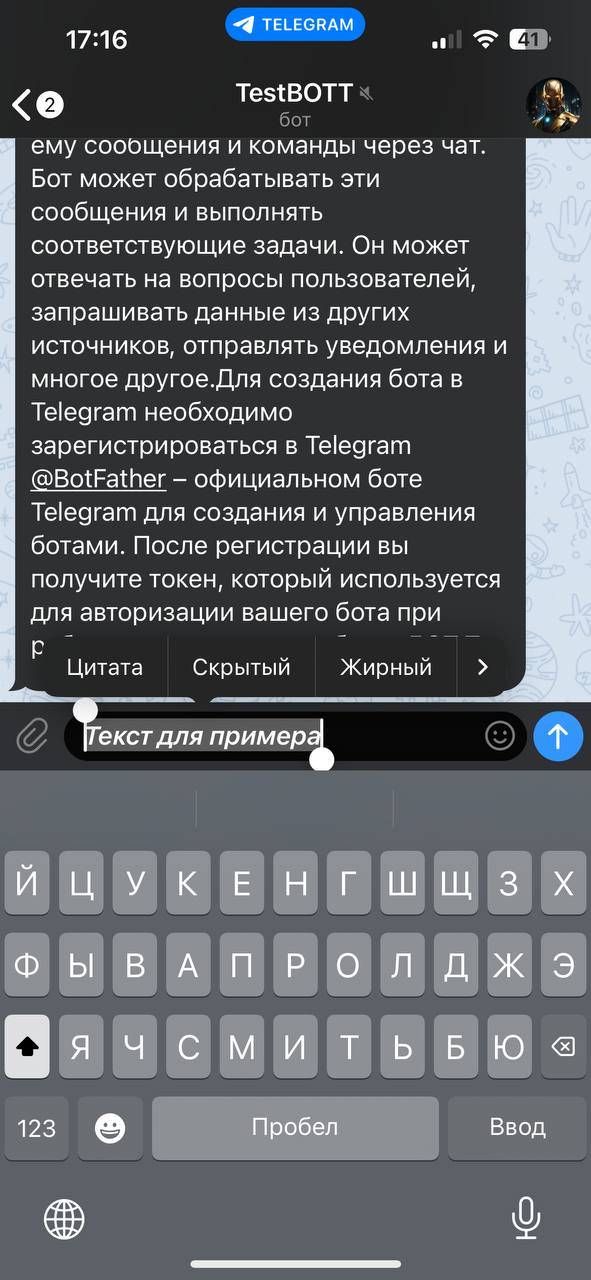
Using the built-in editor on a phone
1. Open the Telegram app on your phone and go to the desired chat or conversation.
2. Type the text you want to format.
3. To highlight text, tap it and hold your finger on the screen.
4. Select the desired format from the drop-down menu: bold, italic, strikethrough, or monospace.
5. If you want to change the text color, select it and choose the desired color from the color drop-down menu.
6. To change the font size, select the text and choose the desired size from the font size drop-down menu.
7. If you want to add a link, select the text and tap the “Insert link” icon. Enter the URL and the link name.
8. If you want to add an image, select the place where you want to place it and tap the “Insert image” icon. Select the image file and tap “Open”.
9. After you have finished formatting the text, tap the “Send” button to send the message with the formatted text.
Using HTML tags in Telegram
HTML (HyperText Markup Language) is a markup language used to create web pages. In Telegram, you can also use HTML tags to format text in your messages. This allows you to add various styles, links, lists, and much more.
<b>Bold text tag</b>
The <b> tag is used to make text bold. To use this tag in Telegram, simply enclose the desired text in the <b> and </b> tags. For example:<b>This text will be bold
</b><i>Italic tag</i>
The <i> tag is used to make text italic. To use this tag in Telegram, simply enclose the desired text in the <i> and </i> tags. For example:<i>This text will be italic</i>
<u>Underline tag</u>
The <u> tag is used to add underlining to text. To use this tag in Telegram, simply enclose the desired text in the <u> and </u> tags. For example:
<u> This text will be underlined</u>
<a>Link tag</a>
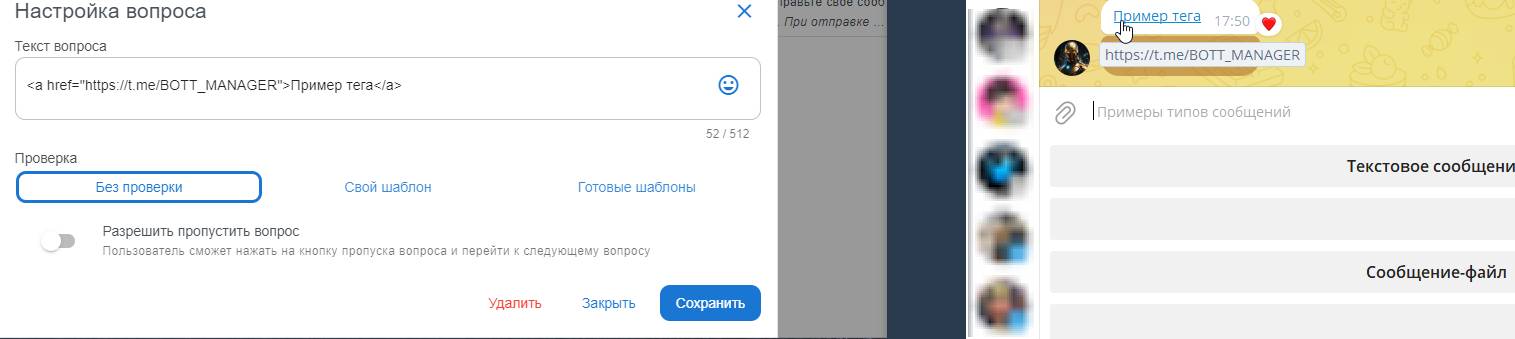
The <a> tag is used to create links to other pages. To use this tag in Telegram, simply enclose the desired text in the <a> and </a> tags, and then add the URL that the link should lead to in the href attribute. For example:<a href="https://telegram.org/">This link leads to the Telegram site</a>
To make text monospace, you need to use the <code> tag
It is also possible to combine tags, for example <b><i>bold italic</i>
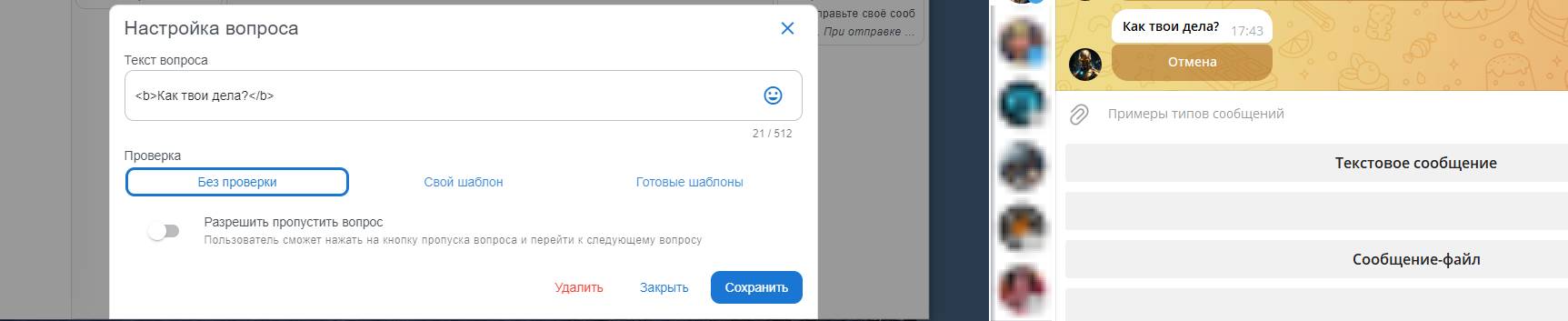
What does the use of HTML tags look like in a Telegram bot??
Example of using HTML tags when working with a Telegram bot
How do I insert a spoiler in chat
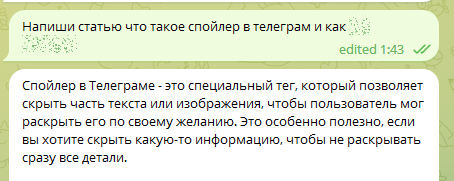
A spoiler in Telegram is a special tag that allows you to hide part of a text or image so that the user can reveal it at their own discretion. This is especially useful if you want to hide some information without revealing all the details right away.
To create a spoiler in Telegram, you need to use the tag <code >spoiler</code>. Inside this tag, you need to specify the text or image that should be hidden.
When the user clicks on the spoiler, the hidden text will be displayed. At the same time, the <code>spoiler</code> tag itself will be replaced with a "Reveal" button so that the user can hide the text again.
You can also use the <code>title</code> attribute to add a title to the spoiler. For example:
<code title="Title">Hidden text</code>
How to insert a link to a user in Telegram
Telegram account link is a special link that allows users to go directly to the specified account in the Telegram app. When clicking such a link, the user will be redirected to the Telegram app and a page with the specified account will open.
A Telegram account link has the following format:tg://resolve?domain=account_name
Where account_name is the username of the Telegram account you want to create a link to.
For example, if you want to create a link to an account with the username "example_user", the link will look like this:tg://resolve?domain=example_user
When clicking such a link, the user will open the profile page of the "example_user" account in the Telegram app.
It is important to note that the Telegram account link will work only in the Telegram app and will not open in a regular web browser.
To insert a link in HTML, you can use the <a> tag. Here is an example:
html
<a href="https://www.example.com"> Example site link</a>
Using Markdown in TG
Markdown is a markup language, which is used for formatting text in Telegram and other applications. With Markdown, you can add headings, lists, links, images, and other formatting elements to text.
In Telegram, Markdown is supported by default. To use Markdown, you need to know some basic rules.
To make text bold, put a double ** before and after a word or phrase. For example, **Hello, world!**
To make text italic, put a single * before and after a word or phrase. For example, *Hello, world!*
To make text strikethrough, put a double ~~ before and after a word or phrase. For example, ~~Hello, world!~~
To add a link, put the link text in square brackets and the URL in parentheses. For example, [Link text](http://example.com)
After you have formatted the text, click the "Send" button to send the message.
In conclusion, formatting text in Telegram on a phone is a simple and convenient way to make messages more readable and attractive. You can use various formatting elements, such as bold text, italic text, headings, lists, links, and images, to make your message brighter and more memorable.
free of charge and without programming knowledge BOT-T.COM