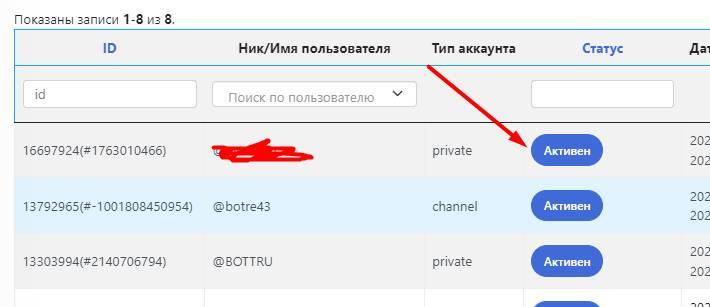
 To grant manager rights in the bot, you need to:
- Ask your manager to register in the bot where the rights will be granted
- Go to the Users section and click the status button

Help Center BOT-T
Find answers, learn how to use the service, and get help from our team.
For example: payment, plans, Telegram bot, reviews...

Search results
To grant manager rights in the bot, you need to: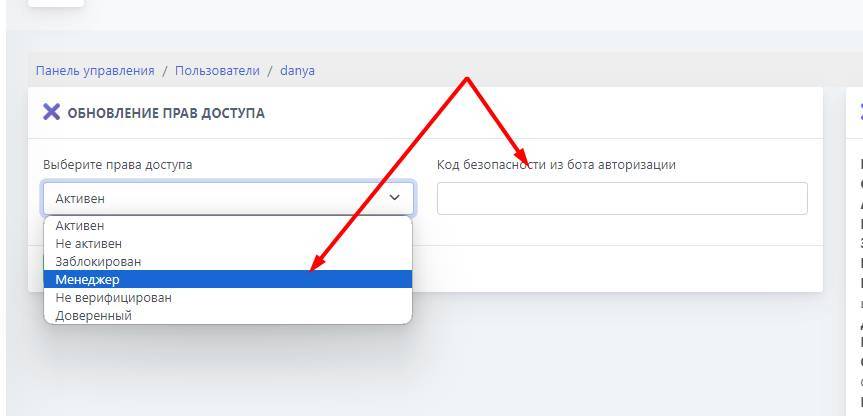 Next, you select the manager status and enter the special code, which should come to you from the authorization bot
 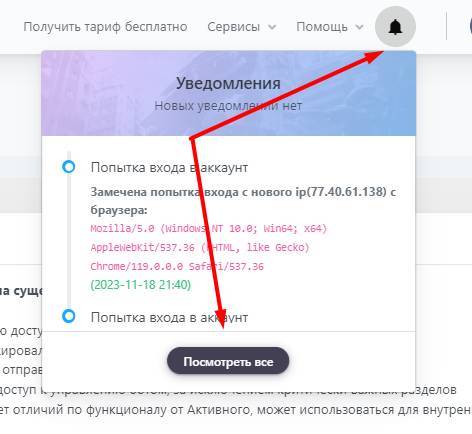 The final stage of accepting rights. Your manager must log in to bot t from the account he registered with in the bot and click on the bell icon (see screenshot), then the view all button and accept the rights