Recommendations for bypassing the block.

Recommendations for bypassing the block.Creating a bot on a fake/other person’s account, or creating one on virtual SIM cards. Most likely, you will quickly lose your bot!
The bot’s nickname should be chosen wisely. It can never be changed again.

IMPORTANT! We recommend creating the bot using your main phone number. This will be the bot owner, and this account should not be exposed anywhere. Use an additional account for support, one you won’t mind losing.!

1. To create a bot, you need to use Telegram’s bot creation tool — @BotFather Link to get the token

2. Next, enter the token on our website. (This is only possible after authorization)

What are the main mistakes when creating a bot in Telegram?

Errors that may occur when creating a bot in Telegram include:
1. Incorrect bot name: The bot name must be unique and end with "bot". If the name is already taken or does not meet the requirements, BotFather will report an error.

2. Incorrect token: When copying the token from BotFather, it is important not to make mistakes or add extra spaces. This can lead to incorrect authentication of your bot.

3. No internet connection: To create a bot and obtain a token, you need an active internet connection. Make sure your device is connected to the internet before starting the bot creation process.

4. Restrictions on bot creation: In some countries or regions, there may be restrictions on creating bots in Telegram. If you encounter such a problem, try using a VPN or contact Telegram support for more information.

5. Incorrect command: If you send the wrong command to BotFather, it may not recognize your request or may respond with an error. Make sure you enter commands correctly and follow BotFather's instructions.

If you encounter any of these errors, it is recommended to carefully read the instructions and repeat the bot creation process again. If the problem persists, contact support https://t.me/BOTT_SUPPORT_BOT for additional assistance.

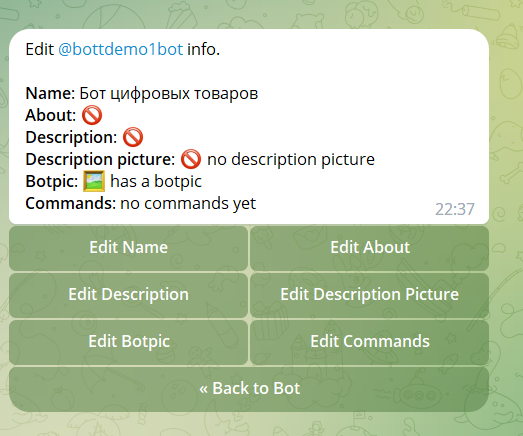
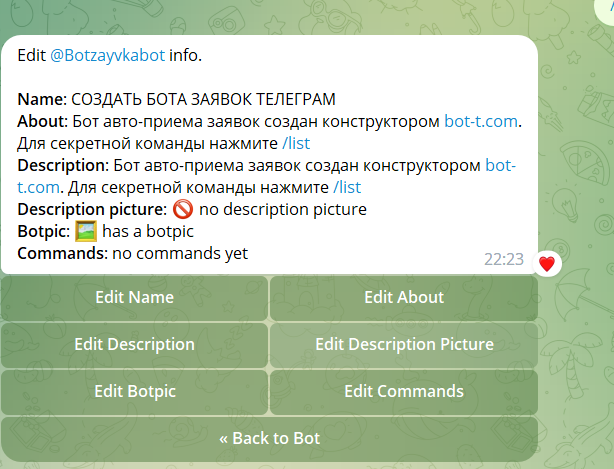
How do I change a bot’s commands in BotFather (description, picture, etc.)?

How do I change a bot’s commands in BotFather (description, picture, etc.)?Bot Setup
Here are examples of how to write the main commands and their explanation:

/newbot — register a new bot

/mybots — edit your bots

Editing a bot - edit bot

/edit name — change the bot’s name;

/edit description — change the bot’s description;

/edit about — change the bot’s info;

/edit botpic — change the bot’s profile photo;

/edit commands — change the list of commands;

/deletebot — delete the bot.

General settings in Botfather

General settings in Botfather

General bot settings


/revoke — revoke the bot access token or change the token;
/inline mode — enable inline mode (allows direct access to the bot from any channel, group, or chat by typing its name in the message input field)
/setinlinegeo — toggle location requests when using the bot in inline mode.
/setinlinefeedback — change feedback settings (collect statistics on the bot commands most frequently sent)
/allow groups — determines whether your bot can be added to groups;
/group privacy — toggle privacy mode in groups
/transfer Ownership - transfer the bot to a person

Create a bot:
free of charge and without programming knowledge BOT-T.COM