

.png "Bot transfer via Telegram") IMPORTANT! if you transfer the bot without a guarantor (our guarantor takes 10% of the deal) YOU YOURSELF ARE responsible for the loss of the bot or the disappearance of funds.
IMPORTANT! if you transfer the bot without a guarantor (our guarantor takes 10% of the deal) YOU YOURSELF ARE responsible for the loss of the bot or the disappearance of funds.To transfer FULL rights to the bot, you need to use @botfather.
First step
1. Open Telegram and write to @botfather (select the bot)
2. Click the Tranfer Ownership button
3. In the new window, enter a unique name for the future owner (their Telegram id)
4. Done
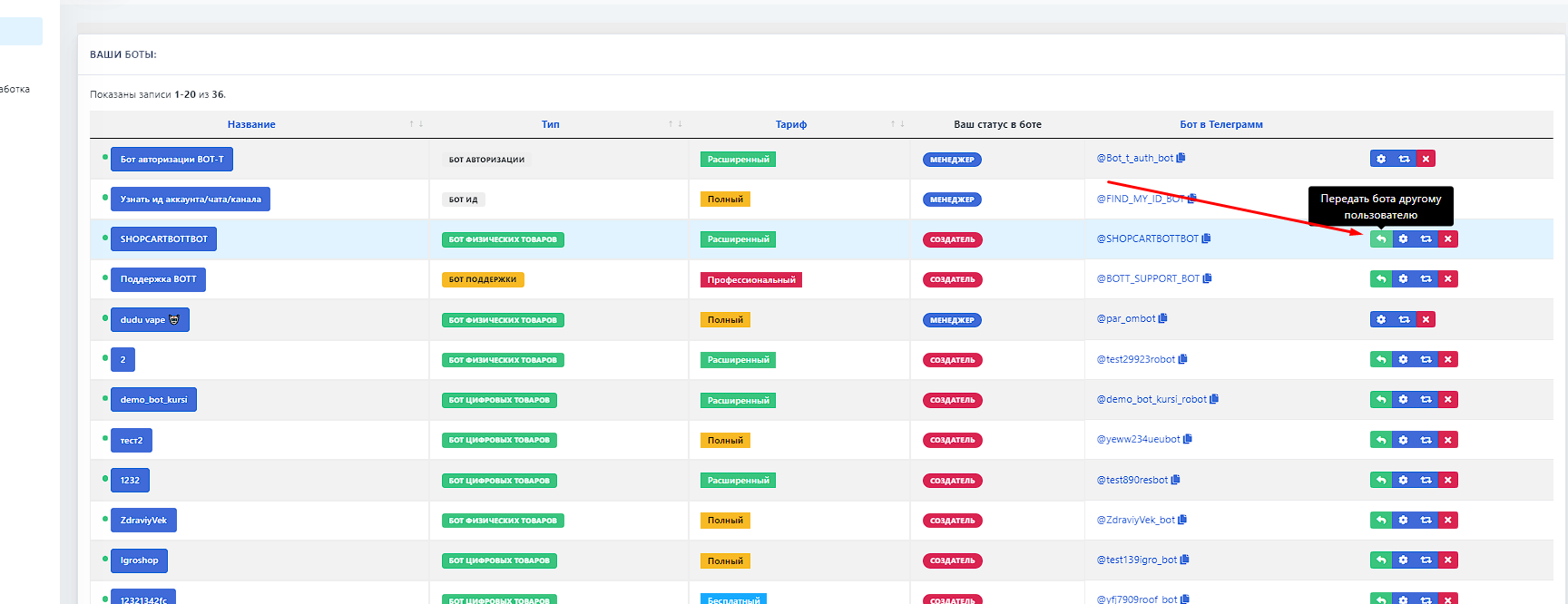 Second step
 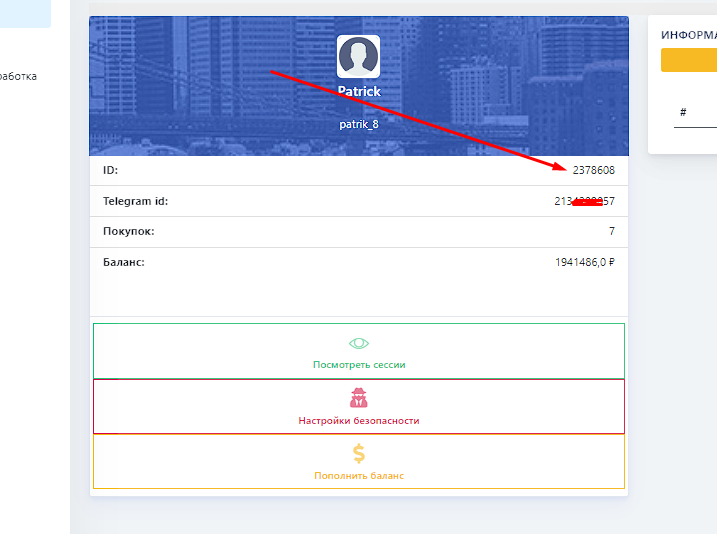 The ID for transferring the bot or adding a manager should be taken from the Profile tab - first line (shown in the photo)
 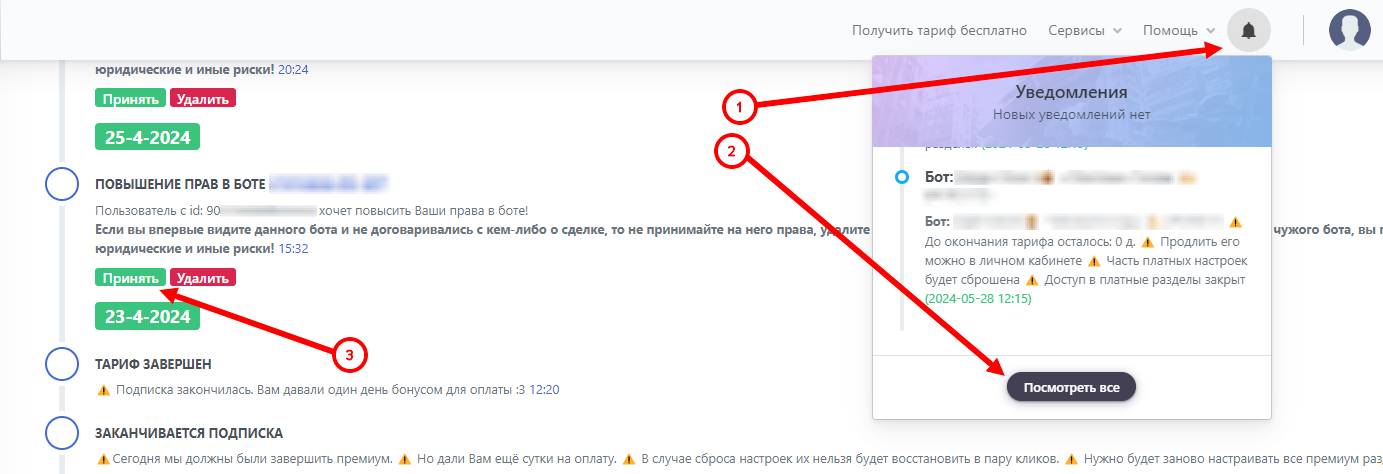 Your employee must log in to the site