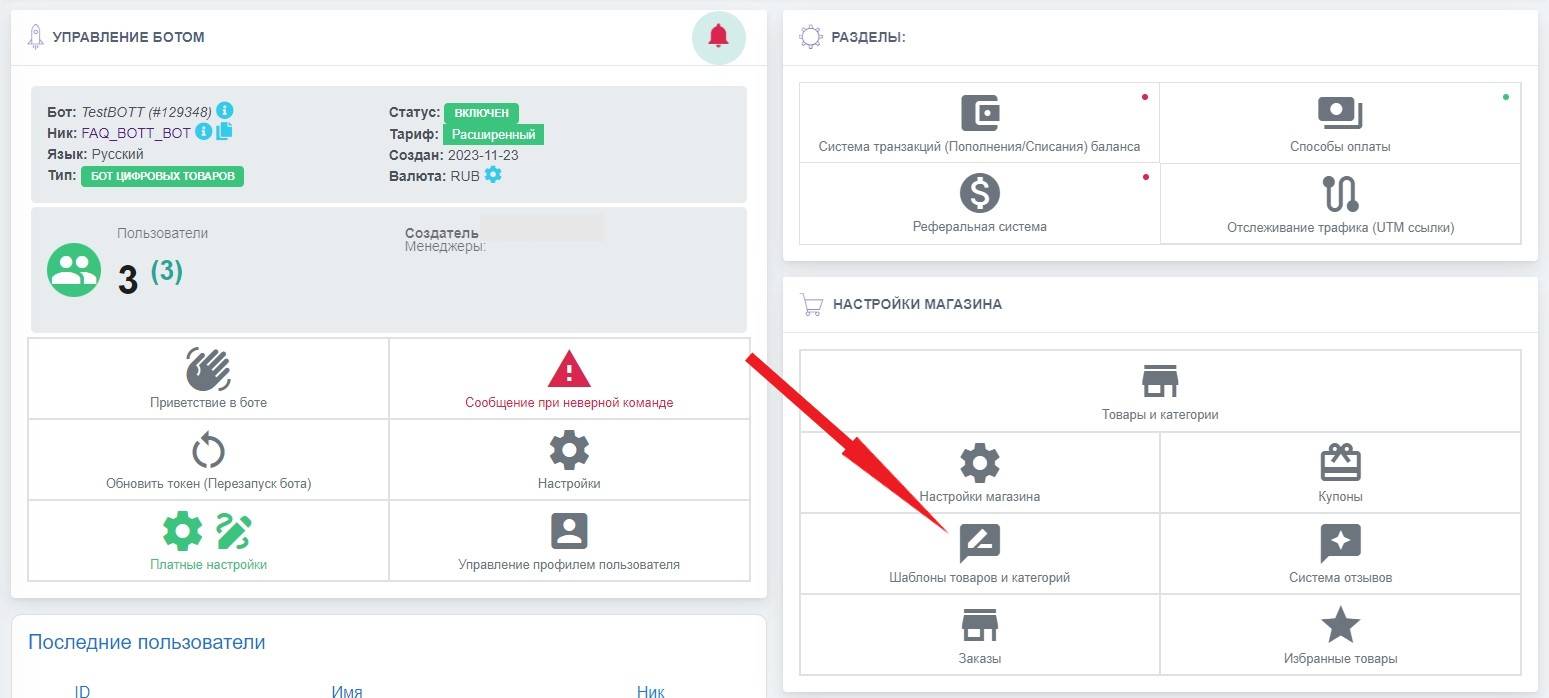
 If you want to customize the receipt design to your liking, you need to follow a fairly simple set of instructions
First of all, you should go to the "Product and category templates" section

Help Center BOT-T
Find answers, learn how to use the service, and get help from our team.
For example: payment, plans, Telegram bot, reviews...

Search results
If you want to customize the receipt design to your liking, you need to follow a fairly simple set of instructions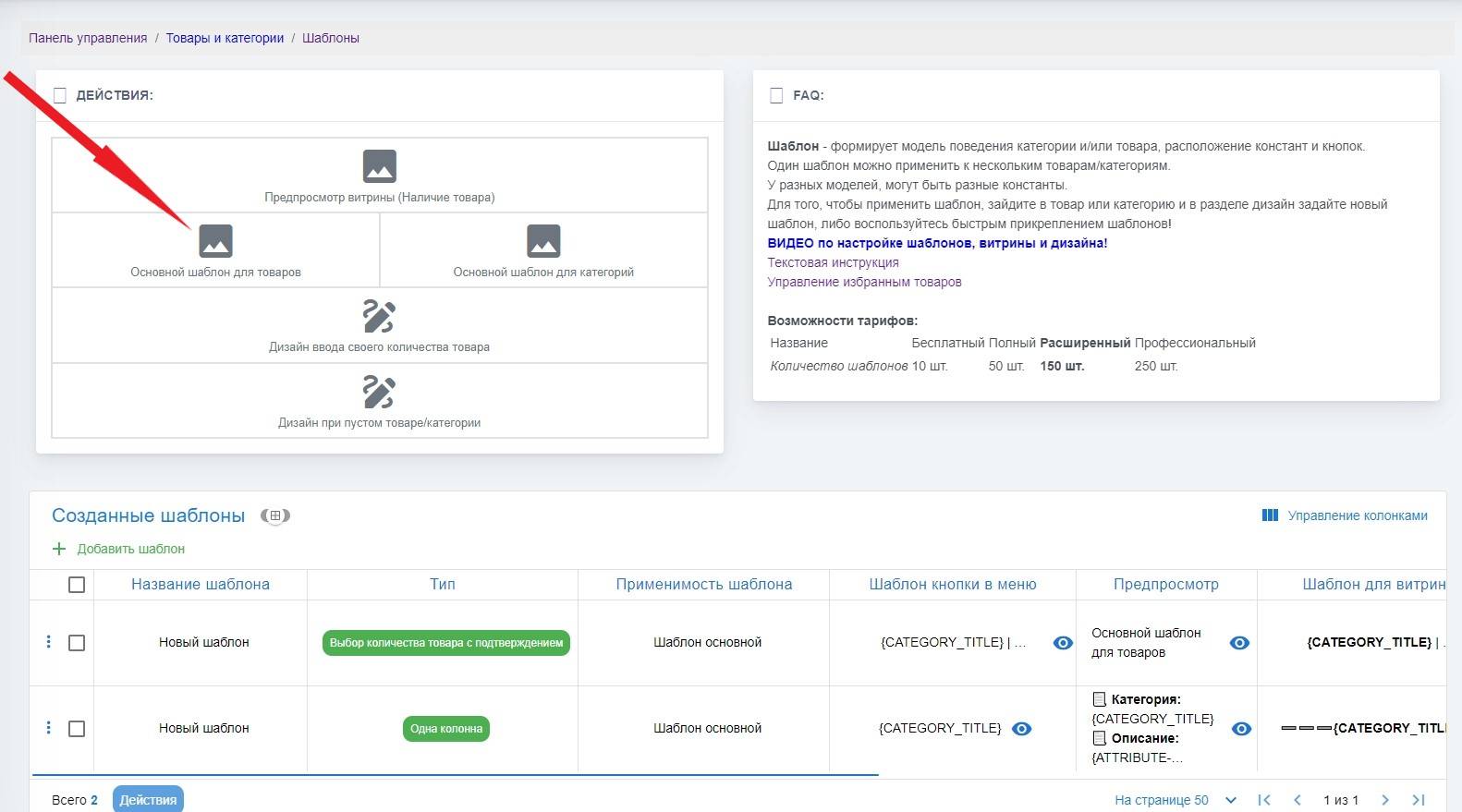 Next item - Product template
 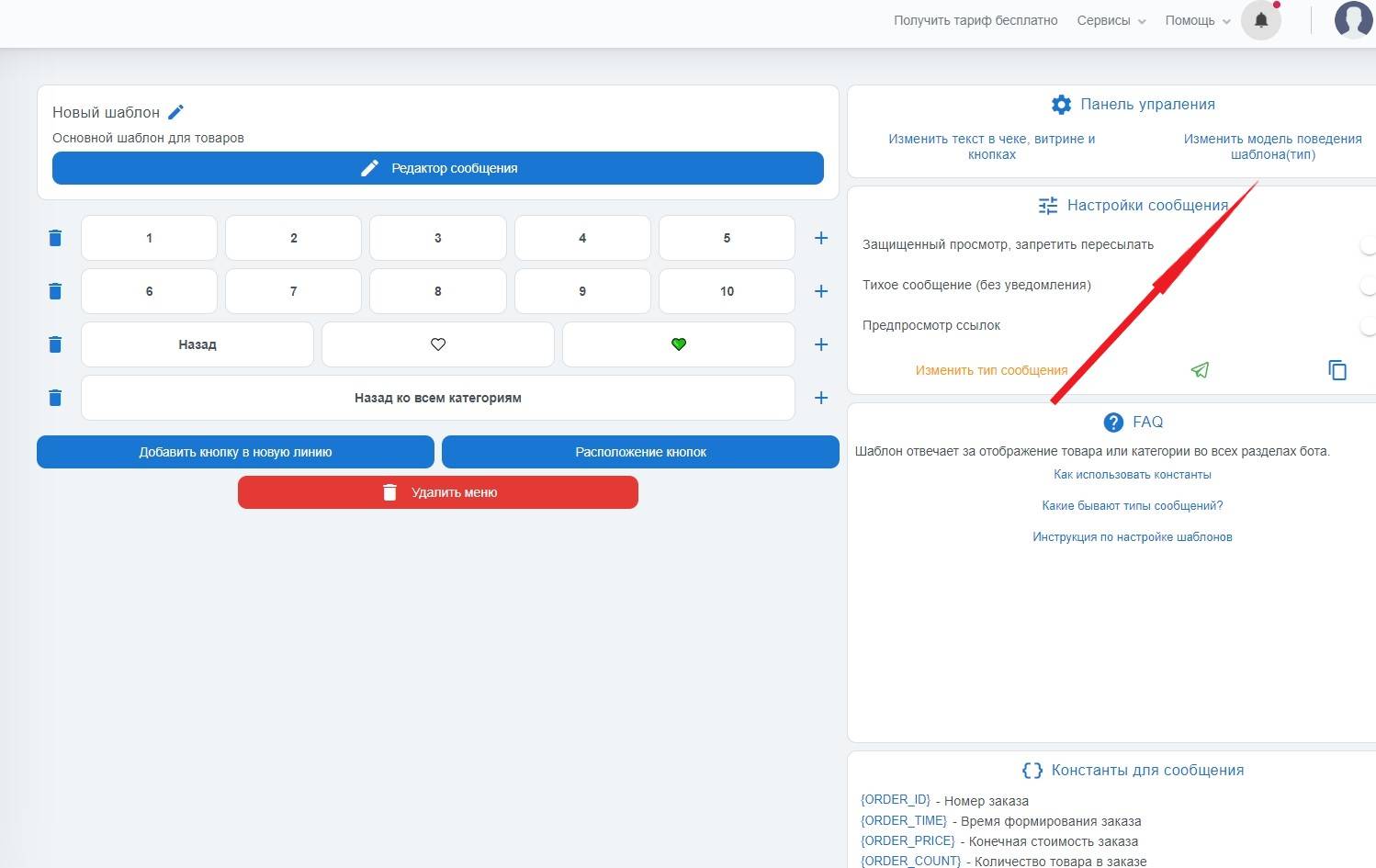 Next, from the product template, you need to click the "Change template behavior model" button
 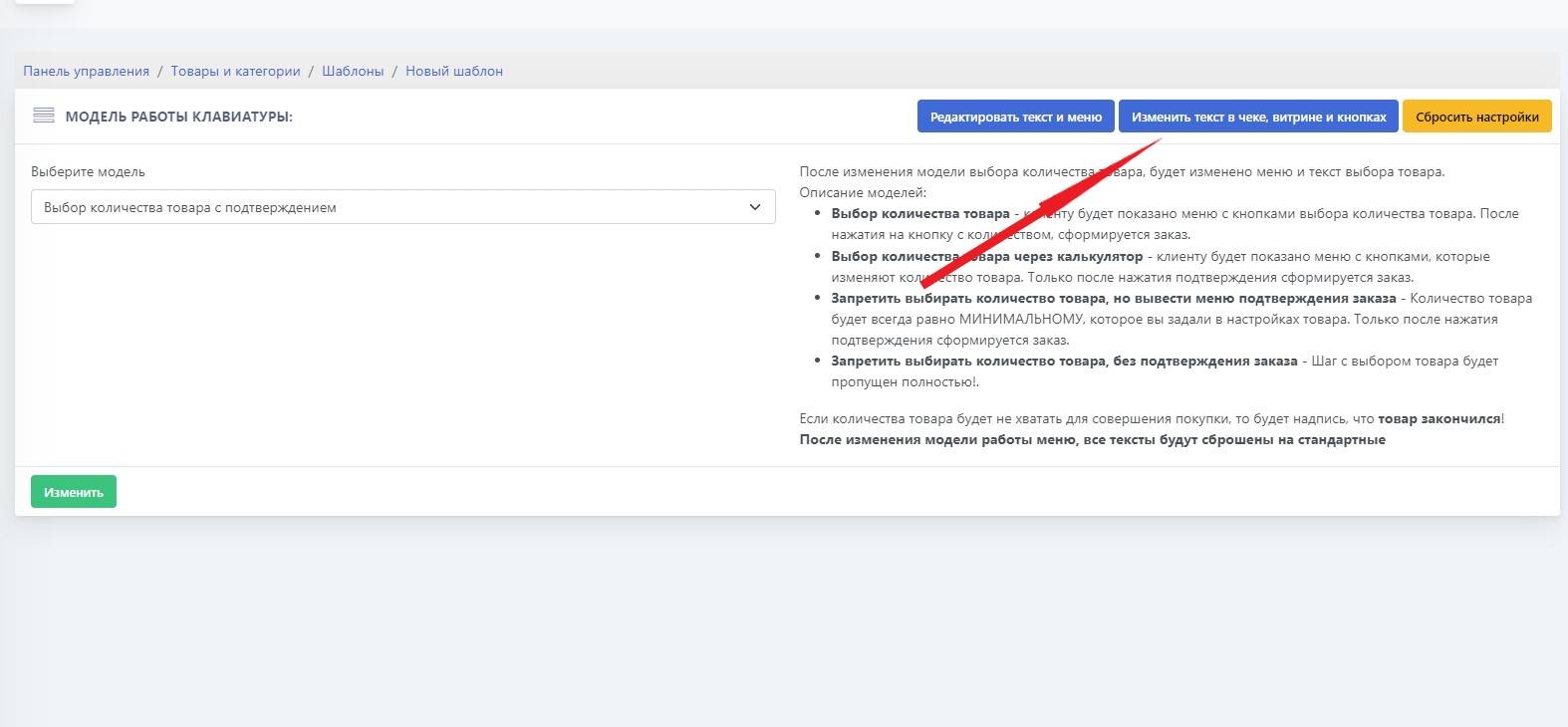 The next item is "Change the text in the receipt, storefront, buttons"
 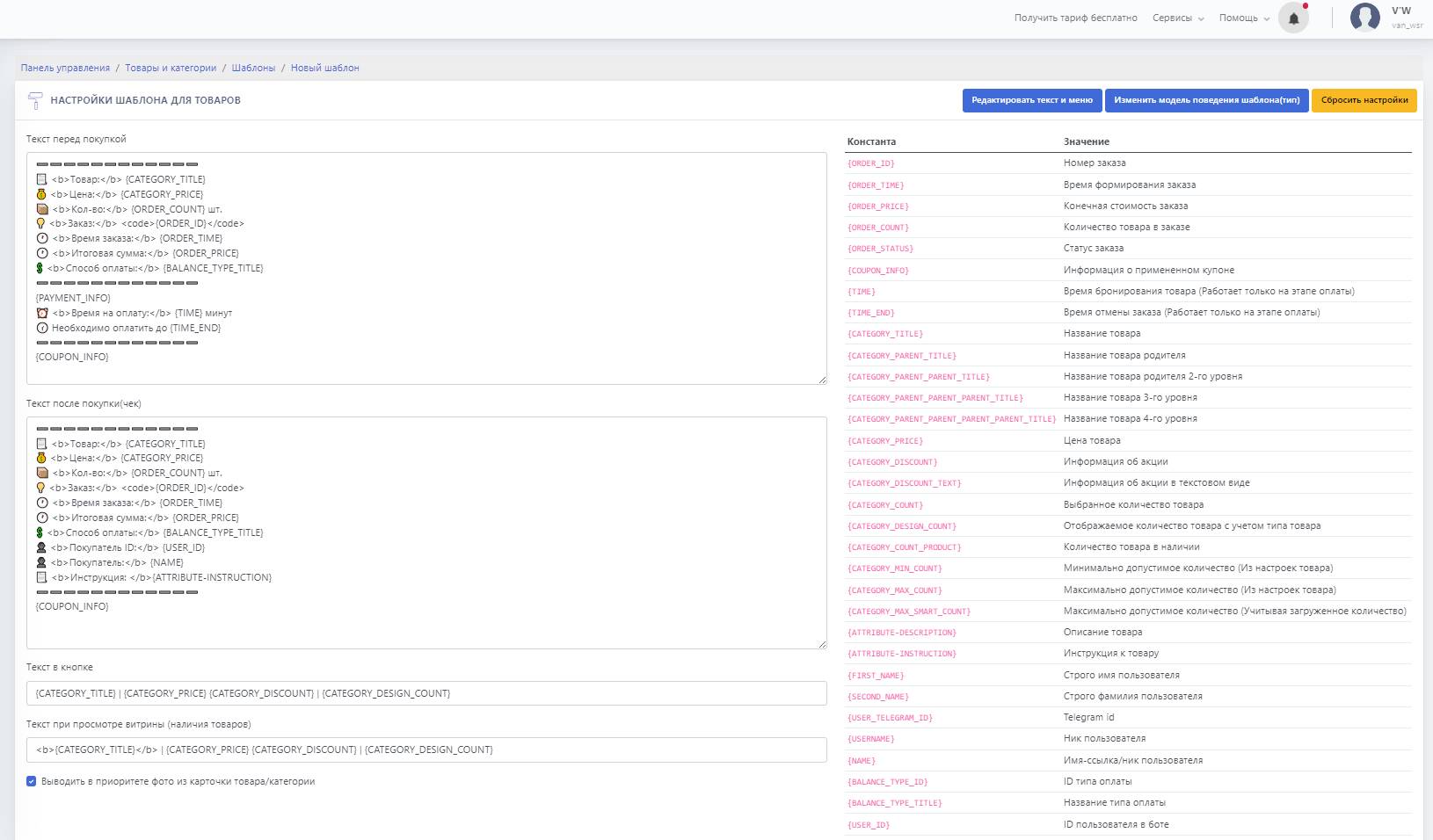 And we get to the section for configuring the receipt, storefront, and product buttons.