

 A bot in Telegram is an automated account that can interact with users through messages. It can perform various functions, such as providing information, sending notifications, selling various goods, organizing polls, and much more.
 Telegram bots can be created for both personal use and for business.
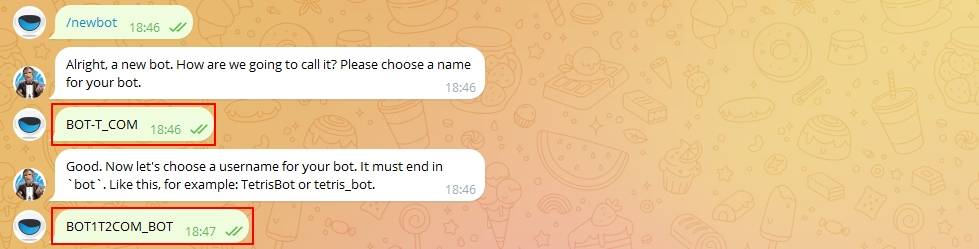 Create a bot in
 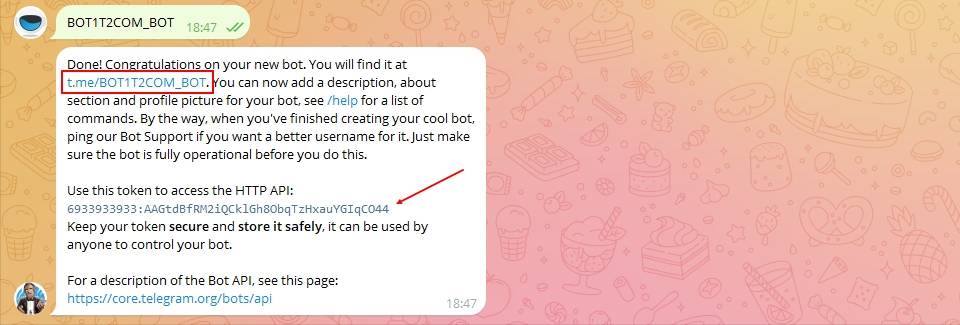 After successful creation, @botfather sends you a message with your bot’s token and a link to it (copy the token; follow the link and join the bot so you don’t lose it).
 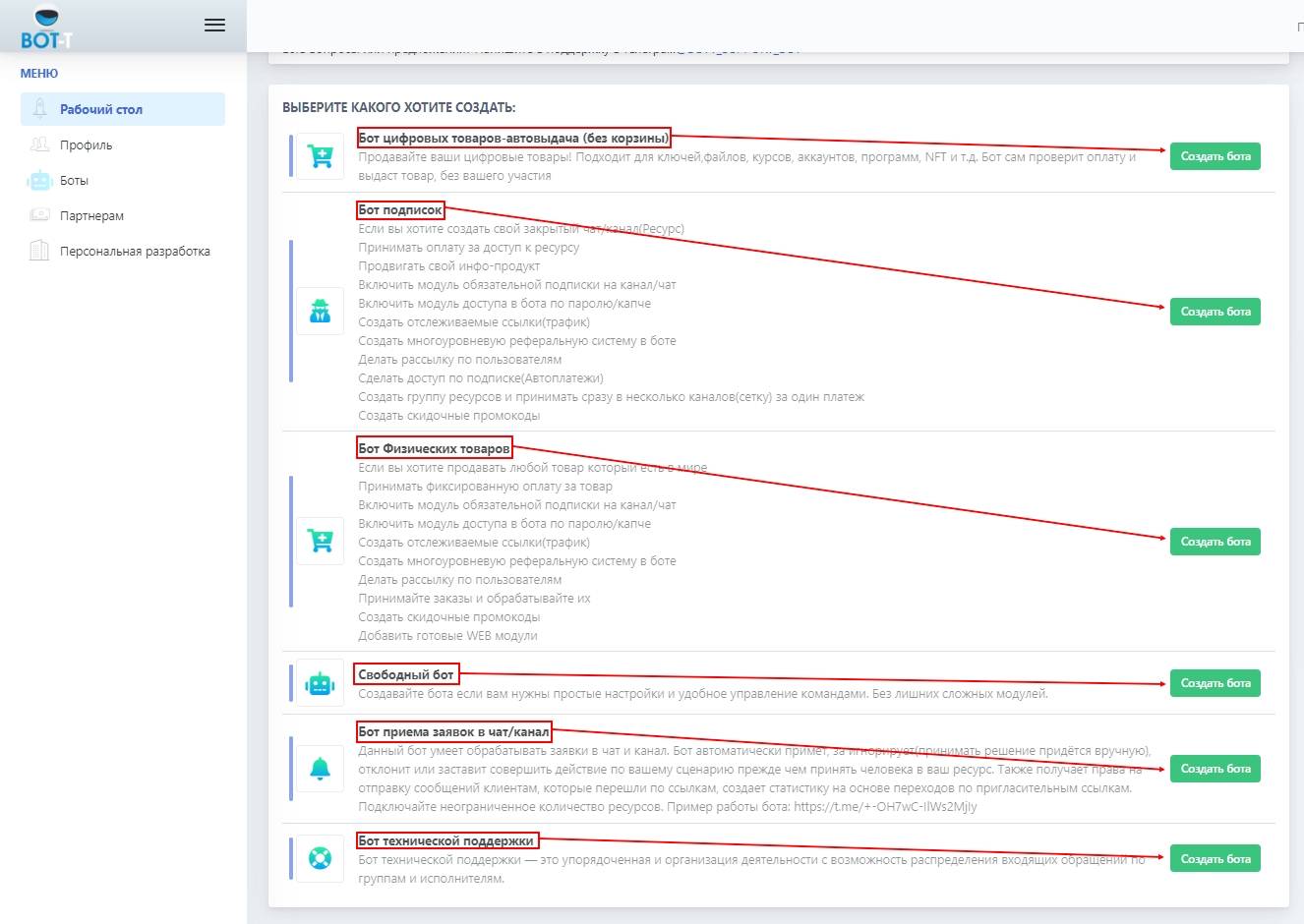 Go to the website
 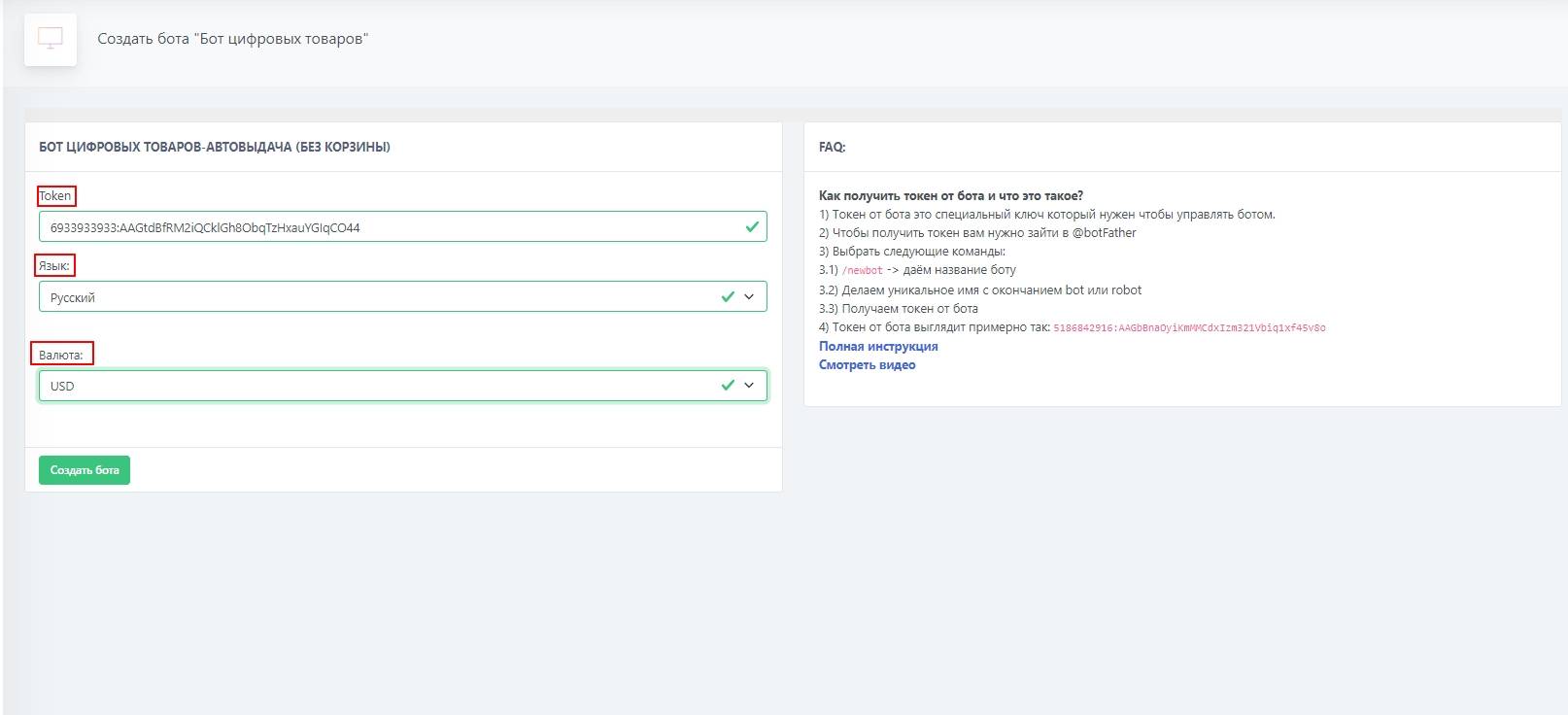 Enter the token;